

Who SuiteCRM is for#
SMB sales teams moving off a commercial CRM
SuiteCRM covers the same workflow as Salesforce or HubSpot: lead capture, opportunity stages, quotation generation, and pipeline reporting, all self-hosted. Teams that have grown past HubSpot's free tier limits or are comparing Salesforce pricing gain comparable depth without per-seat licensing.
Skip if:
Your team relies on Salesforce AppExchange integrations that have no SuiteCRM equivalent, or you have no server administration capacity in-house.
Enterprises and regulated industries needing on-premise CRM
SuiteCRM deploys on your own servers or private cloud, keeping customer records and deal data off vendor infrastructure. AGPL-3.0 lets your team inspect and audit the codebase. Multi-language and multi-currency support makes it workable for international enterprise operations.
Skip if:
Your IT policy requires a vendor-supported SLA with formal indemnification. SuiteASSURED from SalesAgility provides this, but it is a paid offering on top of the open source software.
Development teams building CRM integrations
The open REST API and extensions directory allow teams to connect SuiteCRM to ERP systems, marketing tools, or custom internal applications. The AGPL-3.0 source is forkable for modifications suited to internal workflows.
Skip if:
Your integrations are primarily with Salesforce-native products (Pardot, CPQ, Service Cloud) that assume the Salesforce API. SuiteCRM's API is compatible with its own data model, not Salesforce's.
Customer service teams managing cases alongside sales data
SuiteCRM's case management module, customer portal, and SLA tracking are built into the same system as the sales pipeline. Support teams can see the full customer history when working a case without switching to a separate helpdesk tool.
Skip if:
Your support volume requires dedicated helpdesk features like live chat, shared inboxes, or AI-assisted triaging. Specialized helpdesk tools will outperform SuiteCRM's case module at that scale.
The problem it solves#
CRM software from commercial vendors scales pricing with your team. Salesforce Sales Cloud charges per user per month, with enterprise plans reaching $165 per seat. HubSpot CRM starts free but gates key automation and reporting behind paid tiers that add up fast as team size grows. Zoho CRM and Pipedrive follow similar per-seat structures. For growing teams, the bill compounds quickly and the data stays on vendor infrastructure, creating lock-in risks when contracts renew.
The deeper pain is ownership. Your customer contacts, deal history, pipeline reports, and communication logs live in systems you cannot inspect or modify. Migrating away from a commercial CRM mid-growth is expensive and disruptive. Teams that want to customize workflows, integrate internal systems, or build on top of CRM data often hit paywalls or API rate limits imposed by the vendor.
How it solves it#
360-Degree Customer Record
Centralizes contacts, accounts, communication history, and linked opportunities in a single record. Every interaction across sales, support, and marketing is visible from one view, which reduces information silos across teams.
Sales Pipeline and Quotation Builder
Tracks opportunities through configurable stages, then generates formal quotes and contracts directly from deal records. Sales reps can produce personalized quotations without switching to a separate tool.
Workflow Automation Engine
Triggers automated actions based on record changes, date conditions, or field values. Common uses include auto-assigning leads, sending follow-up emails, and escalating support cases past a defined SLA threshold.
Customer Service Case Management
Manages incoming support cases with assignment rules, SLA tracking, and a self-service customer portal. Support teams can handle cases without separate helpdesk software.
Open REST API for Integrations
Provides a REST API for connecting SuiteCRM to third-party systems including accounting, ERP, and marketing tools. The extensions directory at store.suitecrm.com hosts community-built integrations.
Multi-Language and Multi-Currency Support
Supports multiple languages and currencies out of the box, with community-maintained translations hosted on SourceForge. International teams can run SuiteCRM in their local language without purchasing add-ons.
Strengths and trade-offs#
Strengths
- AGPL-3.0 license with no per-seat feesThere are no per-user licensing fees. A 50-person sales team running SuiteCRM costs the same as a 5-person team from a licensing standpoint. The AGPL-3.0 license grants full access to modify the codebase for internal workflows.
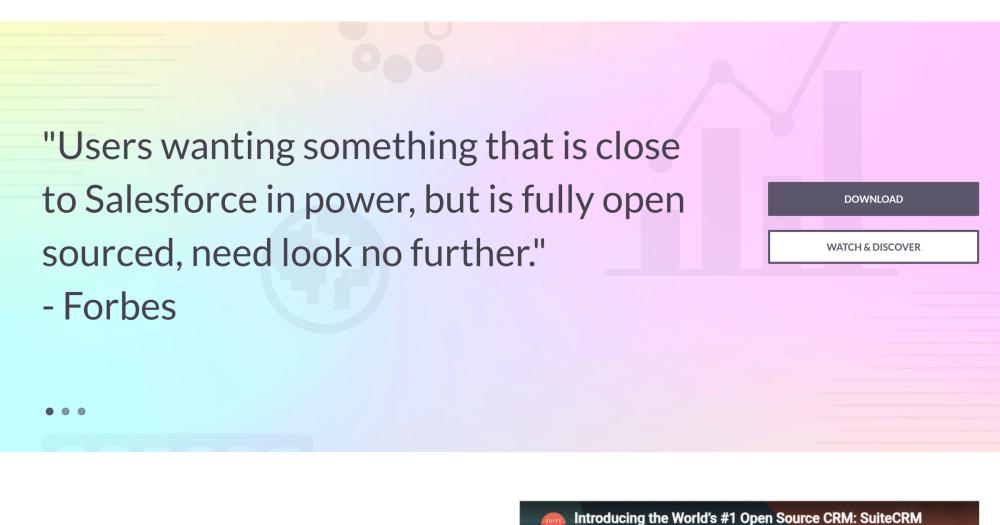
- Feature depth comparable to SalesforceForbes described SuiteCRM as the closest open source CRM to Salesforce in power. The feature set covers the same core objects: leads, contacts, accounts, opportunities, quotes, contracts, cases, and reports.
- Active development with regular security releasesSuiteCRM has been in active development since 2013. Security and maintenance releases for both version 7 and version 8 shipped in July 2026. The GitHub repo shows 2,434 forks and active recent commits.
- Self-hosted on standard LAMP infrastructureRuns on Apache, PHP, and MySQL, technologies most server administrators already know. No proprietary runtime or cloud dependency required. SalesAgility also offers managed hosting for teams that want the features without server administration.
Trade-offs
- -Large open issue backlog on GitHubThe repo carries 1,381 open issues as of the research date. Not all are bugs, but the volume reflects a project with broad feature scope. Teams running production instances should review release notes and monitor the issue tracker for regressions affecting their workflows.
- -No official Docker path in the main READMEThe recommended deployment runs Apache, PHP 8.1-8.4, and MySQL on a Linux server. No Docker Compose file or container image is documented in the main README. Teams accustomed to containerized deployments will need to find community-maintained Docker setups or configure a traditional server.
- -SuiteCRM 8 is not yet feature-completeSuiteCRM 8 is the next major version, currently in an active development phase the project calls 'levelling up'. The README explicitly states version 8 is not yet as feature-complete as version 7. Teams choosing version 8 should evaluate which missing features affect their use case before committing.
SuiteCRM vs alternatives#
SuiteCRM vs Salesforce Sales Cloud
SuiteCRM and Salesforce Sales Cloud target the same workflow: managing leads, opportunities, quotes, and customer accounts across a sales team. The key difference is the deployment and cost model.
| Feature | SuiteCRM | Salesforce Sales Cloud |
|---|---|---|
| License | AGPL-3.0 | Proprietary |
| Self-hosting | Yes (LAMP stack) | No |
| Per-seat fees | None | $25 to $500+/user/month |
| Source access | Full (AGPL-3.0) | No |
| Multi-language | Built-in | Plan-dependent |
SuiteCRM is the better choice for teams that need Salesforce-level feature depth without license costs and have server infrastructure to run it. The AGPL-3.0 license also allows customizations for internal workflows, which Salesforce's closed platform does not permit.
Salesforce remains the better choice when pre-built AppExchange integrations are critical, when no server administration capacity exists, or when you need Salesforce-specific products like Pardot, CPQ, or Service Cloud with native handoffs between them.
SuiteCRM vs HubSpot CRM
HubSpot CRM offers a free tier that handles basic contact management and deal tracking. The comparison changes as usage scales beyond that tier.
| Feature | SuiteCRM | HubSpot CRM |
|---|---|---|
| License | AGPL-3.0 | Proprietary (free tier available) |
| Self-hosting | Yes | No |
| Workflow automation | Full (included) | Paid tiers required |
| Case management | Built-in | Separate Service Hub product |
| Marketing module | Built-in | Separate Marketing Hub product |
SuiteCRM starts with more depth in workflow automation and case management than HubSpot's free tier provides. HubSpot's paid tiers add automation and reporting comparable to what SuiteCRM includes by default, but at a per-seat price that scales with team size. HubSpot is the simpler path when no server administration is available and the team is small enough that per-seat costs are manageable. SuiteCRM is the better choice when full automation depth, on-premise hosting, or Salesforce-equivalent features are required at no license cost.
What it's built on#
- Languages
- JavaScriptPHP
FAQ#
Is SuiteCRM free to use?
The software is free under AGPL-3.0, meaning no license fees for self-hosting. You pay for the server infrastructure. SalesAgility offers paid managed hosting and support plans if you prefer not to administer the server yourself.
How does SuiteCRM compare to Salesforce?
SuiteCRM covers the same core objects as Salesforce: leads, contacts, accounts, opportunities, quotes, and cases. Forbes noted it as the closest open source CRM equivalent in power. The key difference is infrastructure: SuiteCRM runs on your own server while Salesforce is a managed cloud. The ecosystem of pre-built integrations is narrower on SuiteCRM, but the core feature depth is comparable.
Can I migrate data from HubSpot or Salesforce to SuiteCRM?
SuiteCRM supports CSV import and has community-built migration tools for common CRM formats. The REST API also supports programmatic data transfer. Expect to invest time mapping field structures, especially if your source CRM uses custom objects heavily.
What are the server requirements for SuiteCRM 7?
SuiteCRM 7 requires a Linux or Windows server running Apache (or IIS), PHP 8.1 to 8.4, and MySQL or MariaDB. A properly configured LAMP stack on Linux is the recommended path. The official compatibility matrix at docs.suitecrm.com has the full requirements list.
Should I use SuiteCRM 7 or SuiteCRM 8?
SuiteCRM 7 is the mature, stable release recommended for production use. SuiteCRM 8 is the next major version currently in active development and not yet feature-complete relative to version 7. For new installations, review the SuiteCRM 8 Journey page at suitecrm.com to assess whether the features you need are available before choosing version 8.
Similar open-source tools#

Twenty
58,443 GitHub starsOpen source CRM with custom data models and AI-native workflows
Alternative to Salesforce

EspoCRM
3,494 GitHub starsSelf-hosted open source CRM for contacts and pipelines
Alternative toSalesforce Sales Cloud

crm
3,809 GitHub starsSelf-hostable CRM with unlimited users and Kanban deal tracking
Alternative to HubSpot CRM

DeskcommCRM
4,676 GitHub starsAI agents for WhatsApp sales, fully audited, no per-user pricing
Alternative toHubSpot Sales Hub

Comp AI CRM
11,286 GitHub starsOpen source agentic CRM with a durable research agent
Alternative to Attio
Attio

OpenFang
18,212 GitHub starsOpen source Agent OS built in Rust with autonomous agents
Alternative to Grok Bot