

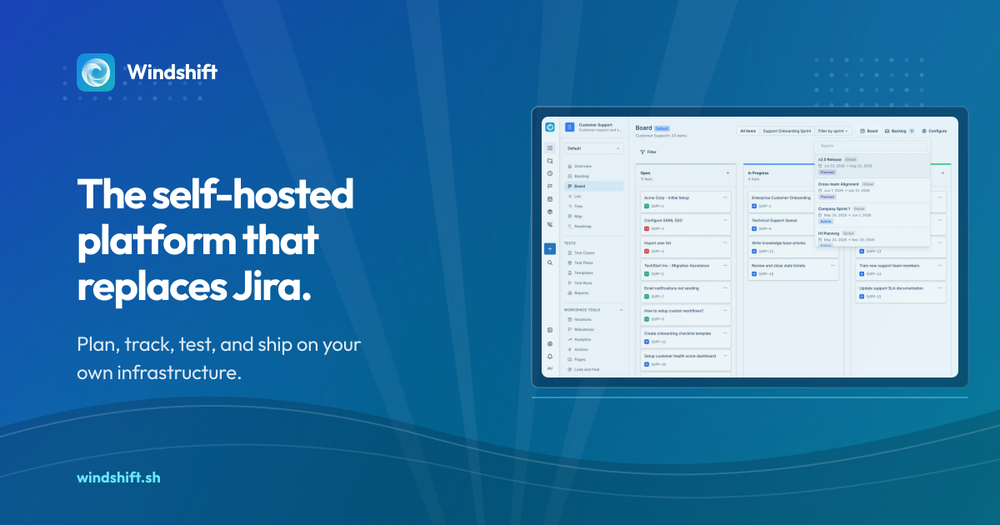
Who core is for#
Engineering teams on Jira Data Center planning migration
Windshift imports your actual Jira Data Center project before you commit to the cutover, so you can evaluate the result with your own work data. The 2029 read-only deadline is fixed; starting a pilot now leaves time to iterate before the window narrows.
Skip if:
Skip if your organization is fully on Jira Cloud and per-seat pricing is acceptable. Windshift's Jira import benefit is most valuable for Jira Data Center teams with a hard migration deadline.
Product teams that need test management in the same tool
Windshift connects test cases, test runs, and results back to the requirement that prompted them. Delivery and verification share the same context without a separate testing add-on like Zephyr or Xray.
Skip if:
Skip if your QA team runs a mature, standalone test management tool they are not ready to replace. Windshift's test management is integrated but early-stage.
Growing teams wanting Jira-style structure without per-seat fees
A single binary on a small VPS gives a growing team sprints, backlogs, hierarchies, milestones, and a customer portal. No per-seat licensing and no managed hosting costs: the infrastructure bill is the only variable.
Skip if:
Skip if your team has fewer than five people and no current need for sprints or release tracking. A lighter tool may be sufficient at that scale.
Organizations requiring data residency and AI governance
Windshift lets teams choose the region and infrastructure where work data lives and which AI services process it. Using a local model or an internal provider account keeps model costs and data flow under organizational control.
Skip if:
Skip if your organization already uses an approved managed SaaS tool and data residency is not a compliance requirement.
The problem it solves#
Work management at the team level has consolidated around Jira's concepts: sprints, backlogs, issue hierarchies, releases, and custom workflows. The problem is that those concepts now come packaged with Atlassian's hosting, pricing, and roadmap. Jira Data Center stops accepting new purchases in early 2028 and goes read-only in March 2029. Teams that have built their delivery process around Jira's structure face a hard choice: migrate to Jira Cloud and accept per-seat pricing and data residency terms they cannot control, or evaluate alternatives and accept rebuilding their process vocabulary from scratch.
The second path fails in practice. Teams do not want to abandon sprints, backlogs, hierarchies, or the integration with their code repositories. They want the same mental model on infrastructure they govern, with the ability to decide which AI services process their work data and what happens when pricing changes again.
How it solves it#
Jira project import with full context
Imports Jira Cloud and Jira Data Center projects including issues, comments, attachments, worklogs, boards, sprints, custom fields and field values, and Assets schemas with object types and asset-backed fields. Migration is a pilot you evaluate with your own data before committing to the cutover.
Single Go binary with embedded frontend
Ships as one executable with the Svelte frontend compiled in. Runs on SQLite by default with no external database dependency. Add PostgreSQL when team size requires it. Designed to run on hardware as small as a Raspberry Pi or as large as a dedicated server.
Integrated test management
Write reusable test cases, assemble test runs, record results, and link verification back to the requirement that prompted it. Delivery and validation share the same work context, history, and ownership without a separate testing tool.
Customer portal for external requests
Gives customers a branded place to submit requests and follow public updates. One request identifier connects the customer conversation to internal delivery work. There is no second service-desk backlog to reconcile across systems.
GitHub, Gitea, and Forgejo integration
Create a linked branch from a work item or let the item key connect existing branches, commits, and pull requests automatically. The work item keeps the repository, change, and current pull-request state together in one view.
Time tracking attached to work items
Start a timer or enter time manually. Separate billable and internal effort, allocate it to projects and customers, and review the result in reports. Planning, delivery, and reporting use the same work record.
Strengths and trade-offs#
Strengths
- No rebuild required for Jira teamsWindshift uses the same terminology Jira teams already know: projects, work items, sprints, backlogs, releases, hierarchies, boards, and roadmaps stay part of one familiar system. Teams adopt a new deployment without retraining their process vocabulary.
- Full data governance and AI cost controlIdentity, extensions, AI, storage, and deployment remain choices the organization can inspect and govern. Teams can use a local AI model or their own provider account, keeping model choice and spend under their control rather than inside an opaque credit system.
- Runs on minimal hardware without an orchestration layerThe single binary runs on anything from a Raspberry Pi to a dedicated server. No external services are required by default: SQLite is bundled, Docker is available, and PostgreSQL is optional. Teams without a dedicated infrastructure function can deploy it.
- AGPL-3.0: free to self-host for internal commercial useOrganizations can run Windshift internally for any team or commercial use at no licensing cost. The constraint applies only to offering Windshift as a managed service to others, not to running it for your own organization.
Trade-offs
- -Self-hosting carries full operational responsibilityThere is no managed cloud tier. Your team manages backups, HTTPS termination, secrets, monitoring, and upgrade scheduling. This is the right tradeoff for teams that want data control, but it is real overhead for organizations without infrastructure experience.
- -Early-stage project with 37 open issuesWindshift launched in December 2025 and had 131 GitHub stars and 37 open issues as of September 2026. It is under active development but has not yet reached the maturity or ecosystem breadth of established work management tools. Teams with enterprise reliability requirements should pilot carefully before full migration.
- -AGPL-3.0 restricts reselling as a managed serviceIf you modify Windshift and offer it as a hosted service to others, AGPL-3.0 requires distributing those source changes. Running it internally for your own team and organization has no such restriction. Teams building a commercial managed offering on top of Windshift need to factor this into their licensing plan.
- -Smaller integration ecosystem than JiraJira's Marketplace has hundreds of third-party plugins. Windshift's current verified integrations are GitHub, Gitea, Forgejo, plus REST API and webhooks. Teams that rely heavily on Jira Marketplace apps should audit which workflows they need before planning a migration.
core vs alternatives#
Windshift vs Jira
Jira Cloud, Jira Data Center, and Windshift share the same work management vocabulary: projects, sprints, backlogs, custom workflows, issue hierarchies, and board views. The key difference is infrastructure control and pricing model.
| Feature | Windshift | Jira Cloud |
|---|---|---|
| License | AGPL-3.0 | Proprietary |
| Self-hosting | Yes | No |
| Per-seat pricing | No | Yes |
| Jira project import | Yes | N/A |
| Test management | Built-in | Requires paid add-on |
| Customer portal | Built-in | Requires Jira Service Management |
| AI governance | Choose your own model | Atlassian Intelligence |
Windshift is the better choice when data residency, AI cost control, and elimination of per-seat fees are the deciding factors. It also covers test management and customer portals without additional paid add-ons. Jira Cloud remains the stronger fit when you need its Marketplace ecosystem (hundreds of third-party integrations) or a fully managed service with enterprise SLA commitments where infrastructure is not your team's responsibility.
For teams on Jira Data Center specifically: new purchases and license expansions end in early 2028, with a read-only cutover in March 2029. Windshift imports Data Center projects with full context (Assets schemas, custom fields, worklogs), making it a viable migration target to evaluate before that window closes.
Windshift vs Linear
Linear is a SaaS-only work management tool with no self-hosting path. Windshift covers Linear's core workflow (roadmaps, sprints, milestones, priorities) with additions: test management, time tracking, and an integrated customer portal. Linear wins on interface polish and speed for teams that accept SaaS hosting. Windshift wins when data residency, AGPL licensing, or integrated test management are requirements Linear cannot meet.
Windshift vs ClickUp
ClickUp is a broad work management SaaS with a free tier and no self-hosting option. Windshift's feature breadth is comparable (boards, milestones, custom fields, time tracking), but Windshift runs entirely on infrastructure you control. ClickUp has a larger third-party integration catalog and a longer track record; Windshift is the better choice when self-hosting and avoiding per-seat pricing take priority over ecosystem breadth.
What it's built on#
- Languages
- GoJavaScript
- Frameworks
- ReactSvelte
FAQ#
Is Windshift free to use?
Yes. Windshift is AGPL-3.0 licensed and free to self-host for internal use, including commercial team use. There is no managed cloud tier and no per-seat licensing fee. You pay for the server you run it on, nothing else.
Can I import my existing Jira projects into Windshift?
Yes. Windshift imports Jira Cloud and Jira Data Center projects including issues, comments, attachments, worklogs, boards, sprints, custom fields, and Assets schemas with object types and asset-backed fields. The recommended approach is to import a representative project, evaluate the result with your own data, then plan the full migration.
Does Windshift replace Linear or ClickUp?
For core workflows, yes. Windshift covers boards, sprints, milestones, roadmaps, time tracking, and customer portals. It differs in that it is self-hosted with no managed cloud option, while Linear and ClickUp are primarily SaaS products. Teams leaving those tools for data ownership or cost control will find most core workflows transferable.
What database does Windshift use?
SQLite by default, with no external dependency required. Switch to PostgreSQL when your team size or performance requirements call for it. The database choice is yours at deployment time and does not require vendor approval.
How hard is Windshift to self-host?
Moderate effort. It ships as a single binary with the Svelte frontend built in, so there is no multi-service stack to orchestrate by default. Your team is responsible for backups, HTTPS termination, secrets management, monitoring, and upgrade scheduling. The project documentation notes it is designed to run on anything from a Raspberry Pi to a dedicated server, but ongoing maintenance attention is required.
Similar open-source tools#

Focalboard
Open source project management: Kanban, Scrum, and lists

Leantime
Focus-first project management designed for neurodivergent teams

Taiga
Agile project management for Scrum, Kanban, and hybrid teams

OpenProject
Plan projects with Gantt, Scrum, and Kanban, all self-hostable

Macro
The open source workspace, one app for all your work.

Anytype
Local-first knowledge OS with E2E encryption and P2P sync