

Who Dbdelve is for#
Developers migrating from DBeaver who want lower resource usage
DBDelve imports DBeaver connections including passwords and SSH settings, then runs with a fraction of the memory. On the same M1 Pro hardware, DBDelve idles at 133 MB vs DBeaver's 606 MB. Tab results persist in memory so switching between queries requires no re-run. The connection importer covers macOS, Linux, and Windows DBeaver installations.
Skip if:
If your workflow depends on DBeaver-specific features like ER diagrams, data modeling, or database administrative views, DBDelve does not cover those yet.
Solo developers who use TablePlus on macOS and want cross-platform support
TablePlus is macOS-first with limited Windows support. DBDelve covers macOS, Linux, and Windows with the same native feel, and it is free where TablePlus requires a purchase for more than two open tabs or two saved connections. DBDelve can also import TablePlus connections on macOS.
Skip if:
If you rely on TablePlus's visual query builder, quick filter rows, or iOS client for mobile database access, DBDelve does not have equivalents for those yet.
Backend engineers working with multiple database engines daily
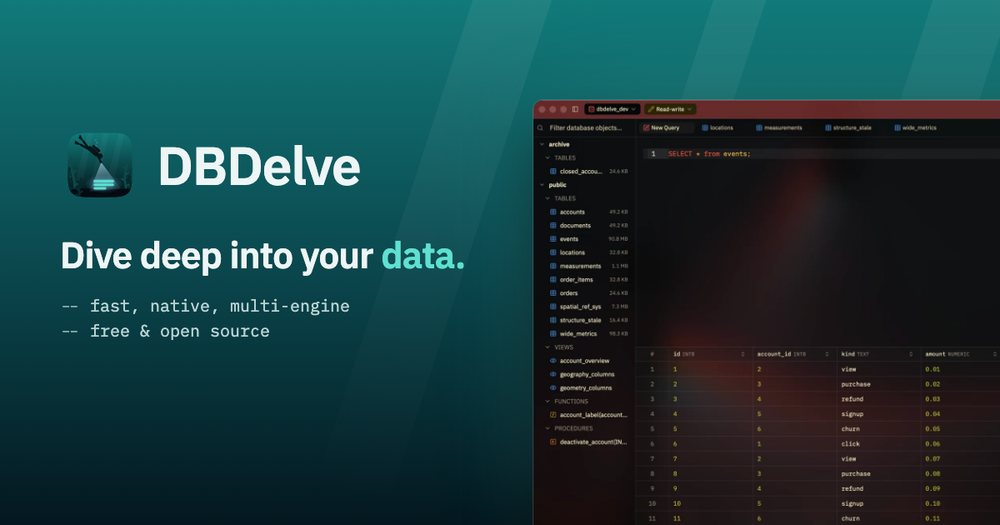
Connecting to Postgres in production, MySQL at a client, SQLite for local testing, and MongoDB for a side project from one client that opens in 1.1 seconds is DBDelve's primary use case. Each connection keeps its own color in the title bar so production credentials are never easy to mistake for a test database.
Skip if:
DBDelve does not support database administration tasks like user management, role configuration, or backup jobs. Use a dedicated admin tool or CLI for those workflows.
Teams evaluating database clients without a per-seat budget
DataGrip and similar commercial clients charge per seat. DBDelve is MIT licensed with no seat limit and no features gated behind a subscription, so a team of any size can standardize on it without a procurement conversation. The connection importer reduces migration cost from existing clients.
Skip if:
Teams that need an enterprise support contract, SLA, or a vendor-managed update path will not find those from an early-stage open source project.
The problem it solves#
Most database clients make a developer choose between paying and performance. The paid options (DataGrip, TablePlus) require ongoing subscriptions or per-seat licensing. The free options typically run on Electron or JVM runtimes, which brings slow startup, high idle memory, and stuttering when scrolling large result sets. DBeaver, the most widely used free client, takes over 5 seconds to launch and sits at 600 MB idle on the same machine where DBDelve opens in 1.1 seconds at 133 MB.
Beyond raw speed, most clients tie your saved connections to their own format or cloud account, creating friction when switching tools or machines. DBDelve imports connections from DBeaver and TablePlus, stores everything locally, and makes no outbound requests except an optional startup check for updates that can be turned off in Settings.
How it solves it#
Multi-engine database support
Connects to PostgreSQL, MySQL, MariaDB, SQLite, Snowflake, SQL Server (2017 and later), and MongoDB in a single client. SQL engines support inline editing and Explain; Snowflake skips inline editing since it does not enforce primary keys; MongoDB accepts mongosh statements and supports filter, sort, edit by _id, and Explain.
Native Rust performance with GPUI
Written in Rust with GPUI rather than Electron or a JVM runtime. Benchmarked against DBeaver 25.3.1 on an M1 Pro (median of 5 runs): 1.1-second launch vs 5.2 seconds, 133 MB idle vs 606 MB, and a 1,000-row query in 0.21 seconds vs 1.96 seconds. Tabs keep prior results in memory, so switching back to a large result set is instant with no re-query.
Connection import from DBeaver and TablePlus
Imports every saved connection, including passwords and SSH settings, from DBeaver on macOS, Linux, and Windows, or from TablePlus on macOS. No manual re-entry is needed after migration. Each connection keeps its own tabs, schema tree, history, and title-bar color so production credentials are visually distinct from test databases.
Inline cell editing with SQL preview
Change a cell value and DBDelve writes the UPDATE statement into the editor for review before it runs. Supports read-only, read-write, and full-access modes per connection, with a confirmation prompt before any destructive operation.
Keyboard-first navigation and SSH tunneling
A command palette covers every action, fuzzy search runs across the full schema, and every shortcut can be rebound. SSH tunneling runs through the system ssh binary, so existing config files, SSH agents, and hardware keys work without reimplementing them inside the client.
Theme library with glass variants
Ships with DBDelve Dark, Light, and Black alongside Catppuccin, Tokyo Night, Gruvbox, and Dracula, each available in dark and light and in translucent glass. Supports importing themes from Zed or VS Code, or writing custom themes from scratch.
Strengths and trade-offs#
Strengths
- MIT licensed with no feature paywallsThe entire client is MIT licensed and every feature ships in the free tier. The README commits explicitly to no feature ever going behind a paywall, distinguishing it from TablePlus (free tier limits open connections) and DataGrip (subscription required). There is no paid plan at all.
- No telemetry and local data storageDBDelve makes no outbound requests except an optional startup update check, which can be disabled in Settings. Connections, query history, and saved passwords stay in the local keychain. No cloud account is required to use any feature.
- Cross-platform native binariesShips compiled binaries for macOS (Apple Silicon, macOS 12 or later), Linux (x86_64 and aarch64, Ubuntu 22.04 and later), and Windows (x86_64). Homebrew on macOS and the AUR on Arch-based Linux handle installs and upgrades without manual release tracking.
Trade-offs
- -Early-stage project with a small communityThe repository was created in August 2026 and has 190 GitHub stars. The README notes it is early days. SQL Server lacks Explain support, Snowflake lacks inline editing, and MongoDB batch edits have no transaction wrapper. Users who depend on edge-case engine-specific features may find gaps, and documentation beyond the README is limited to a few engine-specific pages.
- -macOS requires clearing the Gatekeeper quarantine flag after each installDBDelve is signed ad-hoc without an Apple Developer ID, so macOS Gatekeeper blocks the first launch after each install or upgrade. Clearing the quarantine flag with xattr -dr com.apple.quarantine /Applications/DBDelve.app is required once per install. The README notes this step resets with every update since each release carries a different signature.
- -Linux requires a graphics driver, a keyring service, and xdg-desktop-portalRunning on Linux requires a Vulkan or OpenGL graphics driver, a Secret Service keyring (gnome-keyring or KWallet) for saved passwords, and xdg-desktop-portal for the export dialog. These are standard on most desktop distributions but may need manual installation on minimal or server-focused setups.
Dbdelve vs alternatives#
DBDelve vs DataGrip
DataGrip is JetBrains' commercial database IDE. It runs on the JVM, supports a broad range of database engines, and covers ER diagrams, schema management, and database refactoring. It requires an active JetBrains subscription.
DBDelve supports seven engines with fast query browsing, inline editing, and keyboard-driven navigation. On an M1 Pro it launches in 1.1 seconds and idles at 133 MB. Both the launch time and memory footprint are substantially lower than typical JVM-based tooling. No subscription is required.
DataGrip is the better choice when you need ER diagrams, schema refactoring tools, or support for a broad engine list beyond the seven DBDelve covers. DBDelve fits the developer who queries and browses daily without needing IDE-grade administrative features.
| Feature | DBDelve | DataGrip |
|---|---|---|
| License | MIT | Proprietary |
| Price | Free | Subscription required |
| Runtime | Native Rust | JVM |
| Startup | 1.1 s (M1 Pro) | JVM startup overhead |
| ER diagrams | No | Yes |
| Telemetry | None | IDE telemetry |
DBDelve vs TablePlus
TablePlus is a paid native client for macOS with limited Windows support. Its free tier caps open tabs and saved connections; the paid license removes those limits.
DBDelve is MIT licensed, free with no connection or tab limits, and available for macOS, Linux, and Windows. The macOS build uses ad-hoc signing rather than an Apple Developer ID, so a quarantine flag step is required once per install. TablePlus's notarized app opens without that step.
TablePlus is the better choice for macOS users who want a polished notarized install and are comfortable with the cost. DBDelve is the better fit when cross-platform support, MIT licensing, or zero ongoing cost matters more than frictionless installation on macOS.
| Feature | DBDelve | TablePlus |
|---|---|---|
| License | MIT | Proprietary |
| Price | Free | Paid (free tier limited) |
| macOS | Yes (ad-hoc signed) | Yes (notarized) |
| Linux | Yes | No |
| Windows | Yes | Limited |
| Free tier limits | None | Tabs and connections capped |
| Connection import | From DBeaver and TablePlus | Various |
Quick start#
Install on macOS via Homebrew; run the quarantine step once per install or upgrade.
```bash
brew install --cask ShayanAbbas1/dbdelve/dbdelve
xattr -dr com.apple.quarantine /Applications/DBDelve.app
```What it's built on#
- Languages
- Rust
- Databases
- MariaDBMongoDBMySQLPostgreSQLSnowflakeSQLite
FAQ#
Is DBDelve free for commercial work?
Yes. DBDelve is MIT licensed and can be used commercially without restriction. No features are locked behind a paid tier, and the README explicitly commits to that. There is no paid plan at all.
Which databases does DBDelve support?
PostgreSQL, MySQL, MariaDB, SQLite, Snowflake, SQL Server (2017 and later), and MongoDB. SQL Server does not include Explain support. Snowflake skips inline editing since the engine does not enforce primary keys. MongoDB is queried with mongosh statements. More engines are planned.
Does DBDelve work on Linux?
Yes. DBDelve builds for x86_64 and aarch64 on Ubuntu 22.04 and any newer Linux distribution with a compatible glibc. Install options include the AUR package for Arch-based distributions, a tarball that installs under ~/.local, or an AppImage. Requires a Vulkan or OpenGL graphics driver and a Secret Service keyring for saved passwords.
How does DBDelve compare to DBeaver on performance?
In benchmarks on an M1 Pro (median of 5 runs, DBeaver 25.3.1), DBDelve launched in 1.1 seconds vs 5.2 seconds, idled at 133 MB vs 606 MB, and ran a 1,000-row query in 0.21 seconds vs 1.96 seconds. DBeaver has a much larger feature set including ER diagrams and schema management; DBDelve trades those for speed and lower memory usage.
Can I import my connections from another database client?
DBDelve imports saved connections, passwords, and SSH settings from DBeaver on macOS, Linux, and Windows, and from TablePlus on macOS. Connections from other clients need to be re-entered manually. The import covers every saved connection in those clients, including SSH tunnel settings.
Similar open-source tools#

Chat2DB
AI text-to-SQL client for 40+ databases; local-first, self-hosted

libredb-studio
One browser tab for 18 database engines, deployed beside your data

tabularis
Open-source desktop SQL workspace with AI, notebooks, and MCP

dbx
Manage 100+ databases with a 25 MB open source client

DBeaver
Free open-source database management tool for SQL databases.

QoreDB
Rust-powered database client for 9 SQL and NoSQL engines