

Who Onlook is for#
Designers embedded in React product teams
Designers who work alongside engineers on a Next.js codebase can use Onlook to make visual changes, iterate on layouts, and ship style fixes without filing tickets. Because edits go directly to source code, there is no design-file-to-code translation step and no risk of the design file diverging from what is in production.
Skip if:
If the workflow relies on Figma for annotation, comment threads, or external stakeholder handoff, Onlook does not yet replace those collaboration features and a separate tool will still be needed for that step.
Product managers prototyping UI changes
Product managers who want to test a new layout, fix a microcopy issue, or mock up a feature without waiting for engineering capacity can work directly in Onlook on a development branch. The AI chat handles complex changes through natural language, and the visual editor handles simpler styling without requiring TypeScript knowledge.
Skip if:
If the codebase is not on Next.js and Tailwind, or if the changes span complex business logic rather than UI, Onlook is not the right tool. It is a visual editor, not a general-purpose code editor for back-end changes.
Solo developers and indie builders using Next.js
Developers building personal projects, SaaS products, or marketing sites on Next.js and Tailwind can use Onlook as a visual design layer on top of their existing codebase. Starting from scratch is also supported: create a new project from a text prompt and iterate visually from the first line of code.
Skip if:
If the project is not on Next.js and Tailwind, Onlook does not yet support it. Also skip if you want a purely code-driven workflow without a visual layer.
The problem it solves#
Design and engineering teams working in React almost always maintain two parallel sources of truth: the design file in Figma or a similar commercial tool, and the actual codebase. Changes made in the design tool need to be translated into code by an engineer, and changes made directly in code need to be reflected back in the design file manually. This translation step is slow, error-prone, and compounds over time as the design file and the codebase drift apart.
For designers who want to iterate quickly on a live product, the pain is that they cannot touch the real interface without going through an engineer. For product managers who want to prototype a new flow or fix a copy issue, the cost is filing a ticket and waiting. The gap between what a designer sees in a preview and what ships to users is a recurring friction point in product development.
How it solves it#
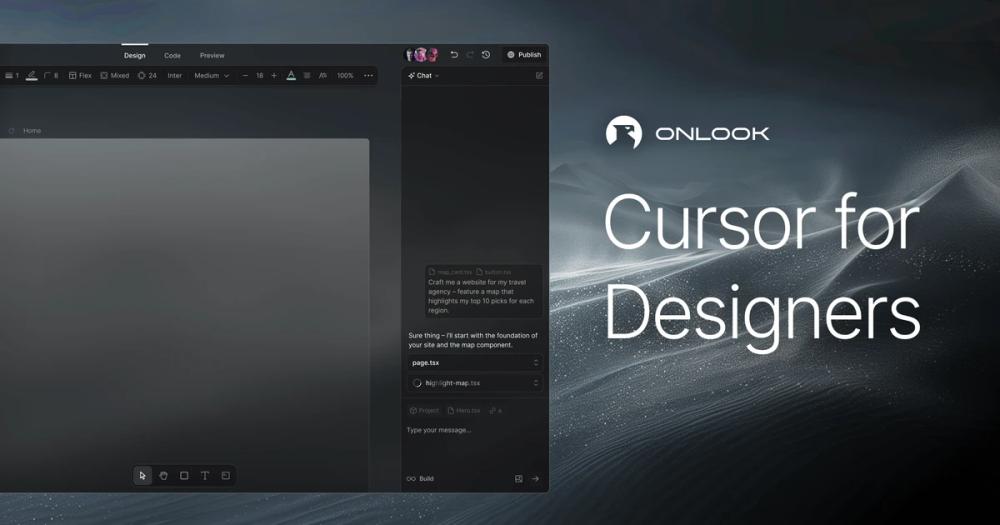
Live DOM visual editor with Figma-like controls
Edits elements directly in the browser DOM. Drag-and-drop, resize, and style controls mirror Figma conventions, including a layers panel, pages, and brand token management. Selecting any element surfaces its exact file and line location in the TypeScript source, so designers and the codebase stay in sync automatically.
AI chat that writes and edits code
An AI chat panel accepts natural language instructions and executes them as code changes in the running app. Multiple messages can be queued, so you can describe a sequence of changes without waiting for each one to apply. The AI has full access to the project codebase and can edit Tailwind classes, restructure layouts, and create new components.
Side-by-side code and design preview
The editor shows the visual canvas and the generated TypeScript side by side. Every visual change immediately reflects in the code panel, and editing the code directly updates the preview. Clicking any element in the canvas opens its exact location in the source file.
Component detection and brand token management
Onlook detects existing React components in an imported codebase and surfaces them in the editor panel for reuse and styling. Brand colors, fonts, and design tokens are managed through a dedicated brand panel, keeping visual consistency across the project without manually hunting through CSS files.
Instant Next.js project creation from text or image
Start a new Next.js and TailwindCSS project from a text prompt or a screenshot. Onlook generates the initial codebase, loads it into the editor, and lets you iterate immediately. Prebuilt templates are also available as starting points for common project types.
Deploy with shareable links and custom domains
Publish work to a shareable preview link directly from the editor. Custom domain attachment is supported, making it possible to go from design iteration to a live URL without leaving Onlook. Version checkpoints let you save and restore states across the design process.
Strengths and trade-offs#
Strengths
- Source code is the source of truth, not a design fileUnlike Figma or Framer, which maintain a separate design artifact that must be translated into code, Onlook writes every visual change directly to the TypeScript and Tailwind files. There is no export step, no handoff friction, and no risk of the design file diverging from production. Teams with existing React codebases can import them and start editing immediately.
- Apache 2.0 license: commercial use with no restrictionsApache 2.0 is a permissive open source license that allows unrestricted commercial use, modification, and redistribution. Unlike AGPL-licensed tools that require source disclosure for network-facing modifications, Apache 2.0 imposes no such requirement, making Onlook safe to deploy as part of a closed commercial product or internal tool.
- Large and active contributor communityOnlook reached over 26,000 GitHub stars and 2,000 forks within roughly two years of the initial commit, with the most recent push in August 2026. Active development, a public roadmap in the README, and ongoing feature additions across AI, collaboration, and deployment reflect a project being built in public with real community investment.
Trade-offs
- -Limited to Next.js and TailwindCSS projectsThe current version only supports React apps built with Next.js and TailwindCSS. Non-Next.js React projects, Vite apps, plain HTML, or non-Tailwind styling approaches are not supported. The README marks support for non-Next.js and non-Tailwind projects as not yet implemented. Teams whose stack does not match this combination will need to wait for broader framework support.
- -Collaboration is partially implementedReal-time editing is available, but comment threads are not yet implemented. Teams that rely on Figma's commenting and annotation workflow for design review will not find a direct equivalent in Onlook's current release. The README marks comments as a pending feature, and the hosted product is described as early access.
- -380 open issues signal an early-stage toolThe GitHub issue tracker carried 380 open issues as of late August 2026. For an early-stage project this is not unusual, but it signals a tool that is still hardening. Teams planning to self-host should expect to track the issue tracker and update frequently, as the project is in active iteration.
Onlook vs alternatives#
Onlook vs Figma
Figma is the dominant design tool for product teams, and the most common reference point for Onlook users. The core difference is what sits at the center of the workflow: Figma uses a proprietary design file; Onlook uses the React source code.
| Feature | Onlook | Figma |
|---|---|---|
| License | Apache 2.0 | Proprietary |
| Self-hosting | Yes | No |
| Source of truth | React source code | Design file |
| Code output | Direct file writes | Dev mode export |
| Collaboration | Real-time editing | Full comments, annotations, handoff |
| AI | Chat-based code generation | Generative fill |
| Frameworks | Next.js + TailwindCSS only | Framework-agnostic |
Figma is the right choice when design work precedes development, when non-technical stakeholders participate in review and annotation, or when teams span multiple frameworks. Onlook is the better choice when the designer has direct access to a Next.js codebase, needs to ship changes to source code without an engineer intermediary, and values a self-hosted open source tool they can run and extend.
Onlook vs Framer
Framer is a design-to-publish tool with its own hosting platform. Like Figma, it maintains a proprietary design artifact as the primary workflow artifact, though it can export React components. Onlook differs by writing changes directly to an existing codebase rather than generating a parallel design artifact. Framer's strength is that it can publish a finished site to its own CDN without a separate deployment step. Onlook's strength is that it works within a codebase already developed by engineers. Framer is a proprietary SaaS product with no self-hosting option; Onlook is Apache 2.0-licensed and fully self-hostable.
Onlook vs Builder.io and Plasmic
Builder.io and Plasmic are both visual-to-code tools closer in concept to Onlook than Figma or Framer, in that they generate actual framework code rather than static design exports. Both are proprietary commercial products with their own CMS and hosting layers. Onlook is narrower in scope and does not include a content management layer, but it is fully open source and self-hostable under Apache 2.0. Teams that need visual editing as part of a larger content management and delivery system may find Builder.io or Plasmic more complete. Teams that want a visual layer directly on their own Next.js codebase without vendor dependency will find Onlook the better fit.
Quick start#
Local setup starts with cloning the repository; full developer configuration is documented at docs.onlook.com/developers/running-locally.
```bash
git clone https://github.com/onlook-dev/onlook
```What it's built on#
- Languages
- TypeScript
- Frameworks
- Next.jsReactTailwind CSS
FAQ#
Is Onlook free to use?
Yes. The self-hosted version is free under the Apache 2.0 license and can be run on your own infrastructure with no licensing cost. The hosted cloud version at onlook.com requires contacting the team or booking a demo for access; it is not self-serve at this time.
Does Onlook work with existing React codebases?
Yes, but only if the codebase uses Next.js and TailwindCSS. Onlook imports an existing project, reads and indexes the code, and instruments it so the visual editor can map elements to their source location. Non-Next.js React projects and non-Tailwind stylesheets are not yet supported.
Who owns the code I create with Onlook?
All code belongs to the developer. Onlook does not lock output into a proprietary format: you can export to your local machine, publish to GitHub, or host externally. Because changes write directly to source files, there is no conversion step between what you see and what you own.
How does Onlook compare to Figma for product teams?
Figma is a design-file tool: designers create artifacts that engineers then implement in code. Onlook is a code-first editor: you edit the running application and the source code updates directly. Figma is the better choice for design review, stakeholder handoff, and annotation workflows. Onlook is the better choice when the designer has direct access to the codebase and wants changes to reach source code without a handoff step.
Does Onlook support team collaboration?
Real-time editing is available, allowing multiple collaborators on the same project simultaneously. Comment threads are not yet implemented, so teams that depend on annotation and review workflows should supplement Onlook with a separate tool for that step. For self-hosted deployments, collaboration features are expected to improve as the project matures.
Similar open-source tools#

screenshot-to-code
80,444 GitHub starsTurn any design screenshot into clean, working code with AI
Alternative to Google Stitch

Puck
13,484 GitHub starsOpen source drag-and-drop page editor for any React app
Alternative to Builder.io


VvvebJs
8,694 GitHub starsOpen source drag-and-drop page builder for Bootstrap 5 sites
Alternative to Unlayer

Silex
3,006 GitHub starsOpen source website builder for designers with visual editing and CMS.
Alternative to Webflow

diagram-design
56,872 GitHub starsEditorial diagrams for Claude Code, no Figma or Mermaid required
Alternative to Napkin AI