

Who FU Flow is for#
Professionals who dictate long documents on Windows
Writers, lawyers, and others who produce long documents by voice gain from FU Flow's local, unlimited dictation. The Whisper large model handles continuous speech without a word cap. The History panel, dictionary, and statistics track and improve accuracy over time.
Skip if:
Your current dictation workflow is already working well and you have no privacy or cost reason to change.
Greek or multilingual users on Windows or Ubuntu
FU Flow is the most tested for Greek and English, including mixed sentences with English words inside Greek text. Windows voice typing (Win+H) does not include Greek in its language list, and most cloud dictation tools treat Greek as one of many languages without specialized handling.
Skip if:
You only need English and are already satisfied with another free option. The multilingual and Greek handling is FU Flow's primary differentiator for this use case.
Privacy-conscious users handling sensitive content
The default local engine processes all audio on your machine. No account is created, and the History file stays on your disk. The app checks for updates online; destination apps may store or upload text you dictate into them. Adding an optional remote speech provider sends audio to that provider; its fees and privacy terms then apply.
Skip if:
You are comfortable with cloud dictation and do not handle content that requires local processing.
Users evaluating a Wispr Flow alternative on Windows
FU Flow targets Wispr Flow users directly, offering local dictation with no subscription and no word cap. The MIT license and open source code allow inspection and local builds. The comparison page on the FU Flow website walks through the specific feature differences row by row.
Skip if:
You need Wispr Flow Pro features beyond basic transcription, or you use platforms FU Flow does not cover. FU Flow is beta and covers Windows 10/11 and Ubuntu Linux only.
The problem it solves#
Paid voice dictation software charges recurring fees for a capability that runs on hardware most users already own. Wispr Flow's free desktop tier caps dictation at 2,000 words per week; the Pro plan costs $12 to $15 per month. Other dictation products carry upfront license costs or recurring charges. For users handling sensitive content, routing audio to a remote provider is an additional concern.
The gap is not technical. OpenAI published Whisper under the MIT License in September 2022, making high-quality speech recognition models publicly available. The hardware to run them locally already exists in most desks and laptops. What has been missing is a desktop app that wraps those models in a reliable hotkey workflow with a usable dictionary, 99-language support, and a clean install path for non-technical users.
How it solves it#
Local Whisper speech recognition
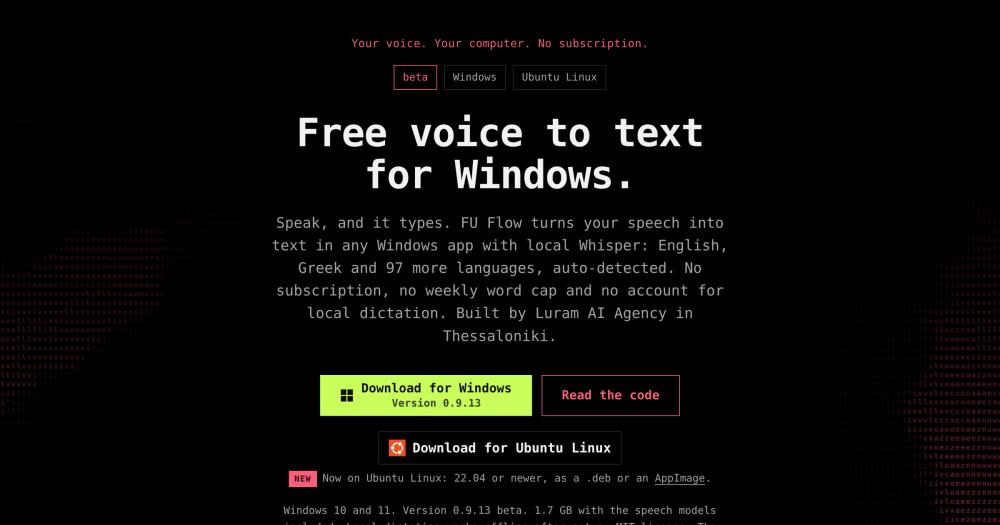
The default engine runs Whisper models on your PC through whisper.cpp. NVIDIA, AMD, and Intel GPUs are accelerated via Vulkan; a CPU fallback handles machines without supported cards. The app reads your hardware on first start and selects a model to fit your GPU memory. Dictation works offline after the initial model download.
Single-hotkey dictation into any app
Press Right Alt to start recording, speak, then press Right Alt again. FU Flow inserts the transcribed text at the cursor in the active application using the standard Windows paste mechanism. It works in Word, Chrome, Slack, Outlook, and other Windows apps. If automatic paste fails, transcripts are available in the History panel to copy manually.
99-language support with Greek priority
Whisper detects the spoken language automatically, or you can lock it to one of 33 languages in Settings. Greek and English are the most tested combination, including English words inside Greek sentences. The default mode handles mixed dictation without requiring a manual language switch.
Editable dictionary and cleanup rules
FU Flow removes hesitation sounds like 'um' and applies spoken self-corrections before text is inserted. Custom words can be added to the dictionary and correction rules can be built to fix recurring transcription errors. Fixes made in the History panel can be saved as dictionary rules that apply on the next session. Rules can misinterpret speech, so reviewing the result before sharing is recommended.
Snippets for recurring text blocks
Say a defined trigger phrase and FU Flow inserts a preset block of text at the cursor: signatures, addresses, standard replies, or any block you define. Snippets are configured in the app and fire during normal dictation sessions without interrupting the recording flow.
History, statistics, and per-application styles
Every dictation is saved to a local file on your disk. The Statistics view tracks words per day, median wait time, and estimated minutes saved against typing. Per-application styles let you adjust dictation behavior for specific programs. History and statistics stay on your disk; the app checks for updates online, and destination apps may store or upload text inserted into them.
Strengths and trade-offs#
Strengths
- No subscription, account, or word capThe local dictation path is free under MIT. Wispr Flow's free tier limits dictation to 2,000 words per week; FU Flow's local engine has no such cap. No account is created during setup, and no login is required to use the app.
- MIT licensed with source code on GitHubThe app is MIT licensed and the Rust source code is available on GitHub. You can read it, build from source, fork it, and modify it. The MIT license permits commercial use without restriction, subject to preserving the copyright notice. Third-party speech engine components carry their own licenses, documented in docs/THIRD-PARTY-NOTICES.md in the repository.
- Offline after setup, no cloud dependencyOnce the speech models are downloaded (bundled in the installer), local dictation works without an internet connection. The app checks for updates on startup and will offer to download them, but update checks do not block dictation. Choosing an optional remote speech provider sends audio to that provider and requires internet for those sessions only.
- Vulkan GPU acceleration across vendorsUnlike dictation apps that rely on NVIDIA-only CUDA, FU Flow uses Vulkan for GPU acceleration, which supports NVIDIA, AMD, and Intel cards. One maker-measured comparison on an RTX 3070 shows Vulkan at 593 ms versus CUDA at 663 ms for a 5-second Greek phrase. Results vary by hardware and drivers; a CPU fallback is also available.
Trade-offs
- -Beta with known paste failures in some appsSome applications, protected documents, and elevated Windows processes refuse automatic paste. Transcripts stay in the History panel for manual copying, but this breaks the single-hotkey flow. FU Flow recommends testing in a plain text editor first and checking your primary apps before relying on automatic insertion.
- -Large initial downloadThe Windows installer is about 1.7 GB and the Ubuntu packages are about 1.6 GB because the Whisper speech models are bundled inside. This is a one-time download, but it is substantially larger than most desktop utility installers. Additional disk space is needed after installation for local history and future updates.
- -Unsigned Windows installerThe beta installer has no purchased code-signing certificate. Windows shows a 'Windows protected your PC' SmartScreen warning on install. The project publishes a SHA256 checksum on the release page; downloading from the linked GitHub release and comparing the checksum before proceeding is the recommended verification step.
- -Third-party component licenses apply to redistributionThe app itself is MIT licensed, but the bundled Whisper models and speech engine carry separate licenses documented in docs/THIRD-PARTY-NOTICES.md. Running FU Flow yourself for personal or internal commercial use is covered by the MIT license on the main app. Redistributing or repackaging FU Flow requires reviewing those third-party notices independently.
FU Flow vs alternatives#
FU Flow vs Wispr Flow
Both tools deliver voice dictation on Windows via a hotkey. The main differences are pricing, data routing, and word limits.
| Feature | FU Flow | Wispr Flow |
|---|---|---|
| Price | Free under MIT | Free: 2,000 words/week; Pro: $12-15/month |
| Account required | No | Yes |
| Audio routing | Local by default; optional remote provider | Their servers |
| Works offline | Yes, after setup | No |
| Greek language | First language; mixed with English tested | One of 100+ languages |
| Source code | MIT, on GitHub | Proprietary |
FU Flow is the better choice for unlimited local dictation without a subscription, when keeping audio on your own machine matters, or when offline use is needed. The local engine processes audio on your PC, no account is required, and there is no word cap.
Wispr Flow is still the right tool if you need Wispr Flow Pro features or if you use platforms FU Flow does not cover. FU Flow is beta and covers Windows 10/11 and Ubuntu Linux only.
Quick start#
Build FU Flow from source by cloning the repository and following the setup in docs/DEV-SETUP.md; requirements are Rust stable, Node 20 or newer, and pnpm.
```bash
git clone https://github.com/Breakzoras/fuck-you-flow
cd fuck-you-flow
pnpm install
pnpm tauri dev
```What it's built on#
- Languages
- PythonRustTypeScript
- Frameworks
- React
FAQ#
Does FU Flow work offline?
Local dictation works offline after the initial setup and model download. The app checks for available updates on startup, but those checks do not block dictation. If you add an optional remote speech provider in Settings, audio for those sessions is sent to that provider and requires an internet connection.
Is FU Flow free to use?
Yes. The local dictation app is free under the MIT license, with no subscription, account, or word cap for the local engine. The MIT license also permits commercial use and redistribution, subject to preserving the copyright notice. Third-party speech engine components carry their own licenses noted in the GitHub repository.
Which apps support automatic paste?
FU Flow inserts text in Word, Chrome, Slack, Outlook, and other Windows apps using the standard paste mechanism. Some applications, protected documents, or elevated windows may refuse automatic paste. In those cases, the transcript stays in the History panel; you can copy and paste it manually. The FU Flow team recommends testing in a plain text editor on first use.
What languages can I dictate in?
Whisper detects the spoken language automatically from 99 languages. You can also lock dictation to one of 33 languages in Settings to prevent drift. Greek and English are the most tested combination, including mixed sentences with English words inside Greek text. Recognition accuracy varies by language, model choice, and hardware.
Does FU Flow require an NVIDIA graphics card?
No. FU Flow uses Vulkan for GPU acceleration, which supports NVIDIA, AMD, and Intel cards. A CPU fallback is available for machines without a supported GPU. Speed varies by model size, hardware, drivers, and available memory; the app reads your hardware on first start and selects a model accordingly.
Similar open-source tools#

Voquill
Open source voice dictation with local AI and custom glossary

VoiceInk
Private voice dictation for Mac, no subscription required.

FreeFlow
Free, open source Mac dictation with AI cleanup and voice macros

OpenWhispr
Local-first voice dictation with Whisper, offline mode, and AI cleanup

openless
Dictate to any app; AI polishes it. AGPL-3.0, no subscriptions.

Handy
Free offline speech-to-text: runs on Windows, macOS, and Linux