

Who Screenshots is for#
Developers and writers who take tutorial screenshots daily
The combination of numbered counters, blur for redacting sensitive values, and scrolling capture covers the most common documentation screenshot workflow: annotate a UI, number each step, blur any credentials or emails, and capture a full-page view. No recurring cost and no cloud upload.
Skip if:
Skip if you need to share captures via a cloud link directly from the screenshot tool, or if your workflow requires a webcam overlay or video trimming after recording.
Privacy-conscious teams handling sensitive screen content
Anyone capturing screens that show credentials, client data, or internal tools benefits from a tool with no network code. Screenshots sends nothing outside the Mac; OCR also runs on-device via Apple Vision. The MIT license lets a security team audit the full source to verify these claims.
Skip if:
Skip if your team requires a managed cloud storage archive for screenshots with access controls across multiple users.
macOS users replacing CleanShot X for core daily capture
Screenshots covers CleanShot X's core daily use: area capture, window capture, scrolling capture, annotation with 13 tools, and MP4 or GIF recording. If the reason for using CleanShot X was those features and not cloud sharing or video trimming, Screenshots replaces it at zero cost.
Skip if:
Skip if you rely on CleanShot X's cloud upload, share links, webcam overlay, or video trimming features.
Developers who want to build or fork a native Swift app
The build is a single shell script using swiftc with no Xcode project and no package manager. End-to-end tests run on a virtual display without taking over the screen. Anyone who wants to audit, fork, or extend a native Swift screenshot tool has a complete, working reference under MIT.
Skip if:
Skip if building from source is not a requirement and the pre-built signed binary from the install script is sufficient for your use.
The problem it solves#
macOS's built-in ⇧⌘4 captures a static image and stops. There is no way to annotate that image directly, capture a scrolling web page, read text out of an image, or record the screen as a GIF without installing a separate tool. Historically that separate tool has been a paid one. CleanShot X charges $29 for a license plus $19 per year for updates, and Snagit carries a similar cost.
Privacy is a second concern. Screenshot tools see everything on your screen. Most commercial options upload captures to their own servers to enable cloud storage and share links, which creates a data exposure risk for anyone capturing code reviews, credentials, client data, or internal communications. Auditing the network behavior of a closed-source commercial app is not possible without external tooling.
How it solves it#
Eight capture modes with dedicated keyboard shortcuts
Captures areas, previous areas, full screens, windows, scrolling pages, and text extraction, plus video and GIF recording. Each mode has its own shortcut using ⌥⇧⌘ plus a number. A 3, 5, or 10-second timer is available via the menu for any mode that needs it.
13 annotation tools including blur and step counter
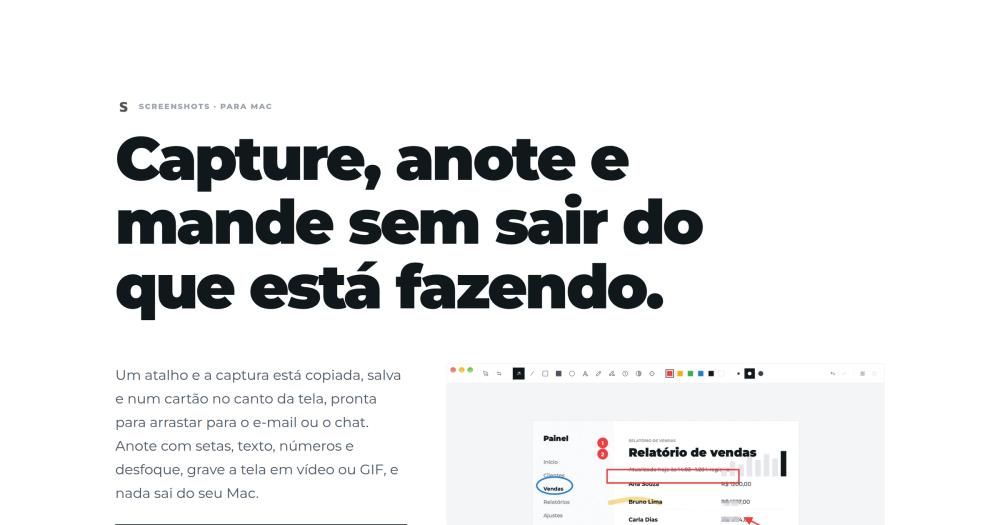
The editor includes arrows, lines, rectangles, ellipses, text, pencil, highlighter, blur, spotlight, and crop. The counter numbers sequential steps for tutorial screenshots. Blur redacts emails and values before sharing. All tools work at six colors and three thicknesses; undo, copy, and save use ⌘Z, ⌘C, and ⌘S.
Scrolling capture stitches long pages into one image
Captures pages that extend beyond the visible viewport by stitching consecutive frames. You scroll manually or press 'Scroll by itself' with Accessibility permission. The Stitcher compares rows with color-noise tolerance and ignores scroll bars and rounded corners. Fixed headers and footers appear only once in the final image.
OCR reads text from the screen on-device
Text extraction mode selects any area and copies the recognized text to the clipboard. Recognition runs through Apple's Vision framework entirely on the Mac, in English and Brazilian Portuguese. No image data is sent to an external service; the recognized text never leaves the device.
Screen recording to MP4 or GIF with optional audio
Records H.264 MP4 with visible cursor and click indicators, optional system audio, and microphone input on macOS 15 or newer. GIF export is generated from the recorded video. A 4K resolution ceiling and a pool of 4:2:0 frames keep memory flat regardless of recording length.
No network code and no cloud dependency
The app contains no URLSession calls and no sockets; the only outbound actions go through NSWorkspace to open a file or System Settings. Captures stay in the folder you choose and in the local 30-day history. There is no account, no telemetry, and no cloud upload path.
Strengths and trade-offs#
Strengths
- MIT license with no usage restrictionsThe MIT license means you can use Screenshots commercially, modify it, and distribute it without licensing fees. CleanShot X and Snagit are proprietary and require paid licenses. The full Swift source is at github.com/ciro-maciel/screenshots, so teams can audit the code or build custom versions.
- Signed and notarized by Apple, no Gatekeeper warningSince version 0.2.0 the app is signed with a Developer ID certificate and notarized by Apple. The .dmg downloaded from the website or via the install script opens without a Gatekeeper warning on any compatible Mac, which is not guaranteed for less-maintained open source Mac apps.
- No Xcode required to build from sourceThe build system is a single shell script using swiftc directly, with no Xcode project file and no Swift Package Manager. You need only the Xcode Command Line Tools. End-to-end tests run on an invisible virtual display and exercise every capture mode with pixel-level checks.
- Minimal permissions beyond Screen RecordingThe app requests only Screen Recording (required by macOS for any capture app), Accessibility (optional, only for auto-scroll in scrolling capture), and the microphone (optional, only for voice recording). It cannot phone home because there is no network stack in the binary.
Trade-offs
- -Apple Silicon and macOS 14 or newer only, no Intel supportScreenshots runs only on M1 or newer Apple Silicon Macs running macOS 14 (Sonoma) or later. There is no Intel build and no mention of Intel support in the repository. Teams with older Macs or those on macOS 13 or earlier cannot use it.
- -No cloud sharing, webcam overlay, or video trimmingScreenshots has no cloud upload, no share link generation, no webcam or picture-in-picture overlay during recording, and no video trimming. These features are common in paid alternatives like CleanShot X and Snagit. If they are part of your workflow, a paid tool is still required for them.
- -New repository with limited real-world testingThe repository was created in October 2026 and has 2 GitHub stars and 0 forks. The codebase ships a full end-to-end test suite that exercises every capture mode with pixel checks, but community-tested edge cases are limited compared to established tools. Verify each capture mode your workflow depends on before fully committing to it.
Screenshots vs alternatives#
Screenshots vs CleanShot X
CleanShot X is the most referenced paid macOS screenshot tool, costing $29 for a license with an optional $19 per year for continued updates. Screenshots covers the same daily capture and annotation workflow at zero cost under the MIT license.
| Feature | Screenshots | CleanShot X |
|---|---|---|
| License | MIT | Proprietary |
| Price | Free | $29 + $19/yr updates |
| Annotation tools | 13 | Yes |
| Scrolling capture | Yes | Yes |
| GIF recording | Yes | Yes |
| Cloud upload | No | Yes |
| Share links | No | Yes |
| Network code | None | Yes |
Screenshots is the better choice when privacy and cost are the deciding factors. Everything stays on the Mac and you pay nothing. For developers, writers, and support teams whose workflow is capture, annotate, and share locally, Screenshots covers the core use cases without a license fee.
CleanShot X is still the better tool when you need cloud upload, share links, video trimming, or webcam overlay during recordings. Its feature breadth reflects years of development. If those features are core to your daily workflow, the annual update cost is justified.
Screenshots vs Snagit and Xnapper
Snagit and Xnapper are paid macOS screenshot tools that Screenshots is listed as an alternative to. The core distinction is the same as with CleanShot X: Screenshots keeps everything local with no network code and no licensing cost, while paid tools in this category include cloud upload, share links, or managed hosting features that Screenshots does not offer.
For users whose workflow depends on cloud-connected screenshot sharing or the specific feature sets of Snagit or Xnapper, those tools remain the better choice. Screenshots serves the local-only, privacy-first use case.
Quick start#
Run the setup script to install on macOS 14+ Apple Silicon.
```bash
curl -fsSL https://blob.ciromaciel.click/tools/screenshots/install.sh | bash
```What it's built on#
- Languages
- JavaScriptObjective-CSwift
FAQ#
Is Screenshots free for commercial use?
Yes. Screenshots is MIT licensed, which means you can use it commercially, modify it, and redistribute it without restriction. There is no paid tier, no subscription, and no feature locked behind a license key. The source is at github.com/ciro-maciel/screenshots.
What macOS version and hardware does Screenshots require?
Screenshots requires macOS 14 (Sonoma) or newer on an Apple Silicon Mac (M1 or newer). There is no Intel build. Microphone recording during screen captures requires macOS 15 or newer; on macOS 14 the app records system audio but not the microphone.
How does Screenshots compare to CleanShot X?
Screenshots covers CleanShot X's core daily features: area, window, and scrolling capture; annotation with 13 tools; GIF and MP4 recording; and a local capture history. CleanShot X adds cloud upload, share links, video trimming, and webcam overlay that Screenshots does not have. Screenshots is free and MIT licensed; CleanShot X costs $29 plus $19 per year for updates.
Do captures sync to the cloud or leave my Mac?
No. Screenshots has no network code, no cloud account, and no share link feature. Captures save to the folder you choose and the local history stays on the Mac for 30 days by default (configurable to 1 day, 1 week, forever, or off). The app requests only Screen Recording permission on first run.
Why does Screenshots request Screen Recording permission?
Screen Recording is the macOS permission any app must have to see the screen contents. Without it, Screenshots cannot capture anything. A welcome window opens System Settings to the right panel on first run; once the permission is granted, the same window reopens the app because macOS grants the permission to a fresh process only.
Similar open-source tools#

Flameshot
31,224 GitHub starsOpen source screenshot tool with annotation and upload
Alternative to Snagit


ShareX
40,130 GitHub starsScreenshot and record with 80+ upload destinations on Windows
Alternative toSnagit

presenton
11,175 GitHub starsSelf-hosted AI slide generator with BYOK support and PPTX export.
Alternative to Gamma
Gamma

neo
1,490 GitHub starsNovel writing app: local files, no subscription, EPUB export
Alternative to Dabble