Open Source Alternatives
  • Alternatives
  • Categories
    Categories by size913 projects
    • Developer Tools472
    • AI & Machine Learning411
    • Web Development198
    • Business & Productivity197
    • Security & Monitoring133
    • Communication & Collaboration129
    • IT Management127
    • Cloud & Hosting109
    • Data & Analytics106
    • Product & Project Management106
    Browse all 21 categoriesDesign & Creative, LLMOps & AI Tooling and 9 more
  • Blog
  • Advertise
SearchNotion, Slack, password manager.../
Submit
Open Source Alternatives
  • Alternatives
    • Developer Tools472
    • AI & Machine Learning411
    • Web Development198
    • Business & Productivity197
    • Security & Monitoring133
    • Communication & Collaboration129
    • Browse all 21 categories
  • Blog
  • Advertise
Submit your project

New open source projects by email

The projects we add and every new guide. Free, unsubscribe any time.

Open Source Alternatives LogoOpen Source Alternatives

Handpicked Open Source Alternatives to Paid Softwares

Product

  • Categories
  • Tag
  • Advertise

Resources

  • Blog
  • Collection
  • Submit

Company

  • Privacy Policy
  • Terms of Service
  • Refund Policy
  • Sitemap

Alternatives

  • Claude Code
  • Jira
  • Notion
  • Slack
  • Linear
  • Wispr Flow
  • All alternatives
© 2026 Open Source Alternatives. All rights reserved.
Open SourceAlternatives
Home/Categories/Communication & Collaboration/Docker Mailserver
icon of Docker Mailserver

Docker Mailserver

Open source alternative to Google Workspace, Microsoft 365, Fastmail, Proton Mail Business and Zoho Mail

  • 19.7K stars
  • MIT
  • Active this week
  • Last commit 2 days ago

Last verified Oct 24, 2026

Run a full-stack mail server (SMTP, IMAP, anti-spam, DKIM) in a single Docker container, configured through files with no SQL database required.

Visit websiteGitHub19.7K starsDeploy on Hostinger
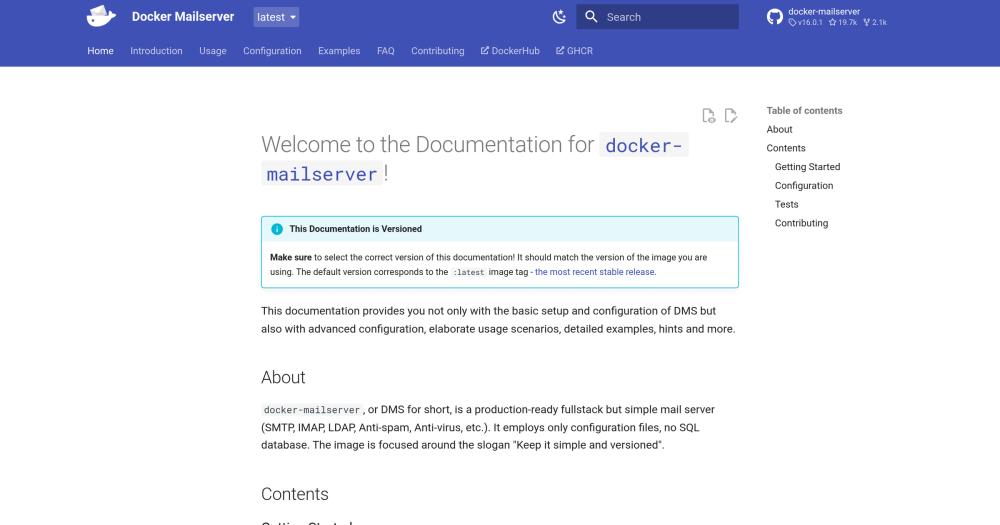
Docker Mailserver documentation home page
TL;DR

Docker Mailserver is a containerized mail server that runs Postfix, Dovecot, Rspamd, ClamAV, OpenDKIM, and Fail2ban inside a single Docker image, configured through plain files with no SQL database. It replaces per-seat paid services like Google Workspace and Microsoft 365 for teams that want full control over their email infrastructure without subscription costs. MIT licensed and deployed with Docker Compose. Best for small-to-medium technical teams on existing Linux infrastructure who accept the self-hosting responsibility in exchange for eliminating recurring email fees.

Read the full breakdownHide the full breakdownWho it is for, how it works, trade-offs, the quick start and the FAQ
who it's for

Who Docker Mailserver is for#

DevOps teams hosting transactional email for internal tools

Platform teams that need a reliable SMTP relay for internal applications, monitoring alerts, and CI/CD notifications get a full production mail stack without per-email SaaS costs. Docker Compose deployment means it fits alongside other containerized infrastructure with no separate provisioning step.

Skip if:

If you need guaranteed deliverability for customer-facing emails at high volume (marketing campaigns, transactional receipts to external addresses), a dedicated email delivery API handles IP reputation management better than a self-hosted server on a shared cloud IP.

Organizations replacing Google Workspace or Microsoft 365 email

Teams paying per seat for hosted email that primarily use the email layer can reclaim those costs by self-hosting. Docker Mailserver handles SMTP, IMAP, spam filtering, and virus scanning; a separate self-hosted tool covers calendar and contacts if needed.

Skip if:

If your organization depends on deep integration between email, shared drives, video conferencing, and SSO that comes built into Google Workspace or Microsoft 365, the migration overhead outweighs the hosting savings for most teams under 20 people.

Privacy-focused teams needing full data sovereignty

Organizations with data residency requirements (healthcare, legal, finance) can host mail on infrastructure in jurisdictions they choose and audit every component. File-based configuration makes the setup fully inspectable; the MIT license removes any constraint on using it in a regulated context.

Skip if:

If data sovereignty is the primary driver but your team lacks Linux server experience, a managed privacy-focused provider with a business associate agreement may carry lower operational risk than a self-managed server.

Self-hosters consolidating services on an existing VPS

Individuals and small teams running services on their own server who currently rely on their hosting provider's mail stack can switch to Docker Mailserver on the same host. The setup.sh script makes account management scriptable, and Docker Compose keeps the mail configuration isolated from other services on the machine.

Skip if:

If your VPS is on a shared IP with poor sender reputation, outbound delivery will face obstacles regardless of which mail server software you run. Dedicated IP or a transactional relay for outbound sending resolves this.

the problem

The problem it solves#

Running your own mail server has a long reputation as one of the most complex pieces of self-hosted infrastructure to get right. SMTP, IMAP, TLS, DKIM, DMARC, spam filtering, and virus scanning each require separate daemons, separate configuration formats, and separate maintenance schedules. Most teams end up paying Google Workspace or Microsoft 365 month after month because assembling those pieces manually felt like a multi-day project with too many failure modes.

The challenge compounds at upgrade time. Each component follows its own release schedule, and a Postfix version change can ripple into Dovecot's authentication configuration. Teams that have operated bare-metal mail servers describe spending more time managing configuration drift than actually delivering mail.

how Docker Mailserver solves it

How it solves it#

Postfix SMTP with LDAP and SASL authentication

Postfix handles inbound and outbound SMTP with native LDAP directory lookups, SASL authentication, and support for address extension delimiters (e.g., user+tag@domain). Multiple mail domains are handled through config file entries with no schema changes. SASLauthd provides an additional LDAP authentication path alongside the native Postfix support.

Dovecot IMAP and POP3 with quotas and Sieve filtering

Dovecot provides IMAP and POP3 mailbox access with per-mailbox storage quotas and basic Sieve server-side filter support for sorting incoming mail into folders. LDAP lookups and OAuth2 authentication via XOAUTH2 and OAUTHBEARER SASL mechanisms are supported, covering teams that want to authenticate against an existing identity provider.

Rspamd and SpamAssassin anti-spam stack

Rspamd filters spam at the SMTP level with configurable scoring. SpamAssassin is included alongside it for custom rule support, so teams with existing SpamAssassin rule sets can carry them over. Both run inside the same container image with no separate service to provision.

ClamAV antivirus with automatic signature updates

ClamAV scans inbound and outbound messages for malware. Signature databases update automatically, so new malware definitions are pulled without manual intervention or scheduled maintenance scripts. The antivirus layer runs inside the container alongside the mail daemons.

DKIM, DMARC, and brute-force protection built in

OpenDKIM signs outbound messages and verifies inbound signatures. OpenDMARC enforces DMARC policy checks. Fail2ban monitors authentication logs and blocks IP addresses after repeated failed login attempts. Postgrey adds greylisting. All four run inside the same container, covering the main email authentication and abuse-prevention requirements without additional infrastructure.

Let's Encrypt, manual, and self-signed TLS support

The container supports Let's Encrypt certificates for public servers, manual certificate imports for organizations with their own CA, and self-signed certificates for private or staging deployments. TLS configuration lives in the same mounted config volume as the rest of the mail server settings.

strengths · trade-offs

Strengths and trade-offs#

Strengths

  • MIT license with no per-seat costsThe MIT license allows running Docker Mailserver commercially, modifying it, and redistributing changes without licensing fees. Unlike Google Workspace ($6-$18/user/month) or Microsoft 365 ($6-$22/user/month), cost does not scale with the number of mailboxes. A team of 50 pays the same VPS hosting cost as a team of 5.
  • File-based configuration is version-controllableEvery account, alias, TLS certificate, and per-domain setting lives in plain config files inside a Docker volume. The entire mail server configuration is diffable and reproducible from a git checkout. Moving the mail server to a new host means copying the volume and pulling the image; no database export or migration is required.
  • Actively maintained with broad community adoptionThe project has 19,659 GitHub stars and 2,121 forks with its last commit in October 2026. It was created in 2015 and has been maintained by volunteers since 2021, giving it a decade-long track record. Eighty-five open issues indicates active engagement rather than abandonment.
  • Full protocol coverage from a single container imageOne container image covers SMTP, IMAP, POP3, LDAP, anti-spam, antivirus, DKIM, DMARC, OAuth2, Sieve, greylisting, and brute-force protection. Equivalent setups with separately managed services would require coordinating upgrades and configuration across six or more daemons.

Trade-offs

  • -Requires Linux server knowledge and ongoing maintenanceDocker Mailserver is not a managed service. You are responsible for OS updates, disk space, backups, and monitoring delivery health. Email servers have strict deliverability requirements (PTR records, SPF, DKIM, DMARC, IP reputation), and misconfiguration leads to messages landing in spam rather than inboxes. Teams without prior mail server experience face a meaningful learning curve before reaching reliable outbound delivery.
  • -No built-in web admin interfaceAccount creation, alias management, and configuration changes go through the setup.sh CLI script and plain config files. There is no included web management panel. Teams that want browser-based mailbox administration need to add a separate front end such as Roundcube or a third-party admin tool.
  • -ClamAV and Rspamd add significant memory overheadRunning ClamAV (whose virus signature database can exceed 200MB) alongside Rspamd, Postfix, and Dovecot means the container needs at least 1-2GB of RAM for stable operation. Low-memory VPS instances under 1GB may hit out-of-memory conditions under moderate mail load. The antivirus layer can be disabled to reduce memory use, but that removes virus scanning.
versus alternatives

Docker Mailserver vs alternatives#

Docker Mailserver vs Google Workspace

Both cover SMTP and IMAP with spam filtering, but Google Workspace is a managed SaaS service with no self-hosting option. Docker Mailserver is an open source container you run on your own infrastructure.

FeatureDocker MailserverGoogle Workspace
LicenseMITProprietary
Self-hostingYesNo
CostServer hosting only$6-$18/user/month
Admin UICLI and config filesWeb console
LDAP integrationYesVia directory sync
DKIM/DMARCOpenDKIM, OpenDMARCYes
Anti-spamRspamd + SpamAssassinProprietary
AntivirusClamAVBuilt-in

A team of 50 on Google Workspace Business Starter pays around $300/month; the same team on Docker Mailserver pays only VPS hosting costs. Docker Mailserver is also the right choice when data residency requirements prevent storing email on third-party servers, or when you need to modify routing behavior that Google Workspace does not expose. Google Workspace is the stronger choice for non-technical teams, for tight integration with Google Drive and Meet, or for anyone who needs a managed service with an SLA.

Docker Mailserver vs Microsoft 365

Microsoft 365's Exchange Online includes eDiscovery, litigation hold, and message archiving for regulated industries; Docker Mailserver provides none of these compliance capabilities. Docker Mailserver also has no built-in calendar or contacts server, so teams moving off Microsoft 365 need a separate groupware tool for those functions.

FeatureDocker MailserverMicrosoft 365
LicenseMITProprietary
Self-hostingYesNo
CostServer hosting only$6-$22/user/month
eDiscoveryNot includedExchange Online
Calendar/contactsExternal tool neededOutlook, Exchange
Directory authLDAP integrationAzure AD

Docker Mailserver makes sense for organizations on Microsoft 365 that primarily use email and can pair it with a self-hosted calendar tool. Teams with Exchange Online compliance requirements should stay on a managed service.

Docker Mailserver vs Fastmail

Fastmail is a paid managed email service focused on privacy and reliable deliverability. Docker Mailserver provides the same SMTP, IMAP, and anti-spam stack at the cost of operating your own server. Fastmail is the better choice when reliable delivery without infrastructure overhead is the priority. Docker Mailserver is the better choice when full data sovereignty and zero per-mailbox cost are the deciding factors.

install · quick start

Quick start#

bash
Self-hosting deploys with Docker Compose using the official image from Docker Hub.
```bash
docker pull mailserver/docker-mailserver
```
tech stack · detected from GitHub

What it's built on#

Languages
Shell
frequently asked

FAQ#

Does Docker Mailserver support LDAP for user authentication?

Yes. Postfix, Dovecot, and SASLauthd all support LDAP directory integration. This lets you manage mailbox accounts centrally through an existing LDAP or Active Directory server instead of maintaining a separate account list in config files. The documentation has a dedicated LDAP configuration section covering setup for each component.

How do I create mailboxes and aliases in Docker Mailserver?

The setup.sh script handles account creation, alias management, and password resets. You run it against the running container or the config volume directly. All changes land in plain config files inside the mounted volume, so you can also edit them directly and restart the container to apply them.

Does Docker Mailserver handle DKIM and DMARC email authentication?

Yes. OpenDKIM and OpenDMARC are included. You generate a DKIM key pair using setup.sh, add the public key to DNS as a TXT record, and configure SPF and DMARC records for the sending domain. The documentation covers the exact DNS records required for each authentication standard.

How much RAM does Docker Mailserver need to run reliably?

Plan for at least 1-2GB of RAM. ClamAV alone uses several hundred megabytes for its virus signature database, and Rspamd adds additional overhead on top of Postfix and Dovecot. A VPS with 1GB RAM may struggle under moderate mail load. CPU usage is typically low; memory is the main constraint. Disabling ClamAV reduces memory requirements if antivirus scanning is not needed.

Can I use Docker Mailserver for a small team or startup?

Yes, for teams with Docker experience and willingness to maintain a Linux server. A team of 10-50 users can run it on a standard VPS and avoid per-seat email subscription costs entirely. The operational work is periodic container updates and monitoring delivery metrics, not daily administration. Teams without prior mail server experience should budget time to learn email deliverability requirements (PTR records, SPF, DKIM, DMARC) before going live.

also worth a look

Similar open-source tools#

Mailflare

Alternative toFastmail

Self-hosted email inbox for custom domains on Cloudflare

  • 5,117 GitHub stars
  • AGPL-3.0Licence AGPL-3.0

Galae Email

Alternative toZoho Mail

Self-hosted email server stack forked from Mailcow

  • 7 GitHub stars
  • GPL-3.0Licence GPL-3.0

OpenCloud

Alternative toBox

File sync for organizations with data sovereignty and S3 storage

  • 6,218 GitHub stars
  • Apache-2.0Licence Apache-2.0

LibreOffice

Alternative toMicrosoft 365

Free office suite with Writer, Calc, and Impress on any platform

  • 4,552 GitHub stars
  • GPL-3.0Licence GPL-3.0

Twake Mail

Alternative toZoho Mail

AGPL mail backend with an official Flutter client

  • 98 GitHub stars
  • AGPL-3.0Licence AGPL-3.0

Mattermost

Alternative toSlack

Team messaging for security-sensitive teams with air-gap support

  • 39,416 GitHub stars
by category

Open source tools in these categories#

129

Communication & Collaboration

freeCodeCamp, iptv, Excalidraw
133

Security & Monitoring

REA (Reverse Engineer Anything), RustDesk, Uptime Kuma
91

DevOps & CI/CD

Nvm, Uptime Kuma, Netdata
Hostinger

Run Docker Mailserver on your own server

Self-host Docker Mailserver on a Hostinger VPS.

Deploy on Hostinger

Featured

Inbox Zero

Alternative toSuperhuman

AI email assistant that drafts replies and clears your inbox

  • 12,787 GitHub stars
  • AGPL-3.0Licence AGPL-3.0
  • #Email

Omnara

Alternative toCClaude Managed Agents

Open-source agent deployment API. Self-host or use Omnara Cloud.

  • 2,957 GitHub stars
  • Apache-2.0Licence Apache-2.0
  • #AI Agents

rakazo

Alternative toGrok Bot

AI teammates you own: your keys, your model, your machine.

  • 5,406 GitHub stars
  • Apache-2.0Licence Apache-2.0
  • #AI Agents
Feature your project

New open source projects by email

The projects we add and every new guide. Free, unsubscribe any time.

Find open source alternatives to paid software

/
  • Claude Code to OpenCode
  • Jira to Windshift
  • Notion to AppFlowy
  • Slack to Mattermost
  • Linear to GitLab
  • Wispr Flow to Handy
  • CapCut to Concat
  • Grok Bot to rakazo
  • Superhuman to Inbox Zero
  • Airtable to AITable
  • Muse to OpenClaw
  • GitHub Copilot to Cline
  • Datadog to Netdata
  • Microsoft Teams to Rocket.Chat
  • Confluence to Docmost
  • Pinecone to Qdrant
  • Zapier to n8n
  • Devin AI to OpenHands
  • Firebase to Supabase
  • 1Password to KeePassXC
  • Contentful to Strapi
  • Adobe Premiere Pro to Shotcut
  • ChatGPT to AnythingLLM
  • LangSmith to Langfuse
  • Claude Code to OpenCode
  • Jira to Windshift
  • Notion to AppFlowy
  • Slack to Mattermost
  • Linear to GitLab
  • Wispr Flow to Handy
  • CapCut to Concat
  • Grok Bot to rakazo
  • Superhuman to Inbox Zero
  • Airtable to AITable
  • Muse to OpenClaw
  • GitHub Copilot to Cline
  • Datadog to Netdata
  • Microsoft Teams to Rocket.Chat
  • Confluence to Docmost
  • Pinecone to Qdrant
  • Zapier to n8n
  • Devin AI to OpenHands
  • Firebase to Supabase
  • 1Password to KeePassXC
  • Contentful to Strapi
  • Adobe Premiere Pro to Shotcut
  • ChatGPT to AnythingLLM
  • LangSmith to Langfuse