Open-source alternatives guide
Best Open Source Grok Bot Alternatives
By SurajReviewed Verified
Grok Bot is xAI's agentic product, not the Grok chatbot. You set up bots once, each with its own memory and history like a teammate with a name, all working on one shared cloud computer with a browser, a filesystem and a terminal. Maybe you saw that it needs a paid Cursor or SuperGrok plan with no free tier and wondered whether a self-hosted stack can do the same work. Eight projects get close, and I ranked them by how much of that setup they keep. Some give every bot its own machine, some live in Slack or Telegram, and a couple keep an audit trail behind a policy gate.
The closest match to how Grok Bot works is rakazo. Its bots keep their own memory between sessions, get browser and terminal access, run on whichever model provider you plug in, and you self-host the whole Apache-2.0 stack.
TL;DR
- rakazo: For teams that need each bot in its own isolated container with its own credentials, browser and terminal access, and their choice of model and compute.
- openmausbot: For individuals who want to run agents on the Claude, Codex or Grok subscriptions they already pay for, with no new API account.
- openbot: For teams that need per-agent container isolation and a policy-gated audit trail on day one.
Pain points
Why people leave Grok Bot
The practical reasons teams compare Grok Bot with open-source alternatives before they migrate.
People leave Grok Bot for five specific reasons, all of them design choices.
Start with the shared computer. xAI's overview page states that all your bots use the same persistent cloud computer, sharing files, browser sessions and app logins. The security page warns: "Do not use separate Bots as a security boundary." If one bot can reach a credential, every other bot on your account can too.
Then the price. There is no free tier and no standalone plan. xAI's docs list SuperGrok Plus and Heavy, Cursor Pro+ ($60 a month), Cursor Ultra ($200), and Cursor Teams ($40 per user) as eligible; Cursor's pricing page also marks Grok Bot access on its $20 Pro plan, so check that page before assuming which plan you need. The subscription includes weekly Grok Bot usage; on-demand usage bills by model and token cost on top.
The code is closed and the model is fixed. You cannot self-host Grok Bot or inspect its source, and xAI documents no way to substitute the underlying model. Your bots run on xAI's infrastructure under xAI's terms, and xAI does not document an export path for the skills and routines you build.
Individual subscribers still see each bot's conversation, tool results, and any action log the bot produces on request. What they do not have is the organization-level governance layer. Audit logs, which cover admin, security, and authentication events and can stream to a SIEM, are Enterprise only. So is Action Recording, a separate setting that is off by default and records bot actions internally. Enterprise access is still rolling out.
And deleting a bot leaves its footprint behind. The same security page says: "Deleting a Bot does not remove shared-computer files or browser sessions." Removing a bot from your roster does not clean up the files and logins it left on the shared machine.
If credential isolation between bots is the sticking point, rakazo's Private computers give each bot its own container and logins, and openbot gives each coworker its own container and browser profile. openmausbot achieves per-bot isolation only through its paid per-bot Box desktops; its local, UI-hidden key storage is a different benefit, keeping the keys you configure off a shared cloud store.
At a glance
Quick comparison
| Name | License | Best For |
|---|---|---|
| rakazo | Apache-2.0 | Closest architectural Grok Bot match |
| OpenMausBot | Apache-2.0 | Local-first agent team on your existing CLI subscriptions |
| OpenBot | MIT | Per-agent isolation with a policy-gated audit trail |
| openhuman | GPL-3.0 | Memory, reach, and workflow orchestration |
| Hermes Agent | MIT | Power-user self-hosted agent with seven compute backends |
| paperclip | MIT | Open-source agent orchestration with org charts, budgets, governance, and scheduling for teams of AI agents |
| Buzz | Apache-2.0 | Auditable workspace where agents share a signed event log with humans |
| OpenClaw | MIT | Personal AI assistant in the messaging apps you already use |
Agent isolation
All bots share one Firecracker microVM per user. Each bot gets its own screen, not its own container. 'Do not use separate Bots as a security boundary.'
rakazo and openbot: per-agent containers. openmausbot: per-bot cloud desktops. openhuman: opt-in sandbox. hermes-agent: isolation per backend. paperclip: git worktrees. buzz: Nostr keypairs. openclaw: host by default, opt-in Docker/Podman sandbox; one Gateway is one trust boundary.
Where the agent works
Browser, terminal, filesystem, and graphical desktop on the user's shared Firecracker microVM. Each bot gets its own screen.
rakazo, openmausbot, openhuman, and openbot: browser, terminal, and file access. hermes-agent: cloud browser via Nous Portal. paperclip orchestrates but does not itself provide compute. buzz is a workspace surface. openclaw has a browser tool on a local profile, enabled per agent.
Hosting and source
Closed source. Cloud-only on xAI/Cursor infrastructure. No self-hosting option and no documented export path for skills or routines you build.
All eight are open source. Seven self-host via Docker or a native installer. Licenses range from MIT and Apache-2.0 to GPL-3.0 (openhuman). None require xAI infrastructure and all expose their full source for audit.
Pricing and access
No standalone plan, no free tier. Eligible: SuperGrok Plus/Heavy, Cursor Pro+ ($60), Ultra ($200), Teams ($40/user). Weekly usage included; on-demand extra.
All eight are free and open source. Variable costs: model API calls, a VPS or local Docker host, optional paid sandboxes (E2B, Daytona, Box), optional managed services (Nous Portal, openhuman subscription), and ElevenLabs for voice in openmausbot.
Model choice
Grok Bot runs on xAI's own models, and xAI documents no way to substitute another.
Six of eight offer native model choice; buzz and paperclip delegate model selection to their connected agents. rakazo uses any provider via Pi or OpenRouter, openbot accepts any OpenAI-compatible endpoint, and openclaw works with any hosted or local provider.
Approvals and audit
Allow once, Deny, Always allow, Auto Review. Consumer: no audit trail. Enterprise (rolling out): audit logs and admin controls.
paperclip and openbot lead on governance: openbot's CEL gateway is fail-closed, /admin/audit; paperclip adds board approval workflows, budget hard-stops, and an immutable log. openmausbot has inline Allow/Deny and NDJSON transcripts. buzz has a signed hash-chained log. openhuman has approval gates.
Where you talk to it
Desktop app on macOS, Windows, and Linux; iOS 18+; Android 9+. No messaging-app integrations.
openclaw and openhuman cover 7-17 messaging channels. hermes-agent reaches Telegram, Discord, Slack, WhatsApp, Signal, email, and Home Assistant. rakazo, openmausbot, openbot, and paperclip are dedicated apps. buzz has desktop and CLI with mobile in progress.
Editorial ranking
8 Best Open Source Grok Bot Alternatives (Ranked)

- 4.9K stars
- Apache-2.0
- Active this week
- Last commit 1 day ago
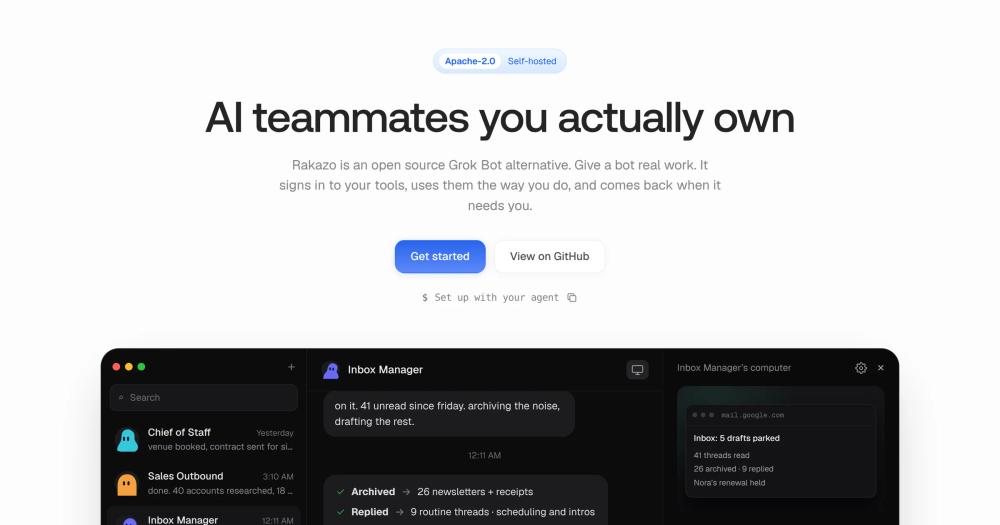
rakazo is the closest match to how Grok Bot works: bots with lasting memory and their own scheduled routines, shared or isolated compute, and web, desktop and mobile clients. Where Grok Bot puts every bot on one shared machine, rakazo's Private computers give each its own container and its own credentials.
Read moreShow lessKey Features · Pros · Cons · License & Hosting · Best For
Key Features
- Persistent bots: each keeps its own memory and schedule across sessions, the way Grok Bot's do
- Shared or isolated compute: Team Computers for collaboration; Private computers in Docker, E2B, Daytona or Box for per-bot credential separation
- Full computer access: browser, terminal, file system and graphical desktop
- Bring your own model: any provider through Pi or OpenRouter, swappable per bot
- Three clients: web, Electron desktop and Expo mobile on the same API
- Bot delegation: tasks handed to peer bots or short-lived subagents for parallel work
Pros
- Per-bot isolation: Private computers give each bot its own container and credential store, addressing the shared-machine limitation xAI flags in Grok Bot's own documentation
- Unrestricted model choice: any provider via Pi or OpenRouter, swappable per bot without affecting others
- Reach your bots from anywhere: web, desktop and mobile clients share one API, so you keep the phone-and-laptop access Grok Bot's apps give you after moving
Cons
- Approval workflows, audit trails and governance controls are not described in the README; a team that needs those should verify them in the code or with the maintainers before adopting
- No stable release outside beta; launched August 2026
- Box cloud computers are a paid third-party service
License & Hosting
- License: Apache-2.0
- Where it runs: your machine or a VPS running Docker
- Setup: Node.js 22+, pnpm 9, and Docker Desktop required; multi-step compose sequence; app opens at
localhost:5173; agent-assistedSETUP_PROMPT.mdincluded - Ongoing costs: free; local Docker costs nothing extra; E2B, Daytona and Box are paid sandboxes; model usage bills through your provider keys
Best For
Start here if you want the full Grok Bot setup with your own choice of model and compute. Teams that need built-in audit logs, approval governance or a longer production track record should look at openbot first.

- 5.3K stars
- Apache-2.0
- Active this week
- Last commit 1 day ago
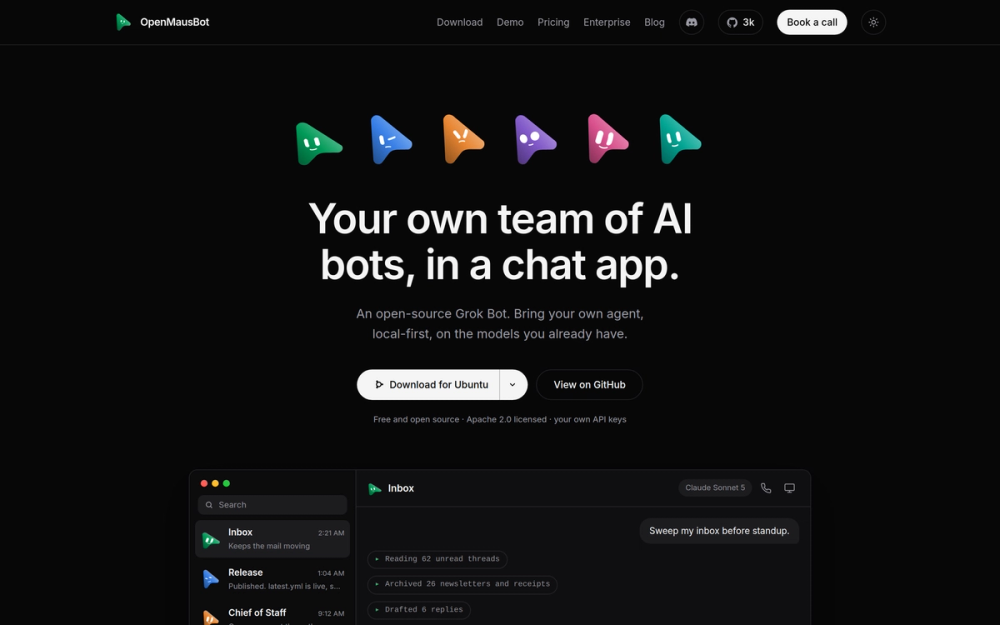
OpenMausBot runs your agent team on the claude, codex and grok CLIs you already have installed, with no proxy and no new subscription. A permission broker surfaces every shell command and file edit as an inline Allow or Deny card before it runs.
Read moreShow lessKey Features · Pros · Cons · License & Hosting · Best For
Key Features
- CLI-native execution: bots run on your installed claude, codex and grok CLIs, no proxy in the middle
- Per-bot cloud desktop: each bot opens its own Box remote Linux desktop with live screen preview
- Permission broker: shell commands and file edits surface as inline Allow/Deny cards, answered in chat or out loud
- Routines and webhooks: schedule once, on weekdays or every 5 to 1440 minutes; separate webhook receiver for event-driven triggers
- UI-hidden credentials: the UI shows only "configured" flags, never the value
Pros
- Subscription reuse: bots reuse the claude, codex and grok CLIs already on your machine, within those subscriptions' usage limits
- Visible action approval: shell commands and file edits surface as Allow/Deny cards before running, so risky actions become decisions you make
- Stored keys stay in a local file: configured keys live in an owner-only file the UI never displays; what bots send to Claude, Codex or Grok still reaches those services
Cons
- Desktop only, with no messaging-app integrations; you talk to bots in the app, not Slack or Telegram
- Conversation persistence is per-channel NDJSON transcript, not semantic memory that retrieves and summarises context
- Box cloud desktops are a paid third-party service after their trial
License & Hosting
- License: Apache-2.0
- Where it runs: desktop app for macOS (Apple Silicon), Windows x64, and Ubuntu 24.04 x64 beta; computer control and dictation are not yet available on Ubuntu
- Setup: download and open the installer; harness embedded
- Ongoing costs: free; uses your Claude, Codex and Grok subscriptions within their limits; Box desktops are paid after the trial; ElevenLabs (voice) and Composio need their own keys
Best For
If I already paid for Claude or Codex, this is where I would run my bots. It falls short for anyone who wants to reach those bots from Slack or a phone, or who needs semantic memory.

- 6.9K stars
- MIT
- Active this week
- Last commit today
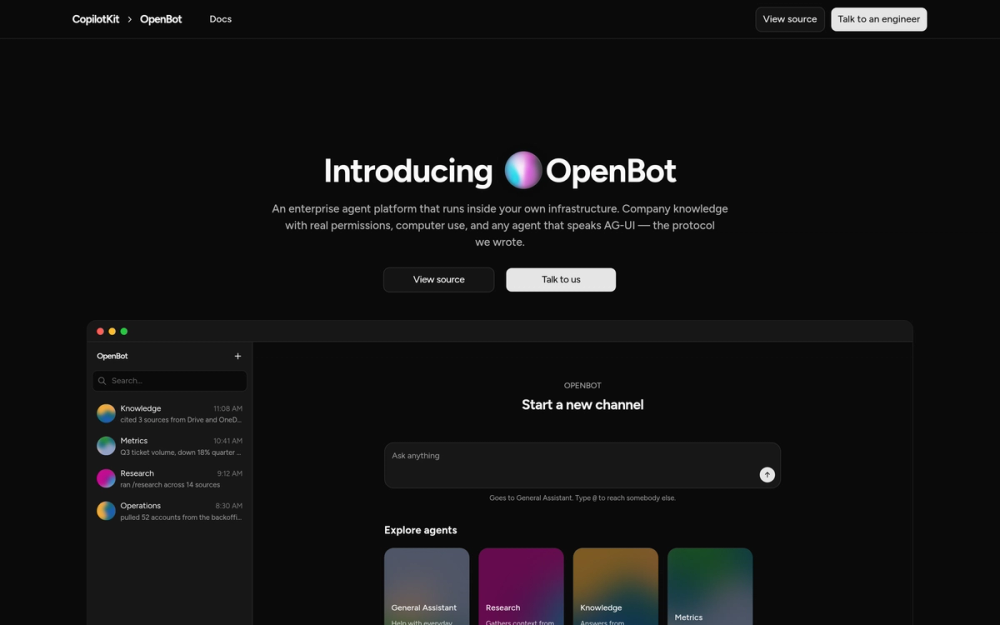
OpenBot is the one I would point compliance-sensitive teams to first. It is the opposite of Grok Bot's one shared machine. Each coworker gets its own container, /workspace volume and browser profile. A CEL policy gateway is fail-closed, evaluates deny before allow, and refuses any action where policy is missing.
Read moreShow lessKey Features · Pros · Cons · License & Hosting · Best For
Key Features
- Per-agent containers: each coworker gets its own container, /workspace volume and browser profile; gVisor option for kernel-level isolation
- CEL policy gateway: deny before allow; missing policy permits nothing
- Audit trail: /admin/audit records every action; refusals name the rule; secrets logged without content
- No bundled model: OpenAI, Anthropic, Google or any custom base URL; credentials encrypted at rest
- Routines: 15-minute floor, cap of 20, auto-disable after 10 consecutive failures
Pros
- Per-agent isolation: each coworker gets its own container, /workspace volume, and browser profile; gVisor adds optional kernel-level isolation for untrusted code
- Fail-closed policy gateway: deny is evaluated before allow, a missing policy permits nothing, and a broken rule refuses rather than opens
- Complete audit trail: /admin/audit records every permitted, refused, and failed action; refusals name the triggering rule; secret access is logged by size, not content
Cons
- OpenBot describes itself as "a template, not a product", and it needs customisation before it fits your workflow
- Web UI at localhost:3010 only; no messaging-app integrations
- CopilotKit Intelligence credentials are required for thread persistence, though a free plan is available and Intelligence can be self-hosted
License & Hosting
- License: MIT
- Where it runs: self-hosted via Docker; Helm is the production path
- Setup: requires Bun 1.3+, Docker, a CopilotKit Intelligence key, and a model API key;
scripts/start.shhandles startup - Ongoing costs: free; you pay your model provider; CopilotKit Intelligence has a free plan and can be self-hosted; plus the Docker host or VPS
Best For
Security-conscious teams who need per-agent isolation and an audit trail, and who can live with configuring a template rather than installing a product. Skip it if you want messaging-app integrations or an install-and-go setup.

- 42.2K stars
- GPL-3.0
- Active this week
- Last commit 1 day ago
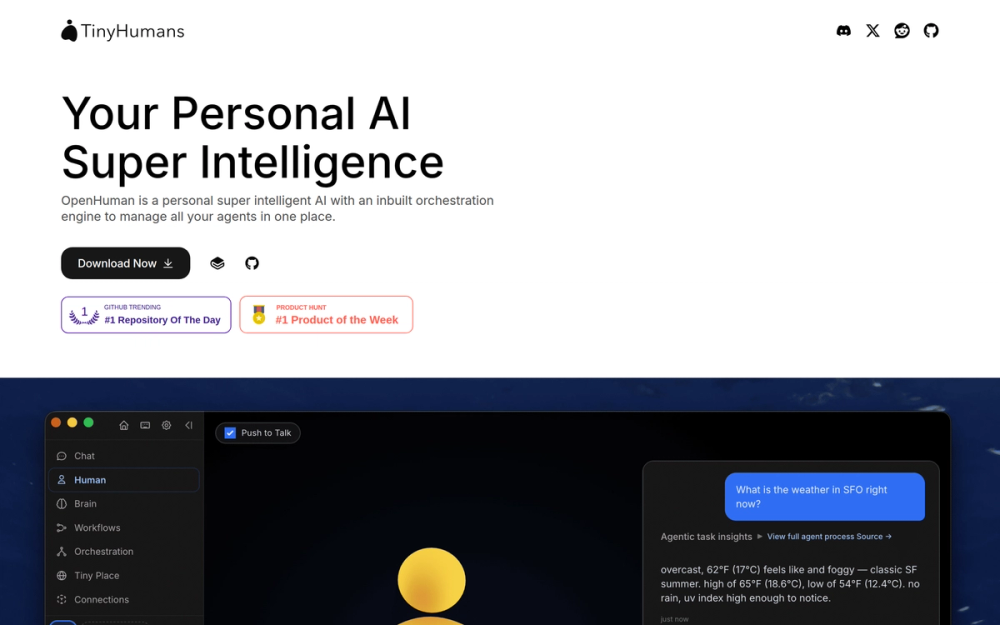
openhuman stores agent memory as scored Markdown trees in SQLite, refreshed automatically every 20 minutes, and backs them with an Obsidian Wiki. It also has the widest messaging reach of the eight at 17 channels including native email, and orchestrates sub-agent fleets three levels deep with approval-gated workflows that survive restarts.
Read moreShow lessKey Features · Pros · Cons · License & Hosting · Best For
Key Features
- Memory Tree + Obsidian Wiki: scored Markdown trees in SQLite, auto-fetched every 20 minutes
- Sub-agent fleets: a fast triage tier routes tasks to specialist agents up to three levels deep
- Durable workflows: schedules, webhooks, channel events; approval-gated, restart-safe on tinyflows
- Native browser: OS-keyring secrets and Privacy Mode in the Rust core
- 100+ OAuth integrations: Gmail, Notion, GitHub, Slack and more
- 17 channels: Telegram, Discord, Slack, WhatsApp, Signal, iMessage, native email via IMAP/SMTP
Pros
- Run journals with cost tracking: replayable logs record per-call costs and surface root-cause reports when agents get stuck; Grok Bot offers this only on Enterprise plans, which are still rolling out
- Flexible model routing: mix a managed subscription, BYOK keys, and local Ollama within one instance without reconfiguring other agents
Cons
- Sandboxing is opt-in rather than the per-agent default, so sub-agents reach the same filesystem unless explicitly isolated
- GPL-3.0 is a copyleft license; read its terms before embedding this codebase in a commercial product
- Early beta with a high open-issue count; expect rough edges in multi-channel setups and workflow edge cases
License & Hosting
- License: GPL-3.0 (copyleft; read its terms before embedding in a commercial product)
- Where it runs: desktop app via Homebrew (macOS), AUR or .deb (Linux), Windows installer, or Tauri desktop
- Setup: prebuilt packages install directly; building from source requires Node.js 24+, pnpm 10, Rust 1.93, CMake, Ninja, and ripgrep
- Ongoing costs: free; optional subscription for managed search, media generation, and model routing; or bring your own keys or local Ollama; plus the machine it runs on
Best For
Choose openhuman for memory depth and messaging reach. GPL-3.0 rules it out for some commercial products, and anyone who needs per-agent isolation by default is better served by openbot.

- 255.5K stars
- MIT
- Active this week
- Last commit 1 day ago
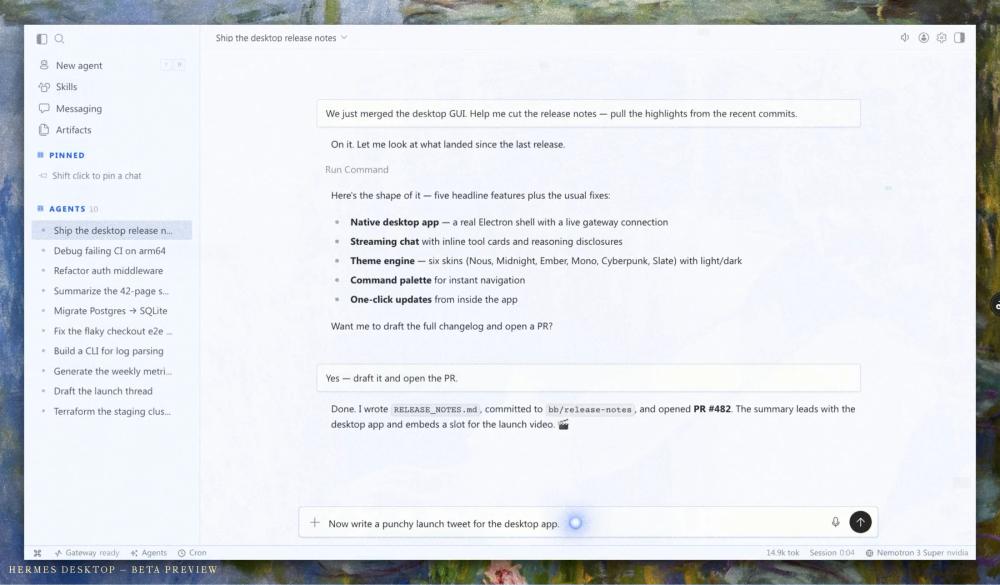
Hermes Agent by Nous Research runs on seven terminal backends, spawns isolated subagents, and reaches seven messaging platforms. It runs as a single agent rather than a roster of bots.
Read moreShow lessKey Features · Pros · Cons · License & Hosting · Best For
Key Features
- Seven terminal backends: local, Docker, SSH, Singularity, Modal, Daytona, Vercel Sandbox; Daytona and Modal hibernate when idle
- Parallel isolated subagents: each gets its own conversation and terminal; Python RPC coordinates subagent pipelines
- Built-in cron scheduler: natural-language definitions, any connected platform
- Closed learning loop: agent-curated memory, skill creation, FTS5 search with LLM summarization
- Any model: Nous Portal, OpenRouter, OpenAI, or custom endpoints;
hermes modelto switch - Seven messaging platforms: Telegram, Discord, Slack, WhatsApp, Signal, email, Home Assistant
Pros
- Seven compute backends: local, Docker, SSH, Singularity, Modal, Daytona, and Vercel Sandbox, against rakazo's four; Modal and Daytona hibernate when idle.
- Persistent learning loop: curated memory files, skill creation from past sessions, and FTS5 search with LLM summarization give cross-session recall without you maintaining the notes by hand
Cons
- Browser automation routes through Nous Portal's cloud browser rather than a local browser you control directly
- Hermes runs as one agent with personality profiles and spawned subagents; a roster of separately configured bots with their own identities, the way Grok Bot works, is not how it is built
- The primary interface is a terminal TUI; there is no web UI, and the desktop app (available for macOS, Windows, and Linux) launches the same terminal experience
License & Hosting
- License: MIT
- Where it runs: Linux, macOS, and Windows
- Setup: one-liner install; the installer handles uv, Python 3.11, Node.js, ripgrep, and ffmpeg automatically
- Ongoing costs: free; you pay for the VPS or machine, model API calls, and any Nous Portal or sandbox charges (Modal, Daytona, Vercel Sandbox)
Best For
Terminal-native engineers with varied compute needs get the most from Hermes Agent. Look elsewhere if you need a web interface, several bots with separate identities, or a local browser you control directly.

Rank 6
paperclip
Best for Open-source agent orchestration with org charts, budgets, governance, and scheduling for teams of AI agents
- 105.1K stars
- MIT
- Active this week
- Last commit 1 day ago
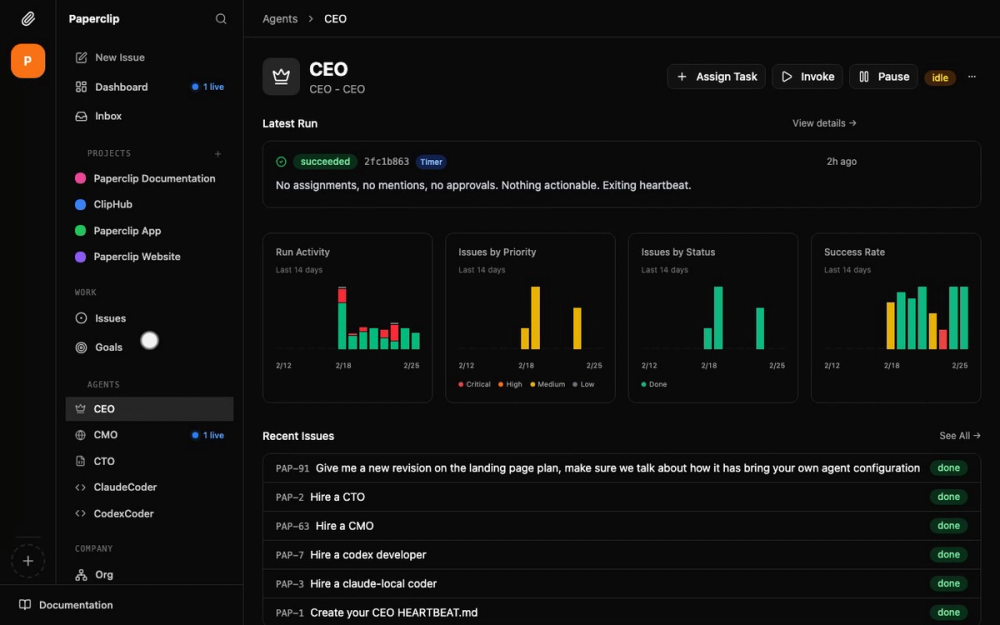
paperclip is a self-hosted orchestration layer for agent teams. It manages a team of agents rather than operating one itself, so it fills a different slot from Grok Bot's shared cloud computer.
Read moreShow lessKey Features · Pros · Cons · License & Hosting · Best For
Key Features
- Org chart: named roles, reporting lines, permissions, and monthly budgets in a mixed human-and-agent hierarchy
- Budget enforcement: token and cost limits per agent and goal; overspend pauses agents and cancels queued work
- Governance with rollback: board approval workflows, review stages, and config versioning
- Multi-provider: orchestrates Claude Code, Codex, Cursor, Bash bots, and HTTP webhooks; each agent brings its own model
- Heartbeat scheduling: cron, webhook, and API triggers; optional background service on Linux and macOS
Pros
- Budget hard-stops and rollback: token and cost limits pause agents mid-spend; config versioning lets you roll back to a previous governance state without data loss
- Broad agent compatibility: any runtime with a heartbeat joins the org chart; Claude Code, Codex, Cursor, and Bash bots work without modification
- Multi-org isolation: full data separation per company ships in the base installer without additional configuration
Cons
- paperclip does not operate a browser, terminal, or desktop itself; pair it with a computer-use tool for Grok Bot parity
- No container or browser-session isolation: workspaces are git worktrees; login and credentials are each agent's responsibility, though paperclip injects scoped secrets
License & Hosting
- License: MIT
- Where it runs: your own machine or a VPS; optional background service on Linux and macOS
- Setup: Node.js 24.11 or newer required; installer script with interactive onboarding
- Ongoing costs: free with no paid tier; the agents it orchestrates need their own model keys and compute (VPS, local Docker, or a paid sandbox)
Best For
Teams running several agents who need governance, budgets, and an audit trail. It does not replace Grok Bot on its own, so pair it with rakazo, openmausbot, or openbot for the computer work, and expect it to earn its keep once you are past a handful of agents.

- 36.2K stars
- Apache-2.0
- Active this week
- Last commit 2 days ago
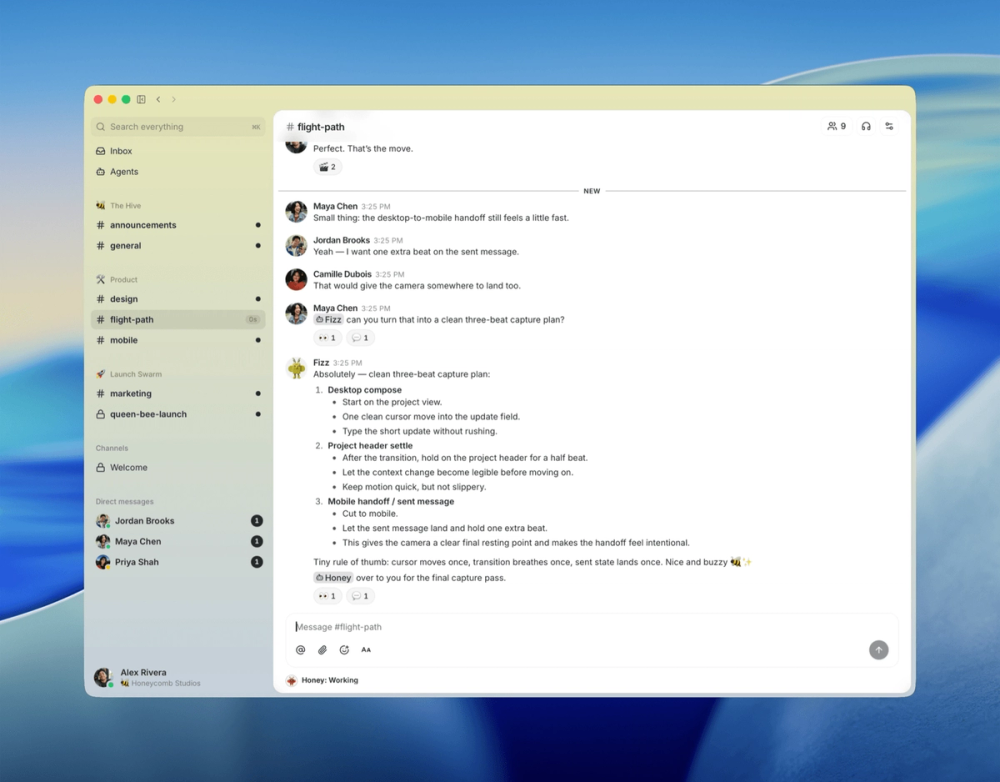
Buzz from Block is a shared workspace for humans and AI agents, not an autonomous worker itself. Every message, workflow step, and git event is signed by the sender's key and chained so earlier records cannot be quietly altered; six months of history is searchable in Postgres by default. Agents join as ordinary members with their own keys and no special privileges.
Read moreShow lessKey Features · Pros · Cons · License & Hosting · Best For
Key Features
- Nostr-based agent identity: each agent holds its own keypair and channel memberships, scoped identically to a human teammate
- Tamper-evident audit log: signed by participant keys, chained against silent edits, and full-text searchable in Postgres
- YAML workflows: schedule, webhook, message, and reaction triggers; git events (NIP-34: patches, status, repo announcements) built in
- ACP harness: connects Goose, Codex, and Claude Code as first-class workspace participants via
buzz-acp - Desktop app and CLI: Tauri desktop on macOS, Linux, and Windows;
buzz-clifor JSON-in/JSON-out agent use - Railway one-click deploy: production Compose bundle with Postgres, Redis, MinIO, and optional Caddy/TLS
Pros
- Equal-access audit log: agents join as ordinary members and read the same signed history as humans, with no separate agent log
- Bring the agent you already run: the ACP harness connects Goose, Codex and Claude Code as ordinary workspace members, so the agent you use today joins without a rewrite
Cons
- Buzz does not itself browse the web or operate a computer; it is the shared workspace, and another tool has to do that work
- The README describes workflow approval gates as "infra exists, glue still drying"
- Mobile clients (iOS and Android) are listed as being wired up, not yet available
License & Hosting
- License: Apache-2.0
- Where it runs: self-hosted via Docker Compose
- Setup: Docker, Rust 1.88+, Node 24+, pnpm 10+ and
just; Hermit pins the toolchain - Ongoing costs: free, no commercial tier; host the relay or pay Railway
Best For
Use Buzz when you need an auditable workspace where agents and humans share one signed event log. It answers a different question than Grok Bot; Buzz provides the workspace and something else has to do the computer work. Pair it with openbot or hermes-agent for that.

- 393K stars
- MIT
- Active this week
- Last commit 2 days ago
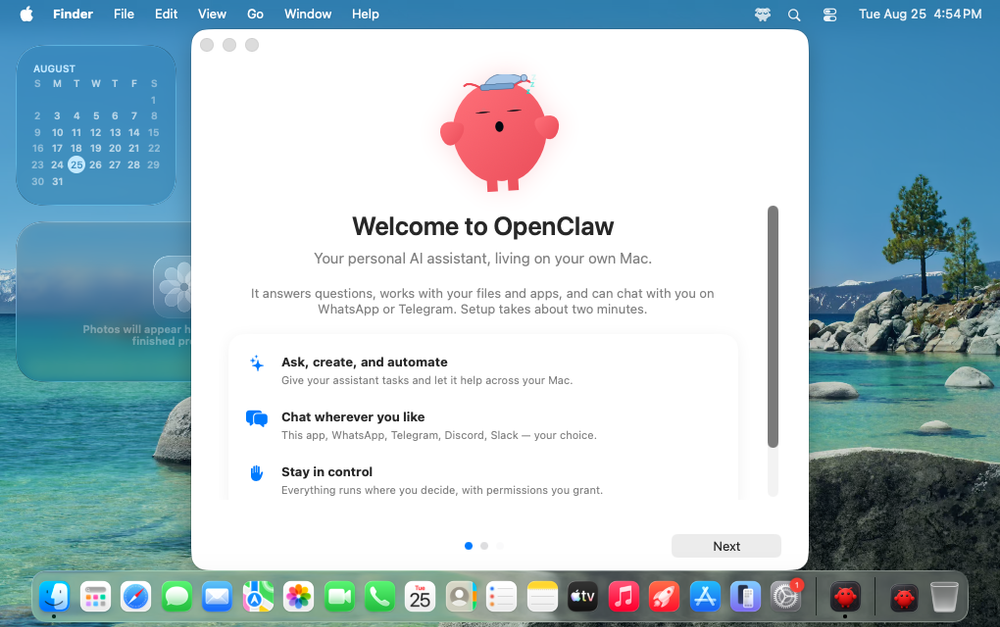
OpenClaw is the most widely adopted project of the eight. It sits at eight because it is built for one operator or a team that trusts each other. Memory is Markdown files, the browser is a local profile, and tools run on the host unless you configure sandboxing.
Read moreShow lessKey Features · Pros · Cons · License & Hosting · Best For
Key Features
- Seven messaging channels: WhatsApp, Telegram, Slack, Discord, Google Chat, Signal, and iMessage via one local Gateway
- Browser tool: its own Chromium-family browser profile with click, type, drag and screenshot actions; enabled per agent
- Cron scheduling: time, webhook and Gmail triggers; jobs persist and deliver output to chat, a webhook, or nowhere
- Agent memory: Markdown files in the agent workspace with hybrid vector and keyword search when an embedding provider is configured
- Multiple agents: several agents in one Gateway, each with its own workspace, auth profiles and session store
- DM pairing approval: unknown senders need a pairing code before the Gateway responds
Pros
- Simple onboarding: one line installs Node.js and every dependency;
openclaw onboardwires the channels you choose - Scheduled job results land in chat: cron output posts to the channel you already have open, so results reach you where you work
- State stays on your machine: the Gateway, memory files and browser profile are local files; prompts, tool calls and embeddings (unless you use a local GGUF or Ollama embedder) still go to your providers, while Grok Bot keeps all bot state in xAI's cloud
Cons
- Tools run on the gateway host by default; Docker or Podman sandboxing is opt-in
- One Gateway is one trust boundary, the same caveat xAI gives for Grok Bot; strict isolation needs separate gateways
- Agents in one Gateway share global plugin stores and can reach each other's sessions unless restricted
License & Hosting
- License: MIT
- Where it runs: macOS, Linux and Windows
- Setup: one-liner install, then
openclaw onboard - Ongoing costs: free, no paid tier; your model provider plus the Gateway host
Best For
OpenClaw suits anyone who wants an AI assistant inside seven messaging apps. Browser, scheduling and memory each need configuring. If you need per-agent sandboxing by default or separate trust boundaries, start higher up this list.
Decision framework
How to choose
Use this section to narrow the Grok Bot replacement by team size, hosting model, license, and migration difficulty.
Three questions narrow the field: does each bot need its own computer and logins; do you want to reuse subscriptions you already pay for; do you need an audit trail on day one.
Start with isolation. When each agent must have its own container and credential store, openbot is the cleanest starting point: per-agent containers, a fail-closed policy gateway and complete audit trail come assembled. rakazo lets you mix shared Team Computers and Private containers. If you are an individual, openmausbot's per-bot Box cloud desktops, paid after the trial, give each bot its own logins with less setup than a container stack.
If the model matters more than the environment, start from what you already pay for. openmausbot runs on the claude, codex and grok CLIs you already have, with no separate API bill within those usage limits; Box and voice are paid extras. The others take provider keys; openhuman also runs local Ollama models, openclaw supports local providers, hermes-agent and openbot accept a self-hosted endpoint, rakazo uses Pi or OpenRouter, and paperclip and buzz use whatever model your connected agents run.
If you mainly want the agent inside the apps you already use, start with openclaw. A one-liner connects it to seven channels; browser, scheduling, and memory each need deliberate configuration. openhuman covers 17 channels with richer memory, approval-gated workflows, and sub-agent fleets.
Where policy and audit are non-negotiable, I would go to openbot; buzz adds a signed event log that humans and agents read together.
If you are already running several agents and the problem is coordination, paperclip gives them an org chart, budgets, and approval workflows from one server. Pair it with a computer-use tool; it does not operate a browser or terminal.
For terminal-native engineers, hermes-agent's seven compute backends and built-in cron scheduler match the Grok Bot unattended-routine pattern.
On maturity, rakazo launched August 2026 in beta with no stable release; openmausbot is also a 2026 project. openbot and openhuman have longer development histories.
Grok Bot is still the better call if you want zero hosting work. Your account gets one persistent cloud computer shared by all your bots, each with its own screen; Grok Bot bundles managed compute while the eight leave hosting to you: your machine, a VPS, or paid extras like openmausbot's Box desktops or rakazo's E2B, Daytona, and Box sandboxes. It can learn a routine by watching you once, with a ten-minute recording cap. An eligible Cursor or SuperGrok plan includes weekly usage; on-demand bills by model and token cost.
If you want a roster of bots with browser access and full model control, I would start with rakazo. If you need a policy trail on day one, go straight to openbot.
Complete directory list
All alternatives to Grok Bot

OpenClaw
FeaturedAlternative to Muse
Muse
Self-hosted AI assistant for WhatsApp, Telegram, and more
- 392,969 GitHub stars
- Licence MIT
- #AI Agents

Hermes Agent
FeaturedAlternative to Grok Bot
Self-hosted AI agent: persistent memory, multi-channel chat, model choice.
- 255,514 GitHub stars
- Licence MIT
- #AI Agents

paperclip
FeaturedAlternative toGrok Bot
Self-hosted AI agent management with org charts and budgets
- 105,118 GitHub stars
- Licence MIT
- #AI Agents

Alternative toMuse
Personal AI agent with local memory and 100+ integrations
- 42,188 GitHub stars
- Licence GPL-3.0
- #AI Agents


Alternative toGrok Bot
Open source Agent OS built in Rust with autonomous agents
- 18,212 GitHub stars
- Licence Apache-2.0
- #AI Agents

Alternative toGrok Bot
Open source security scanner for AI agent deployments
- 12,668 GitHub stars
- Licence Apache-2.0
- #AI Agents

Alternative toGrok Bot
AI coworkers you can trust with real work
- 6,875 GitHub stars
- Licence MIT
- #AI Agents

Alternative toGrok Bot
Your AI agent team in a chat app, local-first and Apache-2.0 licensed
- 5,280 GitHub stars
- Licence Apache-2.0
- #AI Agents

rakazo
FeaturedAlternative toGrok Bot
AI teammates you own: your keys, your model, your machine.
- 4,904 GitHub stars
- Licence Apache-2.0
- #AI Agents

Alternative toGrok Bot
Local-first AI agent that runs on your machine, drives real tools.
- 3,425 GitHub stars
- Licence MIT
- #LLM
Migration
Migration notes for leaving Grok Bot
Migrating away from Grok Bot means rebuilding rather than porting. xAI documents no export path for bot state: the skills you have trained, the routines you have scheduled, and the conversation history your bots have accumulated live in xAI's infrastructure. You rebuild each routine by hand on the new stack.
xAI's security documentation states that "Deleting a Bot does not remove shared-computer files or browser sessions", so removing a bot from your roster is not a clean-up step. The browser sessions it authenticated and the files it left on the shared machine persist until you clear them manually. Decommissioning is two steps: remove the bot, then return to the shared machine and wipe its footprint.
You will re-authenticate every login your bots have established on the new platform. Use that moment to assign each agent its own dedicated credential instead of sharing one cookie store the way Grok Bot's shared computer does. rakazo's Private computers and openbot's per-agent containers enforce that separation structurally. openmausbot stores secrets in a local file with owner-only permissions and never displays stored values in the UI.
On the compute side, you trade bundled managed compute for hosting you arrange. openbot and rakazo run on a Docker host or a VPS. openmausbot installs as a desktop app and uses the Claude, Codex or Grok subscriptions you already have, with paid Box cloud desktops as an optional extra; a VPS only enters if you run its server mode. Model usage bills through your provider either way.
Routines and schedules have direct equivalents across the roster. The Grok Bot FAQ confirms that bot work continues when your device is off, because it runs on xAI's cloud computer. On the replacements a schedule only fires while the host process is up. openmausbot keeps working with your laptop closed only when you run npx openmausbot serve on a VPS or an always-on computer. rakazo's bots stay on when its backend runs on a server. hermes-agent's cron lives in its gateway process, so that machine or VPS stays on. openbot's routines need its worker process running on the Docker host. openhuman's workflows survive restarts, but its README does not say what must stay running, so keep that machine on. openmausbot's intervals run from 5 to 1440 minutes, openbot supports up to 20 scheduled routines with a 15-minute floor, and hermes-agent accepts natural-language cron definitions delivered to any connected platform.
A staged migration is safer than a full cut-over. Move one routine at a time, verify it runs unattended on the replacement stack for a full week, and keep your paid Grok Bot access until you are confident. Trying to migrate everything at once makes failures hard to attribute.
FAQ
Grok Bot alternatives FAQ
Is Grok Bot the same as the Grok chatbot?
No. Grok Bot and the Grok chatbot are two different products from xAI. Grok is the conversational AI on grok.com and in the X app. Grok Bot, at x.ai/bot, is an agentic product: bots you set up once, each with its own memory and history, that share a persistent cloud computer with a browser, a filesystem, and a terminal, and that keep running multi-step tasks even when your device is off. xAI also offers Grok Build, a separate coding CLI agent, which is a different product again.
What is the best open source alternative to Grok Bot?
rakazo is the closest architectural match. Its bots keep their own memory and history between sessions and run on a schedule; they get browser, terminal, file, and graphical desktop access; a choice of shared or isolated compute via Docker, E2B, Daytona, or Box; and unrestricted model selection. It is Apache-2.0 licensed and fully self-hosted. Teams that need compliance controls, approval workflows, and a built-in audit trail should look at openbot instead.
Can Grok Bot be self-hosted?
No. Grok Bot is closed source and runs exclusively on xAI's infrastructure, which operates on Cursor's cloud. There is no self-hosting path, no source code to inspect, and xAI documents no way to substitute another model. Skills and routines built in Grok Bot have no documented export path. Every alternative above runs on your own hardware or a VPS under a fully open source license.
What does Grok Bot cost and is there a free tier?
No free tier, no standalone plan. Eligible plans are SuperGrok Plus and Heavy, Cursor Pro+ ($60/mo), Cursor Ultra ($200/mo), and Cursor Teams ($40/user/mo); Cursor's pricing page also marks Grok Bot on its $20 Pro plan, so check there for the latest. xAI's docs show the subscription includes weekly Grok Bot usage; on-demand usage bills by model and token cost on top. All eight alternatives are free and open source. Recurring costs depend on how you run them: model API calls, a VPS or Docker host, and optionally paid sandboxes, managed services, or voice APIs.
Which open source alternative gives each agent its own isolated computer?
Three do. openbot gives each coworker its own container with a separate /workspace volume and browser profile; gVisor adds optional kernel-level isolation. rakazo provides both shared Team Computers and Private containers in Docker, E2B, Daytona, or Box. openmausbot gives each bot its own cloud desktop through Box. All Grok Bot bots share one Firecracker microVM, and xAI says not to use separate bots as a security boundary.
How hard is it to migrate from Grok Bot?
Moderately involved. xAI documents no export path for bot state, so skills and routines are rebuilt by hand on the new platform. Every login the bots have established must be re-authenticated. Deleting a bot from xAI does not remove shared-computer files or browser sessions, so cleanup is a manual step. Routines have direct equivalents in openmausbot, hermes-agent, openhuman, and openbot. A staged migration, moving one routine at a time, is the safer approach.
What are the licensing implications of the open source alternatives?
Most alternatives use permissive licenses. rakazo, openmausbot, and buzz are Apache-2.0. openbot, hermes-agent, openclaw, and paperclip are MIT. Both allow commercial use and distribution with minimal requirements. openhuman is GPL-3.0: using or modifying it privately, including inside a company, does not require releasing source. Distribution obligations apply when you ship a modified or combined work that includes the GPL-covered code; shipping it as a mere aggregate alongside separate programs is treated differently from combining it into one program. Get a legal review before commercial embedding.
By category
Open source tools in these categories


AI & Machine Learning
freeCodeCamp, OpenClaw, REA (Reverse Engineer Anything)194


Business & Productivity
OpenClaw, Excalidraw, RustDesk463

Developer Tools
REA (Reverse Engineer Anything), superpowers, Skills for Real Engineers128

Communication & Collaboration
iptv, freeCodeCamp, Excalidraw101


LLMOps & AI Tooling
Hermes Agent, OpenCode, MarkItDown106

Product & Project Management
agency-agents, freeCodeCamp, GstackKeep reading