Open Source Alternatives
  • Alternatives
  • Categories
    Categories by size958 projects
    • Developer Tools497
    • AI & Machine Learning426
    • Business & Productivity213
    • Web Development200
    • Security & Monitoring144
    • IT Management131
    • Communication & Collaboration129
    • Cloud & Hosting113
    • LLMOps & AI Tooling110
    • Data & Analytics108
    Browse all 21 categoriesDesign & Creative, Product & Project Management and 9 more
  • Blog
  • Advertise
SearchNotion, Slack, password manager.../
Submit
Open Source Alternatives
  • Alternatives
    • Developer Tools497
    • AI & Machine Learning426
    • Business & Productivity213
    • Web Development200
    • Security & Monitoring144
    • IT Management131
    • Browse all 21 categories
  • Blog
  • Advertise
Submit your project

New open source projects by email

The projects we add and every new guide. Free, unsubscribe any time.

Open Source Alternatives LogoOpen Source Alternatives

Handpicked Open Source Alternatives to Paid Softwares

Product

  • Categories
  • Tag
  • Advertise

Resources

  • Blog
  • Collection
  • Submit

Company

  • Privacy Policy
  • Terms of Service
  • Refund Policy
  • Sitemap

Alternatives

  • Claude Code
  • Jira
  • Notion
  • Slack
  • Linear
  • Wispr Flow
  • All alternatives
© 2026 Open Source Alternatives. All rights reserved.
Open SourceAlternatives
Home/Categories/Business & Productivity/Blanc
icon of Blanc

Blanc

Open source alternative to Arc, Brave, Vivaldi and SigmaOS

  • 134 stars
  • MIT
  • Active this week
  • Last commit today

Last verified Oct 29, 2026

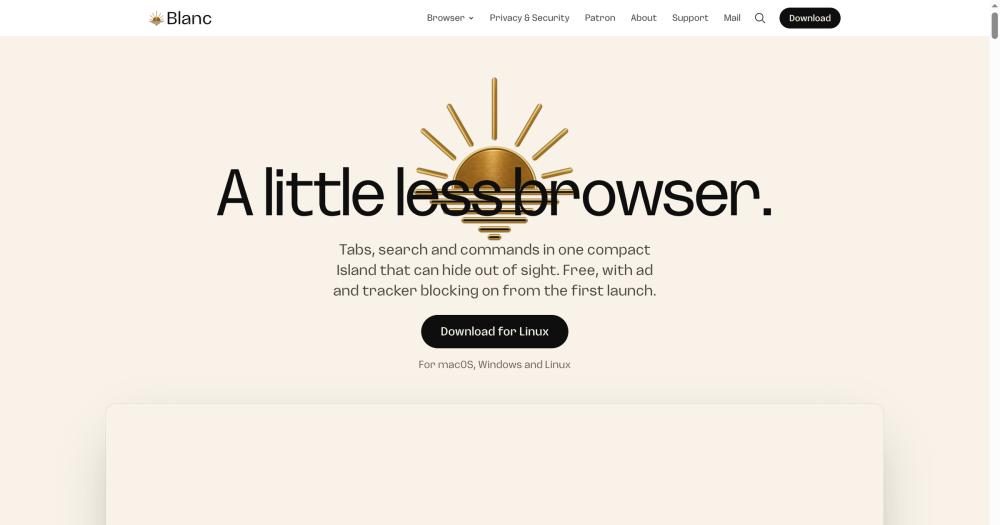
Browse the web in a minimal open-source browser with a floating Island UI, built-in ad and tracker blocking, and tab Spaces, free on macOS, Windows, and Linux.

Visit websiteGitHub134 stars
image of Blanc
TL;DR

Blanc is a minimal desktop browser that replaces the permanent toolbar and tab strip with a floating Island overlay, available free on macOS, Windows, and Linux under an MIT license. It is a direct replacement for Arc, which stops working on December 22, 2026, and includes a built-in migration path for Arc Spaces. Blanc uses Electron and Chromium with ad and tracker blocking on from first launch. Best for Arc users who need to migrate before December 22, 2026, and for anyone who wants a stripped-back desktop browser with ad blocking built in.

Read the full breakdownHide the full breakdownWho it is for, how it works, trade-offs, the quick start and the FAQ
who it's for

Who Blanc is for#

Arc users migrating before December 22, 2026

Arc stops working on December 22, 2026, and new accounts closed on October 22, 2026. Blanc imports Arc Spaces directly: pick the Spaces you want in the setup flow and Blanc recreates each one with its pinned tabs, Today tabs, and folders as tab groups. Sign-ins, passwords, and history stay in Arc. On Linux, copy a sidebar file from a Mac or PC and Blanc reads it.

Skip if:

If you did not use Arc Spaces and primarily relied on Arc's AI features such as Ask Arc or Instant Links, Blanc has no equivalent AI assistant. Consider a browser with built-in AI integration instead.

Privacy-focused users on macOS or Windows

Blanc blocks ads and trackers from first launch with no configuration, shows a live blocked-request count in the Island, and opens no optional connections until you save your first-run choices. Optional sync is end-to-end encrypted; history and passwords never sync. Usage measurement sends no URLs, searches, or page contents, and can be disabled before setup or later in Settings.

Skip if:

If you need full control over filter lists, request logs, and cosmetic filters beyond what Blanc Blocker provides, and uBlock Origin is not available on your build, consider Brave or Firefox with uBlock Origin.

Developers who want a distraction-free reading environment

Auto-hide makes the Island disappear while you read documentation or code, with the full surface a pointer-reach away. Glance lets you reference a second tab without splitting your view. Quiet Tabs release memory from inactive background tabs, which matters on a development machine running a local server, Docker containers, and multiple browser windows.

Skip if:

If you rely on browser DevTools extensions or a specific Chrome Web Store add-on in your development workflow, Blanc's lack of Chrome extension support is a blocking issue.

Individuals moving from Arc on Linux

Arc has no Linux version; Blanc does. Blanc Spaces work on Linux x86_64 via AppImage, and Arc Spaces import on Linux via a sidebar file copied from a Mac or PC. Sync carries Favorites and settings across macOS, Windows, and Linux with end-to-end encryption.

Skip if:

Since v1.26.0, Blanc refuses to start on Linux when a launcher disables the Chromium sandbox. Check the Linux AppImage troubleshooting guide before committing if your host restricts user-namespace probes.

the problem

The problem it solves#

Most desktop browsers keep a permanent toolbar visible at all times. The tab strip, address bar, navigation buttons, and bookmarks bar share a horizontal band across the top of every window, and extensions add more icons to that bar. The result is that a meaningful slice of screen height is occupied by interface, not content, in every tab you open.

Arc addressed some of this with its Spaces and sidebar model, but Arc is a commercial browser that stops working entirely on December 22, 2026. New Arc accounts can no longer be created as of October 22, 2026. Arc users who have built their browsing around Spaces and tab groups need a browser that carries that workflow forward, not one that starts from scratch.

how Blanc solves it

How it solves it#

Island interface

The Island is a floating command pill that replaces the permanent toolbar and tab strip. At rest it shows your tabs as dots, the active site's favicon and domain, and a live count of ads blocked on the page. Clicking or pressing Cmd/Ctrl+L expands it into a full command bar for navigation, search, tab switching, and slash commands. It floats over the page without pushing content down, and Auto-hide makes it disappear entirely until your pointer reaches the top edge.

Built-in ad and tracker blocking

Blanc Blocker uses Ghostery's engine with bundled EasyList ad filters and EasyPrivacy tracker filters, enabled from first launch without any setup. On supported builds you can switch to the full uBlock Origin for advanced filter lists and a request logger. The blocking engine is built from bundled, hash-verified snapshots and does not download filter code at startup; blocked requests are counted per tab and shown as a badge on the Island.

Blanc Spaces

Save any window's tabs and tab groups as a named Space with a color and symbol, then switch between Spaces from the Island. Coming from Arc, Blanc imports your existing Arc Spaces directly, including pinned tabs, Today tabs, and folders as tab groups. Each Space is an isolated window state so you can keep Work, Home, and Reading tabs separate and switch between them in one click. Spaces are free on all platforms.

Private tabs with separate session

Private tabs use an in-memory session entirely separate from normal browsing. Cookies, storage, cache, service workers, and HTTP auth are discarded when Blanc quits. The whole browser chrome shifts to a deeper private theme while a private tab is active, and Blanc Blocker applies in private tabs. Private tabs are excluded from session restore and the reopen-closed-tab list.

Glance overlay

Glance brings a second open tab into view as a temporary reference over your current page without switching away. Press Cmd/Ctrl+Shift+G, choose any tab from the current window, and it floats beside the main content. Narrow windows stack it below. Closing Glance does not close the tab. It never persists or syncs the relationship between pages.

Signed releases with Sigstore verification

macOS builds are signed and notarized by Apple; Windows installers carry timestamped Authenticode signatures. Each release ships with a Sigstore-authenticated checksum manifest, a CycloneDX SBOM, and GitHub provenance attestations for Windows and Linux CI artifacts. Blanc holds the OpenSSF Best Practices Baseline Level 2 self-certification, a voluntary self-assessment of documented project practices.

strengths · trade-offs

Strengths and trade-offs#

Strengths

  • Arc migration built inBlanc has a dedicated Spaces import flow: pick the Arc Spaces you want, and Blanc recreates each one with its pinned tabs, Today tabs, and folders as tab groups. Arc stops working on December 22, 2026 and new accounts closed on October 22, 2026, so current Arc users need a migration path now. On Linux, copy a sidebar file from a Mac or PC. Sign-ins, passwords, history, archived tabs, Notes, and Easels stay in Arc.
  • Lower memory footprint with blocking activeBlanc measured 1.5 GB with six ad-heavy sites open and blocking active, compared to Chrome at 4.9 GB and Brave (also blocking by default) at 1.7 GB in the same test. The benchmark is from the project's own bench/memory/ directory and the product website. The advantage holds when blocking is active; with the blocker turned off, Blanc used 5.2 GB, about the same as Chrome.
  • MIT license, no paywalled featuresEvery feature in Blanc is free: Blanc Spaces, encrypted sync, private tabs, passkeys, tab groups, and Quiet Tabs. Blanc Patron costs $30 a year or $4 a month and unlocks nothing. The browser's own source code is MIT-licensed, so you can inspect, build, and run it locally without restriction.
  • Transparent privacy defaults from first launchNo optional connections fire until you save your first-run setup choices. Usage measurement, which sends no URLs, searches, or page contents, and search suggestions are preselected but can be disabled before continuing or later in Settings. Dev builds never send usage events. History and passwords never sync, even with optional encrypted sync enabled.

Trade-offs

  • -Electron memory overhead without the blockerBlanc's own benchmark with six ad-heavy sites measured 1.5 GB with blocking active, but 5.2 GB with the blocker off, about the same as Chrome. Electron apps carry larger memory overhead than native browsers in general; the blocker provides the real-world footprint improvement. Users who disable blocking, run many background tabs without Quiet Tabs, or use Blanc alongside other Electron apps will see this overhead.
  • -No Chrome Web Store extensionsBlanc does not support the Chrome Web Store. Ad and tracker blocking is built in, and uBlock Origin is available on supported builds, but other extension-based workflows have no path into Blanc. The only third-party integration is 1Password fill via its desktop SDK on macOS, Windows, and Linux (not Windows ARM). Users who rely on specific Chrome extensions for their workflow should evaluate whether the built-in options cover their use.
  • -Linux sandbox restriction since v1.26.0Since v1.26.0, Blanc refuses to start on Linux when a launcher disables the Chromium sandbox, including the AppImage launcher's fallback on hosts that block user-namespace probes. Users running Blanc as an AppImage on systems with restricted namespaces need to check the Linux AppImage troubleshooting guide before installing. This does not affect most standard Linux desktop setups.
  • -Single maintainer, no external security auditBlanc is built and maintained by Bananify, an independent software studio with one human maintainer. The OpenSSF Level 2 self-certification is a voluntary self-assessment, not an independent security audit, and Blanc has not completed an external security audit. The governance document names the sole maintainer and the sensitive access domains.
versus alternatives

Blanc vs alternatives#

Blanc vs Arc

Arc is a commercial browser built by The Browser Company. Arc stops working entirely on December 22, 2026, and new Arc accounts can no longer be created as of October 22, 2026. For existing Arc users, this is a migration timeline, not a preference question.

Blanc's migration path is purpose-built for this. The "Coming from Arc? Bring your Spaces with you" flow imports Arc Spaces into Blanc Spaces, including pinned tabs, Today tabs, and folders as tab groups. Favorites import from the same profile. Sign-ins, passwords, history, archived tabs, Notes, and Easels stay in Arc. On Linux, copy a sidebar file from a Mac or PC.

FeatureBlancArc
LicenseMIT (own code)Proprietary
AvailabilityOngoingEnds December 22, 2026
SpacesYesYes
Arc migrationBuilt inn/a
Ad blockingOn by defaultOff by default
LinuxYes (AppImage)No
Account requiredNoYes (closed to new users)

For Spaces-based workflows, Blanc is the most direct replacement. Arc no longer accepts new users, so the practical question for any Arc user is when to migrate, not whether. Blanc's dedicated import path and Spaces concept make it the clearest landing point.

Blanc vs Brave

Both Blanc and Brave block ads and trackers by default and run on macOS, Windows, and Linux. Both are free and open source. The comparison comes down to engine architecture, extension support, and interface philosophy.

Brave uses a native Chromium engine. Blanc uses Electron, which adds overhead when the blocker is off: Blanc measured 1.5 GB with six ad-heavy sites open and blocking active versus Brave's 1.7 GB, but 5.2 GB with the blocker off, above Brave under any configuration. The memory gap is only present when blocking is disabled.

FeatureBlancBrave
LicenseMIT (own code)MPL-2.0
EngineElectron/ChromiumNative Chromium
Ad blocking defaultOnOn
Chrome extensionsNoYes
SpacesBlanc SpacesTab groups, no Spaces
InterfaceIsland overlayStandard toolbar
Memory (blocker on, 6 sites)1.5 GB1.7 GB
Memory (blocker off, 6 sites)5.2 GBLower

Blanc is the better choice when you want a toolbar-free reading environment with Spaces, or when you are migrating from Arc. Brave is the better choice when you need Chrome Web Store extensions, a native engine without Electron overhead, or Brave Rewards and Brave Search integration.


install · quick start

Quick start#

bash
Download the signed installer for macOS or Windows, or the Linux AppImage, from GitHub Releases: https://github.com/bnfy/blanc/releases/latest

On Linux, since v1.26.0, Blanc refuses to start when a launcher disables the Chromium sandbox; see the AppImage troubleshooting guide in the README if the AppImage does not open.

To build from source, follow the "Run it from source" section in the README: https://github.com/bnfy/blanc
tech stack · detected from GitHub

What it's built on#

Languages
JavaScriptSwift
Frameworks
Electron
Runtimes
Chromium
frequently asked

FAQ#

Does Blanc run on Windows and Linux, not just macOS?

Yes. Blanc runs on macOS 13 or later (Apple Silicon and Intel), Windows 10 or later (64-bit), and 64-bit Linux as an AppImage. Every feature including Blanc Spaces and sync is available on all three platforms. The exception is 1Password fill, which is not available on Windows ARM.

Is Blanc really free, or will features cost money later?

Every feature in Blanc is free, including Blanc Spaces, encrypted sync, private tabs, passkeys, tab groups, and Quiet Tabs. Blanc Patron is an optional subscription at $30 a year or $4 a month that is how you support development; it unlocks nothing. A subscription ending or being cancelled changes nothing in the browser.

Can I bring my Arc Spaces into Blanc?

Yes. Blanc has a dedicated migration path for Arc: in Step 2 of the setup flow, pick the Arc Spaces you want and Blanc imports each one with its pinned tabs, Today tabs, and folders as tab groups. On Linux, copy a sidebar file from a Mac or PC and Blanc reads it. Sign-ins, passwords, history, archived tabs, Notes, and Easels stay in Arc and are not moved.

How does Blanc's memory usage compare to Chrome and Brave?

Blanc measured 1.5 GB with six ad-heavy sites open and blocking active, compared to Chrome at 4.9 GB and Brave (also blocking by default) at 1.7 GB in the same test. With its blocker off, Blanc used 5.2 GB, about the same as Chrome. The memory benchmark, method, and raw runs are in the project's bench/memory/ directory on GitHub.

Does Blanc support Chrome extensions from the Web Store?

No. Blanc does not support the Chrome Web Store. Ad and tracker blocking is built in, and on supported builds you can choose the full uBlock Origin instead of Blanc's default engine. The only third-party integration is optional 1Password fill via its desktop app on macOS, Windows, and Linux (not Windows ARM). If you rely on a specific Chrome extension, that is a reason to stay on Chrome or Brave.

Looking for more

Other ways to replace Arc, Brave, Vivaldi and SigmaOS#

Zen Browser

#1 in the Arc guide

Sidebar Workspaces, split view for up to 4 tabs and Boosts, the closest match to how Arc worked

45,408 GitHub stars

Floorp

#2 in the Arc guide

Workspaces that switch a Firefox container per project, with no account required

8,466 GitHub stars

Brave

#3 in the Arc guide

Chrome Web Store extensions and an Android app, with encrypted sync across devices

3,723 GitHub stars

Firefox

#4 in the Arc guide

Vertical tabs, tab groups and split view built into the browser itself, on 5 platforms

13,641 GitHub stars
All 11 Arc alternatives6 open source Arc alternatives, ranked
by category

Open source tools in these categories#

213

Business & Productivity

OpenClaw, Excalidraw, RustDesk
144

Security & Monitoring

REA (Reverse Engineer Anything), RustDesk, Uptime Kuma

Sponsors

Inbox Zero

Alternative toSuperhuman

AI email assistant that drafts replies and clears your inbox

  • 12,826 GitHub stars
  • AGPL-3.0Licence AGPL-3.0
  • #Email

Omnara

Alternative toCClaude Managed Agents

Open-source agent deployment API. Self-host or use Omnara Cloud.

  • 3,296 GitHub stars
  • Apache-2.0Licence Apache-2.0
  • #AI Agents

rakazo

Alternative toGrok Bot

AI teammates you own: your keys, your model, your machine.

  • 5,914 GitHub stars
  • Apache-2.0Licence Apache-2.0
  • #AI Agents
Advertise your product

New open source projects by email

The projects we add and every new guide. Free, unsubscribe any time.

Find open source alternatives to paid software

/
  • Claude Code to OpenCode
  • Jira to Windshift
  • Notion to AppFlowy
  • Slack to Mattermost
  • Linear to GitLab
  • Wispr Flow to Handy
  • Arc to Zen Browser
  • CapCut to Concat
  • Grok Bot to rakazo
  • Superhuman to Inbox Zero
  • Airtable to AITable
  • Muse to OpenClaw
  • Railway to Coolify
  • GitHub Copilot to Cline
  • Datadog to Netdata
  • Microsoft Teams to Rocket.Chat
  • Confluence to Docmost
  • Pinecone to Qdrant
  • Zapier to n8n
  • Devin AI to OpenHands
  • Firebase to Supabase
  • 1Password to KeePassXC
  • Contentful to Strapi
  • Adobe Premiere Pro to Shotcut
  • Claude Code to OpenCode
  • Jira to Windshift
  • Notion to AppFlowy
  • Slack to Mattermost
  • Linear to GitLab
  • Wispr Flow to Handy
  • Arc to Zen Browser
  • CapCut to Concat
  • Grok Bot to rakazo
  • Superhuman to Inbox Zero
  • Airtable to AITable
  • Muse to OpenClaw
  • Railway to Coolify
  • GitHub Copilot to Cline
  • Datadog to Netdata
  • Microsoft Teams to Rocket.Chat
  • Confluence to Docmost
  • Pinecone to Qdrant
  • Zapier to n8n
  • Devin AI to OpenHands
  • Firebase to Supabase
  • 1Password to KeePassXC
  • Contentful to Strapi
  • Adobe Premiere Pro to Shotcut