

Open-source alternatives guide
Best Railway Alternatives: 6 Open Source Options (2026)
By SurajReviewed Verified
The best open source alternative to Railway is Coolify because it gives your team a Railway-style dashboard on a server you own: push-to-deploy from Git, one-click databases, instant rollbacks and backups to S3-compatible storage. It is Apache 2.0 licensed, and Coolify's site lists 522,792+ self-hosted instances.
For a single server and a git-push workflow, I'd pick Dokku. For CLI-first teams who want deploy config in a file they can read in a pull request, Kamal.
Railway's October 2026 disclosure that customer environment variables may have been read put one question on every team's table: who holds your secrets. Every tool on this list can run on a server you control.
Official websiteFreemiumDeveloper Tools
TL;DR
- Coolify: the closest dashboard-based match to Railway, with one-click databases, instant rollbacks and S3 backups on any server you connect over SSH.
- Dokku: git-push deploys on a single server, MIT licensed, with a thin layer on top of Docker.
- Kamal: deploy configuration in one file your team reviews in a pull request, driven from your machine over SSH.
Overview
What Railway is and what it costs
Railway handles infrastructure provisioning, local development, and cloud deployment from one place. You deploy from a GitHub repository, a Docker image, or a local repository via the Railway CLI, and you pay only for active CPU and memory, metered per second, not idle time.
The Free plan costs $0. The Hobby plan starts at $5 a month minimum, with compute at $0.00000772 per vCPU per second and $0.00000386 per GB per second for memory. The Pro plan costs $20 a month minimum, includes $20 of monthly usage credits, up to 1,000 vCPU and 1 TB RAM per service, up to 42 replicas, up to 1 TB storage, unlimited workspace seats, and a 99.99% availability target. Enterprise pricing is custom and adds HIPAA BAAs, SSO, dedicated VMs, bring-your-own-cloud, 18-month audit log retention, and a 99.999% availability target.
Egress from services costs $0.05 per GB and object storage costs $0.015 per GB-month. The serverless option puts a service to sleep after 10 minutes with no outbound requests, so compute charges stop while it sleeps. Prices as of 25 October 2026.
Pain points
Why people leave Railway
The practical reasons teams compare Railway with open-source alternatives before they migrate.
Per-second billing rewards teams with short, bursty workloads, and Railway works well for teams that optimise their workloads around it. The Trustpilot rating is 2.2 out of 5 from 108 reviews, and a lot of those users hit something the smooth path never shows you.
On 2026-10-21, Railway disclosed that an unauthorized third party may have accessed encrypted customer environment variables and, for some, obtained the decrypted contents. Railway paused all deployments while it investigated, so nobody could roll out a new version. (Railway security disclosure.)
One Trustpilot reviewer described a practical bind: Railway's disclosure said "we strongly recommend that you immediately roll all environment variables" while deployments were paused, so a new value could not be pushed out. The safer order is to rotate each credential at its source first, before any new value goes into any platform.
Coolify, Dokku, and CapRover are all open source and self-hosted. CapRover describes itself as free. On any of them, your secrets live on a server you rent and control directly.
This site ran on Railway until this week. I moved it to Coolify on a rented server, so the variables now sit on a box I control.
At a glance
Quick comparison
| Name | License | Best For |
|---|---|---|
| Coolify | Apache-2.0 | Self-hosted dashboard with databases and instant rollbacks, the closest match to Railway |
| Dokploy | Apache-2.0 with proprietary enterprise directories | Railway-style dashboard with Docker Swarm scaling across servers from day one |
| openship | Apache-2.0 | Push-to-deploy with no agent on the production server |
| CapRover | Apache-2.0 with additional terms | Free self-hosted PaaS with one-click app installs and Docker Swarm scaling |
| Dokku | MIT | Git-push PaaS on a single server with a thin Docker layer |
| Kamal | MIT | CLI tool for zero-downtime container deploys to any server, config in code |
Entry price
Hobby: $5/month minimum usage, per-second compute metered against it
Coolify Cloud: $5/month base ($4 annually), covers 2 servers you bring; Dokploy Hobby: $4.50/server/month; Openship Cloud Hobby: $12/month; Dokku: no fee for the core, Dokku Pro $849 one-time at its in-development price; CapRover, Kamal: no platform fee, you pay the server
Web dashboard
Hosted by Railway
Coolify, Dokploy, Openship, CapRover: yes; Dokku: through the paid Dokku Pro add-on; Kamal: no, it is a command-line tool
Multi-server scaling
Automatic vertical and horizontal scaling, multi-region deployment
Dokploy, CapRover: Docker Swarm built in; Coolify, Openship: deploy to multiple servers; Dokku: K3s scheduler; Kamal: multiple servers need a load balancer you run
Built-in backups
Built-in database and volume backups
Coolify: scheduled to S3-compatible storage (not Redis, Dragonfly or KeyDB); Dokploy: automated database backups; Openship: scheduled, configurable destinations and retention; CapRover: experimental; Dokku, Kamal: check before you switch
Licence
Proprietary hosted platform
Dokku, Kamal: MIT; Coolify, Openship: Apache 2.0; Dokploy: Apache 2.0 outside its /proprietary directory; CapRover: Apache 2.0 with an appendix of additional terms
Where your secrets live
Encrypted environment variables on Railway's platform
All 6 when self-hosted: on servers you rent and control; the vendors' cloud plans run their control plane
Editorial ranking
6 Best Open Source Railway Alternatives (Ranked)

Rank 1
Coolify
Best for Self-hosted dashboard with databases and instant rollbacks, the closest match to Railway
- 63.5K stars
- Apache-2.0
- Active this week
- Last commit 1 day ago
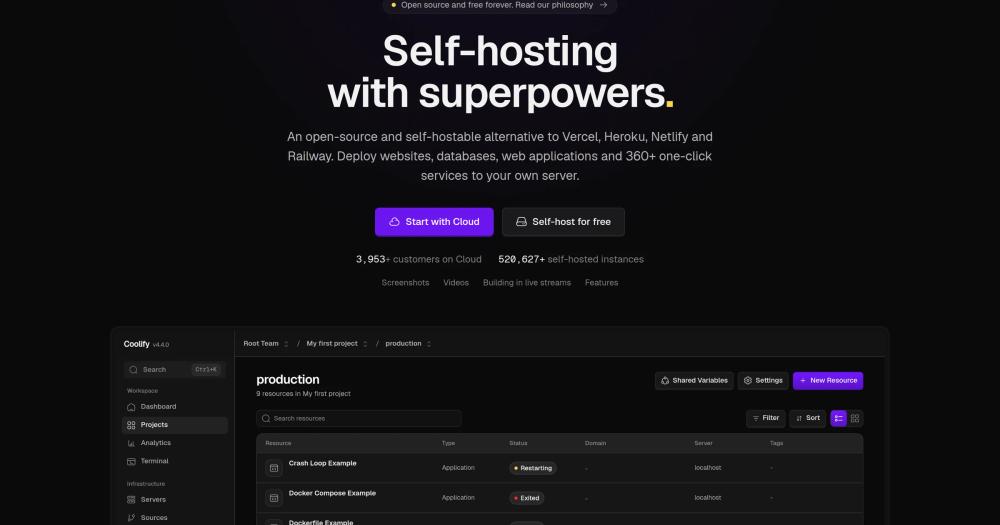
Coolify is the closest dashboard-based match to Railway on this list. It deploys websites, databases, web applications, and 360+ one-click services to any server you connect over SSH. Both the self-hosted and Coolify Cloud versions run on open-source code, and Coolify's site lists 522,792+ self-hosted instances with 3,953+ cloud customers.
Read moreShow lessKey Features · Pros · Cons · License & Hosting · Best For
Key Features
- Builds every commit and ships it to any server over SSH, including VPS, Raspberry Pi, EC2, DigitalOcean, Linode, and Hetzner.
- Builds via Nixpacks, Railpack, a Dockerfile or Docker Compose, static site serving, or prebuilt Docker images from a registry.
- One-click database deployment for PostgreSQL, MySQL, MariaDB, MongoDB, Redis, KeyDB, Dragonfly, and ClickHouse, with optional public access and SSL.
- Automatic database backups to any S3-compatible storage, covering PostgreSQL, MySQL, MariaDB, MongoDB, ClickHouse, and SQLite, with restore built in.
- Instant rollbacks: revert to any previous build with one click.
- 2FA and single sign-on via GitHub, GitLab, Google, Azure, and Authentik, plus an MCP server so AI agents like Claude and Cursor can deploy, read logs, and restart services using existing API tokens.
Pros
- One install command (
curl -fsSL https://cdn.coollabs.io/coolify/install.sh | bash) sets it up on a supported Linux server meeting minimum requirements. - GitHub, GitLab, Bitbucket, Gitea, and other hosted and self-hosted Git platforms work for push-to-deploy.
- If you cancel a Coolify Cloud subscription, your apps keep running with no disruption and you retain full control.
- The MCP server integration means AI agents can manage deployments using the same permissions your team already set up.
Cons
- You manage the host server: OS updates, disk space, and security patches are yours.
- Redis, Dragonfly, and KeyDB do not support Coolify's scheduled backup workflow. Only the other database types do.
License & Hosting
- License: Apache 2.0, a permissive licence, so you can use, modify, and ship it anywhere, including in commercial products.
- Where it runs: self-hosted on any Linux server reachable over SSH, or via Coolify Cloud where Coolify manages the control plane and you bring your own servers.
- Setup: single
curlcommand on a supported Linux server. Requires 2 CPU cores, 2 GB RAM, and 10 GB disk space minimum. - Costs: server costs are yours (VPS or bare metal). Coolify Cloud costs $5/month base billed monthly, plus $3/month per additional server, or $4/month base billed annually, plus $2.70/month per additional server, with 2 servers covered by the base price.
Best For
I'd start here for most teams leaving Railway. The feature set, dashboard, instant rollbacks, S3 backups, and multi-database support, maps closely to what Railway provides. Skip Coolify if you want zero hosting work and would rather pay Railway than manage a server: in that case, Railway or another managed host is the right call. If you need Docker Swarm multi-node scaling from the first deploy, look at Dokploy instead.

- 37.9K stars
- Apache-2.0 with proprietary enterprise directories
- Active this week
- Last commit 2 days ago
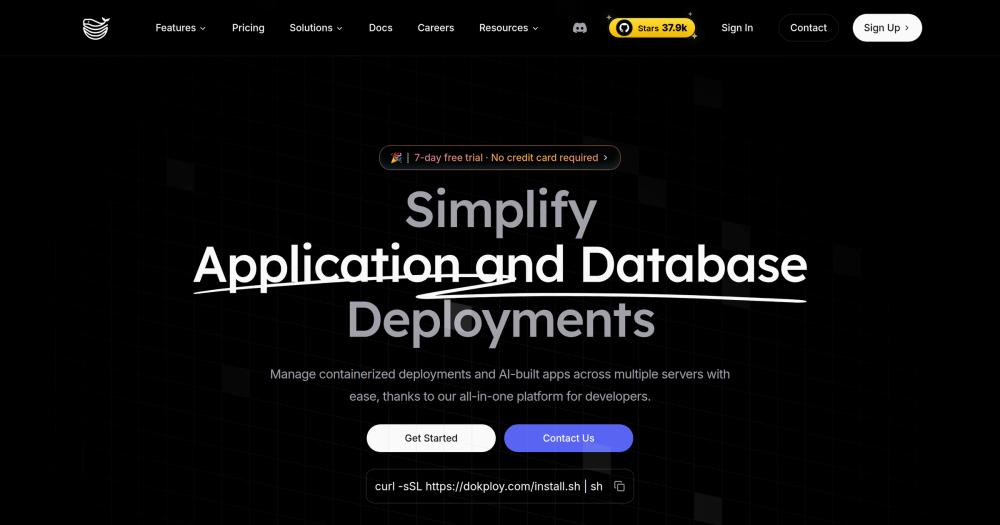
Dokploy has multi-node Docker Swarm scaling built in, so a team that expects to spread load across servers can plan for it from the start. The UI reads like Railway, a dashboard, webhook auto-deploys, preview environments, and native Docker Compose support, and ships with a 7-day free trial and no credit card required.
Read moreShow lessKey Features · Pros · Cons · License & Hosting · Best For
Key Features
- Docker Swarm is built in, so you can scale deployments across multiple nodes without a later migration.
- Native Docker Compose support for deploying complex applications.
- Databases supported include MySQL, PostgreSQL, MongoDB, MariaDB, and Redis, with automated database backups to an external storage destination.
- Deploy using Nixpacks, Heroku Buildpacks, or a custom Dockerfile.
- Preview deployments and auto-deploy via webhooks.
- Notifications via Slack, Discord, Telegram, Email, Webhook, Lark, Gotify, and Ntfy.
Pros
- The Hobby plan costs $4.50/server/month (or $3.60/month billed yearly), which sits close to Railway's $5 minimum.
- Tested on Ubuntu 18.04 through 24.04 LTS, Debian 10 through 12, Fedora 40, and CentOS 8 and 9, so it runs on most common server stacks.
- The Enterprise plan adds SSO/SAML (Azure, OKTA), SCIM provisioning, audit logs, and fine-grained RBAC for teams with compliance requirements.
Cons
- The
/proprietarydirectory carries a separate proprietary licence, and some commercial projects will need a legal review before adopting Dokploy. - Ports 80, 443, and 3000 must be available on the server before installation.
- Minimum 2 GB RAM and 30 GB disk space required on the server.
License & Hosting
- License: Apache 2.0 with proprietary enterprise directories: code outside the
/proprietarydirectory is Apache 2.0, and that directory carries a separate proprietary licence. Read both licence files before commercial use. - Where it runs: self-hosted on a Linux server you provide (Hetzner, Hostinger, AWS, or similar). On the managed plan you still provide the VPS and Dokploy manages the UI infrastructure.
- Setup: install script on a supported Linux distro. Docker is required.
- Costs: you pay your VPS provider. Managed Hobby plan is $4.50/server/month (monthly) or $3.60/month (annually).
Best For
The right step up from Coolify is Dokploy when the workload spans more than 1 server from day one and the team prefers a dashboard over a CLI. Teams whose commercial product needs to inspect or modify the platform code should read the /proprietary directory licence before committing.

- 14.9K stars
- Apache-2.0
- Active this week
- Last commit 1 day ago
Openship builds your app on the target server or locally on the orchestrator, then streams it to the target over plain SSH, where it starts as a fresh container. Nothing is installed on the production machine: no agent, no daemon. The 2 things that set it apart are that no-agent SSH model and the ability to adopt containers already running on a server without rebuilding or restarting them. It comes as a desktop app or a self-hosted server install, so check which one your security review covers.
Read moreShow lessKey Features · Pros · Cons · License & Hosting · Best For
Key Features
- Supports Node, Python, Go, Rust, PHP, Ruby, Java, .NET, Docker, and monorepos.
- Deploys to Openship Cloud or your own server over SSH: any VPS including Hetzner, DigitalOcean, and AWS, or bare metal, with multi-server fan-out across regions.
- Per-route traffic rules: rate limits, country and IP and user-agent blocks, and hotlink protection, applied from the dashboard without a reload.
- Scheduled backups with configurable destinations and retention.
- An
openship.jsonconfiguration file describes build, environment variables, domains, services, and resources, so settings can be reviewed in a pull request.
Pros
- Apps are plain Docker containers with standard manifests, so you can leave Openship any day.
- Pointed at a server, Openship picks up what is already running there without rebuilding anything.
- Unlimited team members with no per-seat fees on every Cloud plan.
- On Linux with Docker, the full stack including Postgres, Redis, and a containerized OpenResty edge for domains and TLS comes up automatically.
Cons
- The desktop app runs the control plane locally only while it is open, so there is no always-on server. It suits individual developers, not teams that need a shared, persistent control plane.
License & Hosting
- License: Apache 2.0 for Openship-authored code, permissive: use, modify, and ship anywhere including in commercial and closed-source products; bundled components keep their own licence terms.
- Where it runs: self-hosted on Linux with Docker (full stack), or as a single lightweight process on other systems. Also available as a desktop app that drives servers over SSH with no public surface.
- Setup: Docker on Linux brings up the full stack including Postgres, Redis, and an OpenResty edge for domains and TLS. The desktop app requires only a download.
- Costs: self-hosting the full platform is free, with no per-seat fees. Openship Cloud costs $12/month (Hobby), $24/month (Starter), $47/month (Pro), or $119/month (Scale), each one Cloud Space billed monthly, and paid Cloud Spaces include management for 2 of your own servers, with additional servers at $3 each per month.
Best For
I'd pick Openship for teams who want plain Docker containers they can take with them any day, or whose security policy rules out any agent on production machines. It is also the right pick if you want to bring an existing running server under management without a full rebuild. Skip Openship if you need a large established community to lean on; Coolify is the safer pick there.

- 15.2K stars
- Apache-2.0 with additional terms
- Active this week
- Last commit 3 days ago
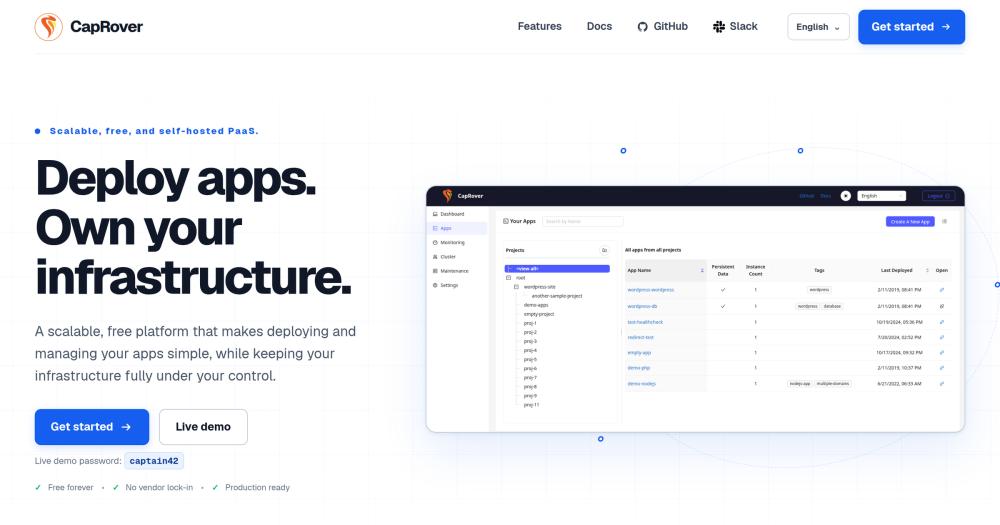
CapRover gets you one-click installs for databases, WordPress, and monitoring tools, so you stand up a full stack on hardware you control, and the platform fee is $0. It runs on Docker, nginx, Let's Encrypt, and Docker Swarm.
Read moreShow lessKey Features · Pros · Cons · License & Hosting · Best For
Key Features
- One-click app installs for databases, WordPress, monitoring tools, and dozens of popular services.
- Docker Swarm scaling: add nodes to the cluster and CapRover handles load balancing.
- Automatic Let's Encrypt certificate issuance and renewal with one-click HTTP to HTTPS redirects.
- Deploy from the dashboard, CLI, webhook, or an existing Git workflow.
- Automatic deployments via webhook when code is pushed to a configured branch on GitHub, Bitbucket, or GitLab.
- One-click rollback to any previously deployed version from the deployment tab.
Pros
- No platform fee: CapRover describes itself as free forever and asks for development funding through OpenCollective.
- No vendor lock-in: CapRover's own homepage states it.
- Ports, persistent directories, environment variables, and instance counts are all managed from one dashboard.
- CLI installed via npm:
npm install -g caprover. If you already work in Node, it drops straight into the workflow.
Cons
- CapRover's backup and restore feature is described as experimental: it covers app settings, configurations, and SSL certificates, but not container images or persistent directory data, and all apps revert to a default state after a restore and must be redeployed.
- The build process can consume too much RAM. 512 MB might not be enough.
- Only AMD64 and ARM64 architectures are supported: the 32-bit ARMv7 image is no longer published.
- Installation asks you to point a wildcard DNS entry at the server's IP address, so have a domain ready before you start.
License & Hosting
- License: Apache 2.0 with additional terms in an appendix. The appendix adds restrictions: paid features of CapRover as a service cannot be modified or redistributed as a paid version without a written agreement. Modifications to free features must be distributed as free and open source software.
- Where it runs: self-hosted; the standard installation goes on a machine with a public IP address, tested on Ubuntu 24.04 with Docker 25+.
- Setup: single
docker runcommand. Requires Docker and ports 80, 443, and 3000 open, plus a wildcard DNS entry pointed at the server. - Costs: $0 platform fee. You pay the server.
Best For
Agencies and freelancers who stand up a lot of different services quickly get the most from CapRover: a wide one-click app library, Docker Swarm scaling, and no platform fee are the combination that fits that workflow. If you're building a commercial product on top of CapRover's paid features, read the licence appendix before you start. The backup and restore feature leaves out container images and persistent directory data, so plan a separate backup process rather than discovering that gap when you need a restore.

- 32.2K stars
- MIT
- Active this week
- Last commit 3 days ago
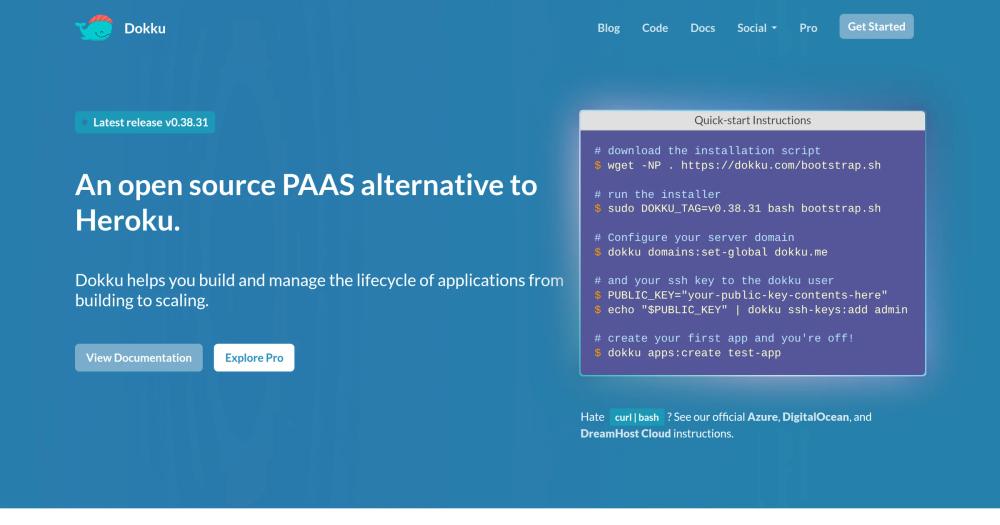
Dokku builds from a Dockerfile or detects the language automatically when you push to your server, starts the containers, and routes web traffic through nginx. The layer on top of Docker is thin by design. That thin layer is the point for teams thinking about long-term ownership.
Read moreShow lessKey Features · Pros · Cons · License & Hosting · Best For
Key Features
- Git-push deploys: push to the server and Dokku builds from a Dockerfile or auto-detects the language via Buildpacks, then starts containers based on the built image.
- Web processes are automatically routed via nginx, and background processes and cron tasks are managed by Dokku alongside them.
- Supports Heroku buildpacks via Herokuish, Dockerfile, and Docker Image deploy paths.
- SSL support via a built-in ssl plugin for importing certificates, with an optional letsencrypt plugin for automated retrieval and renewal.
- Supports both Docker Local and K3s schedulers.
- Dokku Pro ($849 for a lifetime licence, a discounted price while it is in development) adds an admin UI, JSON API, HTTP(S) app push, datastore support, environment variable management, process scaling, and log tailing.
Pros
- The MIT licence is fully permissive, with the only condition being that the copyright and license notice are preserved.
- Minimal server requirement: 1 GB of system memory for the Docker Scheduler, 2 GB for K3s.
- Installation takes about 5 to 10 minutes depending on internet speed.
- Dokku Pro is a one-time lifetime licence with free upgrades, no subscriptions, and no per-seat fees.
Cons
- Dokku does not provision datastores like MySQL or PostgreSQL on a new app by default: datastore support requires installing plugins. Teams used to Railway's built-in database provisioning will feel this gap immediately.
- The core ships no web UI; the paid Dokku Pro add-on adds one.
- Runs on a single server: the K3s scheduler adds multi-node support, while Dokploy and CapRover offer Docker Swarm integration.
- Requires Ubuntu 22.04, 24.04, or 26.04, or Debian 11+ with AMD64 or arm64 architecture.
License & Hosting
- License: MIT License, copyright Jeff Lindsay. Fully permissive: you can use, copy, modify, publish, distribute, sublicense, and sell copies, on the one condition that the copyright notice is preserved.
- Where it runs: self-hosted on a single server of your choice running a supported Ubuntu or Debian release.
- Setup: bootstrap script on a supported Ubuntu or Debian server, 5 to 10 minutes. Dokku runs on Docker.
- Costs: no platform fee. Dokku Pro is $849 one-time, at its current in-development price, if you want the admin UI and datastore support. You pay the server.
Best For
I'd pick Dokku if you want the git-push workflow that Heroku made familiar and you want to own the stack underneath it. The MIT licence and the thin Docker layer mean nothing is hidden and nothing is locked in. Skip it if you need database provisioning without plugins, a dashboard on day 1, or multi-server scaling from a single config: Coolify, Dokploy, or CapRover cover those.

- 14.7K stars
- MIT
- Active this week
- Last commit 3 days ago
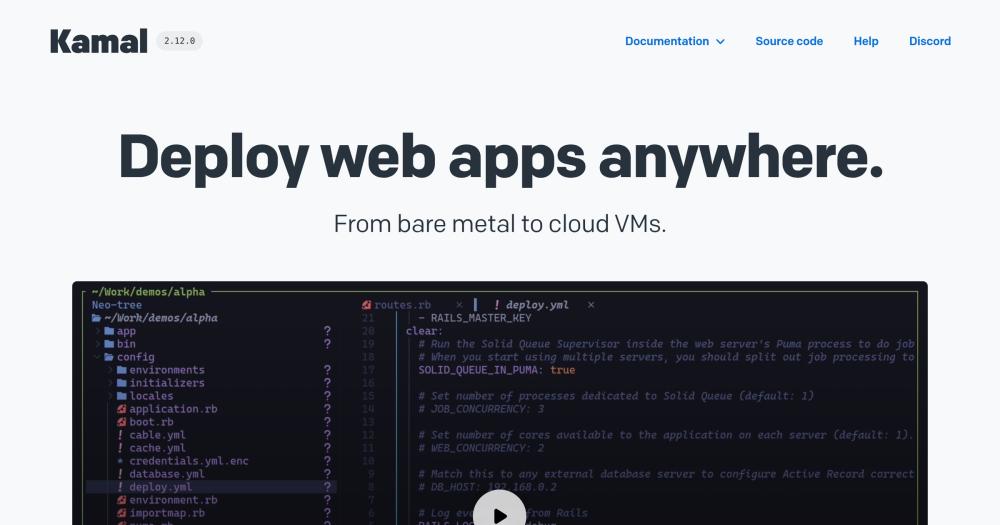
Kamal, from 37signals (the team behind HEY), puts your deploy configuration in a file your team reviews in a pull request, the same as any other code change. That single property puts it last on this list for teams who want a web dashboard and first for teams whose instinct is that server state belongs in code. It covers zero-downtime deploys, rolling restarts, asset bridging, remote builds, and accessory service management for any Docker-based web app.
Read moreShow lessKey Features · Pros · Cons · License & Hosting · Best For
Key Features
- Works against bare metal or cloud VMs running vanilla Ubuntu with nothing prepared except an SSH key.
- Installs Docker on the target server on first deploy, so there is no manual preparation beyond SSH access.
- kamal-proxy handles ports 80 and 443 with no gap between old and new containers. HTTPS is automatic via Let's Encrypt on a single server, or custom SSL certificates on multi-server setups.
- Path-based routing mounts services at different path prefixes and strips the prefix before forwarding upstream by default.
- Secret helpers pull from common password managers via
.kamal/secretsfiles using dotenv. - Built for Rails first, but works with any web app you can put in a container.
Pros
- Imperative command model, like Capistrano: you call what runs, and there is no reconciliation loop in the background.
- One config file describing your servers, image, and registry drives the entire deployment. Secrets are read from separate
.kamal/secretsfiles, which the docs say not to check in. - No control plane to maintain. Kamal runs from your machine and drives the servers over SSH.
Cons
- You need to be comfortable with Linux and Docker before you start. Kamal's own documentation says teams for whom those concepts are still difficult are probably better off with a fully managed service.
- Multiple servers need a load balancer in front of them, and Kamal does not manage that for you.
- Accessories (databases, Redis, other side services) are managed separately. They do not update on deploy and do not get zero-downtime restarts.
- You need a Docker registry (Docker Hub or similar) to push and pull images.
License & Hosting
- License: MIT License, copyright 2023 David Heinemeier Hansson. The only condition: preserve the copyright and licence notice.
- Where it runs: your local machine. No server of Kamal's own required. It drives the self-hosted target servers over SSH.
- Setup: run from your machine. The setup command connects over SSH, installs Docker if it is missing, builds and pushes the image, and starts the container. You need a Docker registry for the image.
- Costs: no platform fee. You pay the server and the Docker registry.
Best For
I'd pick Kamal for teams already comfortable with Linux and Docker who want deploy configuration in a reviewable file. If the team's instinct is that server state belongs in code, not a dashboard, this is the right pick. If you are not yet comfortable with Linux and Docker, or your team needs a shared dashboard to manage services, Coolify covers both.
Decision framework
How to choose
Use this section to narrow the Railway replacement by team size, hosting model, license, and migration difficulty.
I'd start with Coolify unless one of the forks below points somewhere else. 3 things decide which replacement fits.
- Web dashboard: Coolify, Dokploy, CapRover, and Openship all have one. Dokku adds one through its paid Dokku Pro add-on, and Kamal is a command-line tool.
- Databases and backups: Railway includes one-click rollbacks, automatic environment variable management, and built-in database backups. Coolify and CapRover include one-click rollbacks. Coolify, Dokploy, and Openship schedule backups; CapRover's backup is experimental, and Dokku adds datastores through plugins.
- Licence: MIT is fully permissive. Apache 2.0 is permissive too. Dokploy's
/proprietarydirectory and CapRover's licence appendix carry restrictions that some commercial products need to read before they commit.
The first fork is the dashboard. If you want one, the choice is Coolify, Dokploy, CapRover, or Openship. If you don't, it's Dokku or Kamal.
Inside the dashboard group, the next question is multi-server scaling. If you need it from day one, I'd start with Dokploy's built-in Docker Swarm. CapRover works as an alternative if you want one-click app installs and Docker Swarm in the same tool. If scaling can wait, Coolify is the closest drop-in to Railway's experience. Openship is the pick if your security policy rules out any agent on production machines.
For the non-dashboard group, the question is whether you want your deploy configuration in a file you can review in a pull request. If yes, Kamal. If no, Dokku's git-push workflow on a single server is the thinnest option available.
Complete directory list
All alternatives to Railway

Alternative to Vercel
Self-hosted Heroku and Vercel alternative for any app
- 63,521 GitHub stars
- Licence Apache-2.0

Alternative to Heroku
Self-hosted PaaS to deploy apps and databases across multiple servers
- 37,935 GitHub stars
- Licence Apache-2.0 with proprietary enterprise directories

Alternative toHeroku
Git-push deploys to your own server, MIT licensed, Docker powered.
- 32,197 GitHub stars
- Licence MIT

Alternative toHeroku
Self-hosted PaaS: deploys any language, automatic HTTPS, zero fees.
- 15,187 GitHub stars
- Licence Apache-2.0 with additional terms

Alternative toHeroku
Self-hosted deployment platform with built-in CI/CD
- 14,912 GitHub stars
- Licence Apache-2.0

Alternative to Fly.io
Zero-downtime Docker deploys to any server, no managed platform.
- 14,675 GitHub stars
- Licence MIT

Alternative toVercel
Full-stack Vite toolkit with one-command Cloudflare deployment
- 559 GitHub stars
- Licence MIT
- #CLI
Migration
Migration notes for leaving Railway
Railway supports config as code in TOML and JSON, GitHub repo deployment, and the Railway CLI, all of which map to what the tools on this list expect on the receiving end.
Rotate every credential at its source before you put any value into the new platform. That kills the old value regardless of where it ends up sitting, which is the point. Once rotation is done, put the new values into Coolify, Dokploy, Dokku, or whichever tool you are moving to.
Move DNS last. Run both platforms at the same time, verify the new one handles your traffic, and cut the DNS only when you are confident it is stable. Railway's one-click rollbacks are worth keeping active until then, in case something breaks before you make the switch.
Some teams should stay put. Railway's Enterprise plan documents HIPAA BAAs, dedicated VMs, bring-your-own-cloud, and a 99.999% availability target with support SLOs. Dokploy's Enterprise plan covers an MSA/SLA. Before switching, check which certifications and agreements your situation actually requires and confirm a self-hosted tool can provide them. For healthcare or finance teams that need a HIPAA BAA and vendor-backed uptime commitments, that gap is worth auditing before you commit.
Railway is still the right call if zero hosting work is the goal and per-second billing fits how your team ships.
FAQ
Railway alternatives FAQ
Is there a free open source alternative to Railway?
Yes. Coolify self-hosted, Openship self-hosted, Dokku, CapRover, and Kamal carry no platform fee. You pay for the server you run them on, and for Kamal a Docker registry. Coolify needs at least 2 CPU cores and 2 GB RAM. Dokku runs on as little as 1 GB RAM. CapRover's build process can spike past 512 MB, so budget a larger server. Kamal runs from your machine and drives the servers over SSH.
Which Railway alternative is closest to its dashboard experience?
I'd start with Coolify, the closest match. One-click database deployment, instant rollbacks, GitHub and GitLab push-to-deploy, and built-in S3 backups cover most of what Railway's dashboard gives you. The difference you take on is the host server: Coolify runs on a machine you manage.
Do any of these alternatives handle database backups automatically?
Coolify runs scheduled, engine-aware backups to any S3-compatible storage for PostgreSQL, MySQL, MariaDB, MongoDB, ClickHouse, and SQLite. Redis, Dragonfly, and KeyDB sit outside that workflow. Dokploy automates database backups to an external storage destination. Openship includes scheduled backups with configurable destinations and retention. Dokku does not provision datastores by default and needs plugins for datastore support. CapRover's backup and restore feature is marked experimental and does not cover container images or persistent directory data.
Which licence lets me use these tools in a commercial product?
MIT (Dokku and Kamal) is fully permissive: preserve the copyright and licence notice and you are done. Apache 2.0, used by Coolify and Openship, is also permissive: use, modify, and ship it anywhere, including in commercial and closed-source products, though Openship's bundled components keep their own licence terms. CapRover uses Apache 2.0 with an appendix: paid features of CapRover as a service cannot be modified or redistributed as a paid version without a written agreement, and modifications to free features must stay free and open source. Dokploy's code outside its /proprietary directory is Apache 2.0, and that directory carries its own licence, so read both files before commercial use.
How much server do I need to run these platforms?
Coolify requires 2 CPU cores, 2 GB RAM, and 10 GB disk space. Dokploy requires at least 2 GB RAM and 30 GB disk space. Dokku requires 1 GB RAM minimum for the Docker Scheduler, or 2 GB if you run K3s. CapRover's build process can spike past 512 MB, so plan for more. Openship's control plane runs on your local machine only while the desktop app is open, and Kamal drives your servers over SSH. The target server needs enough RAM for your application containers.
How does Railway pricing compare to running these tools yourself?
Railway Hobby has a $5 minimum per month, with compute at $0.00000772 per vCPU per second and $0.00000386 per GB per second for memory. Coolify Cloud starts at $5 a month billed monthly (or $4 billed annually), adds $3 per additional server per month ($2.70 annually), and covers 2 servers on the base price. Dokploy Hobby costs $4.50 per server per month. Openship Cloud Hobby is $12 a month for one Cloud Space. Dokku, CapRover, and Kamal carry no platform fee. In all cases, the VPS cost is your separate variable.
By category
Open source tools in these categories


Cloud & Hosting
dify, RuView, rtk91


DevOps & CI/CD
Nvm, Uptime Kuma, Netdata478


Developer Tools
REA (Reverse Engineer Anything), superpowers, Skills for Real Engineers199

Web Development
freeCodeCamp, superpowers, Skills for Real Engineers70


Backend Development
graphify, dify, Rust128


IT Management
RustDesk, Immich, Stirling PDFKeep reading
Related articles
The Best Open Source Developer Tools for Building a Self-Hosted Indie Stack
The typical indie dev SaaS stack costs $150-200/month. These 8 open source tools replace most of it on one VPS with full data ownership and no vendor lock-in.
Best Open Source CRM Software in 2026
Salesforce costs $175/user/month. These 7 self-hosted open source CRMs give you full pipeline control: your data, your servers, zero per-seat pricing.


