Open-source alternatives guide
Arc Is Shutting Down: 6 Open Source Alternatives
By SurajReviewed Verified
Arc stops working on December 22, 2026. The best open source alternative to Arc is Zen Browser because sidebar Workspaces, split view for up to 4 tabs and a Boosts feature cover the core habits Arc built. It is licensed under the Mozilla Public License 2.0 and runs on macOS, Windows and Linux.
If you need Chrome extensions and an Android app, Brave is the right move. For a Firefox base with workspaces and no account, Floorp.
I compared 6 open source browsers on what an Arc user keeps: sidebar tabs, workspaces, split view, sync and the extension store each one takes. Export your Spaces and tabs before the deadline.
TL;DR
- Zen Browser: sidebar Workspaces, split view for up to 4 tabs and a Boosts feature, the closest match to the habits Arc built.
- Brave: Chrome Web Store extensions and an Android app, with encrypted sync across devices.
- Floorp: a Firefox base with workspaces that switch containers per project, and no account required.
Overview
What Arc is and what it costs
Arc gave you vertical tabs in a sidebar, Spaces (now called Profiles) for switching between projects, Pinned Tabs, Folders, and Split View for side-by-side work. On top of that it had Boosts, and it took Chrome Web Store extensions. Its AI features, Arc Max, keep working on macOS and Windows until the sunset.
Arc ran on macOS and Windows, with Arc Search as a separate mobile app on iOS and Android. As of October 22, 2026, new Arc accounts can no longer be created, and Arc stops working on December 22, 2026.
Dia, Arc's announced replacement, is not carrying Air Traffic Control for routing links, Boosts, Easels, Little Arc, Peek, TypeTravel, or Instant Links.
Pain points
Why people leave Arc
The practical reasons teams compare Arc with open-source alternatives before they migrate.
Arc goes dark on December 22, 2026. The browser is no longer accepting feedback or feature requests and is only receiving basic updates and fixes. The Browser Company says keeping a browser safe has grown beyond what the team can manage.
The Browser Company's answer is Dia, free on macOS and Windows, and Boosts, Air Traffic Control and Easels did not make the move.
Accounts are deactivated on December 22, and personal data is deleted within 30 days, so what you built in Arc has to move before then. Easels can only be kept as PNG images, and Boosts cannot be exported at all.
That leaves 2 questions for an Arc user: which open source browser keeps the habits Arc built, and how to move your Spaces before the deadline. Zen Browser keeps the most of them, Brave keeps your Chrome extensions, and Floorp keeps workspaces on a Firefox base.
At a glance
Quick comparison
| Name | License | Best For |
|---|---|---|
| Zen Browser | MPL-2.0 | Sidebar Workspaces, split view for up to 4 tabs and Boosts, the closest match to how Arc worked |
| Floorp | MPL-2.0 | Workspaces that switch a Firefox container per project, with no account required |
| Brave | MPL-2.0 | Chrome Web Store extensions and an Android app, with encrypted sync across devices |
| Firefox | MPL-2.0 | Vertical tabs, tab groups and split view built into the browser itself, on 5 platforms |
| Helium | GPL-3.0 | Chromium with Google's services removed, for Chrome extensions on the desktop without sync |
| Waterfox | MPL-2.0 | Tree tabs and oblivious DNS on a Firefox base, with an Android app |
Sidebar tabs
Vertical tabs in the Sidebar
Zen, Floorp, Brave, Firefox, Helium: vertical tabs. Waterfox: vertical and tree tabs
Workspaces
Spaces
Zen: Workspaces with custom containers. Floorp: workspaces with container isolation. Firefox: profiles. Brave, Helium, Waterfox: not documented
Split view
Split View
Zen, Floorp: up to 4 tabs. Brave, Firefox: 2 tabs. Helium: split view. Waterfox: not documented
Boosts equivalent
Boosts, which cannot be exported
Zen: Boosts (tint colours, customise fonts, zap elements, automatic dark mode). Floorp, Brave, Firefox, Helium, Waterfox: not documented
Cross-device sync
Ends with Arc
Zen: Firefox Sync. Brave: encrypted sync. Firefox, Waterfox: Mozilla account. Floorp: Floorp Notes via Firefox Sync. Helium: no sync yet
Extensions
Chrome Web Store extensions
Brave: Chrome Web Store including MV2. Helium: all Chromium extensions. Zen, Firefox: Firefox extensions from addons.mozilla.org. Waterfox: Firefox WebExtensions. Floorp: not documented
Platforms
macOS and Windows, Arc Search on iOS and Android
Brave, Firefox: Windows, macOS, Linux, Android, iOS. Waterfox: Windows, macOS, Linux, Android. Zen, Floorp, Helium: desktop (Floorp iOS in TestFlight)
Editorial ranking
6 Best Open Source Arc Alternatives (Ranked)

Rank 1
Zen Browser
Best for Sidebar Workspaces, split view for up to 4 tabs and Boosts, the closest match to how Arc worked
- 45.3K stars
- MPL-2.0
- Active this week
- Last commit today
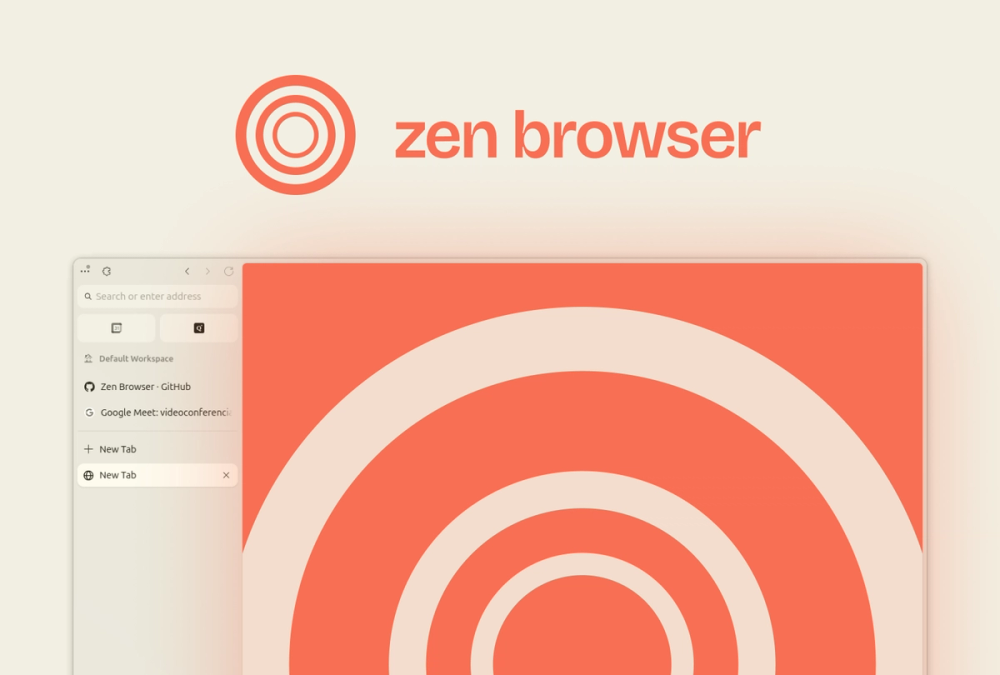
If Arc's sidebar Workspaces are what you're replacing, Zen Browser is where to start. It's a free, open source Firefox fork with vertical tabs, project-level Workspaces, split view for up to 4 tabs, and a Boosts feature for restyling sites. That combination covers more of Arc's headline features in one browser than anything else on this list.
Read moreShow lessKey Features · Pros · Cons · License & Hosting · Best For
Key Features
- Workspaces organise tabs by project with custom containers, matching Arc's Spaces model
- Split View shows up to 4 tabs side by side, twice what Firefox's native implementation allows
- Boosts let you tint colours, customise fonts, remove elements, and turn on automatic dark mode for any site
- Compact Mode hides the tab bar when you don't need it, giving screen space back
- Glance previews a site on top of your current tab without switching to it, a partial stand-in for Arc's Peek
- Space Routing sends links directly to a specific Workspace, which is close to what Arc's Air Traffic Control does
Pros
- Sidebar Workspaces, split view, Boosts, and Firefox Sync across devices in one browser
- Firefox Sync carries addons, bookmarks, history, and passwords across every machine you use
- Container Tabs keep separate cookie sessions per Workspace, so work and personal logins don't bleed into each other
- Firefox telemetry is stripped from the core, with external connections cut from 82 to about 10 or 20
- Fingerprinting protection reduces unique identifiability by about 14% on average and about 49% on macOS
- The source code is on GitHub and derived from Firefox, so anyone can read it
Cons
- No DRM support on Windows or macOS: Netflix, Spotify, Disney+, HBO Max, Amazon Prime Video, Apple Music, and Google Play Movies will not play
- No mobile version: the team says it does not have the time or resources for Android or iOS at the moment
- Vertical-only tab layout is a core design choice, not a setting, and horizontal tabs are not planned for the near future
- Firefox themes are not supported, only Firefox extensions from addons.mozilla.org
License & Hosting
- License: Mozilla Public License 2.0 (MPL-2.0), use, copy, modify and distribute freely
- Where it runs: macOS, Windows, and Linux
- Setup: download the installer from zen-browser.app
- Costs: free, with optional Patreon and Ko-fi donations to support it
Best For
I'd start here if you used Arc for sidebar Workspaces, split view, and Boosts, and your workflow doesn't depend on Netflix or other DRM-protected streaming. It's the pick for most Arc users. If you need streaming in the same browser, look at Brave or Firefox instead. If you need Android, Zen has no mobile app and Brave covers that.
vs Arc: Arc has Boosts, Spaces, split view, Air Traffic Control, and Chrome Web Store extensions, and its desktop browser runs on macOS and Windows, with Arc Search on iOS and Android. Zen has Boosts, Workspaces, and split view for up to 4 tabs, runs on macOS, Windows, and Linux, and syncs via Firefox Sync. If your add-ons are all on addons.mozilla.org, the switch costs nothing there.

Rank 2
Floorp
Best for Workspaces that switch a Firefox container per project, with no account required
- 8.5K stars
- MPL-2.0
- Active this week
- Last commit today
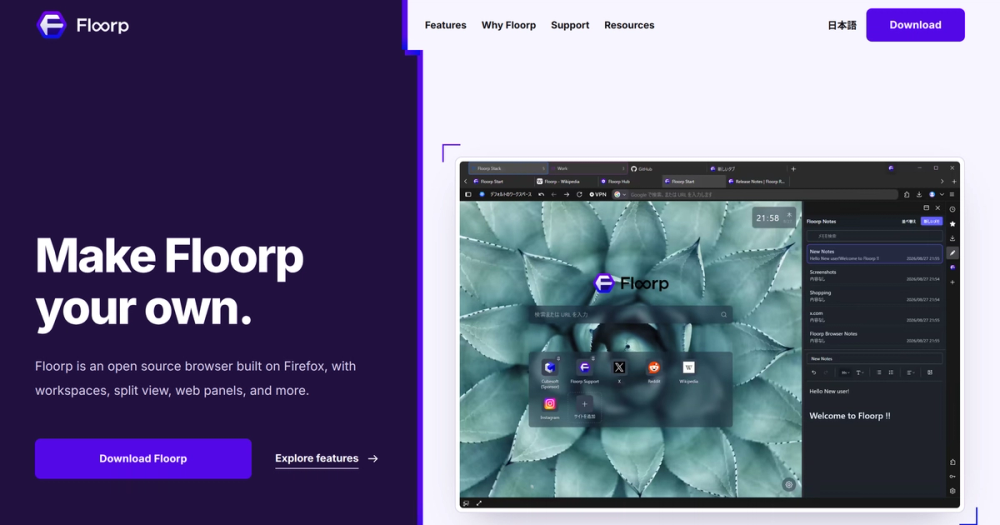
Assign a Firefox Multi-Account Container to a workspace and the login session switches with the project. Firefox does this only partially on its own. Floorp makes it automatic per workspace.
Read moreShow lessKey Features · Pros · Cons · License & Hosting · Best For
Key Features
- Workspaces group tabs by task, one workspace visible per window at a time, with the others running in the background
- Container isolation links to a workspace by pre-assigning a Firefox Multi-Account Container to it, a feature added in Floorp 11.4.0
- Split View lets you open up to 4 tabs side by side as of version 12.14.2, with tabs draggable into the split
- Panel Sidebar pins frequently used websites in a compact split view you open with a single click
- Floorp Notes is a built-in note-taking tool in the Panel Sidebar that supports formatting, image attachments, and syncs via Firefox Sync
- Horizontal, vertical, and multi-row tab bar layouts are available, with vertical tabs now using Firefox's native implementation
Pros
- Container-linked workspaces keep work and personal sessions in separate Firefox containers, switched automatically per workspace
- Split View at up to 4 panels matches what Zen offers and goes further than Firefox's 2-tab limit
- No account is required to start, and a built-in import tool brings data from your current browser
- Free on Windows, macOS, and Linux, with an iOS TestFlight build in testing
- Mouse gestures added in Floorp 12 let you trigger browser actions by moving the mouse while holding right-click
Cons
- Floorp 12 switched to Firefox's native vertical tab implementation, so the earlier custom vertical tabs are gone
- The iOS app is in TestFlight, not a released product, so mobile coverage is incomplete
License & Hosting
- License: Mozilla Public License 2.0 (MPL-2.0), use, copy, modify and distribute freely
- Where it runs: Windows, macOS, and Linux
- Setup: download the installer from floorp.app, no account required, built-in import from your current browser
- Costs: free
Best For
When the workspace-per-project model is what you miss most from Arc and you need the login isolation to actually hold, Floorp is the right pick. It is also the right call if you want a feature set as deep as Vivaldi on a fully open source base. One Hacker News commenter put Floorp beside Vivaldi for feature depth, and that matches what I see: workspace depth with container isolation on an open source base.
vs Arc: Arc ran on macOS and Windows, with Arc Search as a separate mobile app. Floorp has workspaces with container isolation and split view for up to 4 tabs, and it runs on Windows, macOS, and Linux. Floorp requires no account.

Rank 3
Brave
Best for Chrome Web Store extensions and an Android app, with encrypted sync across devices
- 3.7K stars
- MPL-2.0
- Active this week
- Last commit today
Brave runs on Windows, macOS, Linux, Android, and iOS, and that cross-device reach is what separates it from the Gecko browsers on this list that have no mobile app. Its Chrome Web Store access means the extensions you already rely on follow you across the switch.
Read moreShow lessKey Features · Pros · Cons · License & Hosting · Best For
Key Features
- Vertical tabs move open tabs to a left sidebar you can pin, group, and collapse
- Split View shows 2 tabs side by side in the same window
- Cross-device sync encrypts bookmarks, passwords, open tabs, and more and moves them across devices
- Built-in Shields block ads, trackers, fingerprinting, and cookies by default with no extension needed
- Chrome Web Store compatibility including Manifest V2 extensions
- Built-in Containers create separate storage areas for cookies per session without requiring an extension, unlike Firefox
Pros
- Full Android and iOS apps mean your browser follows you to mobile
- Chrome Web Store access means the extensions you already use transfer with no substitution required
- Encrypted sync works across devices
- Shields gives strong privacy protection by default, with no configuration needed
- Brave Search is a built-in private search engine on an independent index, with no profile building
- In the Hacker News thread "A farewell to Arc browser", one commenter said they switched to Brave and migrated in a few minutes, and another said that after a few minutes horizontal tabs felt better
Cons
- Split View is limited to 2 tabs at a time, compared to 4 in Zen and Floorp
License & Hosting
- License: Mozilla Public License 2.0 (MPL-2.0), use, copy, modify and distribute freely
- Where it runs: Windows, macOS, Linux, Android, and iOS
- Setup: download from brave.com and import bookmarks and settings from detected browsers. Chrome passwords need a manual export and import.
- Costs: free for the browser itself
Best For
If you need Android and Chrome Web Store extensions, I'd narrow the field to Brave. That combination makes it the lowest-friction switch when everything you rely on is already a Chrome extension. If what you miss most from Arc is Workspaces, Zen or Floorp cover that better.
vs Arc: Arc ran on macOS and Windows, with Arc Search as a separate mobile app. Brave runs on all 5 major platforms including Android and iOS, with Chrome Web Store extensions and encrypted cross-device sync. If mobile reach is your first requirement, Brave wins it clearly.

Rank 4
Firefox
Best for Vertical tabs, tab groups and split view built into the browser itself, on 5 platforms
- 13.6K stars
- MPL-2.0
- Active this week
- Last commit today
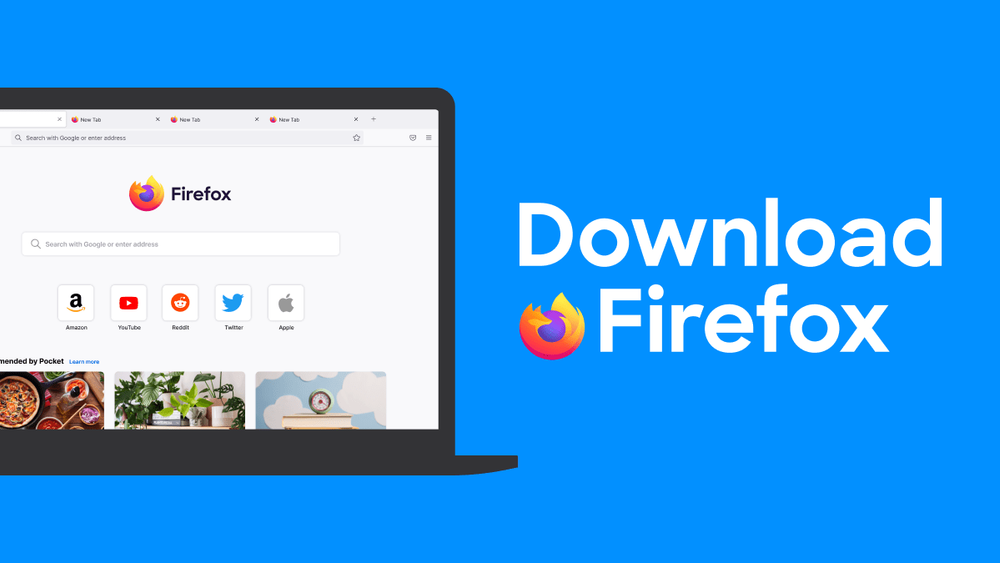
Vertical tabs, split view, and built-in tab groups landed in Firefox over recent versions. If what drew you to Arc was privacy and sidebar tabs rather than Spaces and Boosts, Firefox now covers that ground.
Read moreShow lessKey Features · Pros · Cons · License & Hosting · Best For
Key Features
- Vertical tabs move pinned and open tabs into the sidebar rather than across the top of the browser, with a collapsed or expanded view toggled via Ctrl+Alt+Z
- Split View, available from Firefox version 149, puts 2 tabs side by side in the same window
- Built-in tab groups, requiring no add-on, let users organise tabs into separate labelled groups, with AI-enhanced grouping from version 141
- Multiple profiles keep work and personal browsing fully separate, with distinct bookmarks, passwords, settings, add-ons, and history
- Cross-platform sync via a Mozilla account encrypts tabs, history, and passwords across platforms
- AI features are optional by design and remain that way
Pros
- Firefox runs on Windows, macOS, iOS, Android, and Linux, covering every platform Arc users are on
- Extensions are available from addons.mozilla.org
- No data sold, tracker blocking on by default, and open source under the Mozilla Public License
- Profiles give project-level separation, which is the same job Arc's Spaces did, though the switching is less fluid
- More than 90 languages supported
Cons
- Tab groups are local only and skip Firefox Sync, which matters if synced workspaces were part of how you worked
- Split View supports only 2 tabs at a time and does not support pinned tabs
- Profiles are not supported on Android or iOS, so the separation model does not carry to mobile
License & Hosting
- License: Mozilla Public License (MPL-2.0), executable binaries and source code available for use, modification, and redistribution subject to licence terms
- Where it runs: Windows, macOS, Linux, Android, and iOS
- Setup: download from firefox.com, optional Mozilla account for sync, built-in import from other detected browsers
- Costs: free
Best For
I'd pick Firefox for privacy and sidebar tab organisation without a dependency on Spaces or Boosts. It is also the right call for readers who want the most mature open source browser on this list and are comfortable adding Sidebery or Tree Style Tab from the add-on store to get closer to Arc's tab model. For workspaces with container isolation, Floorp or Zen cover that better. Firefox is right if Arc's privacy stance mattered more to you than its project-switching model, and wrong if Spaces were central to how you worked.
vs Arc: Where Arc had Spaces, Boosts and Chrome Web Store extensions, Firefox has vertical tabs, tab groups, split view and Firefox extensions, on 5 platforms.

Rank 5
Helium
Best for Chromium with Google's services removed, for Chrome extensions on the desktop without sync
- 22K stars
- GPL-3.0
- Active this week
- Last commit 2 days ago
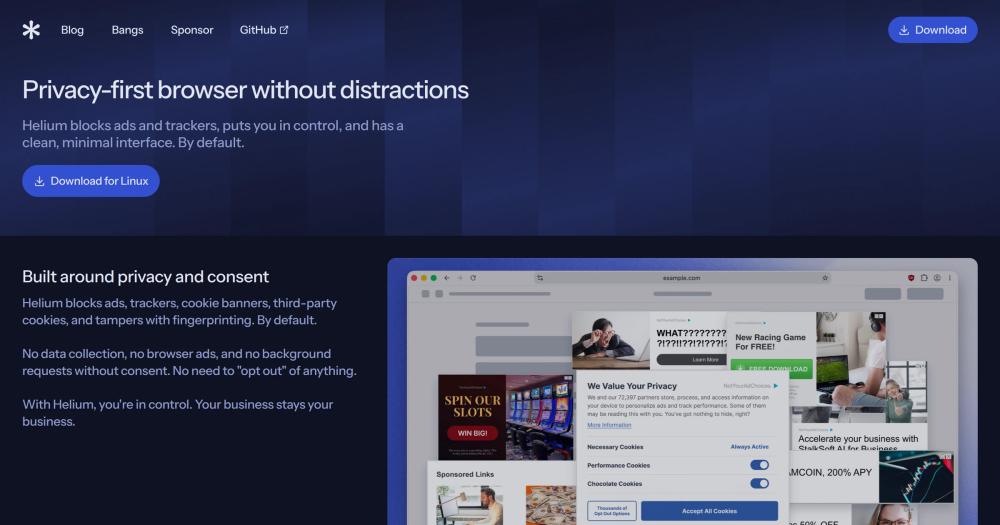
Helium is Chromium with the Google service dependencies removed, so if your reason for staying on Arc was the extension ecosystem and your reason for leaving Chromium was Google's services, this covers both. Chrome extension compatibility without Chrome phoning home is what Helium was built for.
Read moreShow lessKey Features · Pros · Cons · License & Hosting · Best For
Key Features
- All Chromium extensions supported by default, with requests to the Chrome Web Store anonymised through Helium's own services so Google cannot track extension downloads or updates
- Vertical tabs, split view, tab groups, MRU tabbing, and quick link copying built in
- Ads, trackers, cookie banners, and third-party cookies blocked by default, with fingerprinting tampered with, and no extension needed
- No data collection, no browser ads, and no background requests without consent
- Tab hibernation saves resources and battery life
- Built-in bangs feature with over 13,000 bangs, processed locally and routed directly to the destination
Pros
- Chrome Web Store extensions transfer from Arc with no substitution needed
- All Google service dependencies removed at the browser level, not just disabled in settings
- All Helium components are open source on GitHub, with development in public
- Services including the bangs router and filter lists can be self-hosted
- No paid tier, no adware, and no upgrade prompt
- On Hacker News about 7 people said they moved from Arc to Helium and never looked back
Cons
- No sync yet: data does not move between devices, which is a real cost for readers who work across machines
- No Widevine DRM: Google restricts the licence to its partners, so some streaming services and protected media may not play
- No mobile version, currently desktop only in beta
- No built-in password manager
License & Hosting
- License: GNU General Public License v3.0 (GPL-3.0), full copyleft: modified versions distributed to others must carry the same licence
- Where it runs: desktop only, currently in beta
- Setup: download from Helium's site, extensions importable from your old Chromium browser
- Costs: free, crowdfunded by user sponsorship
Best For
Chrome extensions without any Google service phoning home is Helium's specific job. Your extensions carry over, and it makes no background requests without your consent. Skip it if you work across devices: Brave covers Chrome extensions with sync, and Zen covers the Arc interface with Firefox Sync. Skip it too if streaming matters, because Widevine is off the table. One person questioned why Helium comes up so often as an Arc replacement when the interfaces are nothing alike, and that is a fair point. I'd say it captures the part of Arc's audience whose loyalty was to its privacy stance, not its look.
vs Arc: Where Arc had Spaces and Boosts, Helium has Chrome Web Store extensions with anonymised requests, vertical tabs and split view, but no sync, no DRM and no mobile app. For readers who want Chrome extensions on a browser that does not phone home, Helium does the job Arc never did.

- 6.4K stars
- MPL-2.0
- Active this week
- Last commit today

BrowserWorks Ltd built Waterfox on a Firefox base with telemetry, crash reporting, Safe Browsing, and sponsored content locked off at build time, not toggled off in a settings menu. Tree tabs arrange vertical tabs into parent-child branches you can fold or move as a whole subtree.
Read moreShow lessKey Features · Pros · Cons · License & Hosting · Best For
Key Features
- Tree tabs arrange vertical tabs into parent and child branches, with tabs opened from another tab tucked beneath it and foldable or movable as a whole branch
- Oblivious DNS encrypts lookups and sends them via an Oblivious HTTP relay, so the relay knows who connected but not the query, and the resolver knows the query but not who sent it
- Built-in ad blocker blocks adverts, trackers, pop-ups, and overlays by default, with filter list management
- Private tabs sit alongside regular tabs, sharing a separate private container, with site data cleared when the last private tab closes
- Profiles can be synced across devices using a Mozilla account
- Available for Windows, macOS, Linux, and Android
Pros
- Telemetry, studies, Safe Browsing, download reputation checks, and sponsored content are locked off at build time and cannot be re-enabled
- Tree tabs give a hierarchical tab structure, with tabs opened from another tab tucked beneath it
- Android app available, making it one of the Gecko-based browsers on this list with mobile coverage
- Multiple browser style choices and 12 colour palettes for interface customisation
Cons
- Firefox WebExtensions are supported, but Chrome-only extensions do not transfer automatically
- Tree tabs are off by default, though enabling them activates vertical tabs automatically
License & Hosting
- License: Mozilla Public License 2.0 (MPL-2.0), use, copy, and distribute freely, modified builds must not carry Waterfox branding
- Where it runs: Windows, macOS, Linux, and Android
- Setup: download from waterfox.com or install from a package repository on Linux
- Costs: free, with a Donate page on the site
Best For
I'd pick Waterfox if you want a Firefox base where telemetry is locked off at build time, not just turned off in settings you could accidentally undo, and tree tabs match how you think about tabs. It is also the pick if you need a Gecko browser with an Android app. Skip Waterfox if Chrome-only extensions are part of your workflow: Firefox WebExtensions are what this browser takes. After the Arc announcement one commenter wished Waterfox had drawn the attention Zen got, and I agree it deserves more of it.
vs Arc: Where Arc had Spaces, Boosts and Chrome Web Store extensions, Waterfox has tree tabs, oblivious DNS, built-in ad blocking and Firefox WebExtensions, on Windows, macOS, Linux and Android.
Decision framework
How to choose
Use this section to narrow the Arc replacement by team size, hosting model, license, and migration difficulty.
3 things separate the 6 tools on this list.
The first is fit: how closely the tab and workspace model matches what you used in Arc. Sidebar tabs and some form of project-switching are the minimum bar. If you relied on a Boosts equivalent, split view across more than 2 tabs, or the distinction between pinned and temporary tabs, the field narrows from there.
The second is which engine the browser runs on, because that decides which extensions work. Zen, Firefox and Waterfox take Firefox WebExtensions from addons.mozilla.org, and Floorp is built on Firefox. Chromium-based browsers (Brave, Helium) take Chrome Web Store extensions, and Brave also runs Manifest V2 add-ons. If your extensions are on the Chrome Web Store and you cannot substitute them, Brave and Helium take them.
The third is sync. Helium does not sync anything yet, so if you move between machines or want your phone and desktop in the same state, it is not the right pick here. Zen, Firefox, Waterfox, and Brave all sync, through Firefox Sync, a Mozilla account, or Brave's own encrypted service.
Air Traffic Control, Boosts, Easels, Little Arc, Peek, TypeTravel and Instant Links are gone from Dia, Arc's successor, and Arc's own sync and Spaces as Arc built them go with Arc. Workspaces in Zen and Floorp are the nearest match. No single browser recovers everything.
If you still can't decide, pick by what you miss most from Arc:
Complete directory list
All alternatives to Arc

Alternative to SigmaOS
Focus-first Firefox fork with workspaces and split-view browsing
- 45,307 GitHub stars
- Licence MPL-2.0

Alternative to Google Chrome
Privacy-first Chromium browser, all Google dependencies removed
- 22,029 GitHub stars
- Licence GPL-3.0

Alternative toGoogle Chrome
Open source browser from Mozilla with privacy by default
- 13,594 GitHub stars
- Licence MPL-2.0

Alternative to Brave Browser
Firefox fork with advanced privacy controls and UI customization
- 8,461 GitHub stars
- Licence MPL-2.0

Alternative toBrave Browser
Privacy-focused browser engineered for speed and user control
- 6,399 GitHub stars
- Licence MPL-2.0

Alternative toGoogle Chrome
Block ads and trackers by default in a Chromium-based browser
- 3,723 GitHub stars
- Licence MPL-2.0
Migration
Migration notes for leaving Arc
Arc exports your Spaces and tabs as a Markdown file of links, with a section for each Space listing your Favourites, pinned tabs, folders, and other sidebar items. The file is called Arc Data Export.md. It is a list of links, not a bookmarks file, so you add them to the new browser yourself.
Arc's own sunset page sets the hard dates: December 15 is the last day to request a copy of your personal data, and December 22 is when sign-in stops and accounts are deactivated. Personal data is deleted within 30 days of deactivation.
2 things need separate handling. Easels can only be saved as PNG images: open an Easel, select the Share icon in the bottom-right corner, and save it before the shutdown. Boosts cannot be exported from Arc at all and do not carry to Dia.
For the Markdown link list, 2 people on Hacker News said they moved to Zen with an open source Arc-to-Zen import tool, and one said it imported everything flawlessly. I'd look for that tool before attempting a manual move.
A staged move is safer than cutting over all at once. Pick 1 Space to migrate first, verify it holds everything you need in the new browser for a week, and keep Arc running until you are confident. The deadline is fixed.
FAQ
Arc alternatives FAQ
Which of these browsers plays Netflix and streaming services?
Brave, Firefox, and Waterfox play Widevine DRM content. Brave plays it once you install and enable its Widevine component, and you will see a prompt to do so on the first DRM site you visit. Firefox supports Google's Widevine CDM on Windows and macOS. Waterfox plays it out of the box and downloads the Widevine CDM the first time it is needed. Zen Browser has no Widevine licence and cannot play DRM content on Windows or macOS. Floorp has no official Widevine support, so DRM-protected videos and music cannot be played. Helium does not support Widevine DRM because Google restricts the licence to its partners, so some streaming services and protected media may not play.
Which browsers work on Android?
Brave, Firefox, and Waterfox are all on Android. Zen Browser has no mobile version. Floorp's iOS app is in TestFlight and not yet released. Helium is desktop only.
Which browser comes closest to Arc's Boosts?
Zen Browser is the closest match. Its Boosts feature lets you tint colours, customise fonts, remove page elements, and enable automatic dark mode on any website. Helium supports all Chromium extensions by default, and any Chrome extension that covers a Boost behaviour you rely on carries over without needing a substitute.
Is Arc Search affected by the shutdown?
Arc Search for Android is removed from the Google Play Store and from devices where it is installed, starting December 22, 2026. Arc Search for iOS keeps working as a mobile browser after Arc closes.
Can I keep using Arc until December 22?
Yes. Arc works until December 22, 2026, and Arc Max AI features keep running on macOS and Windows until that date. The browser is taking only basic updates and no longer accepts feature requests. Sign-in stops and accounts close on that day, and December 15 is the last day to request a copy of your personal data.
By category
Open source tools in these categories


Keep reading