Open Source Alternatives LogoOpen Source Alternatives
AlternativesBlogAdvertise
Open Source Alternatives LogoOpen Source Alternatives

Stay Updated

Subscribe to our newsletter for the latest news and updates about Alternatives

Open Source Alternatives LogoOpen Source Alternatives

Handpicked Open Source Alternatives to Paid Softwares

Product
  • Categories
  • Tag
  • Sign In
Resources
  • Blog
  • Collection
  • Submit
  • Advertise your tool
Company
  • Privacy Policy
  • Terms of Service
  • Refund Policy
  • Sitemap
Alternatives
  • Superhuman
  • Notion
  • Slack
  • Linear
  • Airtable
  • Wispr Flow
  • All alternatives
Copyright © 2026 All Rights Reserved.
Home/Categories/Developer Tools/context-mode
icon of context-mode

context-mode

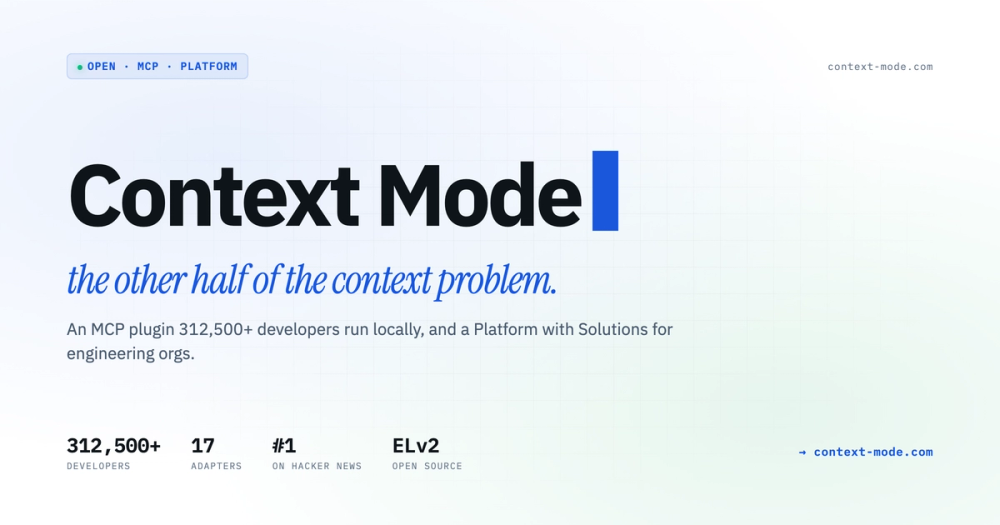
Optimize LLM context for AI coding agents: an open source MCP plugin that sandboxes large tool output locally, reducing context use by up to 98% per session.

20.8K starsTypeScriptElastic License 2.0 (ELv2)Active this week
Visit websiteGitHub repo
image of context-mode
Contents
  1. 01Who context-mode is for
  2. 02The problem it solves
  3. 03How it solves it
  4. 04Strengths and trade-offs
  5. 05context-mode vs alternatives
  6. 06Install and self-host
  7. 07Tech stack
  8. 08FAQ
  9. 09Similar open-source tools
TL;DR

context-mode is an MCP plugin that reduces LLM context window use by up to 98% per session for AI coding agents. It intercepts raw tool output before it enters context, stores it in a local SQLite FTS5 database, and retrieves only what the agent needs via BM25 search. The plugin works across 17 AI adapters including Claude Code, Cursor, GitHub Copilot, and Codex, and runs entirely on your machine under the Elastic License 2.0. Best for developers who hit context limits mid-session and teams who need cross-agent context optimization without vendor lock-in.Elastic License 2.0 (ELv2) · TypeScript · 20.8K stars · Active this week

who it's for

Who context-mode is for#

Developers who hit context limits mid-session

A developer running extended Claude Code or Cursor sessions regularly sees context compaction erase task state and force session restarts. Context-mode sandboxes large tool output automatically, saving up to 98% of context per tool call, and persists session state in local SQLite so the agent resumes exactly where it left off.

Skip if:

Your sessions are short, use few tool calls, or you work with models where token costs are low enough that context overflow is not a practical constraint.

Engineering teams wanting AI tool usage visibility

Engineering managers and technical leads at teams running AI-assisted development can connect the free plugin to the commercial Platform to see productive session rates, retry waste, and capacity imbalance across the org. Data forwarded is structural events only: tool names, file paths, error counts. Source code and prompt content never leave developer machines.

Skip if:

You need per-developer context optimization only, without team-wide analytics. The free OSS plugin covers that without a Platform subscription.

Developers working across multiple AI coding clients

Teams that use a mix of Claude Code, Cursor, GitHub Copilot, Gemini CLI, and other MCP-compatible agents get uniform context optimization from a single plugin install. The same FTS5 index and session memory layer applies regardless of which client the developer opens on a given day.

Skip if:

You use a single AI coding client that already provides built-in context management satisfactory for your session lengths.

AI coding power users building large features

Developers building features that require reading many files, running shell commands, and iterating across long sessions see the largest gains. The Think in Code routing replaces bulk file reads with analysis scripts, reducing context use from hundreds of KB to a few KB for tasks like counting functions across a codebase.

Skip if:

Your primary AI coding use is short, bounded tasks like single-file edits or question-answer sessions where context accumulation is not a bottleneck.

the problem

The problem it solves#

Every AI coding agent burns through context the same way. A single gh issue list call dumps 59 KB into the conversation. A Playwright snapshot costs 56 KB. After thirty turns, 40% of the context window is gone, filled with raw data the agent re-sends with every subsequent turn. When the conversation compacts to free space, the agent loses track of which files it was editing, which tasks were in progress, and what the user last asked.

The context window is not infinite, and expanding it at the model level does not fix the routing problem. More tokens per request means higher per-session cost, not fewer unnecessary reads. Developers work around this by manually pruning context, resetting sessions, or paying for higher-tier models. None of these address the root cause: raw data that should never have entered the context in the first place.

how context-mode solves it

How it solves it#

Context Saving via Local FTS5 Sandbox

Intercepts large MCP tool output before it enters the LLM context window and stores it in a local SQLite FTS5 database. The agent searches the index via BM25 when it needs the data, rather than re-reading raw output each turn. A 315 KB Playwright snapshot becomes 5.4 KB in context, a 98% reduction per tool call.

Session Continuity Across Compaction

Tracks every file edit, git operation, task, error, and user decision in SQLite throughout the session. When the conversation compacts, context-mode does not dump buffered data back into context: it indexes events into FTS5 and retrieves only what is relevant via BM25. The agent picks up exactly where it left off after compaction.

Think in Code Routing

Enforces a paradigm where the LLM writes a script to analyze data rather than reading it directly into context. Instead of 47 individual file reads (700 KB), the agent writes one script that runs the analysis and logs only the result (3.6 KB). This routing is applied automatically across all 17 supported adapters.

17-Adapter MCP Support

Registers as an MCP server across Claude Code, Cursor, GitHub Copilot, VS Code Copilot, JetBrains Copilot, GitHub Copilot CLI, Gemini CLI, Codex, Kiro, Antigravity CLI, OpenCode, pi-agent, Zed, and more. Hook-capable adapters get automatic routing enforcement via SessionStart and PreToolUse hooks with no manual file writes.

Fully Local, No Telemetry

All data, the FTS5 index, session events, and tool output, stays on the developer's machine. There is no account, no cloud connection, and no telemetry in the free OSS tier. The commercial Platform tier is opt-in and forwards only structural metadata (tool names, file paths, error counts), never source code or prompt content.

strengths · trade-offs

Strengths and trade-offs#

Strengths

  • Cross-agent, vendor-neutral context optimizationWorks across 17 AI coding clients via standard MCP protocol. A developer running Claude Code for some workflows and Cursor for others gets the same context optimization on both without separate integrations. No single editor or model vendor required.
  • Documented 98% per-call context reductionThe README documents specific reduction ratios from real tool calls: 315 KB to 5.4 KB (98%) for tool sandboxing, and 47 file reads (700 KB) versus one ctx_execute call (3.6 KB), a 194x reduction. Both figures are verifiable against the plugin's own ctx_stats output.
  • Session memory that survives conversation compactionMost AI coding agents lose task state when the conversation compacts. Context-mode persists that state in local SQLite and retrieves it via BM25 search after compaction, so the agent does not forget what it was doing. This is a qualitatively different guarantee from simply having a larger context window.
  • Zero cloud dependency, 331,000+ active installsOver 331,200 developers run the plugin locally with no account required. Engineering teams at companies with strict cloud-access policies can install it because it never calls home. Adoption at this scale inside security-conscious organizations (Microsoft, Google, NVIDIA, Red Hat) signals it passes typical enterprise security review.

Trade-offs

  • -Elastic License 2.0 restricts managed service resaleContext-mode is licensed under the Elastic License 2.0 (ELv2), not an OSI-approved open source license. You may self-host, run, modify, and distribute it for any internal purpose including commercial team use. You may not offer it to external users as a hosted or managed service, and you may not remove licensing notices. Teams building a developer tooling product for external customers should review the ELv2 terms before bundling it.
  • -Org-level analytics require the paid Platform tierThe free OSS plugin handles context optimization. Visibility into AI tool usage across an engineering team (productive session rates, retry waste, capacity patterns, and role-based views for CTOs, EMs, and FinOps) requires the commercial Context Mode Platform at $20 per seat per month. The plugin itself stays free.
  • -Node.js 22.5 or Bun requiredThe plugin requires Node.js 22.5 or higher, or the Bun runtime. Developers on Node LTS 18 or 20 must upgrade their runtime before installing. On Claude Code the plugin marketplace handles this automatically, but manual installs on other adapters require the runtime prerequisite check first.
versus alternatives

context-mode vs alternatives#

Context-mode vs Cursor Pro

Cursor Pro ($20/month) includes a codebase indexing feature that embeds your repository and retrieves relevant files for each agent request. This solves a different part of the context problem: Cursor adds files to context rather than intercepting the raw output that tool calls generate mid-session. Context-mode operates at the tool output layer, and the two approaches are complementary rather than competing.

FeatureContext-modeCursor Pro
LicenseELv2 (free plugin)Proprietary
Self-hostingYesNo
Per-session reductionUp to 98% per tool callNot reported
Adapter support17 clientsCursor only
PriceFree plugin$20/month

Context-mode is the better pick when you work across multiple AI coding clients, when tool output volume is the bottleneck rather than file discovery, or when uploading codebase embeddings to a third-party server is not allowed by your security policy. Cursor Pro remains the right choice if you want a fully integrated AI coding environment under a single vendor.

Context-mode vs GitHub Copilot (paid)

GitHub Copilot's paid tiers ($10-19/month) surface relevant code from open files and recent edits. Like Cursor, Copilot adds relevant context rather than compressing tool call output. Context-mode works as an MCP server inside VS Code Copilot and JetBrains Copilot, addressing tool output volume independently: the two tools complement rather than replace each other.

FeatureContext-modeGitHub Copilot
LicenseELv2 (free plugin)Proprietary
Self-hostingYesNo
Works inside CopilotYes (MCP + hooks)N/A
PriceFree plugin$10-$19/month

Installing context-mode inside an existing Copilot subscription is additive. Register it as an MCP server in the Copilot config and it starts intercepting large tool outputs at no extra cost. For developers already on a Copilot plan who hit context limits during tool-heavy sessions, context-mode is the first extension to try.

install · self-host

Install and self-host#

bash
Install context-mode as a global npm package, then configure it as an MCP server in your AI coding client's settings.
```bash
npm install -g context-mode
```
tech stack · detected from GitHub

What it's built on#

Languages
JavaScriptTypeScript
Tooling
esbuild
frequently asked

FAQ#

Is context-mode free to use?

The OSS plugin is free to install and run under the Elastic License 2.0. It works without an account, without a cloud connection, and without usage limits. The commercial Context Mode Platform ($20 per seat per month) adds org-level analytics and is completely separate from the free plugin.

Which AI coding tools does context-mode support?

Context-mode supports 17 adapters: Claude Code (via plugin marketplace), Cursor, GitHub Copilot, VS Code Copilot, JetBrains Copilot, GitHub Copilot CLI, Gemini CLI, Codex, Kiro, Antigravity CLI, OpenCode, pi-agent, Zed, and more. Hook-capable adapters get automatic routing enforcement via session hooks. Non-hook adapters require a one-time routing file copy.

Does context-mode send my code or prompts to a third party?

No. The free OSS plugin stores all data locally in SQLite on your machine. There is no telemetry, no cloud connection, and no account required. The optional Platform tier forwards only structural metadata (tool names, file paths, error counts) over an authenticated channel, and explicitly never source code, prompt content, or file content.

What does the Elastic License 2.0 allow and restrict for self-hosters?

ELv2 allows you to self-host, run, copy, modify, and distribute context-mode for any internal purpose, including commercial and team use. It does not allow offering context-mode to external users as a hosted or managed service. It also prohibits removing licensing notices or tampering with license key functionality. For most individual developers and internal engineering teams, ELv2 imposes no practical restrictions.

How does context-mode preserve session state across conversation compaction?

Context-mode tracks every file edit, git operation, task, error, and user decision in a local SQLite database throughout the session. When the AI agent compacts the conversation to free context space, context-mode indexes those events into FTS5 full-text search and retrieves only what is relevant via BM25. The agent resumes its task state without the developer needing to re-explain what was in progress.

also worth a look

Similar open-source tools#

FckSignups

FckSignups

Open-source tools that work instantly, no signup required

2.9KTypeScriptGPL-3.0
agent-toolkit-for-aws

agent-toolkit-for-aws

Empower AI agents to build and manage AWS applications

2.5KPythonApache-2.0
DeepSeek TUI

DeepSeek TUI

A coding agent that lives in your terminal.

40.9KRustMIT
Goose

Goose

Run repeatable multi-step coding workflows from CLI or desktop

54KRustApache-2.0
Octrafic

Octrafic

AI-powered CLI for automated API testing with natural language

34GoMIT
Maestro

Maestro

Simple end-to-end testing for iOS, Android, and web apps

15.5KKotlinApache-2.0

Repository

Stars
20.8K
Forks
1.5K
License
Elastic License 2.0 (ELv2)
Latest
v1.0.169
Last commit
today
Last verified
Sep 8, 2026
Repo
mksglu/context-mode ↗

Additional details

Language
TypeScript
Open issues
214
Contributors
110
First release
2026

Categories

Developer ToolsAI & Machine LearningDevOps & CI/CD

Tags

LLMDeveloper ToolsAI Coding AssistantSelf HostedMonitoring