

Who codex is for#
Terminal-native developers wanting AI code assistance
Codex CLI brings a conversational agent into the shell you already work in. Describe a task such as refactoring a function, writing tests, or adding error handling, and the agent reads your local files and acts on them directly.
Skip if:
If you primarily code in a graphical IDE and are comfortable with inline autocomplete, GitHub Copilot's editor integration will likely feel more natural. Codex CLI's value is in the terminal-first workflow.
Engineering teams building custom automation scripts
Because Codex CLI is a binary you can call from any shell script, it fits naturally into Makefile targets, CI pipelines, or custom tooling. Teams can write scripts that call the agent as one step in a larger automated workflow.
Skip if:
If your automation pipeline runs in an environment without internet access or where OpenAI API calls are blocked, the agent cannot function. Local-model support is not documented in the current release.
ChatGPT plan subscribers extending coverage to coding
Users with an existing ChatGPT Plus, Pro, or Enterprise plan can authenticate with that account and use Codex CLI without additional API key setup. This makes it a low-friction add-on for teams that already pay for ChatGPT.
Skip if:
If you need fine-grained cost controls per developer, an API key approach gives more visibility into per-user spend than a shared ChatGPT plan.
The problem it solves#
Most AI coding tools are tied to a specific editor or require you to break context by opening a browser window. GitHub Copilot works inside your IDE but not in your terminal session. Proprietary managed services charge per-seat fees regardless of how much you use them, and they give you no path to run the agent in a custom script, CI pipeline, or non-standard environment.
Terminal-native developers and teams automating code tasks with shell scripts have no obvious place in that ecosystem. They need an agent that can read and write files locally, accept natural-language task descriptions, and run anywhere a terminal is available.
How it solves it#
Terminal-native AI coding agent
Runs directly in your local shell rather than inside a browser or editor. You describe a task in natural language and the agent reads, creates, or edits files on your filesystem in the same session. No context-switching required.
ChatGPT plan and API key authentication
Sign in with your existing ChatGPT Plus, Pro, Business, Edu, or Enterprise plan to use Codex as part of your subscription. You can also authenticate with an OpenAI API key for programmatic or CI use cases.
Multi-platform installation via npm, Homebrew, or shell script
Install on Mac or Linux with a single curl command, via Homebrew as a cask, or via npm for Node.js environments. Windows is supported through a PowerShell installer. Binary releases for Apple Silicon, x86_64 Mac, and Linux arm64/x86_64 are also available as GitHub Release downloads.
IDE extension support for VS Code, Cursor, and Windsurf
Available as an extension for VS Code, Cursor, and Windsurf in addition to the CLI. A desktop app mode (codex app) is also available for users who prefer a graphical interface over the terminal.
Apache-2.0 license with public source code
The full source is published under Apache-2.0, which permits commercial use, modification, and distribution. The codebase is written in Rust.
Strengths and trade-offs#
Strengths
- No server or infrastructure to maintainInstalling Codex CLI requires only a single command. There is no database, no container orchestration, and no deployment pipeline. The agent runs on your local machine and connects to OpenAI's API, so setup takes minutes rather than hours.
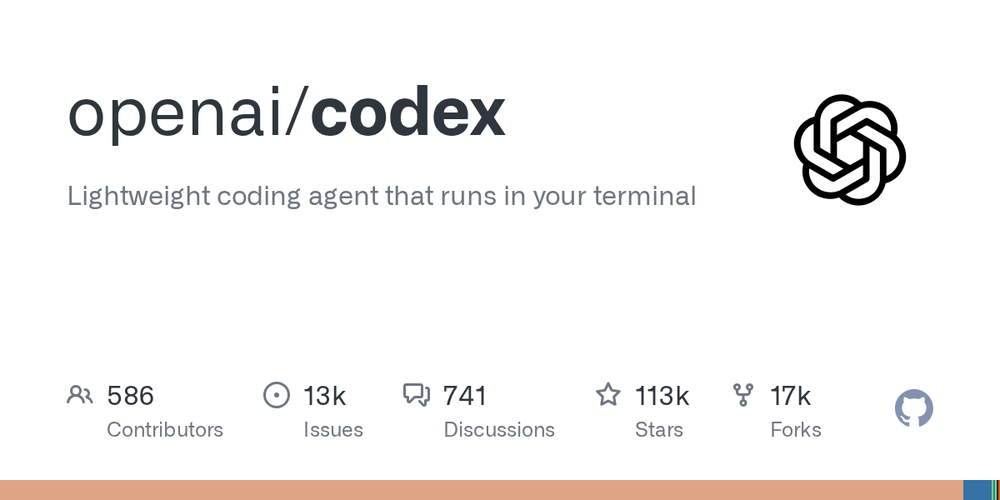
- Actively maintained by OpenAI with strong community tractionThe repository receives regular pushes and has over 113,000 GitHub stars, signaling a large user community tracking the project. Being OpenAI's own tool means the CLI stays current with model improvements as they ship.
- Covers terminal, IDE, and desktop in one projectThe same project provides the CLI for terminal users, extensions for VS Code, Cursor, and Windsurf for IDE users, and a desktop app mode. Teams can standardize on one tool across different developer preferences.
Trade-offs
- -Requires paid OpenAI access to run queriesEvery task requires an active ChatGPT subscription (Plus, Pro, Business, Edu, or Enterprise) or a funded OpenAI API key. The CLI itself is free and open source, but the model inference is not. Teams with high query volume will need to budget for API spend or a ChatGPT plan tier.
- -High open issue volume for a young projectThe repository carries over 13,000 open issues, which is large relative to most tools of this age. New users may find rough edges or undocumented limitations. The issue tracker warrants checking before adopting for production automation.
- -Model provider locked to OpenAIThe CLI connects to OpenAI's API. The README documents no support for local models (Ollama, LM Studio) or other API providers. Teams that want to run inference entirely on-premises or switch model providers are not served by the current design.
codex vs alternatives#
Codex CLI vs GitHub Copilot
GitHub Copilot is the dominant paid AI coding assistant, with tight IDE integration and inline autocomplete. Codex CLI takes a fundamentally different approach: rather than suggesting completions as you type, it acts as a conversational agent you direct with task descriptions from the terminal.
| Feature | Codex CLI | GitHub Copilot |
|---|---|---|
| License | Apache-2.0 | Proprietary |
| Business model | Free CLI; OpenAI plan required | Paid subscription |
| Primary interface | Terminal (CLI) | IDE (VS Code, JetBrains, etc.) |
| Interaction model | Conversational, task-based | Inline autocomplete |
| Local file access | Yes | Yes (via IDE) |
Codex CLI is the better choice for developers who work primarily in the terminal, who need to call an AI agent from shell scripts or CI pipelines, or who already pay for a ChatGPT plan and want to extend that to coding tasks. It also lets teams integrate AI assistance into custom automation without being tied to a specific editor.
GitHub Copilot remains the stronger pick when inline autocomplete inside an IDE is the primary use case, or when your team is standardizing on a single tool with broad IDE coverage and does not need terminal-native operation.
Codex CLI vs Cursor
Cursor is an AI-first IDE that embeds a conversational coding agent alongside traditional editor features. Both Codex CLI and Cursor offer task-based AI assistance, but they serve different workflows.
Codex CLI is editor-agnostic and runs wherever a terminal is available, making it suitable for automation and for developers whose preferred editors do not have a dedicated Codex extension. Cursor is a full IDE replacement that bundles the agent experience with syntax highlighting, file navigation, and editor tooling. If you want a purpose-built AI-native editor and are willing to switch your primary tool, Cursor offers a more integrated experience. If you want an AI agent that works alongside your existing editor, terminal, or scripts without replacing them, Codex CLI is the lighter fit.
Quick start#
Install Codex CLI with npm, Homebrew, or the curl installer for Mac and Linux.
```bash
curl -fsSL https://chatgpt.com/codex/install.sh | sh
npm install -g @openai/codex
brew install --cask codex
```What it's built on#
- Languages
- PythonRust
FAQ#
Is Codex CLI free to use?
The CLI itself is Apache-2.0 licensed and free to install and run. However, each coding session requires either a ChatGPT Plus, Pro, Business, Edu, or Enterprise plan, or a funded OpenAI API key. You pay for model inference, not the software itself.
How do I install Codex CLI on Mac or Linux?
Run curl -fsSL https://chatgpt.com/codex/install.sh | sh in your terminal. You can also install via Homebrew with brew install --cask codex or via npm with npm install -g @openai/codex. On Windows, use the PowerShell installer documented in the GitHub README.
What is the difference between Codex CLI and Codex Web?
Codex CLI runs locally on your machine and operates directly on your local filesystem from the terminal. Codex Web is a separate cloud-based agent at chatgpt.com/codex that runs in the browser. They share a name but serve different workflows.
Can I use Codex CLI inside VS Code or Cursor?
Yes. Codex offers IDE extensions for VS Code, Cursor, and Windsurf. The CLI is for terminal-first workflows; the IDE extensions bring the same underlying agent into the editor environment.
What license does Codex CLI use?
Codex CLI is released under the Apache-2.0 license. This permits commercial use, modification, and distribution with attribution. The source code is published at github.com/openai/codex.
Similar open-source tools#

VibePad
Control your AI coding assistant with a gamepad, open source

go-modern-guidelines
Modern Go idioms for every AI coding agent, free

garden-skills
Production-ready agent skills for Claude Code, Cursor, and Codex
free-claude-code
Route 9 AI coding agents through 1.3B+ free monthly tokens

fx
Native Zig CLI coding agent, 7.8 MiB, any AI model.

kilocode
Open source AI coding agent. 500+ models at zero markup.