Open Source Alternatives
  • Alternatives
  • Categories
    Categories by size908 projects
    • Developer Tools471
    • AI & Machine Learning409
    • Web Development198
    • Business & Productivity196
    • Security & Monitoring132
    • Communication & Collaboration128
    • IT Management127
    • Cloud & Hosting109
    • Product & Project Management106
    • Data & Analytics105
    Browse all 21 categoriesDesign & Creative, LLMOps & AI Tooling and 9 more
  • Blog
  • Advertise
SearchNotion, Slack, password manager.../
Submit
Open Source Alternatives
  • Alternatives
    • Developer Tools471
    • AI & Machine Learning409
    • Web Development198
    • Business & Productivity196
    • Security & Monitoring132
    • Communication & Collaboration128
    • Browse all 21 categories
  • Blog
  • Advertise
Submit your project

New open source projects by email

The projects we add and every new guide. Free, unsubscribe any time.

Open Source Alternatives LogoOpen Source Alternatives

Handpicked Open Source Alternatives to Paid Softwares

Product

  • Categories
  • Tag
  • Advertise

Resources

  • Blog
  • Collection
  • Submit

Company

  • Privacy Policy
  • Terms of Service
  • Refund Policy
  • Sitemap

Alternatives

  • Claude Code
  • Jira
  • Notion
  • Slack
  • Linear
  • Wispr Flow
  • All alternatives
© 2026 Open Source Alternatives. All rights reserved.
Open SourceAlternatives
Home/Categories/Business & Productivity/VoiceWink
icon of VoiceWink

VoiceWink

Open source alternative to Wispr Flow, Willow Voice and Speakey

  • 3 stars
  • GPL-3.0
  • Active this week
  • Last commit 4 days ago

Last verified Oct 23, 2026

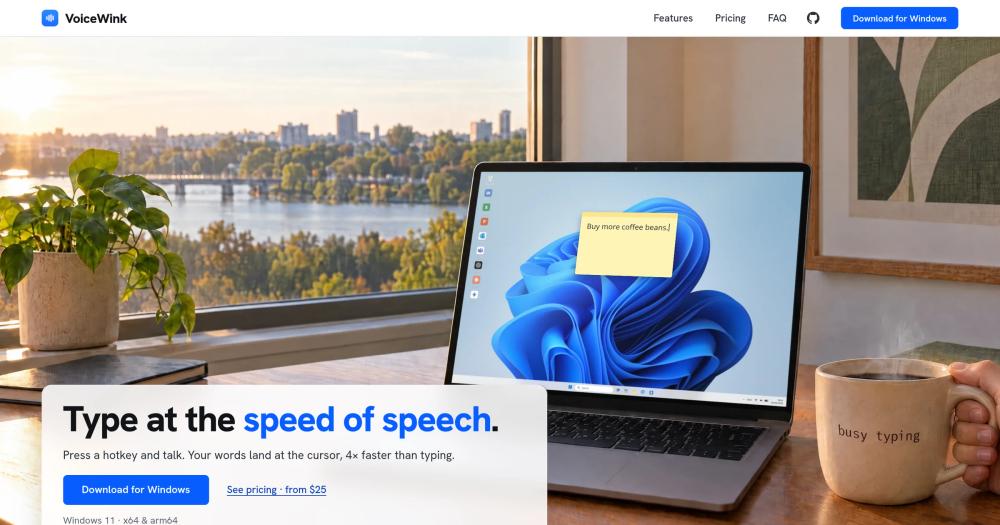
Convert speech to text at the cursor in any Windows 11 app, using built-in offline AI for transcription and enhancement.

Visit websiteGitHub3 stars
image of VoiceWink
TL;DR

VoiceWink is a Windows 11 voice-to-text tool that pastes transcribed speech at the cursor in any app, without a subscription or cloud account requirement. It replaces paid tools like Wispr Flow and Superwhisper for Windows users, with transcription and AI text enhancement running on-device by default. Licensed under GPL-3.0, it is available as a signed installer or built from the public source repository. Best for Windows 11 users who want daily voice dictation at a one-time cost with local AI.

Read the full breakdownHide the full breakdownWho it is for, how it works, trade-offs, the quick start and the FAQ
who it's for

Who VoiceWink is for#

Remote workers drafting email and messages throughout the day

VoiceWink pastes to the cursor in Outlook, Gmail, Slack, Teams, and WhatsApp without switching windows. The per-app AI mode rewrites dictated speech to the right tone for each context: formal for email, conversational for Slack. Personal dictionary entries handle recurring names and terms.

Skip if:

You need support across both Windows and macOS on the same account, or need more than three licensed PCs without buying an additional tier.

Developers using coding tools and AI agents

VoiceWink works in VS Code, Cursor, and similar editors, including Claude Code. Speaking a prompt, commit message, or inline comment is faster than typing for many developers, and the dictionary feature helps with project-specific names and function names that would otherwise be transcribed incorrectly.

Skip if:

You want voice control of the IDE for navigation and commands. VoiceWink handles text input only; voice-driven IDE navigation is a separate category of tool.

Privacy-conscious professionals dictating confidential content

By default, audio and transcriptions never leave the PC. Medical professionals, legal workers, and anyone dictating sensitive documents can use the offline path without sending content to a cloud vendor. No account is created; no server ever holds the recordings.

Skip if:

You need centralized audit logging of dictation sessions or an IT-managed deployment across a corporate fleet. VoiceWink installs per-user and has no enterprise management layer.

Windows users replacing a Superwhisper or Wispr Flow subscription

Both Superwhisper and Wispr Flow are macOS-first and charge monthly subscriptions. VoiceWink is Windows-native and priced at $25 to $49 lifetime for 1 to 3 PCs, making it the direct Windows equivalent in intent and feature set.

Skip if:

You are on macOS. VoiceWink is Windows 11 only; macOS users should look at VoiceInk or Superwhisper instead.

the problem

The problem it solves#

Voice typing on Windows has historically required either third-party apps that only work inside their own window, dictation built into Windows that lacks AI cleanup, or cloud services that send your audio off-device. Tools like Superwhisper and VoiceInk filled the gap on macOS but left Windows users with fewer comparable options.

The underlying pain has two parts. First, subscription pricing: most polished voice tools charge monthly, so the cost accumulates quickly for something used every day. Second, privacy: cloud transcription sends every word you speak to a vendor's servers, which is a real concern for anyone dictating work emails, confidential documents, or anything sensitive. Local-first alternatives existed but were typically complex to set up or lacked the AI text-cleanup layer that makes dictation usable in professional writing.

how VoiceWink solves it

How it solves it#

Hotkey dictation in any app

Press the hotkey (Right Alt by default, fully customizable) and speak; VoiceWink pastes the transcribed text at your cursor via Ctrl+V. Works in Word, Outlook, Slack, VS Code, Claude Code, and any other app you can type in. Tap once to keep listening, or hold the key while you talk.

Offline transcription with Parakeet and Whisper

Two built-in speech engines run locally: Parakeet covers 25 European languages with fast auto-detection, Whisper covers 100 languages with auto-detect or a pinned language. Models range from 44 MB to 0.9 GB to download and use up to 2.5 GB of RAM; no internet required after the initial download.

Per-app AI enhancement

AI rewriting runs locally using Qwen3.5 or Gemma 4 (four sizes, offline). Enhancement profiles are set per app: an Outlook profile rewrites to email tone, a Slack profile trims to a short message. Filler words are removed and corrections from your personal dictionary are applied before the rewrite. Enhancement can also be triggered on demand by hotkey or trigger word.

Bring-your-own API key for cloud features

Cloud transcription (Groq, Deepgram, ElevenLabs, OpenAI) and cloud AI enhancement (Anthropic, OpenAI, Gemini, Groq, Mistral, OpenRouter, Cerebras) are optional. You supply the key; VoiceWink uses your account at the provider's rates. Several providers offer free tiers sufficient for everyday dictation. Cloud features are never active without a key you explicitly add.

Privacy by default

Audio recordings and transcription history stay on your PC in %LOCALAPPDATA%\VoiceWink. No VoiceWink account exists; no server holds them. Cloud features run only with API keys you add, only with providers you choose. Keys are encrypted by Windows. Crash reports are opt-in and scrubbed before submission.

strengths · trade-offs

Strengths and trade-offs#

Strengths

  • One-time price, no subscriptionVoiceWink is $25 to $49 lifetime per license tier covering 1, 2, or 3 PCs. Most comparable voice tools including Wispr Flow and Superwhisper charge monthly subscriptions. For daily dictation users, the payback period is short and the ongoing cost after purchase is zero.
  • Offline-first, local AI includedBoth transcription and text enhancement run on the PC without internet. The AI enhancement models (1.3 to 6.7 GB) are built in; no API key or subscription is needed for the core features. Cloud-first voice tools typically degrade or stop working offline; VoiceWink's defaults are unaffected.
  • GPL-3.0 source code on GitHubThe public repository (dvstudio-app/VoiceWink) is the GPL-3.0 corresponding source for released builds. You can audit the code, build from source on Windows 11 with .NET 8, and modify it. The signed installer requires no admin rights and installs per-user only.
  • Works in any app that accepts pasteVoiceWink pastes via Ctrl+V rather than simulating keystrokes. This means it works in coding agents, chat clients, web forms, and any input field that accepts pasted text. Apps running as administrator may require a manual Ctrl+V, but otherwise work without special configuration.

Trade-offs

  • -Windows 11 onlyVoiceWink targets Windows 11 (x64 and arm64) exclusively. Windows 10, macOS, and Linux are not supported. The official website points macOS users to VoiceInk, the macOS app VoiceWink was inspired by.
  • -AI enhancement requires 16 GB RAMThe built-in AI enhancement models require at least 16 GB of system memory. The largest models also require a GPU with 8 to 10 GB of video memory. PCs under 16 GB can use cloud AI enhancement with a provider API key, but local enhancement is unavailable on lower-spec machines.
  • -Very early project with minimal communityThe public repository was created in May 2026 and has 3 GitHub stars. Development happens in a private repository; the public repo receives one snapshot commit per release with no day-to-day commit history. Community support and third-party documentation are limited compared to established voice tools.
  • -GPL-3.0 copyleft applies to redistributionGPL-3.0 requires you to distribute source code if you ship a modified version of VoiceWink. Running it for personal or business dictation is unrestricted. Teams or developers planning to redistribute a custom build must comply with GPL-3.0 source distribution requirements. Offering it as a hosted or managed service to others would also trigger those requirements.
versus alternatives

VoiceWink vs alternatives#

VoiceWink vs Wispr Flow

Wispr Flow is a macOS-first voice dictation tool that rewrites speech into context-appropriate text using cloud AI. VoiceWink targets Windows 11 and offers a comparable local-AI approach with an optional cloud tier.

FeatureVoiceWinkWispr Flow
PlatformWindows 11macOS (primary)
LicenseGPL-3.0Proprietary
Pricing$25-$49 lifetimeSubscription
AI processingOn-device by defaultCloud-first
Self-hostingBuild from GPL-3.0 sourceNo
Languages100 (Whisper), 25 (Parakeet)Multiple

VoiceWink is the stronger choice for Windows 11 users who want local AI and a one-time cost. Wispr Flow is worth considering when you are on macOS and prefer a fully managed product without managing local AI models yourself.

VoiceWink vs Superwhisper

Superwhisper is a macOS voice-to-text tool built on Whisper, with AI text cleanup and subscription pricing. VoiceWink targets Windows 11 with the same Whisper model available alongside Parakeet for local transcription.

FeatureVoiceWinkSuperwhisper
PlatformWindows 11macOS
LicenseGPL-3.0Proprietary
Pricing$25-$49 lifetimeSubscription
TranscriptionParakeet + Whisper (local)Whisper (local)
AI enhancementQwen3.5/Gemma offline + 7 cloud providersCloud AI
Source codePublic, GPL-3.0Closed

VoiceWink and Superwhisper share Whisper-based local transcription and a local-first philosophy, but target different platforms. For Windows users, VoiceWink is the native option. Superwhisper is the more established product on macOS with a larger user base and a longer track record. Choose Superwhisper if you are on macOS and want a proven, mature tool.

install · quick start

Quick start#

bash
Clone the repository and build from source using the .NET 8 SDK on Windows 11.
```bash
git clone https://github.com/dvstudio-app/VoiceWink
cd VoiceWink
dotnet build src/VoiceWink/VoiceWink.csproj -c Release -p:Platform=x64
bash installer/build-portable.sh --config Release
```
tech stack · detected from GitHub

What it's built on#

Languages
C#
Runtimes
.NET
frequently asked

FAQ#

Does VoiceWink work without an internet connection?

Yes. Transcription using Parakeet or Whisper and AI text enhancement using the built-in models all run offline. A paid license does check in online at least once every 30 days, but dictation continues working through that window without internet. Cloud transcription and cloud AI enhancement require internet and an API key from one of the supported providers.

What are the system requirements for VoiceWink?

Windows 11 (x64 or arm64) is required. Speech models need 44 MB to 0.9 GB of storage and up to 2.5 GB of RAM. The built-in AI enhancement models need 1.3 to 6.7 GB of storage and at least 16 GB of system memory; the largest also need a GPU with 8 to 10 GB of video memory. A GPU is optional for transcription but speeds it up. No admin rights are required to install.

Can I build VoiceWink from source instead of using the signed installer?

Yes. The GitHub repository (dvstudio-app/VoiceWink) is the GPL-3.0 corresponding source for released versions. You need Windows 11 and the .NET 8 SDK. The build produces a portable ZIP; run the bundled setup script to install. Signing, update-feed credentials, and crash reporting are publisher infrastructure not included in the source, so builds from source have update checking and crash reporting inert.

What does the GPL-3.0 license allow for business use?

GPL-3.0 permits using VoiceWink for any personal or commercial purpose, including professional dictation in a business context. You can modify it for internal use. If you distribute a modified build externally, GPL-3.0 requires you to provide the source. Offering it as a hosted or managed service to others would also trigger those distribution requirements.

How does VoiceWink compare to Superwhisper and Wispr Flow?

Superwhisper and Wispr Flow are both macOS-first and subscription-priced. VoiceWink is Windows 11 native with a $25 to $49 lifetime license. All three use on-device Whisper-based transcription as their default path. The practical differences are platform, pricing model, and licensing: VoiceWink is GPL-3.0 open source; Superwhisper and Wispr Flow are proprietary.

Looking for more

Other ways to replace Wispr Flow, Willow Voice and Speakey#

Handy

#1 in the Wispr Flow guide

Cross-platform offline dictation on Windows, macOS, and Linux, with the largest community of the eight

34,459 GitHub stars

VoiceInk

#2 in the Wispr Flow guide

Apple Silicon Mac dictation with local AI enhancement and no subscription

6,907 GitHub stars

FluidVoice

#3 in the Wispr Flow guide

macOS 15+ dictation with live transcription preview and optional on-device AI cleanup

12,428 GitHub stars

OpenWhispr

#4 in the Wispr Flow guide

Cross-platform dictation with documented meeting transcription, live diarization, and optional cloud processing

9,824 GitHub stars
All 12 Wispr Flow alternatives8 open source Wispr Flow alternatives, ranked
by category

Open source tools in these categories#

196

Business & Productivity

OpenClaw, Excalidraw, RustDesk
409

AI & Machine Learning

freeCodeCamp, OpenClaw, REA (Reverse Engineer Anything)

Featured

rakazo

Alternative toGrok Bot

AI teammates you own: your keys, your model, your machine.

  • 5,406 GitHub stars
  • Apache-2.0Licence Apache-2.0
  • #AI Agents

Omnara

Alternative toCClaude Managed Agents

Open-source agent deployment API. Self-host or use Omnara Cloud.

  • 2,957 GitHub stars
  • Apache-2.0Licence Apache-2.0
  • #AI Agents

Inbox Zero

Alternative toSuperhuman

AI email assistant that drafts replies and clears your inbox

  • 12,712 GitHub stars
  • AGPL-3.0Licence AGPL-3.0
  • #Email
Feature your project

New open source projects by email

The projects we add and every new guide. Free, unsubscribe any time.

Find open source alternatives to paid software

/
  • Claude Code to OpenCode
  • Jira to Windshift
  • Notion to AppFlowy
  • Slack to Mattermost
  • Linear to GitLab
  • Wispr Flow to Handy
  • CapCut to Concat
  • Grok Bot to rakazo
  • Superhuman to Inbox Zero
  • Airtable to AITable
  • Muse to OpenClaw
  • GitHub Copilot to Cline
  • Datadog to Netdata
  • Microsoft Teams to Rocket.Chat
  • Confluence to Docmost
  • Pinecone to Qdrant
  • Zapier to n8n
  • Devin AI to OpenHands
  • Firebase to Supabase
  • 1Password to KeePassXC
  • Contentful to Strapi
  • Adobe Premiere Pro to Shotcut
  • ChatGPT to AnythingLLM
  • LangSmith to Langfuse
  • Claude Code to OpenCode
  • Jira to Windshift
  • Notion to AppFlowy
  • Slack to Mattermost
  • Linear to GitLab
  • Wispr Flow to Handy
  • CapCut to Concat
  • Grok Bot to rakazo
  • Superhuman to Inbox Zero
  • Airtable to AITable
  • Muse to OpenClaw
  • GitHub Copilot to Cline
  • Datadog to Netdata
  • Microsoft Teams to Rocket.Chat
  • Confluence to Docmost
  • Pinecone to Qdrant
  • Zapier to n8n
  • Devin AI to OpenHands
  • Firebase to Supabase
  • 1Password to KeePassXC
  • Contentful to Strapi
  • Adobe Premiere Pro to Shotcut
  • ChatGPT to AnythingLLM
  • LangSmith to Langfuse