Who anki is for#
Students with high-volume memorization needs
Learners who need to retain hundreds or thousands of discrete facts across a long study period benefit from Anki's algorithmic scheduling. Rather than cycling through all material equally, Anki identifies which cards are about to slip and surfaces them at the right moment, keeping a large fact base active without expanding daily study time as the deck grows.
Skip if:
If you need collaborative deck editing, shared progress tracking with classmates, or pre-built content from professional exam-prep publishers, a consumer flashcard platform with a built-in content library may fit better.
Language learners building vocabulary at scale
A vocabulary list of several thousand words is difficult to maintain without spaced repetition. Anki's audio support means each card can include pronunciation recordings, and decks can be shared with other learners through AnkiWeb. The algorithm keeps all active vocabulary in rotation without daily sessions expanding indefinitely as new words are added.
Skip if:
If you want a fully guided language learning path with structured lessons, grammar explanations, and progression tracking, Anki does not provide curriculum. It handles recall; the learning path is your responsibility.
Professionals maintaining long-term recall of reference material
Anki works beyond exam prep for any material that needs long-term retention. The spaced repetition algorithm is more efficient than rereading notes periodically, since it focuses review time only on what is about to be forgotten. Cards can include formatted text, images, and audio, making it adaptable to technical and non-technical subject matter.
Skip if:
If your goal is active note-taking, linking ideas, or building a knowledge graph, Anki is a recall tool only. It does not replace a notes app or a personal knowledge management system.
The problem it solves#
Memory fades quickly without review, but reviewing everything equally is inefficient. Most study tools put the burden of scheduling on the learner: flashcard apps with no interval scheduling, notes apps with no recall testing, or timed-interval tools that ignore your actual recall performance. The result is that learners over-review familiar material and neglect what is slipping, producing a false sense of mastery.
The deeper problem is scale. A learner building to proficiency in a new subject might need thousands of discrete facts active at once. Manual scheduling breaks at this scale. Without an algorithm that adapts to your actual recall performance, either the review load becomes unsustainable or the retention rate collapses as the deck grows.
How it solves it#
Spaced repetition scheduling
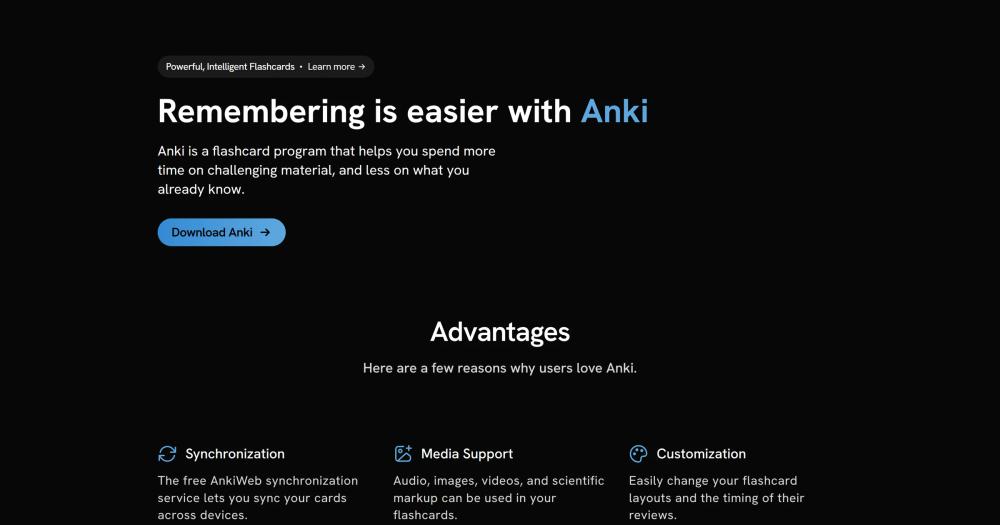
After each card review you rate your recall, and Anki recalculates when you will see that card next. Cards you know well are pushed weeks or months into the future; cards you struggle with return within hours or days. The algorithm ensures you never waste time on already-solid knowledge or lose ground on material that is slipping.
Free cross-device sync via AnkiWeb
AnkiWeb synchronizes your decks, notes, and review history across all your devices at no cost. A session on your desktop carries forward to AnkiMobile on iOS and AnkiDroid on Android, with no manual export or import required. The sync service is free and has no deck-count or card-count limits.
Rich media card support
Cards can include audio clips, images, videos, and scientific markup such as LaTeX for mathematical and chemical notation. Audio covers pronunciation practice for language learning; LaTeX renders equations correctly for science and engineering students. Media is stored locally and synced through AnkiWeb.
Add-on ecosystem
Desktop Anki supports community add-ons that extend the core feature set. Add-ons cover image occlusion for anatomy diagrams, cloze-deletion enhancements, bulk card import formats, and statistics dashboards beyond the built-in graphs. The add-on library is indexed on AnkiWeb and installs in one click from within the app.
100,000-card deck support
Anki handles decks of over 100,000 cards without performance problems, according to the official website. This makes it viable for whole-curriculum study without needing to split decks for performance reasons as your collection grows.
Strengths and trade-offs#
Strengths
- Full SRS algorithm at no costAnki's spaced repetition engine and all desktop features are free for Windows, macOS, and Linux. Unlike paid alternatives in the same category, you get the full algorithm and unlimited cards without a subscription tier. AnkiWeb sync is also free.
- Over a decade of active developmentThe project has been under continuous development since 2012 and remains actively maintained, with code pushed as recently as September 2026. At 30,865 GitHub stars and 3,210 forks, it has a large contributor base and a substantial community of add-on authors and deck sharers.
- Local-first data storageThe desktop app stores your card collection locally on your own machine. AnkiWeb sync is optional and free; your decks remain accessible without it. Community deck sharing is built into AnkiWeb, so learners can distribute decks to others or download decks for subjects they study.
Trade-offs
- -Steep learning curve for card creationAnki's default interface is functional rather than consumer-friendly. Creating effective cards requires learning Anki's template system, understanding the difference between notes and cards, and investing time upfront to build or find quality decks. Beginners who expect a drag-and-drop card editor will find the initial experience significantly more demanding than consumer alternatives.
- -AnkiMobile for iOS is a paid appThe Android version (AnkiDroid) is free, but AnkiMobile for iOS is a one-time paid purchase. The purchase funds Anki's development. If iOS is your primary study device, AnkiDroid on Android or the mobile web at AnkiWeb.net offers a free fallback, though without the full native iOS experience.
- -No built-in content libraryAnki does not provide a marketplace of pre-made study content built into the app. Finding quality decks for your subject requires knowing where to look (AnkiWeb shared decks, community repositories). New users who want a ready-made content experience may be better served by consumer alternatives until they are comfortable building their own decks.
anki vs alternatives#
Anki vs Quizlet
Quizlet and Anki both target flashcard-based learning. The core contrast is pricing and data model: Anki's desktop app is free and stores your collection locally; Quizlet is a proprietary subscription product.
| Feature | Anki | Quizlet |
|---|---|---|
| License | AGPL-3.0 | Proprietary |
| Desktop cost | Free | Subscription |
| Sync | Free (AnkiWeb) | Subscription |
| Card limit | 100,000+ supported | Varies by plan |
| Mobile | Free (Android) / paid (iOS) | App included |
Anki is the better choice when you want the full spaced repetition algorithm at no cost and prefer local data storage with optional sync. Quizlet is worth considering if you want a cloud-native product with a large library of pre-made study content and a more guided onboarding experience.
Anki vs RemNote
RemNote combines note-taking and spaced repetition in one product. Anki is a dedicated spaced repetition flashcard app with no note-taking features.
| Feature | Anki | RemNote |
|---|---|---|
| License | AGPL-3.0 | Proprietary (freemium) |
| Note-taking | None | Full PKM editor |
| Spaced repetition | Free, unlimited | Limited on free tier |
| Data storage | Local with free sync | Cloud-based |
Anki is the better choice for learners who manage notes elsewhere and want a proven standalone recall system. RemNote is the better choice for users who want to build a linked knowledge base and review it without switching between tools.
Anki vs Brainscape
Brainscape is a paid flashcard platform that uses a self-rating repetition system. Anki's desktop app is free and AGPL-licensed.
Anki is the better choice when you need an unlimited, free flashcard tool and are prepared to create or find your own decks. Brainscape is worth considering if you want a curated content marketplace with decks produced for specific professional exams.

What it's built on#
- Languages
- PythonRustTypeScript
- Frameworks
- FlaskSvelte
- Tooling
- esbuild
FAQ#
Is Anki free to use?
The desktop app for Windows, macOS, and Linux is completely free. AnkiDroid for Android is also free. AnkiMobile for iOS is a one-time paid purchase that funds Anki's development. The AnkiWeb sync service is free with no card-count limits.
How does Anki's spaced repetition algorithm work?
After reviewing a card, you rate your recall (Again, Hard, Good, Easy). Anki uses this rating to calculate the next review interval. Cards you recall easily get pushed further into the future; cards you struggle with return sooner. Over time the algorithm builds a personalized schedule that keeps all active cards in rotation with the minimum time investment required.
Is Anki open source?
Yes. The desktop app source code is at github.com/ankitects/anki, licensed under AGPL-3.0-or-later. This license allows you to run and modify Anki freely for any purpose, including commercial or team use. If you run a modified version as a network service, you must make the modified source code available to your users. AnkiDroid for Android is also open source. AnkiMobile for iOS is a closed-source commercial app sold to fund development.
What makes Anki different from Quizlet?
Anki's spaced repetition algorithm and desktop app are free with no subscription required. Quizlet is a proprietary, subscription-based service. The trade-off is that Quizlet has a more polished interface and a large built-in library of pre-made study sets for popular subjects, while Anki requires you to build or find your own decks.
Can I use Anki offline?
Yes. The desktop app and both mobile apps work fully offline. Cards and review history are stored locally on the device. When you reconnect, AnkiWeb syncs changes across devices. There is no dependency on an internet connection to study.
Similar open-source tools#
knowledge-work-plugins
Open source AI plugins for knowledge workers in Claude
DeskcommCRM
AI agents for WhatsApp sales, fully audited, no per-user pricing
FckSignups
Open-source tools that work instantly, no signup required
Twenty
Open source CRM with custom data models and AI-native workflows
EspoCRM
Self-hosted open source CRM for contacts and pipelines
UVdesk
Helpdesk and ticketing on PHP/Symfony with workflow automation