Open Source Alternatives
  • Alternatives
  • Categories
    Categories by size897 projects
    • Developer Tools464
    • AI & Machine Learning405
    • Web Development196
    • Business & Productivity195
    • Security & Monitoring130
    • Communication & Collaboration128
    • IT Management125
    • Cloud & Hosting108
    • Product & Project Management106
    • Data & Analytics104
    Browse all 21 categoriesDesign & Creative, LLMOps & AI Tooling and 9 more
  • Blog
  • Advertise
SearchNotion, Slack, password manager.../
Submit
Open Source Alternatives
  • Alternatives
    • Developer Tools464
    • AI & Machine Learning405
    • Web Development196
    • Business & Productivity195
    • Security & Monitoring130
    • Communication & Collaboration128
    • Browse all 21 categories
  • Blog
  • Advertise
Submit your project

New open source projects by email

The projects we add and every new guide. Free, unsubscribe any time.

Open Source Alternatives LogoOpen Source Alternatives

Handpicked Open Source Alternatives to Paid Softwares

Product

  • Categories
  • Tag
  • Advertise

Resources

  • Blog
  • Collection
  • Submit

Company

  • Privacy Policy
  • Terms of Service
  • Refund Policy
  • Sitemap

Alternatives

  • Claude Code
  • Jira
  • Notion
  • Slack
  • Linear
  • Wispr Flow
  • All alternatives
© 2026 Open Source Alternatives. All rights reserved.
Open SourceAlternatives
Home/Categories/Security & Monitoring/BleachBit
icon of BleachBit

BleachBit

Open source alternative to CCleaner, Glary Utilities and CleanMyPC

  • 7.2K stars
  • GPL-3.0
  • Active this week
  • Last commit today

Last verified Oct 22, 2026

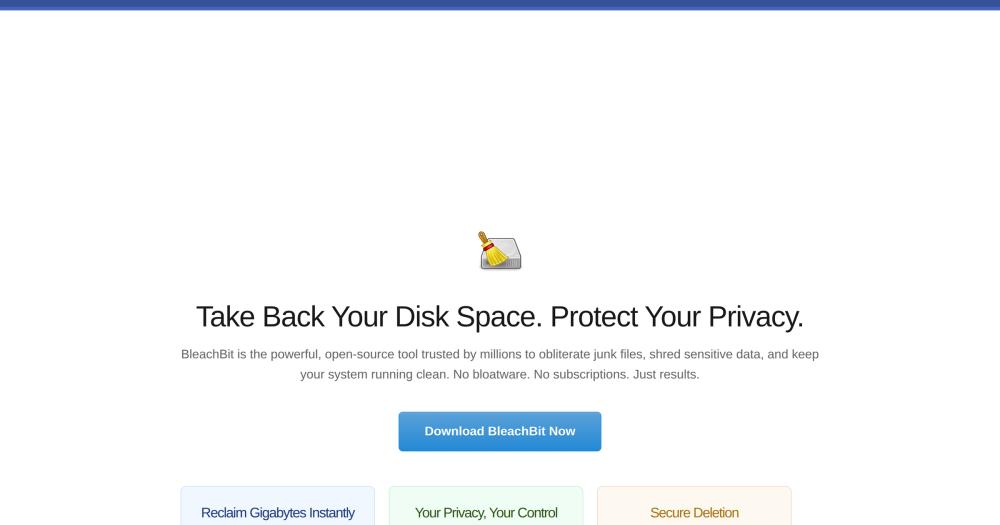
Manage disk space and privacy on Windows and Linux; BleachBit wipes junk files, browser traces, and free-space remnants under GPL-3.0.

Visit websiteGitHub7.2K stars
image of BleachBit
TL;DR

BleachBit is a GPL-3.0 disk cleaner and privacy tool for Windows and Linux that deletes junk files, wipes browser traces, and shreds files with optional secure overwriting. It replaces paid tools like CCleaner with a fully free, offline-capable alternative that runs on both desktop platforms without bundled software or subscription fees. Best for privacy-minded users, system administrators who automate cleanup via CLI, and power users writing CleanerML rules for custom application targets.

Read the full breakdownHide the full breakdownWho it is for, how it works, trade-offs, the quick start and the FAQ
who it's for

Who BleachBit is for#

Privacy-conscious individuals clearing tracking data

BleachBit cleans cookies, saved passwords, browsing history, and application traces across multiple browsers and applications in one pass. The preview step shows the full list of files before any deletion, so you confirm exactly what is removed.

Skip if:

You only need to clear one browser's history occasionally. The browser's own settings handle that without a separate tool.

System administrators automating fleet cleanup via CLI

BleachBit's CLI accepts named cleaners as arguments and returns an exit code, making it scriptable from cron jobs or configuration management workflows. Administrators can target specific applications across multiple machines without building custom file-deletion scripts.

Skip if:

Your environment uses OS-level provisioning that wipes user profiles on logout or reimages machines regularly. BleachBit adds value where fine-grained per-application targeting is needed on persistent installs.

Power users targeting unlisted applications with custom rules

The CleanerML format is an XML dialect for defining which files, folders, and registry keys to clean for any application. Users maintain their own CleanerML libraries for tools BleachBit does not ship definitions for, and the changes take effect without rebuilding the application.

Skip if:

You only clean well-supported applications such as major browsers and system temp folders. The built-in definitions cover those without custom configuration.

IT professionals sanitizing drives before reuse or disposal

Secure deletion and free-space wiping prepare drives for repurposing or disposal by overwriting file contents before removal. BleachBit handles the file-level overwriting step that standard OS deletion skips.

Skip if:

Your use case requires certified data destruction meeting NIST 800-88 or DoD 5220.22-M standards. BleachBit's overwriting is not certified; dedicated drive-wiping tools are the standard for compliance scenarios.

the problem

The problem it solves#

Disk clutter is invisible until it becomes a problem. Temporary files, browser caches, application logs, and installer leftovers accumulate over time, occupying gigabytes across paths most users never open. Cleaning the wrong file can break an application; leaving everything risks performance and privacy.

The privacy side is harder to address. Deleting a file in the standard way leaves its contents on disk, readable by forensic tools or anyone with physical access. Browser cookies, saved passwords, and application traces persist beyond session end. Free-space sectors hold remnants of files the OS reports as gone.

how BleachBit solves it

How it solves it#

Preview mode before any deletion

Every clean operation shows the complete list of files scheduled for removal, with file sizes, before any deletion runs. You review the list, toggle individual cleaners on or off, and confirm. Nothing is deleted without your approval, which reduces the risk of removing files you need.

CleanerML custom rules for any application

BleachBit ships with cleaner definitions for hundreds of applications, and you can write custom CleanerML XML rules to target any application or file pattern. CleanerML files define which files, folders, and registry keys to remove. You can maintain a personal library of rules for applications not covered by the default set.

Secure file shredding with overwrite modes

Files can be overwritten before deletion to make their contents unrecoverable by standard forensic tools. A fast mode skips overwriting for speed when privacy is not the concern. Secure mode is appropriate for sensitive documents on drives being repurposed, shared, or discarded.

CLI and scripting support for automation

The command-line interface accepts named cleaners as arguments and exits with a status code, making it scriptable from cron jobs or system administration tools. Administrators can automate BleachBit runs across multiple machines by wrapping it in shell scripts or configuration management workflows.

Free-space wiping to prevent file recovery

Beyond individual files, BleachBit overwrites all free disk space to prevent recovery of previously deleted data. This step addresses sectors the OS marks as available but has not yet rewritten, which standard file deletion leaves intact.

Multi-browser and application coverage in one pass

BleachBit cleans cache, cookies, history, download lists, and saved form data across major browsers including Firefox, Chrome, and Edge, as well as dozens of other applications. All configured targets run in a single operation.

strengths · trade-offs

Strengths and trade-offs#

Strengths

  • GPL-3.0 with no paid tier or feature gatingBleachBit is licensed under GPL-3.0 and costs nothing to download, install, or use at any scale. All features are available from the first install, offline, with no account or subscription required.
  • 18+ years of active maintenanceThe repository has been maintained for over 18 years, with the last code push on 2026-10-22. That longevity means the cleaner definitions cover a long history of application versions and the codebase has stayed compatible across multiple Windows generations.
  • Endorsed by Bruce Schneier and reviewed by PCWorldSecurity researcher Bruce Schneier recommended BleachBit in Wired in 2013. PCWorld reviewer Erez Zukerman called it 'a solid, no-nonsense utility.' These endorsements come from sources that evaluate tools on evidence rather than marketing.
  • Installs cleanly without background processesBleachBit installs only itself and runs only when you launch it. The installer adds no background services or system hooks, and the tool makes no network calls during operation.

Trade-offs

  • -No built-in scheduler or daemon modeBleachBit runs on demand; there is no built-in scheduler or background service. Automated periodic cleanup requires a wrapper: a cron job on Linux or a Task Scheduler entry on Windows. For users who want set-and-forget maintenance, this adds a configuration step.
  • -331 open issues, including some outdated application definitionsThe repository carries 331 open GitHub issues as of October 2026. Edge cases with specific application versions or unusual file paths may not be covered by the built-in definitions, and some cleaner entries accumulate without timely fixes.
  • -Windows and Linux only; no macOS supportBleachBit does not run on macOS. Users on Apple hardware who need disk-cleaning and privacy management must look elsewhere; the project has no macOS port.
versus alternatives

BleachBit vs alternatives#

BleachBit vs CCleaner

CCleaner is a proprietary Windows disk cleaner with a free version and paid subscription plans. Both tools clean browser caches, temp files, and application logs. BleachBit also runs on Linux and supports CleanerML custom rules for targeting any application or file pattern.

FeatureBleachBitCCleaner
LicenseGPL-3.0Proprietary
PlatformsWindows, LinuxWindows, macOS, Android
Custom cleaner rulesYes (CleanerML XML)Yes (winapp2.ini)
CLI scriptingYesLimited
CostFree (no paid tier)Free version + paid plans

BleachBit is the better choice when you need Linux support, CLI-scriptable automation, custom rules for unlisted applications, or a fully open source tool with no paid tier. CCleaner suits users who want a Windows-native interface with built-in registry cleaning and startup management and are comfortable with the freemium model.

BleachBit vs Glary Utilities

Glary Utilities is proprietary freeware for Windows with a paid Pro tier. It is a broader system optimizer that packages disk cleaning alongside a registry repair tool, a startup manager, a duplicate file finder, and additional diagnostic utilities. BleachBit focuses on disk cleaning and privacy without the broader optimizer suite.

FeatureBleachBitGlary Utilities
LicenseGPL-3.0Proprietary (freeware + Pro tier)
PlatformsWindows, LinuxWindows only
ScopeDisk cleaning, privacyAll-in-one system optimizer
CLI supportYesNo
Custom rulesYes (CleanerML)No

Glary Utilities suits users who want a single Windows application combining disk cleanup, registry repair, and system diagnostics without scripting. BleachBit suits users who need Linux support, CLI automation, an open source license, or a focused tool that cleans files without touching registry or startup settings.


install · quick start

Quick start#

bash
Install BleachBit from source on Linux after fetching the system dependencies.
```sh
make install-deps
make -C po local
python3 bleachbit.py
```
tech stack · detected from GitHub

What it's built on#

Languages
Python
frequently asked

FAQ#

Is BleachBit free to use?

Yes. BleachBit is licensed under GPL-3.0 and free to download, install, and use with no paid tiers, no subscription fees, and no feature restrictions. All capabilities are available from the first install, with no account required.

Does BleachBit work on macOS?

No. BleachBit supports Windows and Linux only. macOS users need a different tool for disk cleanup and privacy management; the BleachBit project has no macOS port.

How does BleachBit's secure deletion work?

Secure deletion overwrites a file's contents on disk before removing it, making recovery with standard forensic tools difficult. The fast mode skips overwriting for speed. Secure mode is appropriate when you are disposing of a drive or cleaning up sensitive documents before handing off hardware.

Is it safe to delete files with BleachBit?

BleachBit shows every file it will remove in a preview step before any deletion runs. Reviewing that list before confirming reduces the risk of removing needed files. The tool targets documented temp file locations and application caches, not arbitrary system files.

What is the difference between BleachBit and CCleaner?

BleachBit is open source under GPL-3.0 and free with no paid tier; CCleaner is a proprietary tool with a free version and paid subscription plans. BleachBit also runs on Linux while CCleaner is Windows-focused. BleachBit supports custom CleanerML rules and a full CLI scripting path; CCleaner's scripting support is limited.

also worth a look

Similar open-source tools#

GSmartControl

Alternative toHard Disk Sentinel

Hard drive and SSD health inspector via smartctl, cross-platform.

  • 766 GitHub stars
  • GPL-3.0Licence GPL-3.0

Homeio

Alternative toUnraid

Browser desktop for your self-hosted home server

  • 90 GitHub stars
  • AGPL-3.0Licence AGPL-3.0

Pulse

InSecurity & Monitoring

Read-only Windows diagnostics with a local AI assistant.

  • 368 GitHub stars
  • MITLicence MIT

Xray-core

Alternative toAstrill VPN

Open source proxy core with XTLS, VLESS, and REALITY protocols

  • 42,209 GitHub stars
  • MPL-2.0Licence MPL-2.0

Vela

Alternative toGoogle Maps

OpenStreetMap and Google data, no account, no Play Services

  • 2,108 GitHub stars
  • GPL-3.0Licence GPL-3.0

Esp32 C3 Adblock

Alternative toNextDNS

Pi-hole-style DNS ad-blocker on a $2 ESP32-C3 board

  • 3,299 GitHub stars
  • MITLicence MIT
by category

Open source tools in these categories#

130

Security & Monitoring

REA (Reverse Engineer Anything), RustDesk, Uptime Kuma
125

IT Management

RustDesk, Immich, Stirling PDF

Featured

Inbox Zero

Alternative toSuperhuman

AI email assistant that drafts replies and clears your inbox

  • 12,712 GitHub stars
  • AGPL-3.0Licence AGPL-3.0
  • #Email

Omnara

Alternative toCClaude Managed Agents

Open-source agent deployment API. Self-host or use Omnara Cloud.

  • 2,957 GitHub stars
  • Apache-2.0Licence Apache-2.0
  • #AI Agents

rakazo

Alternative toGrok Bot

AI teammates you own: your keys, your model, your machine.

  • 4,904 GitHub stars
  • Apache-2.0Licence Apache-2.0
  • #AI Agents
Feature your project

New open source projects by email

The projects we add and every new guide. Free, unsubscribe any time.

Find open source alternatives to paid software

/
  • Claude Code to OpenCode
  • Jira to Windshift
  • Notion to AppFlowy
  • Slack to Mattermost
  • Linear to GitLab
  • Wispr Flow to Handy
  • CapCut to Concat
  • Grok Bot to rakazo
  • Superhuman to Inbox Zero
  • Airtable to AITable
  • Muse to OpenClaw
  • GitHub Copilot to Cline
  • Datadog to Netdata
  • Microsoft Teams to Rocket.Chat
  • Confluence to Docmost
  • Pinecone to Qdrant
  • Zapier to n8n
  • Devin AI to OpenHands
  • Firebase to Supabase
  • 1Password to KeePassXC
  • Contentful to Strapi
  • Adobe Premiere Pro to Shotcut
  • ChatGPT to AnythingLLM
  • LangSmith to Langfuse
  • Claude Code to OpenCode
  • Jira to Windshift
  • Notion to AppFlowy
  • Slack to Mattermost
  • Linear to GitLab
  • Wispr Flow to Handy
  • CapCut to Concat
  • Grok Bot to rakazo
  • Superhuman to Inbox Zero
  • Airtable to AITable
  • Muse to OpenClaw
  • GitHub Copilot to Cline
  • Datadog to Netdata
  • Microsoft Teams to Rocket.Chat
  • Confluence to Docmost
  • Pinecone to Qdrant
  • Zapier to n8n
  • Devin AI to OpenHands
  • Firebase to Supabase
  • 1Password to KeePassXC
  • Contentful to Strapi
  • Adobe Premiere Pro to Shotcut
  • ChatGPT to AnythingLLM
  • LangSmith to Langfuse