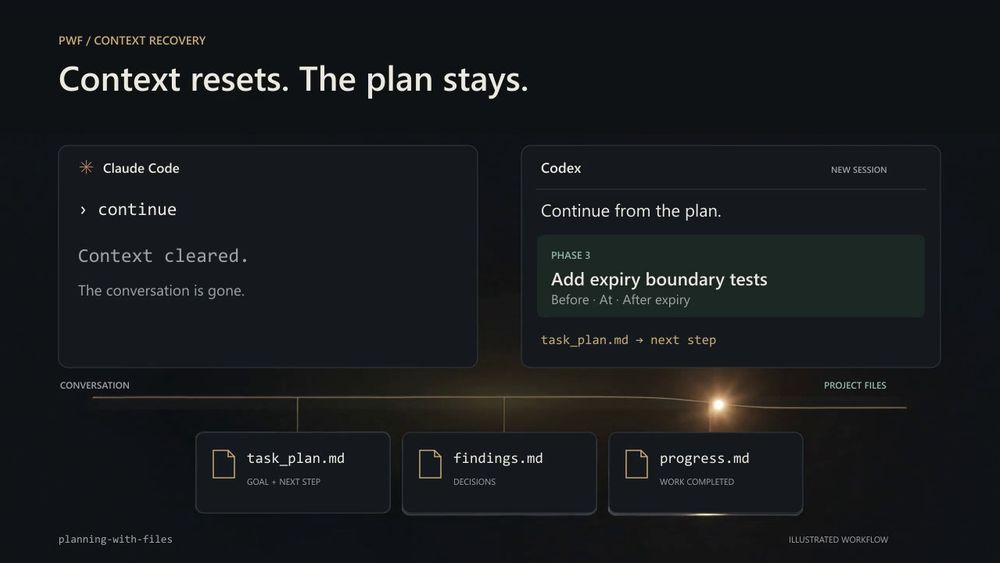
Planning With Files vs GitHub Copilot
GitHub Copilot and Planning With Files overlap in the AI coding agent category, but they serve different roles. Copilot generates code inline and answers questions about the codebase, but it has no native mechanism for persistent task planning across sessions. When a Copilot chat session ends or the context resets, any in-flight plan stored in that conversation is gone.
| Feature | Planning With Files | GitHub Copilot |
|---|
| License | MIT (open source) | Proprietary |
| Persistent planning files | Yes (three files on disk) | No |
| Cross-session recovery | Yes | No |
| Self-hosting | Runs in project directory | No self-hosted option |
Planning With Files is the better choice when the task spans more than one conversation or agent session, when /clear is part of your workflow, or when you need a version-controlled record of what the agent decided and why. GitHub Copilot is the better fit for inline code generation and single-session question-answering where persistent planning is unnecessary overhead.
Planning With Files vs Cursor
Cursor is a paid AI-first code editor with built-in AI chat, but it has no structured mechanism for persisting task plans across conversations in a recoverable format. Planning With Files runs inside any project, including one open in Cursor, and adds the planning persistence layer.
| Feature | Planning With Files | Cursor |
|---|
| License | MIT (open source) | Proprietary |
| Persistent task planning | Yes (task_plan.md, findings.md, progress.md) | No structured plan persistence |
| Agent compatibility | 60+ agents | Cursor AI only |
The two are complementary. Planning With Files can run inside a Cursor project to give Cursor's AI a plan it can read and resume. For short Cursor sessions that do not hit context limits, the planning files add overhead without benefit. For multi-session tasks where Cursor's context resets mid-work, the skill fills the gap.