Open Source Alternatives
  • Alternatives
  • Categories
    Categories by size1,059 projects
    • Developer Tools539
    • AI & Machine Learning468
    • Business & Productivity247
    • Web Development205
    • Security & Monitoring159
    • Communication & Collaboration143
    • IT Management139
    • Cloud & Hosting123
    • LLMOps & AI Tooling122
    • Data & Analytics114
    Browse all 21 categoriesProduct & Project Management, Design & Creative and 9 more
  • Blog
  • Advertise
SearchNotion, Slack, password manager.../
Submit
Open Source Alternatives
  • Alternatives
    • Developer Tools539
    • AI & Machine Learning468
    • Business & Productivity247
    • Web Development205
    • Security & Monitoring159
    • Communication & Collaboration143
    • Browse all 21 categories
  • Blog
  • Advertise
Submit your project

New open source projects by email

The projects we add and every new guide. Free, unsubscribe any time.

Open Source Alternatives LogoOpen Source Alternatives

Handpicked Open Source Alternatives to Paid Softwares

Product

  • Categories
  • Tag
  • Advertise

Resources

  • Blog
  • Collection
  • Submit

Company

  • Privacy Policy
  • Terms of Service
  • Refund Policy
  • Sitemap

Alternatives

  • Claude Code
  • Jira
  • Notion
  • Slack
  • Linear
  • Wispr Flow
  • All alternatives
© 2026 Open Source Alternatives. All rights reserved.
Open SourceAlternatives
Home/Categories/Business & Productivity/Wiki.js
icon of Wiki

Wiki.js

Open source alternative to Confluence, GitBook, Slab and Notion

  • 29.2K stars
  • AGPL-3.0
  • Active this week
  • Last commit 1 day ago

Last verified Nov 4, 2026

Host a team wiki on Node.js and PostgreSQL, with real-time collaboration, two-way Git sync, and granular path-level permissions.

Visit websiteGitHub29.2K starsDeploy on Hostinger
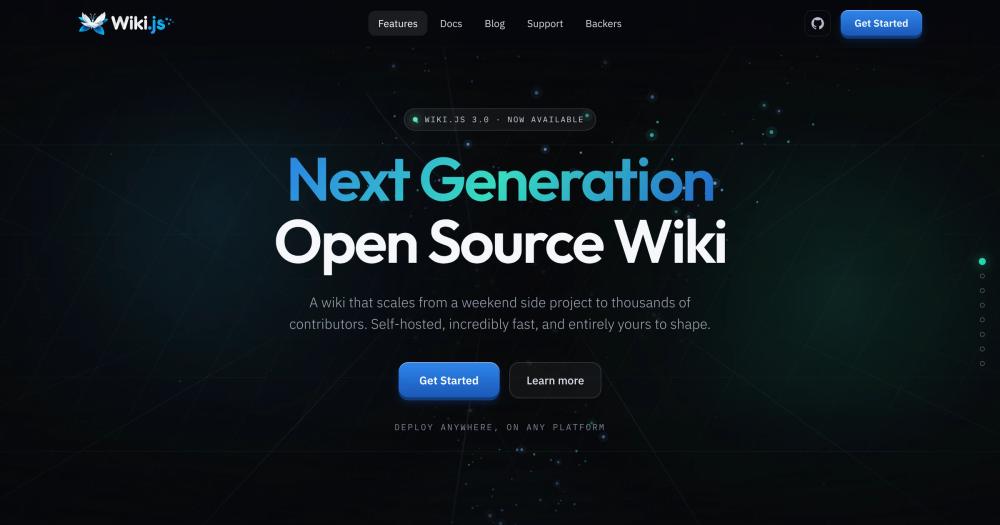
image of Wiki
TL;DR

Wiki.js is a self-hosted wiki built on Node.js and PostgreSQL that gives teams a central knowledge base without per-seat subscription costs. It replaces paid platforms like Confluence, Notion, and GitBook with a feature-comparable set that includes real-time collaboration, two-way Git sync, granular path-level permissions, and multi-site hosting from a single deployment. Licensed under AGPL-3.0 and free to run on your own infrastructure. Best for technical and mixed teams that want data ownership without recurring per-user costs.

Read the full breakdownHide the full breakdownWho it is for, how it works, trade-offs and the FAQ
who it's for

Who Wiki.js is for#

Engineering teams migrating off Confluence

Teams leaving Confluence for cost or licensing reasons can replicate the core feature set: versioned pages, granular group permissions, structured navigation, and Git sync to keep docs alongside source code.

Skip if:

Skip if your team depends on Confluence-specific integrations like Jira deep-links or Confluence-native macros. Wiki.js has a REST API and webhooks but does not emulate Confluence's proprietary macro ecosystem.

Documentation teams treating docs as code

Two-way Git sync means pages stay in plain Markdown files in a repository. Teams that run CI on their docs, want their wiki backed by version control, or need to review documentation changes in pull requests get this natively without a plugin or export step.

Skip if:

Skip if your contributors are non-technical and uncomfortable with Git. The sync is powerful for developers but adds complexity that may confuse contributors who expect a purely GUI editing workflow.

Organizations hosting documentation for multiple sub-teams

One Wiki.js instance can host separate wikis for separate teams or products, each with its own domain, theme, locale, and auth configuration. Ops, product, and engineering can each have isolated documentation without running separate installations.

Skip if:

Skip if you need strict data isolation at the database level between teams. Multi-site shares one PostgreSQL database; teams with regulatory requirements that mandate separate data stores need separate installations.

Teams that need fine-grained access control per page path

Permissions are set per group, per page path pattern, per locale, and per site. A contractor can get read access to /handbook/** and write access to /onboarding/** only, with no access to sensitive paths. This level of control is not standard on most wiki products.

Skip if:

Skip if your access model is simple: everyone reads, a few people write. The permission system is expressive but adds administrative overhead that most small teams with flat structures do not need.

the problem

The problem it solves#

Team wikis in commercial platforms lock documentation behind per-seat pricing that grows with headcount. A team on Confluence or Notion pays every month for access to their own institutional knowledge. When budgets tighten, plans get downgraded, features disappear, or the team outgrows the free tier entirely.

The other pain is control. Commercial wiki platforms own the data format, the hosting, and the roadmap. Git sync, granular page-level permissions, and multi-site hosting for separate sub-teams are either unavailable, behind higher tiers, or on a roadmap that may never ship. Teams that need their docs to stay in Git alongside their code, or need strict access control per department path, hit walls quickly.

how Wiki.js solves it

How it solves it#

Multiple editors: Markdown, visual, AsciiDoc, and Live Notes

Every contributor works in the editor they prefer. The Markdown editor offers live split preview and syntax-aware autocomplete. The visual editor requires no Markdown knowledge. Live Notes allows multiple people to write the same document simultaneously, with a continuous edit history and a publish step when the note is ready.

Two-way Git sync and cloud storage backup

Pages stay in plain Markdown and sync bidirectionally with any Git repository. Content can also be pushed to local disk or cloud storage on S3, Azure Blob, GCP, or via SFTP. Teams that keep documentation alongside source code get a single source of truth without a separate pipeline.

Built-in full-text search via PostgreSQL

Full-text search, job queues, and pub/sub events all run through the PostgreSQL instance that backs the wiki. No Elasticsearch, no separate search service, no additional configuration. Boolean search and tag filtering come included.

Granular permissions per path, locale, and site

Access control is set at the group level and scoped to any page path pattern, locale, and site. Ops teams can get write access to /ops/**, while /handbook/** stays read-only for most users. Administrators inherit all permissions; individual grants can be explicit or inherited from parent paths.

Multi-site hosting from one deployment

A single Wiki.js instance serves multiple independent wikis, each with its own hostname, theme, locales, auth providers, and storage configuration. Teams running documentation for separate products or departments avoid running multiple installations.

Diagrams as code and Excalidraw boards

Architecture and sequence diagrams render from fenced code blocks using Mermaid, PlantUML, and Kroki. For freehand drawing, Excalidraw boards live directly in pages and support live multi-user collaboration. Both approaches keep diagrams in the page rather than as external file attachments.

strengths · trade-offs

Strengths and trade-offs#

Strengths

  • AGPL-3.0 license: free to self-host, no per-seat costSelf-hosting Wiki.js is free under AGPL-3.0 for any number of users. There are no plan tiers, no feature paywalls, and no seat limits. Teams that have paid Confluence or GitBook invoices for years often find that server costs for a small VPS are a fraction of what they were spending per seat.
  • PostgreSQL as the only external dependencyUnlike wikis that require Elasticsearch for search or Redis for caching, Wiki.js runs with just one external service: PostgreSQL 17+. The database handles full-text search, job queues, and events natively. This reduces the operational surface for teams managing their own infrastructure.
  • 29,000+ GitHub stars with active maintenanceWiki.js has 29,164 GitHub stars and was last pushed on November 3, 2026. With only 7 open issues tracked against the repository, the project maintains a low open bug count relative to its feature scope. Community backers support development through GitHub Sponsors and OpenCollective.
  • Optional MCP server for AI agent accessAn optional MCP server lets AI agents search, read, and propose edits to wiki content, bound to the same permissions as the human who connected the agent. It is off by default and opt-in, so teams control when and whether AI agents can access their documentation.

Trade-offs

  • -AGPL-3.0 forbids reselling as a managed serviceAGPL-3.0 means you can run Wiki.js for internal teams, modify it, and use it commercially for your own operations. What it prohibits is offering it as a hosted service to third parties without publishing your modifications under the same license. Teams hosting internal documentation are unaffected; a company building a managed wiki product on top of Wiki.js would need a separate commercial arrangement.
  • -Requires a PostgreSQL database to runWiki.js needs Node.js and a running PostgreSQL 17+ instance, which adds setup time compared to wikis that use SQLite or embed their own database. Docker Compose simplifies this considerably, but bare-metal installs on shared hosting without Postgres access are not supported. Plan for database administration as an ongoing task.
versus alternatives

Wiki.js vs alternatives#

Wiki.js vs Confluence

Confluence and Wiki.js both serve structured internal documentation with version history, group permissions, and editor tooling. The core difference is infrastructure: Confluence is a managed Atlassian product with per-seat pricing, while Wiki.js runs on your own PostgreSQL-backed server.

FeatureWiki.jsConfluence
LicenseAGPL-3.0Proprietary
Self-hostingYesPaid enterprise tier
Per-seat costNonePer-user monthly fees
Git syncTwo-way, built-inPlugin, not native
Full-text searchBuilt-in (PostgreSQL)Built-in
Granular permissionsPer path, locale, sitePer space and page
Multi-siteYes, one instanceSeparate installs

Wiki.js is the better fit when the team wants to avoid per-seat costs, needs two-way Git sync for docs-as-code, or wants multi-site hosting from a single deployment. Confluence remains the better choice when the team depends on Jira deep integration, Confluence-native macros, or the broader Atlassian ecosystem where the two products share user and permission management.

Wiki.js vs Notion

Notion is a workspace tool that combines notes, databases, and project tracking. Wiki.js is focused on documentation: versioned pages, structured navigation, real-time editing, and access control. The comparison matters for teams choosing between a general-purpose workspace and a dedicated documentation tool.

FeatureWiki.jsNotion
LicenseAGPL-3.0Proprietary
Self-hostingYesNo
Databases / relational tablesNoYes
Git syncYesNo
Auth: LDAP/SAMLYesPaid plans only
Multi-siteYesNo
Path-level permissionsYesNo

Wiki.js is the better fit for teams that need self-hosting, LDAP/SAML auth, two-way Git sync, or strict path-level access control. Notion fits teams that want a single tool for notes, project tracking, and databases, and are comfortable with managed hosting and per-seat costs.

Wiki.js vs GitBook

GitBook and Wiki.js both target documentation teams and both support Git sync. GitBook is a managed SaaS with a free tier for public docs; Wiki.js is self-hosted with no plan tiers.

FeatureWiki.jsGitBook
LicenseAGPL-3.0Proprietary
Self-hostingYesNo
Real-time collaborationYes (Live Notes)Yes
Git syncTwo-wayYes
Private wikisFree (self-hosted)Paid plans
Path-level permissionsYesSpace-level only

Wiki.js is the better fit for teams that need fully self-hosted documentation, path-level access control, or private wikis without paying for a managed plan. GitBook is worth considering for public-facing developer docs where its hosted rendering and free public tier remove the need to manage your own server.

tech stack · detected from GitHub

What it's built on#

Languages
JavaScriptTypeScript
Frameworks
ReactVue
Databases
PostgreSQL
Runtimes
Node.js
Infrastructure
AWS
Tooling
Rollup
frequently asked

FAQ#

Is Wiki.js free to use?

Yes. Wiki.js is AGPL-3.0 licensed and free to self-host for any number of users. There are no per-seat fees, no plan tiers, and no feature paywalls. The only costs are your server and the PostgreSQL database it runs on.

What database does Wiki.js require?

Wiki.js uses PostgreSQL as its only external dependency. PostgreSQL handles page storage, full-text search, job queuing, and pub/sub events. SQLite and other databases are not supported. PostgreSQL 17+ is listed as the requirement on the product website.

Does Wiki.js support single sign-on (SSO)?

Yes. Wiki.js supports OIDC (Google, GitHub, and other providers), LDAP, SAML 2.0, and local accounts. Group membership can be mapped automatically on login. SCIM is also supported for automatic account provisioning and deactivation.

Can Wiki.js sync content with a Git repository?

Yes. Wiki.js supports two-way Git sync: changes made in the UI push to the repository, and changes committed to the repository pull into the wiki. Content stays in plain Markdown files. Beyond Git, content can be backed up to S3, Azure Blob, GCP, local disk, or SFTP.

How does Wiki.js compare to Confluence or Notion?

Wiki.js covers the core documentation use case of both: versioned pages, structured navigation, real-time editing, granular permissions, and search. The key difference is hosting: Confluence and Notion are managed SaaS products with per-seat pricing. Wiki.js self-hosts on your own infrastructure at no per-user cost, under AGPL-3.0 licensing. The tradeoff is that you manage the deployment and database.

Looking for more

Other ways to replace Confluence, GitBook, Slab and Notion#

AppFlowy

#1 in the Notion guide

Full Notion replacement for small teams

78,085 GitHub stars

AFFiNE

#2 in the Notion guide

Docs, whiteboards, and databases in one workspace

74,216 GitHub stars

Outline

#3 in the Notion guide

Polished team wiki and internal knowledge base

41,170 GitHub stars

Macro Docs

#4 in the Notion guide

Markdown-native docs that agents and teammates edit together

6,143 GitHub stars
All 25 Notion alternatives9 open source Notion alternatives, ranked
by category

Open source tools in these categories#

247

Business & Productivity

OpenClaw, Excalidraw, RustDesk
143

Communication & Collaboration

freeCodeCamp, iptv, Excalidraw
Hostinger

Self-host Wiki.js on a Hostinger VPS

Keep it running 24/7, even when your laptop is off. A Hostinger VPS gives it a server of its own.

  1. 01

    Choose a plan

    Starts from $6.49/mo

  2. 02

    Apply

    Extra 10% off yearly plans

  3. 03

    Install Wiki.js

    On a server that stays on

  4. 04

    Start building

    Focus on the app, not the server

Deploy on Hostinger

Sponsors

Inbox Zero

Alternative toSuperhuman

AI email assistant that drafts replies and clears your inbox

  • 12,889 GitHub stars
  • AGPL-3.0Licence AGPL-3.0
  • #Email

rakazo

Alternative toGrok Bot

AI teammates you own: your keys, your model, your machine.

  • 6,568 GitHub stars
  • Apache-2.0Licence Apache-2.0
  • #AI Agents

SnitchFeed

Live monitoring on LinkedIn, X, Reddit & more. Agentic social listening for startups.

Marketing & Growth

Advertise your product

New open source projects by email

The projects we add and every new guide. Free, unsubscribe any time.

Find open source alternatives to paid software

/
  • Claude Code to OpenCode
  • Jira to Windshift
  • Notion to AppFlowy
  • Slack to Mattermost
  • Linear to GitLab
  • Wispr Flow to Handy
  • Arc to Zen Browser
  • CapCut to Concat
  • Grok Bot to rakazo
  • Superhuman to Inbox Zero
  • Airtable to AITable
  • Muse to OpenClaw
  • Railway to Coolify
  • GitHub Copilot to Cline
  • Datadog to Netdata
  • Confluence to Wiki.js
  • Microsoft Teams to Rocket.Chat
  • Pinecone to Qdrant
  • Zapier to n8n
  • Devin AI to OpenHands
  • Firebase to Supabase
  • 1Password to KeePassXC
  • Contentful to Strapi
  • Adobe Premiere Pro to Shotcut
  • Claude Code to OpenCode
  • Jira to Windshift
  • Notion to AppFlowy
  • Slack to Mattermost
  • Linear to GitLab
  • Wispr Flow to Handy
  • Arc to Zen Browser
  • CapCut to Concat
  • Grok Bot to rakazo
  • Superhuman to Inbox Zero
  • Airtable to AITable
  • Muse to OpenClaw
  • Railway to Coolify
  • GitHub Copilot to Cline
  • Datadog to Netdata
  • Confluence to Wiki.js
  • Microsoft Teams to Rocket.Chat
  • Pinecone to Qdrant
  • Zapier to n8n
  • Devin AI to OpenHands
  • Firebase to Supabase
  • 1Password to KeePassXC
  • Contentful to Strapi
  • Adobe Premiere Pro to Shotcut