Open Source Alternatives
  • Alternatives
  • Categories
    Categories by size1,197 projects
    • Developer Tools617
    • AI & Machine Learning521
    • Business & Productivity291
    • Web Development215
    • Security & Monitoring180
    • Communication & Collaboration160
    • IT Management151
    • LLMOps & AI Tooling132
    • Cloud & Hosting129
    • Product & Project Management126
    Browse all 21 categoriesDesign & Creative, DevOps & CI/CD and 9 more
  • Blog
  • Advertise
SearchNotion, Slack, password manager.../
Submit
Open Source Alternatives
  • Alternatives
    • Developer Tools617
    • AI & Machine Learning521
    • Business & Productivity291
    • Web Development215
    • Security & Monitoring180
    • Communication & Collaboration160
    • Browse all 21 categories
  • Blog
  • Advertise
Submit your project

New open source projects by email

The projects we add and every new guide. Free, unsubscribe any time.

Open Source Alternatives LogoOpen Source Alternatives

Handpicked Open Source Alternatives to Paid Softwares

Add Open Source Alternatives as a preferred source on Google

Product

  • Categories
  • Tag
  • Advertise

Resources

  • Blog
  • Collection
  • Submit

Company

  • Privacy Policy
  • Terms of Service
  • Refund Policy
  • Sitemap

Alternatives

  • Claude Code
  • Jira
  • Notion
  • Slack
  • Linear
  • Wispr Flow
  • All alternatives
© 2026 Open Source Alternatives. All rights reserved.
Open SourceAlternatives
Home/Categories/AI & Machine Learning/Pots
icon of Pots

Pots

Open source alternative to Grok Bot and Viktor

  • 23 stars
  • MIT
  • Active this week
  • Last commit today

Last verified Nov 10, 2026

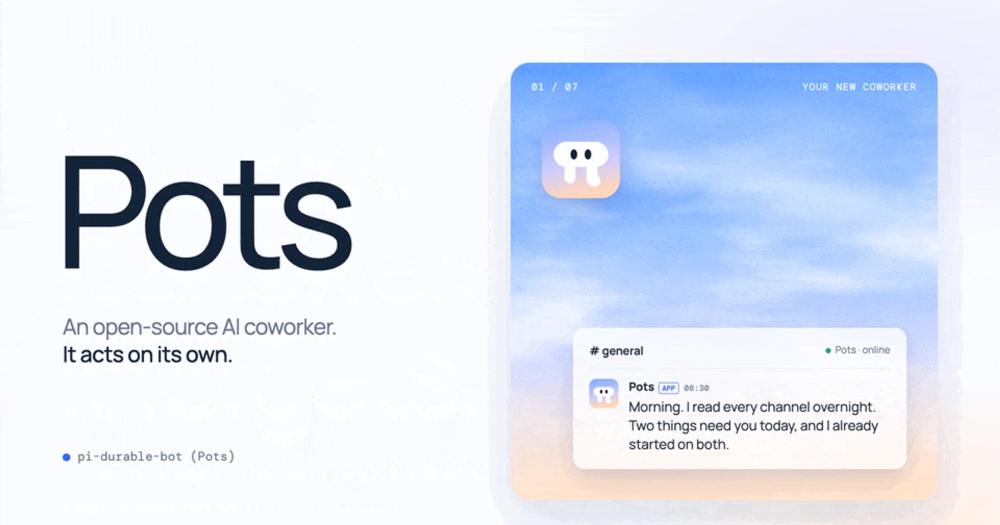
Run a self-hosted AI coworker that reads every channel, decides what matters, and acts on its own computer with any model.

Visit websiteGitHub23 starsDeploy on Hostinger
image of Pots
TL;DR

Pots is a self-hosted AI coworker that reads every channel you invite it to, decides what matters, and acts on its own computer with any AI model. It replaces closed managed products like Grok Bot and Viktor by running on your own machine with the model you choose, keeping your conversations and data local. MIT licensed under a TypeScript codebase, it installs with a single npm command on macOS, Linux, or Windows. Best for teams and developers who want an autonomous AI teammate without routing data through a third-party cloud.

Read the full breakdownHide the full breakdownWho it is for, how it works, trade-offs, the quick start and the FAQ
who it's for

Who Pots is for#

Teams running a self-hosted infrastructure stack

Teams that already self-host their tools and want an AI coworker that fits the same pattern: data stays local, they control the model, and the code is theirs to change. Pots installs on the same server or a small VM and connects to Slack or Discord without routing conversations to a third-party cloud.

Skip if:

Your team prefers a fully managed, zero-maintenance AI coworker and is comfortable with data leaving your infrastructure. Viktor or Grok Bot will get you running faster with no server to maintain.

Developers building chat-driven automation

Developers who want to wire an AI agent into Slack or Discord that can run scripts, monitor web pages on a schedule, file issues, send reports, or take actions in other tools. Pots can write and run the scripts it needs, spawn child agents for longer tasks, and use MCP servers for structured tool access.

Skip if:

The automation is fully contained in existing CI/CD pipelines or webhook workflows with no need for natural language reasoning or autonomous action.

Users with existing AI subscriptions

Users who already pay for Claude Pro, ChatGPT Plus, or similar subscriptions and want those credits to power a persistent AI coworker rather than a one-off chat session. Pots logs in with a subscription you already have and runs the model on your behalf through the same session.

Skip if:

You need enterprise-grade centralized model management, shared model credits across a large team, or cost controls per user.

Solo operators wanting a persistent AI assistant

Individuals who want an AI assistant that monitors communication channels, follows up on promises, sets its own reminders, and handles research tasks without being summoned each time. Pots checks in every two hours by default and can be given routines it runs on a schedule.

Skip if:

You want a simple chatbot you summon on demand rather than an autonomous agent with proactive behavior. The overhead of maintaining a dedicated machine is not worth it for occasional use.

the problem

The problem it solves#

Most AI bots in team chat wait for a mention, answer once, and have no channel-wide context. Teams that want a real AI teammate find that the bot cannot notice a relevant message unless someone tags it, cannot take real actions outside the chat window, and starts fresh each conversation with no memory of what came before.

Existing managed products that do more ask you to trust their cloud with your conversations, your model choice, and your deployment environment. They run on vendor infrastructure with vendor models and can only be extended through what the vendor exposes. For teams that need data ownership, model flexibility, or the ability to wire the agent into internal tools, managed products are a dead end.

how Pots solves it

How it solves it#

Ambient channel monitoring

Pots reads every message in every channel it is invited to, not just messages that mention it. Each incoming message, edit, deletion, reaction, and join event lands in a local SQLite log it queries for context. Nothing is thrown away when a conversation grows long, so the bot always has the full history.

Autonomous code execution on its own computer

The bot writes and runs JavaScript on the host machine for research, spreadsheets, filling web forms, monitoring pages, or running shell commands. It has a shell, files, the internet, and a browser with mouse and keyboard control. If a script breaks, it fixes it; if a script is useful, it keeps it.

Durable, crash-safe operation

Built on pi-durable, every step is journaled to disk before it is acknowledged. Kill the process mid-task and it continues after restart. Outgoing messages carry a send ID so the bot checks whether a message already went out before sending again, preventing duplicate sends after a crash.

Persistent memory across all channels

Each bot keeps a persistent memory in plain markdown files and an index (MEMORY.md), following the same pattern Claude Code uses. A background pass after each piece of work saves what matters, and a nightly pass tidies the files. Memory survives restarts, persists across all channels, and can be updated by talking to the bot.

Background child agents for longer tasks

When the bot has longer work, it uses its task tool to start child agents that run in the background with shell and browser access, without blocking the main chat. The bot answers the person first, hands work to a child, and stays free for new messages. The child reports back once when it finishes, also after crashes or restarts.

Multi-channel and multi-model support

Pots works across Slack, Discord, and Telegram today, with more channels supported through Chat SDK adapters. For models, you can log in with an existing subscription (ChatGPT, Claude, Grok, GitHub Copilot), use an API key from 40+ providers, or point it at a local model through Ollama, LM Studio, or llama.cpp.

strengths · trade-offs

Strengths and trade-offs#

Strengths

  • MIT license with no vendor dependencyPots is MIT licensed, so you can run it on your own infrastructure, modify the source, and use it commercially without restriction. Unlike Viktor or Grok Bot, there is no managed service fee, no account to sign up for, and no data leaving your machine if you pair it with a local model.
  • Any model provider, including localThe bot uses pi's model layer, which supports 40+ providers. You can log in with a subscription you already pay for (Claude, ChatGPT, Grok), use a direct API key, point at any OpenAI-compatible endpoint like vLLM, or run a local model with Ollama or LM Studio. With a local model and local judge, nothing leaves your machine.
  • Durable by design from the startBuilt on pi-durable, the journaled execution model means the bot never loses work to a crash, never sends the same message twice on Slack or Discord, and picks up background tasks where it left them after a restart. This is a core architectural choice, not a feature added later.
  • Extensible through open codeBecause the codebase is TypeScript and MIT licensed, you can add new channel adapters, modify how the judge works, wire in MCP servers for custom tools, or give the bot new capabilities without waiting for a vendor release. The bot also reads AGENTS.md and uses Agent Skills from the same places pi does.

Trade-offs

  • -Full machine access requires a dedicated hostPots gets full shell and screen access to the machine it runs on. The README explicitly warns that it should run on a computer or VM of its own, not on a shared development machine. This is not a configuration option; the bot can write files, run commands, and control the browser by design. Setting up a dedicated VM adds infrastructure overhead that a managed product does not.
  • -New project with a small communityThe repository was created on 2026-10-28 and had 23 stars as of the first week of November 2026. A small community means fewer ready-made adapters, less community documentation, fewer worked examples, and limited community support for edge cases. Early adopters should expect some rough edges and limited third-party resources.
  • -No approval step in the default configurationBy default, the bot acts on its own judgment without asking for confirmation before running code or taking actions. Teams that want a review step must configure the judge model carefully and potentially write custom gating logic. For use cases where every action must be audited before it runs, the defaults require adjustment.
versus alternatives

Pots vs alternatives#

Pots vs Grok Bot

Both tools give a team an autonomous AI agent that reads channel context and takes actions on a computer. Grok Bot runs on xAI's cloud with Grok as the model and an xAI-managed computer; Pots runs on your machine with the model you choose.

FeaturePotsGrok Bot
Source codeOpen, MITClosed
Where it runsYour server or VMxAI's cloud
ModelAny provider or local modelGrok only
DataStays on your machineSent to xAI
ChannelsSlack, Discord, TelegramMac, iOS, Slack for teams
PriceFree (self-hosted)Paid subscription

Pots is the better choice when data ownership, model selection, or infrastructure control matter. Grok Bot is worth considering if your team is already in xAI's ecosystem and wants a managed agentic product without server maintenance. The tradeoff is that your conversations and agent work happen on xAI's infrastructure with Grok as the only model.

Pots vs Viktor

Viktor is a managed AI coworker built natively into Slack that, according to its homepage, connects to 9,800+ tools. Both Pots and Viktor monitor Slack channels and take autonomous actions; the difference is deployment model and extensibility.

FeaturePotsViktor
Source codeOpen, MITClosed
DeploymentSelf-hostedManaged cloud
ChannelsSlack, Discord, TelegramSlack native
Model choiceAny providerManaged
IntegrationsMCP servers, custom scripts9,800+ tools (per its homepage)
PriceFree (self-hosted)Paid subscription

Viktor is the better fit when you need a large library of pre-built integrations and no infrastructure to manage. Pots is better when you need model flexibility, data ownership, or custom integrations the bot writes itself. Viktor's pre-built integrations cover the common cases out of the box; Pots covers custom cases by running code it writes itself.

install · quick start

Quick start#

bash
Install Pots globally with npm, then run the setup wizard to configure your bot.

```bash
npm install -g pi-durable-bot
pots init
```
tech stack · detected from GitHub

What it's built on#

Languages
JavaScriptTypeScript
frequently asked

FAQ#

What model providers does Pots support?

Pots uses pi's model layer, which supports 40+ providers. You can log in with an existing subscription (Claude, ChatGPT, Grok, GitHub Copilot, Kimi, and more), supply an API key directly, point at any OpenAI-compatible endpoint such as vLLM or SGLang, or run a local model through Ollama, LM Studio, or llama.cpp. If you use a local model for both the agent and the judge, no data leaves your machine.

What operating systems does Pots support?

Pots runs on macOS, Linux, and Windows (with Git for Windows installed). It requires Node.js 24 or newer. On macOS, the setup wizard walks you through granting Screen Recording and Accessibility permissions. On a Linux server with no desktop environment, it works without a screen.

How does Pots decide when to respond without being mentioned?

Every message in a channel Pots is in comes to it. By default, the bot reads each background message and decides whether to respond. For better efficiency, you can configure a judge model, such as TypeSafe's Jev or a local classifier, that screens messages before they reach the full agent. The judge looks at the bot's listed responsibilities and decides whether a message warrants waking the full agent.

What data does Pots store locally?

Pots keeps a local SQLite log of every message in every channel it is in, including messages it did not respond to. Its memory is stored as plain markdown files in its bot folder. Outgoing message IDs are stored so it can avoid sending duplicates after a restart. None of this data is sent anywhere by Pots itself; whether your AI model sends data to a third party depends on which provider you choose.

Can one Pots installation run multiple bots?

Yes. Pots can run several bots on one machine, each with its own name, persona, responsibilities, memory folder, and channel connections. A bot can also create new bots itself or edit its own definition. Screen access for browser and GUI tasks is shared; only one agent can hold the screen at once on Linux.

Looking for more

Other ways to replace Grok Bot and Viktor#

Hermes Agent

Featuredfor Grok Bot

Self-hosted AI agent: persistent memory, multi-channel chat, model choice.

261,524 GitHub starsVisit

OpenMausBot

#2 in the Grok Bot guide

Local-first agent team on your existing CLI subscriptions

17,251 GitHub stars

OpenBot

#3 in the Grok Bot guide

Per-agent isolation with a policy-gated audit trail

10,552 GitHub stars

openhuman

#4 in the Grok Bot guide

Memory, reach, and workflow orchestration

42,588 GitHub stars
All 13 Grok Bot alternatives8 open source Grok Bot alternatives, ranked
by category

Open source tools in these categories#

521

AI & Machine Learning

freeCodeCamp, REA (Reverse Engineer Anything), OpenClaw
160

Communication & Collaboration

iptv, freeCodeCamp, Excalidraw
291

Business & Productivity

OpenClaw, Excalidraw, RustDesk
Hostinger

Self-host Pots on a Hostinger VPS

Keep it running 24/7, even when your laptop is off. A Hostinger VPS gives it a server of its own.

  1. 01

    Choose a plan

    Starts from $6.49/mo

  2. 02

    Apply

    Extra 10% off yearly plans

  3. 03

    Install Pots

    On a server that stays on

  4. 04

    Start building

    Focus on the app, not the server

Deploy on Hostinger

Sponsors

Inbox Zero

Alternative toSuperhuman

AI email assistant that drafts replies and clears your inbox

  • 12,942 GitHub stars
  • AGPL-3.0Licence AGPL-3.0
  • #Email

rakazo

Alternative toGrok Bot

AI teammates you own: your keys, your model, your machine.

  • 7,478 GitHub stars
  • Apache-2.0Licence Apache-2.0
  • #AI Agents

SnitchFeed

Live monitoring on LinkedIn, X, Reddit & more. Agentic social listening for startups.

Marketing & Growth

Advertise your product

New open source projects by email

The projects we add and every new guide. Free, unsubscribe any time.

Find open source alternatives to paid software

/
  • Claude Code to OpenCode
  • Jira to Windshift
  • Notion to AppFlowy
  • Slack to Mattermost
  • Linear to GitLab
  • Wispr Flow to Handy
  • Arc to Zen Browser
  • CapCut to Concat
  • Grok Bot to rakazo
  • Superhuman to Inbox Zero
  • Airtable to AITable
  • Muse to OpenClaw
  • Railway to Coolify
  • GitHub Copilot to Cline
  • Datadog to Netdata
  • Confluence to Wiki.js
  • Microsoft Teams to Rocket.Chat
  • 1Password to KeePassXC
  • Firebase to Supabase
  • Pinecone to Qdrant
  • Zapier to n8n
  • Devin AI to OpenHands
  • Asana to Leantime
  • Contentful to Strapi
  • Claude Code to OpenCode
  • Jira to Windshift
  • Notion to AppFlowy
  • Slack to Mattermost
  • Linear to GitLab
  • Wispr Flow to Handy
  • Arc to Zen Browser
  • CapCut to Concat
  • Grok Bot to rakazo
  • Superhuman to Inbox Zero
  • Airtable to AITable
  • Muse to OpenClaw
  • Railway to Coolify
  • GitHub Copilot to Cline
  • Datadog to Netdata
  • Confluence to Wiki.js
  • Microsoft Teams to Rocket.Chat
  • 1Password to KeePassXC
  • Firebase to Supabase
  • Pinecone to Qdrant
  • Zapier to n8n
  • Devin AI to OpenHands
  • Asana to Leantime
  • Contentful to Strapi