

Open Source Alternatives
  • Alternatives
  • Categories
    Categories by size1,013 projects
    • Developer Tools517
    • AI & Machine Learning448
    • Business & Productivity232
    • Web Development203
    • Security & Monitoring151
    • Communication & Collaboration138
    • IT Management135
    • Cloud & Hosting119
    • LLMOps & AI Tooling116
    • Data & Analytics111
    Browse all 21 categoriesProduct & Project Management, Design & Creative and 9 more
  • Blog
  • Advertise
SearchNotion, Slack, password manager.../
Submit
Open Source Alternatives
  • Alternatives
    • Developer Tools517
    • AI & Machine Learning448
    • Business & Productivity232
    • Web Development203
    • Security & Monitoring151
    • Communication & Collaboration138
    • Browse all 21 categories
  • Blog
  • Advertise
Submit your project

New open source projects by email

The projects we add and every new guide. Free, unsubscribe any time.

Open Source Alternatives LogoOpen Source Alternatives

Handpicked Open Source Alternatives to Paid Softwares

Product

  • Categories
  • Tag
  • Advertise

Resources

  • Blog
  • Collection
  • Submit

Company

  • Privacy Policy
  • Terms of Service
  • Refund Policy
  • Sitemap

Alternatives

  • Claude Code
  • Jira
  • Notion
  • Slack
  • Linear
  • Wispr Flow
  • All alternatives
© 2026 Open Source Alternatives. All rights reserved.
Open SourceAlternatives
Home/Categories/DevOps & CI/CD/Self Host
icon of Self Host

Self Host

Open source alternative to Easypanel

  • 1.5K stars
  • Apache-2.0
  • Active this week
  • Last commit today

Last verified Nov 2, 2026

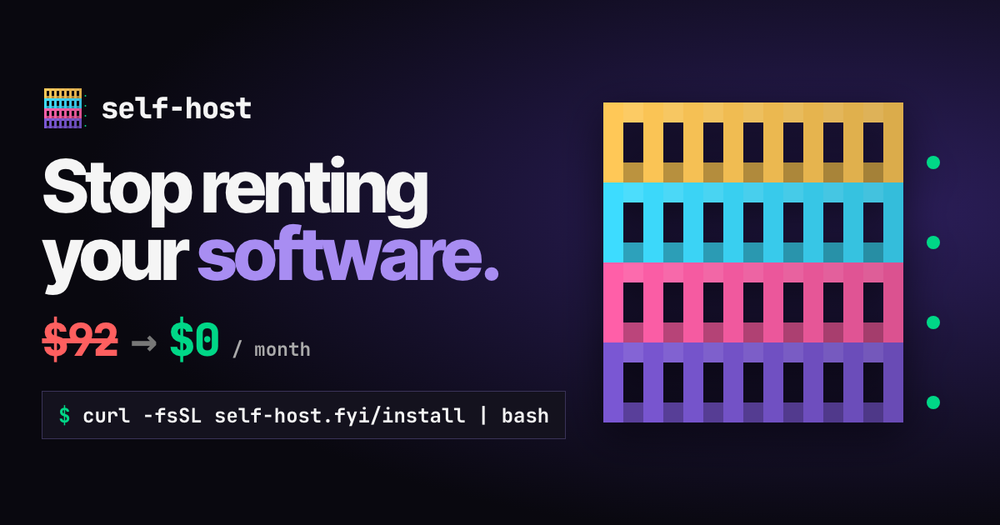
Deploy 93 self-hosted apps via one Go CLI binary with an inspect-plan-approve workflow, agent-ready JSON output, and no Docker YAML required.

Visit websiteGitHub1.5K starsDeploy on Hostinger
image of Self Host
TL;DR

Self Host is a Go CLI binary that installs 93 curated self-hosted apps on Linux, macOS, or WSL2 using Docker Compose, without requiring manual Compose files. It replaces paid container panels like Easypanel with an inspect-plan-approve workflow, automatic cross-app connections, and agent-ready JSON commands for Claude Code and similar tools. The binary is Apache-2.0 licensed and free for self-hosters. Best for homelab owners replacing cloud subscriptions and developers building AI agent workflows on a home server.

Read the full breakdownHide the full breakdownWho it is for, how it works, trade-offs, the quick start and the FAQ
who it's for

Who Self Host is for#

Homelab owners replacing SaaS subscriptions

A home server owner paying for Google Photos, 1Password, and Dropbox can replace them with Immich, Vaultwarden, and Nextcloud using `self-host install` for each. Self Host handles the Compose files, account creation where supported, and automatic cross-app wiring. The 93-app catalog covers the most common SaaS replacements in photos, files, passwords, media, and home automation.

Skip if:

You need a container management interface that supports arbitrary Docker images beyond the curated catalog. Self Host manages only the 93 apps in its catalog; anything outside it requires a separate Compose setup.

Developers building AI agent workflows on a home server

Claude Code, Codex, and other agents with command execution permission use `self-host skill install` to register the skill, then read host state with `self-host status --json`, plan installs, and apply them after your explicit confirmation. Exit codes 2 and 3 flag partial or manual-only setups for follow-up without ambiguity.

Skip if:

Your agent cannot run shell commands on the target machine. Self Host requires command execution permission on the computer hosting the apps; remote-only or sandboxed agents cannot use the CLI.

Privacy-focused users moving off cloud services

The catalog covers the most common privacy-first replacements: photos (Immich), files (Nextcloud), passwords (Vaultwarden), AI chat (Open WebUI on Ollama), and home automation (Home Assistant). Each installs with one command and stores data entirely on the user's own hardware, with no external accounts required for the default home-network access mode.

Skip if:

Your threat model requires fully offline or air-gapped operation. Cloudflare Tunnel and Tailscale access modes involve third-party routing, though both are opt-in. The default home-network-only mode involves no external services.

Developers evaluating homelab tooling before committing

The interactive demo at self-host.fyi shows the real catalog in a simulation with nothing installed. DCM (Docker Compose Maker), at self-host.fyi/compose, generates plain docker-compose.yaml and .env files you can review and deploy manually without the CLI binary if you prefer direct control over the Compose setup.

Skip if:

You need production-grade container orchestration for a multi-node cluster or a high-availability environment. Self Host targets home servers and homelabs and is maintained by one person; Kubernetes-based or enterprise cluster deployments need a different tool.

the problem

The problem it solves#

SaaS subscriptions for photos, files, passwords, and media cost money every month, and the data lives on someone else's servers under someone else's terms. When pricing changes, a feature disappears, or a service shuts down, migration is painful and data may be locked in a proprietary format.

The usual answer is to manage self-hosted apps by hand, which creates its own problems: writing Docker Compose YAML for each service, manually creating accounts and API keys, figuring out how to wire apps together, and keeping track of which ports and volumes each service uses. Most setups end up fragile, with half-configured services that break on the next reboot or after a Docker update.

how Self Host solves it

How it solves it#

93-app curated catalog with Compose definitions

Ships 93 self-hosted apps pre-defined in Go code, from Immich (photo backup) to Vaultwarden (passwords) to Jellyfin (media). Each app includes its Docker Compose definition, documented storage paths, and optional account setup. The catalog also includes 7 pre-wired Recipes, such as `media` (qBittorrent, Sonarr, Radarr, Prowlarr, Jellyfin, Seerr) that install as a single unit.

Inspect-plan-approve workflow

Every install runs five steps: inspect the host, choose apps and storage, show the plan, wait for your explicit approval, then apply and verify. The CLI writes nothing until you say yes. This applies to initial onboarding and to every Dashboard action that changes app state. Nothing installs silently.

Cross-app Links

After apps are installed, Self Host wires them together through Links. A media manager gets pointed at its downloader, Homarr receives native tiles for each running app, and Prometheus scrapes exporters from compatible services. The current catalog includes 58 links across 6 app groups, set up without any manual configuration.

Agent-ready JSON commands

Every terminal operation also works with `--json` output: structured documents for reads such as `self-host status --json` and newline-delimited events for writes such as `self-host install immich --yes --json`. Claude Code, Codex, OpenCode, Pi, Hermes Agent, and OpenClaw support the built-in skill via `self-host skill install`, which routes to the guide built into the binary.

Built-in backup and restore

`self-host backup --encrypt` archives app folders, host settings, state, and secrets with optional encryption. `self-host restore <archive>` reverses it, or restores a single named app. Media libraries and data outside app folders are not included in the backup, which the README documents explicitly as a scope decision.

Multiple access modes

Apps are reachable on the home network by default. Optional modes include Tailscale for private remote access, Cloudflare Tunnel with a login page for public access, Easy Names via a managed Caddy instance for local friendly URLs, and `self-host access export` for your own reverse proxy: SWAG, Pangolin, Nginx Proxy Manager, Traefik, or Caddy.

strengths · trade-offs

Strengths and trade-offs#

Strengths

  • Apache-2.0 license with no per-server costThe binary and all app definitions are Apache-2.0 licensed. You can run it on your own infrastructure, modify it, and use it commercially without licensing fees or restrictions. Unlike paid container management panels, there is no subscription tier, no per-server charge, and no hosted-only dependency.
  • Single Go binary, zero runtime dependenciesThe CLI is one Go binary that installs to `~/.local/bin`. No Node.js, Python, or Rust toolchain is needed to run it. It bundles the entire 93-app catalog, the Docker Compose definitions, and the TUI dashboard in one file. Install channels include curl, Homebrew, .deb/.rpm/.apk packages, and Docker.
  • Actively developed with 1,480 GitHub starsThe repo was created in March 2025 and last pushed on November 1, 2026, with 62 forks and only 6 open issues. New platform verifications are tracked with GitHub issue numbers in the README, indicating issues are being addressed rather than accumulating. The catalog reflects Go code that generates Compose files, so app definitions stay consistent with the binary.
  • Agent-native design from the startThe `--json` flag, the inspect-plan-approve protocol, structured exit codes (0 success, 1 error, 2 incomplete setup, 3 manual-only steps), and the `self-host skill install` command for agent discovery were built into the first release. The skill routes to the binary's own guide, so it stays in sync with the installed version without a separate update step.

Trade-offs

  • -Docker is a prerequisite, not installed for youSelf Host installs its own CLI binary and deploys nothing else without your action. Docker with the Compose v2 plugin must already be present and running on the host. On Linux, rootless Docker is supported; on macOS, OrbStack is the verified path. `self-host doctor` checks Docker access and flags missing prerequisites before any install proceeds.
  • -No native Windows supportSelf Host supports Linux, macOS, and WSL2. There is no native Windows binary. On WSL2, apps are accessible from Windows through localhost forwarding, as verified in the README. Users on a Windows-only machine need WSL2 set up before they can use Self Host.
  • -No version-to-version migration testingThe README explicitly states that update checks are not migration tests. When upgrading the CLI or an individual app, there is no documented guarantee of safe data migration between versions. Restoring a verified backup into an isolated project before upgrading is the documented best practice.
  • -Media libraries excluded from backupsBackups include app configuration, secrets, host settings, and state files. Large media directories such as Jellyfin libraries and Immich photo archives are not included and require a separate backup strategy outside Self Host. The README documents this explicitly as a scope decision, not a missing feature.
versus alternatives

Self Host vs alternatives#

Self Host vs Easypanel

Self Host and Easypanel both help you run Docker-based services on a server, but they take different approaches to the problem. Easypanel is a web-based control panel that manages containers through a GUI; Self Host is a CLI and TUI binary that ships a curated 93-app catalog with pre-wired app definitions and an agent-ready command interface.

FeatureSelf HostEasypanel
LicenseApache-2.0Proprietary
InterfaceCLI and TUI dashboardWeb-based GUI
App catalog93 curated apps with Compose definitionsSupports any Docker image
Agent integrationBuilt-in (--json, skill, structured exit codes)Not built-in
Self-hostingYes, single binaryYes, Docker-deployed panel
CostFree (Apache-2.0, no per-server fee)Paid/commercial
PlatformsLinux, macOS, WSL2Linux server

Self Host is the better choice when you want a homelab stack with automatic cross-app wiring, an agent-friendly workflow, or a command-line approach to managing a home server. The catalog covers the most popular self-hosted apps and configures them with working accounts and connections out of the box, without manual Compose editing.

Easypanel is the better fit when you need to deploy arbitrary Docker images outside the Self Host catalog, when you prefer a web GUI for container management, or when you are managing a general-purpose VPS rather than a dedicated homelab. Its web interface and broader container support make it more appropriate for server management that goes beyond the 93-app homelab scope.

install · quick start

Quick start#

bash
Self Host installs as a CLI binary on Linux, macOS, or WSL2; Docker with Compose v2 must already be running on the host.

```bash
curl -fsSL https://self-host.fyi/install | bash
```
tech stack · detected from GitHub

What it's built on#

Languages
GoJavaScriptPythonTypeScript
Frameworks
React
frequently asked

FAQ#

Does Self Host install Docker?

No. Self Host installs only its own CLI binary. Docker with the Compose v2 plugin must already be running on the host before any app can be deployed. Run self-host doctor after installing the binary to check Docker access and flag any missing requirements before running self-host install.

Can I use Self Host to install apps not in the 93-app catalog?

No. The catalog is fixed at 93 curated apps. For apps outside the catalog, use DCM at self-host.fyi/compose to generate a docker-compose.yaml file you can run manually with Docker Compose. Self Host manages only the apps defined in its catalog; the DCM browser tool handles the rest without the CLI binary.

Is Self Host free to use?

Yes. The binary and all app definitions are Apache-2.0 licensed with no paid tier, no hosted subscription, and no per-server charge. The source is at github.com/ajnart/self-host. Homebrew, package, and Docker installs all provide the same binary. The project is built and maintained by one person and is supported via GitHub Sponsors and Ko-fi.

How does Self Host work with AI agents like Claude Code?

Install Self Host normally, then run self-host skill install to register the skill with agents on the machine. Claude Code finds it as /self-host, Codex as $self-host. The agent follows the inspect-plan-approve workflow: it reads host state, proposes a plan, and waits for your explicit yes before any install runs. The --json flag gives agents structured output for parsing, and exit codes indicate partial or manual-only setups.

What happens when an app fails to set up correctly?

The CLI exits with code 2 (incomplete setup) or code 3 (only manual steps remain). Run self-host setup <app> to retry a failed setup, or self-host debug <app> --json to inspect the failure details. The README notes that a running container or HTTP 200 is not acceptance; the agent guide documents verifying that the app does its actual job, not just that its container started.

also worth a look

Similar open-source tools#

Herdr

Alternative toConductor

Agent runtime that keeps terminals alive across machines

  • 47,197 GitHub stars
  • Apache-2.0Licence Apache-2.0

ax

Alternative toGoogle Vertex AI Agent Engine

Declarative runtime for autonomous agent workloads

  • 14,422 GitHub stars
  • Apache-2.0Licence Apache-2.0

FckSignups

InCustomer Support

Open-source tools that work instantly, no signup required

  • 4,531 GitHub stars
  • GPL-3.0Licence GPL-3.0

agent-toolkit-for-aws

InAI & Machine Learning

Empower AI agents to build and manage AWS applications

  • 3,344 GitHub stars
  • Apache-2.0Licence Apache-2.0

Alchemy

Alternative toPulumi Cloud

Type-safe cloud infrastructure and app logic in one TypeScript program

  • 1,821 GitHub stars
  • Apache-2.0Licence Apache-2.0

Minimal

Alternative toChainguard Images

150 hardened container images, MIT-licensed, signed and rebuilt daily

  • 555 GitHub stars
  • MITLicence MIT
by category

Open source tools in these categories#

103

DevOps & CI/CD

Nvm, Uptime Kuma, Netdata
120

Cloud & Hosting

dify, RuView, rtk
450

AI & Machine Learning

freeCodeCamp, REA (Reverse Engineer Anything), OpenClaw
522

Developer Tools

REA (Reverse Engineer Anything), Skills for Real Engineers, superpowers
Hostinger

Self-host Self Host on a Hostinger VPS

Keep it running 24/7, even when your laptop is off. A Hostinger VPS gives it a server of its own.

  1. 01

    Choose a plan

    Starts from $6.49/mo

  2. 02

    Apply

    Extra 10% off yearly plans

  3. 03

    Install Self Host

    On a server that stays on

  4. 04

    Start building

    Focus on the app, not the server

Deploy on Hostinger

Sponsors

Inbox Zero

Alternative toSuperhuman

AI email assistant that drafts replies and clears your inbox

  • 12,855 GitHub stars
  • AGPL-3.0Licence AGPL-3.0
  • #Email

rakazo

Alternative toGrok Bot

AI teammates you own: your keys, your model, your machine.

  • 6,568 GitHub stars
  • Apache-2.0Licence Apache-2.0
  • #AI Agents

SnitchFeed

Live monitoring on LinkedIn, X, Reddit & more. Agentic social listening for startups.

Marketing & Growth

Advertise your product

New open source projects by email

The projects we add and every new guide. Free, unsubscribe any time.

Find open source alternatives to paid software

/
  • Claude Code to OpenCode
  • Jira to Windshift
  • Notion to AppFlowy
  • Slack to Mattermost
  • Linear to GitLab
  • Wispr Flow to Handy
  • Arc to Zen Browser
  • CapCut to Concat
  • Grok Bot to rakazo
  • Superhuman to Inbox Zero
  • Airtable to AITable
  • Muse to OpenClaw
  • Railway to Coolify
  • GitHub Copilot to Cline
  • Datadog to Netdata
  • Microsoft Teams to Rocket.Chat
  • Confluence to Docmost
  • Pinecone to Qdrant
  • Zapier to n8n
  • Devin AI to OpenHands
  • Firebase to Supabase
  • 1Password to KeePassXC
  • Contentful to Strapi
  • Adobe Premiere Pro to Shotcut
  • Claude Code to OpenCode
  • Jira to Windshift
  • Notion to AppFlowy
  • Slack to Mattermost
  • Linear to GitLab
  • Wispr Flow to Handy
  • Arc to Zen Browser
  • CapCut to Concat
  • Grok Bot to rakazo
  • Superhuman to Inbox Zero
  • Airtable to AITable
  • Muse to OpenClaw
  • Railway to Coolify
  • GitHub Copilot to Cline
  • Datadog to Netdata
  • Microsoft Teams to Rocket.Chat
  • Confluence to Docmost
  • Pinecone to Qdrant
  • Zapier to n8n
  • Devin AI to OpenHands
  • Firebase to Supabase
  • 1Password to KeePassXC
  • Contentful to Strapi
  • Adobe Premiere Pro to Shotcut