Open Source Alternatives
  • Alternatives
  • Categories
    Categories by size1,022 projects
    • Developer Tools524
    • AI & Machine Learning452
    • Business & Productivity235
    • Web Development203
    • Security & Monitoring152
    • Communication & Collaboration138
    • IT Management136
    • Cloud & Hosting120
    • LLMOps & AI Tooling117
    • Data & Analytics112
    Browse all 21 categoriesProduct & Project Management, Design & Creative and 9 more
  • Blog
  • Advertise
SearchNotion, Slack, password manager.../
Submit
Open Source Alternatives
  • Alternatives
    • Developer Tools524
    • AI & Machine Learning452
    • Business & Productivity235
    • Web Development203
    • Security & Monitoring152
    • Communication & Collaboration138
    • Browse all 21 categories
  • Blog
  • Advertise
Submit your project

New open source projects by email

The projects we add and every new guide. Free, unsubscribe any time.

Open Source Alternatives LogoOpen Source Alternatives

Handpicked Open Source Alternatives to Paid Softwares

Product

  • Categories
  • Tag
  • Advertise

Resources

  • Blog
  • Collection
  • Submit

Company

  • Privacy Policy
  • Terms of Service
  • Refund Policy
  • Sitemap

Alternatives

  • Claude Code
  • Jira
  • Notion
  • Slack
  • Linear
  • Wispr Flow
  • All alternatives
© 2026 Open Source Alternatives. All rights reserved.
Open SourceAlternatives
Home/Categories/AI & Machine Learning/AlysisCode
icon of AlysisCode

AlysisCode

Open source alternative to Cursor, GitHub Copilot, Claude Code and Devin

  • 198 stars
  • Apache-2.0
  • Active this week
  • Last commit today

Last verified Nov 3, 2026

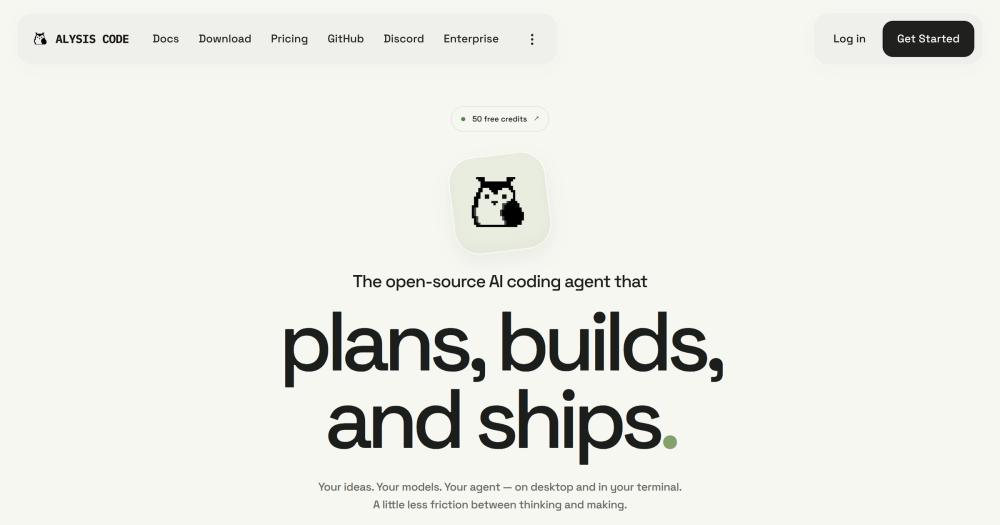
Build, research, and automate code changes with an open-source AI agent that runs on your own models and sandboxes every shell command by default.

Visit websiteGitHub198 stars
image of AlysisCode
TL;DR

AlysisCode is an Apache-2.0 licensed AI coding agent for terminal and desktop that replaces paid tools like Cursor, GitHub Copilot, Claude Code, and Devin. Every shell command runs in an OS-level sandbox by default, and you bring your own API key or local model instead of paying a per-seat subscription. Best for developers who need to run a capable coding agent against private codebases without routing code context through a third-party service.

Read the full breakdownHide the full breakdownWho it is for, how it works, trade-offs, the quick start and the FAQ
who it's for

Who AlysisCode is for#

Developers working on private or compliance-sensitive codebases

AlysisCode's sandbox and bring-your-own-key model mean your code does not leave your machine or your own API provider. Run it against proprietary code, internal tools, or anything a compliance team would flag for third-party data routing.

Skip if:

If your code is not sensitive and you want the full polish of a commercial tool with dedicated support, Cursor or GitHub Copilot may serve you better.

AI engineers who need to test multiple model providers

Swap between OpenAI, Anthropic, Gemini, DeepSeek, or a local Ollama model per task without changing tools. Route architecture planning to a long-context model and code generation to a faster one in the same session.

Skip if:

If you work exclusively with one provider and have no need to switch models, the multi-provider configuration adds overhead without payoff.

Developers who want local model support and offline capability

Point AlysisCode at Ollama, LM Studio, or vLLM and the agent runs entirely on your hardware. Every core coding capability (file reads, diffs, terminal, rollback) works without a network call. Web search is optional and can be skipped when offline.

Skip if:

If you need the best code-generation quality and are willing to pay for cloud API access, a local model will underperform compared to frontier models like GPT-4o or Claude Sonnet.

Teams adopting autonomous coding with explicit approval steps

Forge lets you set the goal and review the plan before anything runs. The permission model (readonly, review, auto, fullaccess) lets you keep human review in the loop at whatever level of automation you need. VS Code and JetBrains integrations keep the agent close to the editor.

Skip if:

If you need a fully autonomous agent that ships code to production without human review steps, a Devin-style cloud workflow is designed for that use case.

the problem

The problem it solves#

Paid AI coding assistants charge per seat every month, and all of them ship your code context to their own servers. When a pricing tier changes, when a model is deprecated, or when a compliance team flags data residency, you have no fallback except building from scratch.

The deeper issue is control. Most paid tools pick the model for you, sandbox nothing by default, and give the agent as much shell access as it wants. A single hallucinated command in a long coding session can delete a file or commit a breaking change without any review step in between.

how AlysisCode solves it

How it solves it#

OS-level sandbox on every shell command

Shell commands are isolated by the OS, not just the model: Seatbelt on macOS, Bubblewrap or Docker on Linux and WSL, and a native sandbox on Windows x64. Run `alysis sandbox doctor --smoke` to verify which sandbox mode is active. The model cannot instruct the agent to bypass it.

Any model, including local models via Ollama

Connect OpenAI, Anthropic, Gemini, DeepSeek, OpenRouter, xAI, or any OpenAI-compatible endpoint such as Ollama, LM Studio, or vLLM. Switch providers per task or mix models: a fast model for code edits, a slower one for architecture reviews. No API key is required for local models.

Forge: goal-to-task planner with per-step verification

Forge converts a high-level coding goal into a plan of dependent tasks, each with its own checks, before executing. You review the plan before any code changes land, and each task's result is verified before the next starts. Token-heavy by design; the README recommends starting with small goals.

Native desktop app for macOS and Windows

The macOS (.dmg) and Windows (.exe) app ships with the full engine and adds a Code view with diff reader, built-in terminal, and rollback checkpoints; a Work view for documents (Word, spreadsheets, PDFs); a scheduled tasks runner; and an embedded browser. No CLI or Python installation required.

Built-in web search without an API key

Any connected model can search the web using the agent's built-in search tool. No additional API key or browser extension is required beyond the base install. Works with local models running via Ollama or any OpenAI-compatible endpoint.

MCP servers, plugins, and editor integrations

Alysis supports MCP servers alongside its built-in toolset. Add custom skills, plugins, and hooks in the Customize view of the desktop app or via the CLI config. VS Code and JetBrains editor integrations are available as preview extensions in the repository.

strengths · trade-offs

Strengths and trade-offs#

Strengths

  • Apache-2.0 license with no hosted-service restrictionApache-2.0 allows you to use, modify, and distribute AlysisCode commercially, build products on top of it, and run it for internal teams with no restrictions. Unlike fair-code or source-available licenses used by some open source agents, you are not prohibited from offering it as a managed service. Attribution and license notices are required.
  • No per-seat subscription: pay your model provider directlyConnect your own OpenAI, Anthropic, or Gemini API key and credits go straight to the model, not a subscription markup. An Alysis account is optional (50 free credits every 30 days with no card required); local models via Ollama cost nothing to run.
  • Independent engine, not a fork of another agentAlysisCode is built from scratch: own engine, own toolset, and own desktop app. The sandbox model, permission system, and Forge planner were designed together rather than added on top of an existing architecture.
  • Actively maintained with very few open issuesThe repository's last push was November 2, 2026, and it was created in May 2026. At six months old, the project has 198 stars, 25 forks, and only 2 open issues (excluding pull requests), which indicates active maintenance and responsive triage.

Trade-offs

  • -No Linux desktop app; CLI only on LinuxThe desktop app ships for macOS and Windows only. Linux users get the full CLI with sandbox support (Bubblewrap or Docker), but the Code view, Work view, browser integration, and scheduled tasks runner are not available. The README states there is no Linux build yet.
  • -Young project at six months with 198 starsAlysisCode was created in May 2026. At under 200 stars, the community is small compared to more established coding agents. The plugin ecosystem is early-stage; the JetBrains extension is listed as preview, and the VS Code extension is also labeled preview.
  • -Forge uses significantly more tokens than a direct taskThe README warns to start small with Forge. Each step in a plan requires model calls for planning, execution, and verification. For developers on metered API keys, complex Forge runs can consume a notable amount of credits before the first code change lands.
versus alternatives

AlysisCode vs alternatives#

AlysisCode vs Cursor

Cursor is an IDE built for AI-assisted coding; AlysisCode is an independent agent that runs from the terminal or a standalone desktop app without requiring any specific editor.

FeatureAlysisCodeCursor
LicenseApache-2.0Proprietary
Self-hostingYesNo
Model providersAny (OpenAI, Anthropic, Gemini, local)Proprietary
Editor dependencyNoneCursor IDE required
Shell sandboxOS-level by defaultNot included
Forge plannerYesNo

AlysisCode is the better choice when you want model freedom, an OS-level sandbox, or the ability to run the agent from a terminal or desktop app without a specific IDE. Cursor is the better choice for developers who prioritize inline AI suggestions tightly integrated with an IDE-level editor experience.

AlysisCode vs GitHub Copilot

GitHub Copilot is primarily a code completion and chat tool embedded in editors. AlysisCode is an agentic tool that plans and executes multi-step code changes with verified task outputs and a sandboxed shell.

FeatureAlysisCodeGitHub Copilot
LicenseApache-2.0Proprietary
Self-hostingYesNo
Agent vs completionFull agent (plans, runs commands)Inline completion and chat
Local model supportYesNo
OS sandboxYesNo

AlysisCode is the better choice for developers who need an agent to execute and verify multi-step code changes, run shell commands in a sandbox, or work with local models. GitHub Copilot is a better fit when you want fast inline completions in your existing editor without managing a separate agent runtime.

AlysisCode vs Claude Code

Both are terminal-based AI coding agents that support Anthropic models and MCP servers. Claude Code is Anthropic's own product; AlysisCode is independently built with Apache-2.0 and supports any OpenAI-compatible model.

FeatureAlysisCodeClaude Code
LicenseApache-2.0Proprietary
Self-hostingYesNo
Model providersAny (OpenAI, Anthropic, Gemini, local)Anthropic API or Claude subscription
Desktop appYes (macOS, Windows)No
Forge plannerYesNo
Built-in web searchYesNo

AlysisCode is the better choice when you want to use non-Anthropic models, run the agent in a desktop app, or need Forge-style task planning with per-step verification. Claude Code is worth considering for developers who already have an Anthropic API key and want the first-party agent experience with no additional installation.

install · quick start

Quick start#

bash
Install the CLI with the one-line installer for macOS, Linux, and WSL, or via uv or pipx if you have Python 3.11+.

```bash
# macOS, Linux and WSL
curl -LsSf https://raw.githubusercontent.com/AlysisAi/AlysisCode/main/scripts/install.sh | sh

# Windows (PowerShell)
irm https://raw.githubusercontent.com/AlysisAi/AlysisCode/main/scripts/install.ps1 | iex

# Python package managers (Python 3.11+)
uv tool install alysis-code
pipx install alysis-code
```
tech stack · detected from GitHub

What it's built on#

Languages
JavaScriptPythonTypeScript
Frameworks
FastAPI
Tooling
esbuild
frequently asked

FAQ#

Does AlysisCode require an Alysis account?

No. Connect your own API key from any supported provider (OpenAI, Anthropic, Gemini, DeepSeek, and others) or point it at a local model with no account needed. An Alysis account is optional and gives you 50 free credits every 30 days with no credit card required.

Is AlysisCode sandboxed, and what does that mean in practice?

Yes. Shell commands run in an OS-level sandbox: Seatbelt on macOS, Bubblewrap or Docker on Linux and WSL, and a native sandbox on Windows x64. This is enforced outside the model layer, so the agent cannot instruct its way around it. Run alysis sandbox doctor --smoke to confirm the sandbox is active on your machine.

What is Forge and when should I use it?

Forge takes a high-level goal and breaks it into a reviewed plan of dependent tasks, each verified before the next starts. Use it for changes that span multiple files or require a sequence of decisions. The README recommends starting with small goals because each planning and verification step consumes additional tokens.

Does AlysisCode work on Linux?

The CLI works on Linux and WSL with full sandbox support (Bubblewrap or Docker). The desktop app is not available for Linux yet; only macOS (.dmg) and Windows (.exe) builds ship. There is no announced timeline for a Linux desktop build in the README.

How does AlysisCode compare to Claude Code?

Both are terminal-based AI coding agents that support Anthropic's Claude models and MCP servers. Claude Code is Anthropic's own product and requires an Anthropic API key or Claude subscription. AlysisCode is Apache-2.0 licensed, independently built, and supports any model provider (OpenAI, Gemini, DeepSeek, local models, and others). It adds a desktop app, Forge planner, built-in web search, computer use, and an OS-level sandbox as first-class features.

Looking for more

Other ways to replace Cursor, GitHub Copilot, Claude Code and Devin#

OpenCode

#1 in the Claude Code guide

Broad provider and model choice in a terminal-first client, MIT-licensed with AGENTS.md instructions

223,829 GitHub stars

oh-my-pi

#2 in the Claude Code guide

Direct Claude configuration inheritance with Anthropic subscription support

37,418 GitHub stars

kilocode

#3 in the Claude Code guide

Documented Claude transcript import with IDE and CLI surfaces

27,828 GitHub stars

Goose

#4 in the Claude Code guide

ACP subscription bridge that reuses an existing Claude Code or ChatGPT subscription

56,088 GitHub stars
All 23 Claude Code alternatives10 open source Claude Code alternatives, ranked
by category

Open source tools in these categories#

453

AI & Machine Learning

freeCodeCamp, REA (Reverse Engineer Anything), OpenClaw
525

Developer Tools

REA (Reverse Engineer Anything), superpowers, Skills for Real Engineers

Sponsors

Inbox Zero

Alternative toSuperhuman

AI email assistant that drafts replies and clears your inbox

  • 12,889 GitHub stars
  • AGPL-3.0Licence AGPL-3.0
  • #Email

rakazo

Alternative toGrok Bot

AI teammates you own: your keys, your model, your machine.

  • 6,568 GitHub stars
  • Apache-2.0Licence Apache-2.0
  • #AI Agents

SnitchFeed

Live monitoring on LinkedIn, X, Reddit & more. Agentic social listening for startups.

Marketing & Growth

Advertise your product

New open source projects by email

The projects we add and every new guide. Free, unsubscribe any time.

Find open source alternatives to paid software

/
  • Claude Code to OpenCode
  • Jira to Windshift
  • Notion to AppFlowy
  • Slack to Mattermost
  • Linear to GitLab
  • Wispr Flow to Handy
  • Arc to Zen Browser
  • CapCut to Concat
  • Grok Bot to rakazo
  • Superhuman to Inbox Zero
  • Airtable to AITable
  • Muse to OpenClaw
  • Railway to Coolify
  • GitHub Copilot to Cline
  • Datadog to Netdata
  • Microsoft Teams to Rocket.Chat
  • Confluence to Docmost
  • Pinecone to Qdrant
  • Zapier to n8n
  • Devin AI to OpenHands
  • Firebase to Supabase
  • 1Password to KeePassXC
  • Contentful to Strapi
  • Adobe Premiere Pro to Shotcut
  • Claude Code to OpenCode
  • Jira to Windshift
  • Notion to AppFlowy
  • Slack to Mattermost
  • Linear to GitLab
  • Wispr Flow to Handy
  • Arc to Zen Browser
  • CapCut to Concat
  • Grok Bot to rakazo
  • Superhuman to Inbox Zero
  • Airtable to AITable
  • Muse to OpenClaw
  • Railway to Coolify
  • GitHub Copilot to Cline
  • Datadog to Netdata
  • Microsoft Teams to Rocket.Chat
  • Confluence to Docmost
  • Pinecone to Qdrant
  • Zapier to n8n
  • Devin AI to OpenHands
  • Firebase to Supabase
  • 1Password to KeePassXC
  • Contentful to Strapi
  • Adobe Premiere Pro to Shotcut