Open Source Alternatives
  • Alternatives
  • Categories
    Categories by size1,046 projects
    • Developer Tools532
    • AI & Machine Learning460
    • Business & Productivity244
    • Web Development204
    • Security & Monitoring157
    • Communication & Collaboration141
    • IT Management139
    • Cloud & Hosting122
    • LLMOps & AI Tooling120
    • Data & Analytics113
    Browse all 21 categoriesDesign & Creative, Product & Project Management and 9 more
  • Blog
  • Advertise
SearchNotion, Slack, password manager.../
Submit
Open Source Alternatives
  • Alternatives
    • Developer Tools532
    • AI & Machine Learning460
    • Business & Productivity244
    • Web Development204
    • Security & Monitoring157
    • Communication & Collaboration141
    • Browse all 21 categories
  • Blog
  • Advertise
Submit your project

New open source projects by email

The projects we add and every new guide. Free, unsubscribe any time.

Open Source Alternatives LogoOpen Source Alternatives

Handpicked Open Source Alternatives to Paid Softwares

Product

  • Categories
  • Tag
  • Advertise

Resources

  • Blog
  • Collection
  • Submit

Company

  • Privacy Policy
  • Terms of Service
  • Refund Policy
  • Sitemap

Alternatives

  • Claude Code
  • Jira
  • Notion
  • Slack
  • Linear
  • Wispr Flow
  • All alternatives
© 2026 Open Source Alternatives. All rights reserved.
Open SourceAlternatives
Home/Categories/Business & Productivity/Audiobookshelf
icon of Audiobookshelf

Audiobookshelf

Open source alternative to Audible

  • 14.9K stars
  • GPL-3.0
  • Active this week
  • Last commit today

Last verified Nov 4, 2026

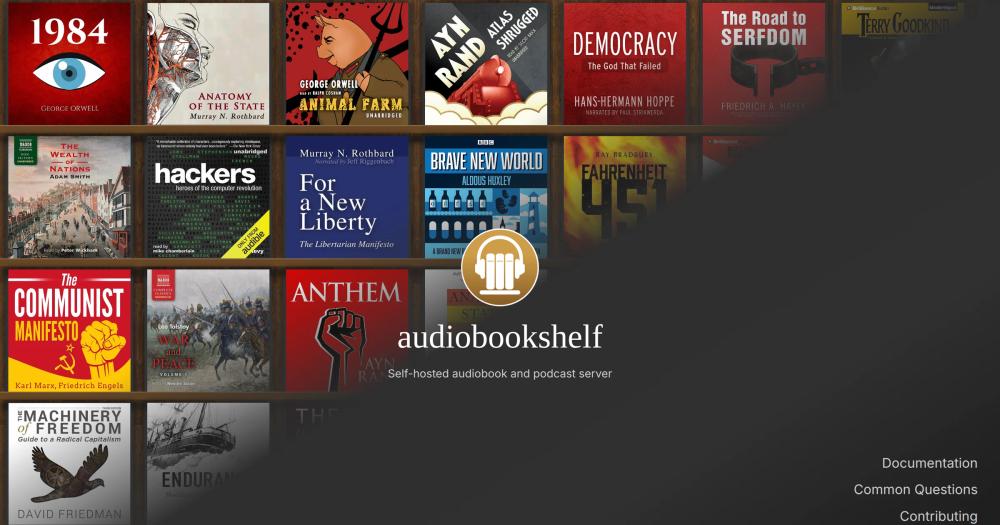
Host your audiobook and podcast library on your own server with per-user progress tracking, multi-format streaming, and mobile apps.

Visit websiteGitHub14.9K starsDeploy on Hostinger
image of Audiobookshelf
TL;DR

Audiobookshelf is a GPL-3.0 self-hosted server for audiobooks and podcasts that replaces subscriptions like Audible with a library you own and host. It streams all audio formats on demand, tracks listening progress per user, and syncs across the web app and native mobile apps. Best for home server operators who have an existing audio collection and want a multi-user streaming setup without ongoing subscription fees.

Read the full breakdownHide the full breakdownWho it is for, how it works, trade-offs and the FAQ
who it's for

Who Audiobookshelf is for#

Home server operators with a local audiobook collection

You have folders of mp3 and m4b files and want a streaming server that organizes them, fetches metadata, and serves them to your phone or browser. Audiobookshelf indexes your directory structure, handles format streaming, and tracks where you stopped.

Skip if:

You do not own the audio files and want an integrated store with purchasing built in. Audiobookshelf manages files you already have; it is not a bookstore.

Families sharing one library with separate progress per user

Multi-user support with custom permissions means each family member gets their own listening history, bookmarks, and queue on the same server. No shared account confusion or overwritten progress.

Skip if:

You need DRM-protected content from a purchased Audible subscription. Audiobookshelf cannot play DRM-locked files, so your Audible purchases stay in the Audible app.

Podcast listeners building a local archive

Subscribe to podcasts, configure auto-download rules, and build a local archive with no dependency on third-party hosts staying online. The RSS export lets you share feeds or import them into other apps.

Skip if:

You primarily listen to live or time-sensitive podcasts and do not need a local archive. A hosted podcast app is simpler for that workflow.

Privacy-conscious listeners avoiding cloud tracking

Your listening history, progress, and queue state live on your own server. No third-party analytics, no cross-device tracking by a commercial platform, and no account required on external services for core functionality.

Skip if:

You need social features like shared playlists or activity feeds visible to others. Audiobookshelf is a personal and family server, not a social listening platform.

the problem

The problem it solves#

Most audiobook and podcast listeners pay for access they do not own. Subscription platforms like Audible bundle the content store with the streaming layer, which means your library, your progress, and your listening history all live on a server you do not control. Cancel or switch services and you start over.

Podcast apps add a second layer of this problem: sync, history, and queue state live in cloud accounts tied to platforms that change business models, shut down, or sell user data. Listeners who prefer to manage their own files and progress have historically had no good self-hosted option that matched the polish of commercial apps.

how Audiobookshelf solves it

How it solves it#

Multi-format audio streaming

Streams all audio formats on the fly without pre-conversion, including mp3, m4b, m4a, ogg, flac, aac, and more. No transcoding setup is required from the user; the server handles format compatibility at playback time for the web app and mobile clients.

Per-user progress sync across devices

Tracks listening position independently for each user account on the server. Progress syncs across the web app, Android app, and iOS app so you can switch devices mid-chapter without losing your place. Each user has separate bookmarks, history, and queue.

Podcast management with auto-download

Search and subscribe to podcasts, download episodes automatically on a configurable schedule, and generate open RSS feeds for any audiobook or podcast library. Episode management and auto-download rules are configurable per feed.

Chapter editor and metadata fetching

Edit or look up chapter markers using the Audnexus API, fetch cover art and metadata from multiple sources, and embed metadata and cover images directly into audio files. Multiple audio files can be merged into a single m4b.

Mobile apps with Chromecast support

Android and iOS apps connect to your self-hosted instance for mobile playback and progress sync. Both apps are fully open source under GPL-3.0. Chromecast support in the web and Android apps enables streaming to a TV or speaker without a separate device.

Ebook reader and Kindle send

Basic ebook support handles epub, pdf, cbr, and cbz formats in an in-browser reader. Kindle users can send ebooks directly from the library to their device without a separate app or file transfer workflow.

strengths · trade-offs

Strengths and trade-offs#

Strengths

  • Fully open source, including mobile appsBoth the server and the companion apps for Android and iOS are open source under GPL-3.0. No closed-source sync layer, no premium tier, and no reliance on a third-party cloud; the full stack from server to phone runs on code you can inspect and self-host.
  • No library or storage limitsYour library size is bounded only by your storage capacity. Unlike Audible's credit system or cloud library caps, you own the files and the server, so there is no imposed limit on how many audiobooks or podcast episodes you can hold.
  • Active project with 14,911 GitHub starsWith 14,911 stars, 1,240 forks, and a push as recent as November 2026, Audiobookshelf has an active maintainer and contributor community. The project has been in continuous development since August 2021.
  • Multi-user support with custom permissionsAdd multiple accounts to a single server with per-user progress, custom library access, and permissions controls. One server instance serves an entire household without mixing progress histories or requiring separate accounts on external services.

Trade-offs

  • -iOS app is in public beta with a tester capThe iOS app is in TestFlight beta and is currently at the 10,000-tester limit. New iOS users cannot join the beta immediately; updates on availability are posted in the project's Discord. Android users are unaffected.
  • -Frontend rewrite in progressThe Vue.js frontend is being migrated to React. During this transition, frontend pull requests for the existing Vue interface are not being reviewed or merged, which delays some community contributions and may hold back UI improvements.
  • -1,025 open GitHub issuesWith 1,025 open issues, the project carries a backlog of reported bugs and feature requests. This is a real-world signal for self-hosters; some edge cases or less common formats may hit known bugs before a fix ships.
  • -Self-hosting requires Docker and reverse proxy setupRunning Audiobookshelf requires Docker and a reverse proxy with WebSocket support for remote access. This is not a one-click install; users need basic server administration knowledge to configure nginx or Traefik and maintain the deployment.
versus alternatives

Audiobookshelf vs alternatives#

Audiobookshelf vs Audible

Audiobookshelf and Audible address the same core need: delivering audiobooks to listeners. The key difference is ownership. Audible is a subscription store where Amazon owns the infrastructure; Audiobookshelf is a self-hosted server where you own the library.

FeatureAudiobookshelfAudible
LicenseGPL-3.0Proprietary
Self-hostingYesNo
Content storeNo (bring your own files)Yes
DRMNoneYes
PricingFree (self-hosted)Subscription required

Audiobookshelf is the better choice when you own DRM-free audio files, want to self-host your library on your own infrastructure, need multi-user support for a household, or want podcast and ebook management alongside audiobooks in a single app. The GPL-3.0 license means no subscription fees, no per-book credits, and no dependency on Amazon's service continuity.

Audible makes more sense if you want access to its catalog and the tight integration between its store, library, and player across Amazon's device ecosystem. Audiobookshelf cannot serve DRM-protected Audible purchases, so the two are not interchangeable for buyers who actively purchase through Audible's store.

The core decision is whether your library lives in files you own. If yes, Audiobookshelf provides a richer self-hosted experience with no ongoing cost. For collections built primarily through Audible purchases, those books remain in Audible's ecosystem unless acquired elsewhere.

tech stack · detected from GitHub

What it's built on#

Languages
JavaScript
Frameworks
ExpressNuxt
Databases
SQLite
frequently asked

FAQ#

Does Audiobookshelf work with Audible books?

Audiobookshelf plays DRM-free audio files. Audible books purchased through Amazon use Audible's proprietary DRM and cannot be played in Audiobookshelf without first removing the DRM, which may not be legal in your jurisdiction. DRM-free audiobooks from other stores work without issue.

Is there a mobile app for Audiobookshelf?

Yes. Android and iOS apps are available, both currently in public beta. The Android app is on the Google Play Store. The iOS TestFlight beta is currently at the 10,000-tester cap; new testers should check the project's Discord for availability updates. Both apps are fully open source under GPL-3.0 and connect to your self-hosted server.

How do I install Audiobookshelf?

Audiobookshelf is installed via Docker using the official image. Full installation documentation is at audiobookshelf.org/docs/category/installation and covers Docker and other deployment methods. For remote access you will also need a reverse proxy (nginx, Traefik, or Caddy) with WebSocket support enabled.

Can multiple users share one Audiobookshelf server?

Yes. Audiobookshelf supports multiple user accounts with custom permissions and separate progress tracking per user. Each user's listening history, bookmarks, and queue are independent, so sharing a server with family members does not mix listening histories.

What audio formats does Audiobookshelf support?

Audiobookshelf streams all major audio formats on the fly without pre-conversion, including mp3, m4b, m4a, ogg, flac, opus, and aac. The server handles format compatibility at playback time, so there is no need to transcode your library before importing it.

also worth a look

Similar open-source tools#

CleanYourTV

Featured

Alternative toATV Launcher Pro

Debloat any Android or Google TV over Wi-Fi and get an Apple TV-style home.

  • 51,495 GitHub stars
  • MIT LicenseLicence MIT License

OpenClaw

Featured

Alternative toMuse

Self-hosted AI assistant for WhatsApp, Telegram, and more

  • 393,917 GitHub stars
  • MITLicence MIT

Inbox Zero

Featured

Alternative toSuperhuman

AI email assistant that drafts replies and clears your inbox

  • 12,889 GitHub stars
  • AGPL-3.0Licence AGPL-3.0

rakazo

Featured

Alternative toGrok Bot

AI teammates you own: your keys, your model, your machine.

  • 6,568 GitHub stars
  • Apache-2.0Licence Apache-2.0

paperclip

Featured

Alternative toGrok Bot

Self-hosted AI agent management with org charts and budgets

  • 109,899 GitHub stars
  • MITLicence MIT

BentoPDF

Alternative toSmallpdf

Browser-based PDF toolkit with 100+ tools, zero uploads, no signup.

  • 16,250 GitHub stars
  • AGPL-3.0Licence AGPL-3.0
by category

Open source tools in these categories#

244

Business & Productivity

OpenClaw, Excalidraw, RustDesk
Hostinger

Self-host Audiobookshelf on a Hostinger VPS

Keep it running 24/7, even when your laptop is off. A Hostinger VPS gives it a server of its own.

  1. 01

    Choose a plan

    Starts from $6.49/mo

  2. 02

    Apply

    Extra 10% off yearly plans

  3. 03

    Install Audiobookshelf

    On a server that stays on

  4. 04

    Start building

    Focus on the app, not the server

Deploy on Hostinger

Sponsors

Inbox Zero

Alternative toSuperhuman

AI email assistant that drafts replies and clears your inbox

  • 12,889 GitHub stars
  • AGPL-3.0Licence AGPL-3.0
  • #Email

rakazo

Alternative toGrok Bot

AI teammates you own: your keys, your model, your machine.

  • 6,568 GitHub stars
  • Apache-2.0Licence Apache-2.0
  • #AI Agents

SnitchFeed

Live monitoring on LinkedIn, X, Reddit & more. Agentic social listening for startups.

Marketing & Growth

Advertise your product

New open source projects by email

The projects we add and every new guide. Free, unsubscribe any time.

Find open source alternatives to paid software

/
  • Claude Code to OpenCode
  • Jira to Windshift
  • Notion to AppFlowy
  • Slack to Mattermost
  • Linear to GitLab
  • Wispr Flow to Handy
  • Arc to Zen Browser
  • CapCut to Concat
  • Grok Bot to rakazo
  • Superhuman to Inbox Zero
  • Airtable to AITable
  • Muse to OpenClaw
  • Railway to Coolify
  • GitHub Copilot to Cline
  • Datadog to Netdata
  • Microsoft Teams to Rocket.Chat
  • Confluence to Docmost
  • Pinecone to Qdrant
  • Zapier to n8n
  • Devin AI to OpenHands
  • Firebase to Supabase
  • 1Password to KeePassXC
  • Contentful to Strapi
  • Adobe Premiere Pro to Shotcut
  • Claude Code to OpenCode
  • Jira to Windshift
  • Notion to AppFlowy
  • Slack to Mattermost
  • Linear to GitLab
  • Wispr Flow to Handy
  • Arc to Zen Browser
  • CapCut to Concat
  • Grok Bot to rakazo
  • Superhuman to Inbox Zero
  • Airtable to AITable
  • Muse to OpenClaw
  • Railway to Coolify
  • GitHub Copilot to Cline
  • Datadog to Netdata
  • Microsoft Teams to Rocket.Chat
  • Confluence to Docmost
  • Pinecone to Qdrant
  • Zapier to n8n
  • Devin AI to OpenHands
  • Firebase to Supabase
  • 1Password to KeePassXC
  • Contentful to Strapi
  • Adobe Premiere Pro to Shotcut