Open Source Alternatives
  • Alternatives
  • Categories
    Categories by size933 projects
    • Developer Tools481
    • AI & Machine Learning417
    • Business & Productivity205
    • Web Development199
    • Security & Monitoring137
    • Communication & Collaboration129
    • IT Management128
    • Cloud & Hosting111
    • Data & Analytics108
    • Design & Creative106
    Browse all 21 categoriesProduct & Project Management, LLMOps & AI Tooling and 9 more
  • Blog
  • Advertise
SearchNotion, Slack, password manager.../
Submit
Open Source Alternatives
  • Alternatives
    • Developer Tools481
    • AI & Machine Learning417
    • Business & Productivity205
    • Web Development199
    • Security & Monitoring137
    • Communication & Collaboration129
    • Browse all 21 categories
  • Blog
  • Advertise
Submit your project

New open source projects by email

The projects we add and every new guide. Free, unsubscribe any time.

Open Source Alternatives LogoOpen Source Alternatives

Handpicked Open Source Alternatives to Paid Softwares

Product

  • Categories
  • Tag
  • Advertise

Resources

  • Blog
  • Collection
  • Submit

Company

  • Privacy Policy
  • Terms of Service
  • Refund Policy
  • Sitemap

Alternatives

  • Claude Code
  • Jira
  • Notion
  • Slack
  • Linear
  • Wispr Flow
  • All alternatives
© 2026 Open Source Alternatives. All rights reserved.
Open SourceAlternatives
Home/Categories/Business & Productivity/Dirwise
icon of Dirwise

Dirwise

Open source alternative to Directory Opus, XYplorer, OneCommander and Total Commander

  • 3 stars
  • MIT
  • Active this week
  • Last commit today

Last verified Oct 27, 2026

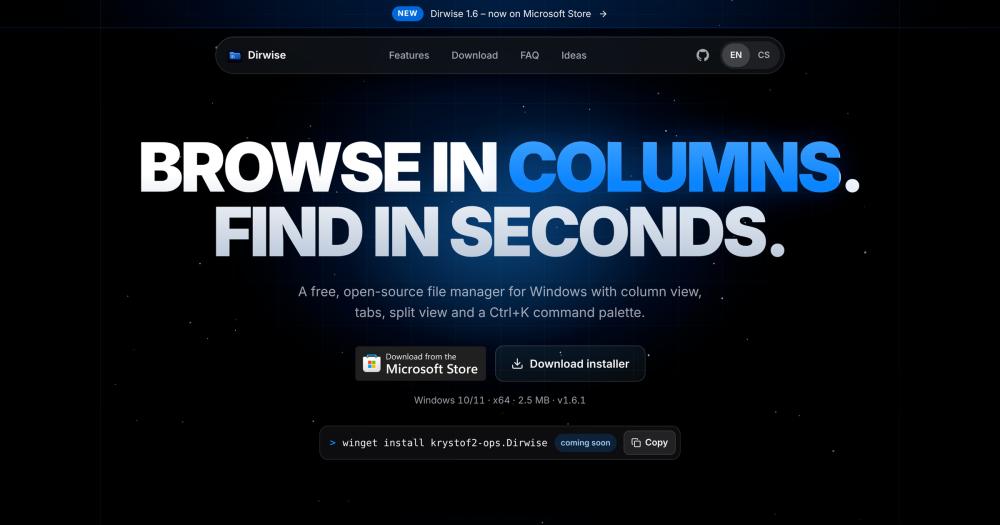
Manage files on Windows 10 and 11 with a column view, Ctrl+K command palette, tabs, split view, and instant preview. MIT licensed.

Visit websiteGitHub3 stars
image of Dirwise
TL;DR

Dirwise is a free, MIT-licensed file manager for Windows 10 and 11 that replaces Windows File Explorer's flat browsing with Miller columns, tabs, split view, and a Ctrl+K command palette. It is a keyboard-first alternative to paid file managers including Directory Opus and Total Commander. Dirwise installs per user without admin rights, collects no telemetry, and uses no cloud account. Best for Windows power users who navigate files by keyboard and want column view and split panels in an open source tool.

Read the full breakdownHide the full breakdownWho it is for, how it works, trade-offs and the FAQ
who it's for

Who Dirwise is for#

Power users managing deep project directories

Column view lets you navigate several directory levels simultaneously without switching windows. The Ctrl+K command palette lets you jump to any path or folder directly. Undo covers renames, moves, and copies, reducing the cost of reorganizing files.

Skip if:

Dirwise is Windows-only. If you work across Windows, macOS, and Linux regularly, a cross-platform file manager would better fit your workflow.

Developers moving files between project folders

Split view with F5/F6 copy and move shortcuts makes transferring build artifacts, assets, or config files between two directories fast without dragging. Terminals (PowerShell 7 and Windows PowerShell) open in the current folder from More > Terminal.

Skip if:

If your workflow is primarily in the terminal, a terminal file manager or shell aliases may be more efficient than a GUI application.

Windows users considering a paid file manager

Dirwise provides the column view, split panels, and command palette that are the core reasons users pay for tools like Directory Opus or Total Commander. It is free and MIT licensed, with no subscription or one-time purchase.

Skip if:

If you depend on features your current paid file manager provides that are not yet in Dirwise (such as FTP access, archive management inside the app, or scripting), switching may not be practical at this stage.

the problem

The problem it solves#

Windows File Explorer handles basic file browsing, but it provides no column view for navigating folder hierarchies, no command palette for quick access to folders and actions, and no built-in split view for copying files between two locations. Users who move files regularly, manage deep project directories, or work with multiple destinations in parallel find themselves opening multiple Explorer windows and manually dragging between them.

For keyboard-driven workflows, the gap is clear: the navigation shortcuts and views that make file management fast are simply not part of File Explorer. Paid Windows file managers have addressed this space, but at a cost and without open source code.

how Dirwise solves it

How it solves it#

Column view with preview pane

Displays folder trees in Miller columns: each column shows one directory level, and selecting a folder opens the next column to its right. A preview panel shows file details, image thumbnails, and metadata for the selected item so you can inspect files without opening them.

Ctrl+K command palette

Opens a searchable palette listing folders (Quick access, recent, open tabs, subfolders), actions, and tags. Type a path or a tilde to jump there directly. Press Ctrl+Enter to search files in the current folder. Frequently used commands appear first.

Tabs with independent history

Each tab maintains its own folder history, view mode (Icons, List, Columns), sort order, and selection. Tabs display as rounded chips and can be dragged to reorder. Dropping files onto a tab moves them to that tab's current folder.

Split view for file operations

Ctrl+Shift+D splits the window into two independent panels side by side. F5 copies the selection to the other panel; F6 moves it. The divider can be dragged to resize and the ratio is saved between sessions. Tab switches between the two panels.

Instant file preview

Space opens a full preview for images, PDFs, videos (with duration and resolution shown), audio, text files, source code, and rendered Markdown. Arrow keys step through files in the current folder. The preview column in Columns view shows a thumbnail and metadata without opening a separate panel.

No telemetry, no account required

Dirwise makes no telemetry requests. The only network activity is an optional daily check against the GitHub API to see if a new version is available; this can be turned off in More > Check for Updates. The GitHub release installs per user with no administrator rights required.

strengths · trade-offs

Strengths and trade-offs#

Strengths

  • MIT license, free to useDirwise is published under the MIT license: the code is open source, free to use, and carries no restrictions on commercial or personal use. There is no license fee, no subscription, and no paid tier.
  • Small install, no admin rights neededThe installer weighs under 3 MB, built with Tauri (Rust and WebView2), and installs for the current user only with no administrator rights required. There is no background service and no system-wide modification.
  • Full Windows clipboard and drag-and-dropCtrl+C / Ctrl+X / Ctrl+V work with File Explorer, Outlook, and browsers. Files can be dragged in from Explorer or the desktop and dragged out to upload dialogs, Discord, or email. Undo and Redo cover the last 50 renames, moves, copies, new items, deletions, and tag changes.
  • No cloud data, local storage onlyDirwise stores nothing remotely. Thumbnails and icon cache live in %LOCALAPPDATA%\dirwise. Tags, tabs, and Quick access pins are stored on the local machine. The privacy policy covers exactly one network request type: the optional version check.

Trade-offs

  • -Windows only, no other platformsDirwise runs on Windows 10 and 11 (x64) only. There is no macOS, Linux, or web version.
  • -Tabs but no multiple windowsDirwise supports multiple tabs and a split view within one window, but it does not support opening a second independent window. Users who work with three or more separate folder contexts simultaneously will need to tab between them.
  • -Undo history does not survive closing the appThe undo history covers the last 50 operations within the current session only. A file overwritten by Replace cannot be recovered through undo. Closing the app clears the history.
  • -MTP devices open in Windows ExplorerPhones and cameras connected over MTP appear in the sidebar, but selecting them opens them in Windows Explorer instead of browsing them directly in Dirwise. MTP browsing is not natively supported.
versus alternatives

Dirwise vs alternatives#

Dirwise vs. paid file managers for Windows

Directory Opus, XYplorer, OneCommander, and Total Commander are paid Windows file managers . Dirwise is a free alternative to these tools, covering the core keyboard-first workflow under the MIT license.

The features Dirwise provides overlap with what draws users to paid options: column view (Miller columns with a preview pane) for navigating deep folder trees, a Ctrl+K command palette for jumping to paths and running actions, split view (Ctrl+Shift+D) with F5/F6 file operations, per-tab history and view settings, Space previews for images, PDFs, video, audio, text, and Markdown, and undo/redo for the last 50 operations.

Dirwise is the better fit for users whose primary requirement is a free, open source file manager with no license fee. It is MIT-licensed, installs per user without admin rights, and stores no data remotely.

Users whose workflows depend on capabilities not present in Dirwise's current feature set may find the established commercial options more complete for their needs. Dirwise is a newer project with its first release in 2026, and its feature set reflects that stage.

tech stack · detected from GitHub

What it's built on#

Languages
JavaScriptRustTypeScript
Frameworks
React
frequently asked

FAQ#

Is Dirwise free to use?

Yes. Dirwise is free and published under the MIT license. There are no ads, no account, no paid tier, and nothing to buy. The source code is on GitHub.

Does Dirwise work on Windows 10?

Yes, on Windows 10 and 11 (x64). The Acrylic blurred transparency effect requires Windows 11 22H2 or later; on Windows 10 and older Windows 11 versions that option is not available, but all other features work normally.

Why does Windows show a security warning when I install Dirwise?

The GitHub installer is not code-signed, so SmartScreen displays a warning reading 'Windows protected your PC'. Click More info, then Run anyway to proceed. The Microsoft Store version installs without this warning and updates automatically through the Store.

Does Dirwise collect any telemetry or usage data?

No. Dirwise collects no telemetry and sends no analytics or crash reports. The GitHub version makes at most one network request per day to check the GitHub API for a new release; you can turn this off in More > Check for Updates. The Microsoft Store version makes no network requests of its own.

Can I contribute to Dirwise or translate it into another language?

Yes. Bug reports and pull requests are welcome in the GitHub Issues tracker. The interface is available in English and Czech; UI texts live in translation files in src/i18n, so adding a new language starts with a new file there.

also worth a look

Similar open-source tools#

ultimate-file-manager-pro

Alternative toSSolid Explorer

Dual-pane file manager for Android, Android TV, and Windows

  • 293 GitHub stars
  • GPL-3.0Licence GPL-3.0

Superfile

Alternative toDirectory Opus

Terminal file manager with multi-panel layout and 20+ themes

  • 23,929 GitHub stars
  • MITLicence MIT

CleanYourTV

Featured

Alternative toATV Launcher Pro

Debloat any Android or Google TV over Wi-Fi and get an Apple TV-style home.

  • 35,334 GitHub stars
  • MIT LicenseLicence MIT License

OpenClaw

Featured

Alternative toMuse

Self-hosted AI assistant for WhatsApp, Telegram, and more

  • 393,134 GitHub stars
  • MITLicence MIT

Inbox Zero

Featured

Alternative toSuperhuman

AI email assistant that drafts replies and clears your inbox

  • 12,826 GitHub stars
  • AGPL-3.0Licence AGPL-3.0

rakazo

Featured

Alternative toGrok Bot

AI teammates you own: your keys, your model, your machine.

  • 5,914 GitHub stars
  • Apache-2.0Licence Apache-2.0
by category

Open source tools in these categories#

205

Business & Productivity

OpenClaw, Excalidraw, RustDesk

Sponsors

Inbox Zero

Alternative toSuperhuman

AI email assistant that drafts replies and clears your inbox

  • 12,826 GitHub stars
  • AGPL-3.0Licence AGPL-3.0
  • #Email

Omnara

Alternative toCClaude Managed Agents

Open-source agent deployment API. Self-host or use Omnara Cloud.

  • 3,235 GitHub stars
  • Apache-2.0Licence Apache-2.0
  • #AI Agents

rakazo

Alternative toGrok Bot

AI teammates you own: your keys, your model, your machine.

  • 5,914 GitHub stars
  • Apache-2.0Licence Apache-2.0
  • #AI Agents
Advertise your product

New open source projects by email

The projects we add and every new guide. Free, unsubscribe any time.

Find open source alternatives to paid software

/
  • Claude Code to OpenCode
  • Jira to Windshift
  • Notion to AppFlowy
  • Slack to Mattermost
  • Linear to GitLab
  • Wispr Flow to Handy
  • Arc to Zen Browser
  • CapCut to Concat
  • Grok Bot to rakazo
  • Superhuman to Inbox Zero
  • Airtable to AITable
  • Muse to OpenClaw
  • Railway to Coolify
  • GitHub Copilot to Cline
  • Datadog to Netdata
  • Microsoft Teams to Rocket.Chat
  • Confluence to Docmost
  • Pinecone to Qdrant
  • Zapier to n8n
  • Devin AI to OpenHands
  • Firebase to Supabase
  • 1Password to KeePassXC
  • Contentful to Strapi
  • Adobe Premiere Pro to Shotcut
  • Claude Code to OpenCode
  • Jira to Windshift
  • Notion to AppFlowy
  • Slack to Mattermost
  • Linear to GitLab
  • Wispr Flow to Handy
  • Arc to Zen Browser
  • CapCut to Concat
  • Grok Bot to rakazo
  • Superhuman to Inbox Zero
  • Airtable to AITable
  • Muse to OpenClaw
  • Railway to Coolify
  • GitHub Copilot to Cline
  • Datadog to Netdata
  • Microsoft Teams to Rocket.Chat
  • Confluence to Docmost
  • Pinecone to Qdrant
  • Zapier to n8n
  • Devin AI to OpenHands
  • Firebase to Supabase
  • 1Password to KeePassXC
  • Contentful to Strapi
  • Adobe Premiere Pro to Shotcut