Open Source Alternatives LogoOpen Source Alternatives
AlternativesBlogAdvertise
Open Source Alternatives LogoOpen Source Alternatives

Stay Updated

Subscribe to our newsletter for the latest news and updates about Alternatives

Open Source Alternatives LogoOpen Source Alternatives

Handpicked Open Source Alternatives to Paid Softwares

Product
  • Categories
  • Tag
  • Sign In
Resources
  • Blog
  • Collection
  • Submit
  • Advertise your tool
Company
  • Privacy Policy
  • Terms of Service
  • Refund Policy
  • Sitemap
Alternatives
  • Superhuman
  • Notion
  • Slack
  • Linear
  • Airtable
  • Wispr Flow
  • All alternatives
Copyright © 2026 All Rights Reserved.
Home/Categories/Web Development/editor
icon of editor

editor

Open source alternative to Planner 5D and RoomSketcher

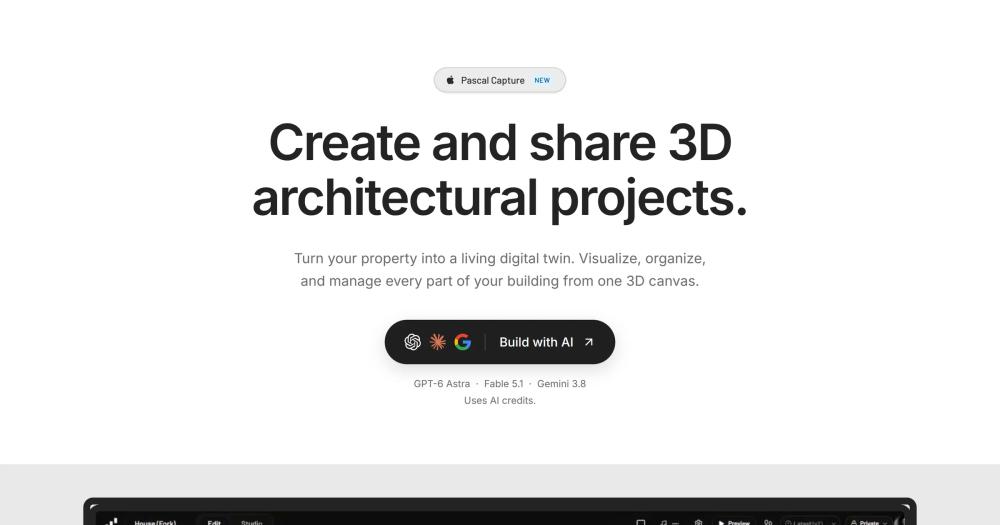
Build and share 3D architectural projects in your browser. MIT-licensed editor for walls, floors, furniture, and rooms with self-hosting and MCP support.

22.3K starsTypeScriptMITActive this week
Visit websiteGitHub repo
image of editor
Contents
  1. 01Who editor is for
  2. 02The problem it solves
  3. 03How it solves it
  4. 04Strengths and trade-offs
  5. 05editor vs alternatives
  6. 06Install and self-host
  7. 07Tech stack
  8. 08FAQ
  9. 09Similar open-source tools
TL;DR

editor Pascal Editor is an MIT-licensed, browser-based 3D building editor for designing floor plans, rooms, walls, levels, and furniture. It replaces commercial tools like Planner 5D and RoomSketcher for users who need self-hosting, full source access, or programmatic scene manipulation. Built on React Three Fiber with a WebGPU renderer, it runs with a single npx command and ships every component as npm packages for embedding. Best for homeowners, architects, game designers, and developers building property or digital-twin products.MIT · TypeScript · 22.3K stars · Active this week

who it's for

Who editor is for#

Homeowners planning renovations or new builds

Sketch walls, swap furniture, and walk through a room before any work begins. Pascal runs in the browser with no account required, stores projects locally in IndexedDB, and lets you share a design as a link.

Skip if:

You need a large curated furniture library or a polished mobile app to show contractors on site. Planner 5D's consumer-focused library and iOS/Android apps serve that workflow better.

Developers building property or digital-twin apps

Install @pascal-app/viewer and @pascal-app/editor from npm to embed a 3D scene editor in a React application. The MCP server exposes scene data to AI agents for automated analysis, query, and modification.

Skip if:

You need server-side scene rendering, WebGL-only support without WebGPU, or a stable embedding API with long-term backward compatibility commitments. Pascal's API surface is still evolving.

Game designers and world builders

Pascal's CSG geometry system lets you carve, blend, and merge parametric shapes at the layout stage. Plugin authors can add new node types with custom renderers, making the editor extensible for non-architectural use cases.

Skip if:

You need game-engine-native tooling with physics, LOD, and material workflows integrated. Pascal is a browser editor, not a game engine level designer.

Architects presenting client walkthroughs

Pascal's first-person presentation mode lets clients experience a space as if it already exists. Projects share as browser links without requiring software installation on the client side.

Skip if:

Your client workflow requires printed floor plans, dimensioned exports, or deep BIM compatibility. IFC import is available via @pascal-app/ifc-converter, but the full BIM workflow is limited compared to dedicated BIM tools.

the problem

The problem it solves#

Commercial 3D home design tools hold your project data in their cloud, gate advanced features behind paid subscriptions, and offer no path to self-hosting or scripting. Tools like Planner 5D and RoomSketcher run well in the browser, but exporting high-quality floor plans, managing multiple projects, and sharing designs without watermarks require a subscription. Your layouts live in a format you cannot access programmatically or move freely.

For developers and technical teams, the gap is wider. Existing commercial tools are consumer products with no embedding API, no scripting surface, and no way to integrate scene data into other applications. Building a property app, a digital-twin viewer, or a spatial analytics tool on top of a closed commercial editor is not possible.

how editor solves it

How it solves it#

Full building hierarchy editor

Draw walls, slabs, ceilings, and roofs across multiple levels. Place furniture, doors, and windows with spatial collision detection. The scene hierarchy runs from Site to Building to Level, with zones and guide images for reference.

MCP server for AI agent access

The @pascal-app/mcp package exposes scene tools, resources, and prompts to any MCP-compatible AI host. Agents can read room dimensions, reshape layouts, and query building systems programmatically, making Pascal the only open source 3D building editor with native AI agent integration.

Embeddable npm packages

The viewer, editor, and core packages are published on npm under the @pascal-app scope. Drop @pascal-app/viewer into a React application to render existing scenes, or include @pascal-app/editor for full editing. The capture-viewer package adds support for live 3D scan sessions.

Plugin system for custom node types

New node kinds, 3D renderers, and side panels ship as plugins using the same Plugin manifest the built-in tools use. The pascalorg/plugin-trees repository is a starter template with procedural trees and a presets panel. No separate internal API exists: plugins and built-ins share the same surface.

Undo/redo and IndexedDB persistence

The Zustand scene store includes 50-step undo/redo via Zundo and persists projects to IndexedDB automatically. State syncs across components without manual save actions, and transient nodes are excluded from persistence to keep snapshots clean.

WebGPU rendering with React Three Fiber

The viewer uses Three.js with a WebGPU renderer via React Three Fiber. CSG and SDF shapes blend, merge, and carve naturally for parametric geometry. Iridescent, holographic, glass, and procedural materials are supported for high-quality presentation renders.

strengths · trade-offs

Strengths and trade-offs#

Strengths

  • MIT license with full source accessEvery part of Pascal (the viewer, editor, scene engine, and CLI) is MIT-licensed. Fork the repo, modify the geometry systems, or ship a derivative product with no licensing restrictions. No commercial use clause and no CLA required.
  • npm embedding API for product buildersUnlike Planner 5D and RoomSketcher, which are closed platforms with no public API, Pascal publishes @pascal-app/viewer and @pascal-app/editor to npm. Property tech teams, digital-twin companies, and game studios can embed a full 3D building editor in their product without building the renderer from scratch.
  • First-class MCP and AI agent supportPascal ships @pascal-app/mcp, an MCP server that lets AI agents reason over and edit building scenes. No other open source 3D building editor has native Model Context Protocol support. This positions Pascal as infrastructure for AI-driven spatial applications.
  • Strong community growthThe repository crossed 22,000 GitHub stars within a year of creation (October 2025 to September 2026). An active Discord, public issues, and a contributor-run plugin ecosystem indicate a maintained and growing project.

Trade-offs

  • -WebGPU renderer limits browser compatibilityPascal uses Three.js in WebGPU mode, supported in recent Chromium-based browsers (Chrome, Edge) but with limited or no support in Firefox and Safari as of mid-2026. Users on non-Chromium browsers may encounter rendering failures until WebGPU support matures across all major engines.
  • -No 2D drafting or technical drawing modePascal is 3D-first and does not have a dedicated 2D floor plan view with measurement annotations, dimensioned PDF exports, or AutoCAD-compatible file output. Teams that need professional 2D deliverables for contractors or permitting still need a separate drafting tool.
  • -Young project with evolving APIsThe repository was created in October 2025. The plugin API, npm package interfaces, and MCP server are still maturing. Teams building production products on top of Pascal should plan for API surface changes as the project evolves toward a stable release.
versus alternatives

editor vs alternatives#

Pascal Editor vs Planner 5D

Both are browser-based tools for designing home interiors and floor plans in 3D. Planner 5D is a commercial product with a free tier and paid plans for HD renders, larger project libraries, and collaboration features. Pascal Editor is MIT-licensed, open source, and self-hostable.

FeaturePascal EditorPlanner 5D
LicenseMITProprietary
Self-hostingYesNo
Source accessFull TypeScript sourceNone
MCP / AI agent supportYesNo
Mobile appNo native appiOS and Android
Object libraryCommunity-contributedLarge curated catalog

Pascal Editor wins when you need programmatic scene access, want to embed the editor in your own product, or need to self-host for data ownership. Planner 5D is still the stronger choice for non-technical users who want a polished consumer experience with a large built-in furniture library and mobile app support.

Pascal Editor vs RoomSketcher

RoomSketcher focuses on professional floor plans with 2D and 3D switching and HD photo exports on paid tiers. Pascal Editor is 3D-first without a dedicated 2D drafting mode, but compensates with an open, extensible architecture.

FeaturePascal EditorRoomSketcher
LicenseMITProprietary
Self-hostingYesNo
2D floor plan draftingLimitedFull 2D and 3D modes
Developer APInpm packages plus MCPNo public API
Plugin systemYes (MIT plugin API)No

RoomSketcher is better suited for real estate professionals who need polished 2D floor plan deliverables and HD photo renders without any setup. Pascal Editor is the stronger pick for developers, digital-twin teams, and users who want to extend the editor with custom node types or integrate it into their own stack.

install · self-host

Install and self-host#

bash
Install the Pascal Editor packages from npm to embed the 3D viewer or full editor in a React application.
```bash
npm install @pascal-app/core @pascal-app/viewer @pascal-app/editor @pascal-app/nodes
```
tech stack · detected from GitHub

What it's built on#

Languages
TypeScript
Frameworks
Next.jsReact
frequently asked

FAQ#

Is Pascal Editor free to use?

Yes. Pascal Editor is MIT-licensed and free to run locally or self-host on your own infrastructure. There are no paid tiers for the core editor. The hosted version at editor.pascal.app offers AI-powered features that use AI credits, but the editor itself has no subscription requirement.

How do I install Pascal Editor locally?

Run npx @pascal-app/cli editor with Node.js 22.13 or newer. The CLI installs a versioned standalone editor, starts an authenticated MCP service, and stores projects in ~/.pascal/data/pascal.db. You can also clone the GitHub repo and run bun dev from the root directory for a full development setup.

How does Pascal Editor compare to Planner 5D?

Planner 5D is a commercial consumer product with a polished mobile app, a large furniture library, and cloud storage. Pascal Editor is MIT-licensed, self-hostable, and developer-focused, with npm packages and an MCP server for AI agents. Planner 5D is better for non-technical users who want a finished consumer product; Pascal is better when you need source access, embedding, or scripting.

Can AI agents interact with Pascal scenes?

Yes. Pascal ships @pascal-app/mcp, an MCP server that exposes scene tools and resources to any MCP-compatible AI host. Agents can load a building file, query rooms and their dimensions, and reshape the scene programmatically. Configure your agent host to connect using the pascal mcp connect command.

Can I build plugins for Pascal Editor?

Yes. Pascal's plugin system lets you ship new node types, 3D renderers, and side panels using the same Plugin manifest the built-in tools use. The pascalorg/plugin-trees repository on GitHub is a working starter example with procedural trees and a presets panel. New node kinds ship via plugins rather than edits to the built-in source.

also worth a look

Similar open-source tools#

diagram-design

diagram-design

Editorial diagrams for Claude Code, no Figma or Mermaid required

32.6KHTMLMIT
OpenCut

OpenCut

Open source video editing in your browser, free forever

88.8KTypeScriptMIT
hyperframes

hyperframes

Turn HTML and CSS into rendered MP4 videos, built for AI agents.

45.9KTypeScriptApache-2.0
FckSignups

FckSignups

Open-source tools that work instantly, no signup required

2.9KTypeScriptGPL-3.0
Onlook

Onlook

Visual React editor where every design change writes real code

26.7KTypeScriptApache-2.0
Kaneo

Kaneo

Self-hosted project management without the bloat

9KTypeScriptMIT

Repository

Stars
22.3K
Forks
2.9K
License
MIT
Latest
v0.9.1
Last commit
today
Last verified
Sep 8, 2026
Repo
pascalorg/editor ↗

Additional details

Language
TypeScript
Open issues
44
Contributors
41
First release
2025

Categories

Web DevelopmentDesign & CreativeProduct & Project Management

Tags

3D Modeling