

Who OpenLogi is for#
Linux users running Logitech mice or keyboards
OpenLogi is the only app that delivers the full HID++ feature set on Linux: button remapping, DPI presets, SmartShift control, and Logitech webcam management. Packages for amd64 and arm64 cover Debian, Fedora, and Arch, with a NixOS module that installs udev rules and starts the agent automatically at login.
Skip if:
Skip if basic remapping is all you need. Solaar has a longer track record on Linux and broader device coverage for simple button reassignment without the full HID++ feature stack.
Privacy-focused users avoiding vendor telemetry
OpenLogi makes it possible to use a Logitech device without ever creating a Logitech account. No data leaves your machine, bindings are local files, and update checks are off by default. Suitable for air-gapped environments or users who object to the telemetry built into Options+.
Skip if:
Skip if you rely on Logitech Flow for cross-computer pointer or clipboard bridging. Flow is on the OpenLogi roadmap but has not yet shipped.
Power users managing devices across multiple machines
Device bindings live in a TOML file keyed by device serial. Copy the file between machines and the same mouse keeps its full configuration across every host. No cloud sync, no account, and no export step required; the file is the sync artifact.
Skip if:
Skip if you want automatic sync without any file management. OpenLogi's portability is copy-based, not automatic; built-in sync may come later but has not shipped.
macOS users replacing BetterTouchTool or SteerMouse for Logitech hardware
OpenLogi handles Logitech-specific HID++ features (DPI, SmartShift, gesture button, webcam controls) that BetterTouchTool and SteerMouse cannot access, since those tools work at the OS event layer rather than talking to the device directly. Apache-2.0 licensed with no purchase and no recurring cost.
Skip if:
Skip if you need input customization beyond Logitech hardware. BetterTouchTool covers trackpads, Touch Bar, Apple Pencil, and non-Logitech mice; OpenLogi does not extend to those inputs.
The problem it solves#
Logitech's official driver, Options+, requires creating a Logitech account before it will manage your own hardware. Once signed in, the app phones home: usage data, device telemetry, and configuration sync all pass through Logitech's servers. If Logitech changes the service, your mouse configuration goes with it.
Linux users face a harder version of this problem. Options+ does not run on Linux at all. The community tool Solaar covers basic remapping but lacks the full HID++ feature set, leaving DPI presets, SmartShift control, and per-app profiles out of reach. On macOS and Windows, paid alternatives like BetterTouchTool, SteerMouse, and BetterMouse fill some gaps but are platform-specific, cost money, and work at the OS input hook layer rather than talking directly to Logitech hardware. None of them provide a portable, plain-text config file that follows your device to any machine.
How it solves it#
Button remapping with 44 built-in actions
Binds any of 44 built-in actions to each physical button, per device. The action catalog includes app launchers, custom keyboard shortcuts, media keys, Mission Control, browser navigation, and scroll direction control. User-authored key combos and scripted actions extend the catalog further through the TOML config.
DPI control and sensor presets
Sets pointer resolution directly over the HID++ 0x2201 protocol and stores multiple DPI presets you can cycle with a button press. Changes write to the sensor immediately, not via OS-level scaling, so they persist across USB reconnects and reboots without the app needing to run at startup.
SmartShift wheel management
Controls the SmartShift wheel via HID++ 0x2111: toggle between ratchet and free-spin modes, set the auto-switch sensitivity threshold, or lock the wheel permanently in ratchet mode. All settings live in the same TOML file as your button bindings and take effect without restarting the app.
Multi-connection support: Bolt, Unifying, Lightspeed, Bluetooth, wired
Reaches devices over any Logitech receiver type (Bolt, Unifying, Lightspeed) or via direct Bluetooth pairing or a USB cable. No specific receiver is required. A live device carousel shows battery percentage and charge state for all paired hardware, including keyboards and mice simultaneously.
Plain TOML configuration file you own
All bindings and settings write to ~/.config/openlogi/config.toml, a human-readable file keyed by device serial number. Copy it between machines and the same mouse keeps its full configuration. Unlike Options+, settings never leave your machine and require no export step or account sync.
Logitech webcam control via UVC
Manages any Logitech UVC webcam (Brio, StreamCam, C920 series): zoom, focus, exposure, white balance, brightness, contrast, saturation, and sharpness, written straight to the UVC hardware. Changes apply immediately in any app using the camera. One-click profiles for Default, Streaming, and Video call scenarios are built in, with custom snapshot support.
Strengths and trade-offs#
Strengths
- Zero telemetry, no account requiredOpenLogi never phones home. Bindings stay on your machine, update checks are opt-in and off by default, and no Logitech account is needed at any point. The only network request the app can make is a voluntary update check you explicitly enable; everything else is local.
- Native Rust app with direct HID++ controlBuilt in Rust using the GPUI framework, OpenLogi controls devices over the HID++ protocol rather than through OS input hooks. DPI and SmartShift settings write to the sensor hardware and persist device-side, meaning they survive app restarts and hold across machines without re-applying on login.
- Cross-platform with Linux as a first-class targetSigned installers for macOS, Linux, and Windows ship from the same codebase. Linux is a stated first-class platform: packages for Debian, Fedora, and Arch cover x86_64 and arm64, udev rules install automatically, and a systemd user service starts the agent at login. Logitech Options+ offers no Linux support at all.
- Portable, file-based configurationAll device settings live in a single TOML file keyed by physical device identity (receiver serial and slot, or the device's own serial). Copy the file to another machine and your full binding set follows. No account sync required, no export step, no proprietary format to reverse-engineer.
Trade-offs
- -Under active development, not yet stableThe README carries an explicit warning that features and config schema may still change. With 208 open issues as of mid-2026, users should expect rough edges: Windows is the newest port, per-app profiles are marked coming soon on the product website, and the Options+ settings importer is in progress but not yet available.
- -Cannot run alongside Logitech Options+OpenLogi and Options+ both claim exclusive HID++ access to the receiver, and only one can own it at a time. On Linux, the same conflict applies to Solaar. Users must quit the competing app before launching OpenLogi. The two applications do not coordinate; leaving both running means one of them loses device control.
- -No import path for existing Options+ profilesThere is no importer for Logitech Options+ bindings or profiles. You rebuild your configuration from scratch in TOML or through the GUI. The project notes an importer is in progress, but it has not shipped. Most binding sets can be rebuilt in minutes given the TOML format is short and human-readable.
OpenLogi vs alternatives#
OpenLogi vs Logitech Options+
Logitech Options+ is the official driver and the primary benchmark for Logitech device control. Both apps support button remapping, DPI presets, and SmartShift wheel management. The core difference is in where settings live and what the app requires to function.
| Feature | OpenLogi | Logitech Options+ |
|---|---|---|
| License | Apache-2.0 / MIT | Proprietary |
| Platforms | macOS, Linux, Windows | macOS, Windows only |
| Account required | No | Yes |
| Telemetry | None | Yes |
| Config storage | Local TOML file | Cloud-synced profile |
| Linux support | Full | None |
OpenLogi is the stronger choice for anyone who wants to avoid account creation, prefers file-based config that stays on-machine, or uses Linux. It writes device settings directly over HID++ to the hardware, so changes persist without a background service. Options+ still has the edge for onboarding non-technical users and for features not yet in OpenLogi: Logitech Flow cross-computer pointer bridging, direct import of existing Options+ profiles, and a more polished initial setup experience.
OpenLogi vs BetterTouchTool
BetterTouchTool is a macOS-only paid app ($22 one-time or $7 per two-year license) that handles input customization at the OS event layer. It covers a wider range of inputs than OpenLogi, including trackpads, Touch Bar, and non-Logitech mice, but does not communicate with Logitech hardware over HID++ directly.
| Feature | OpenLogi | BetterTouchTool |
|---|---|---|
| License | Apache-2.0 / MIT | Proprietary, paid |
| Platforms | macOS, Linux, Windows | macOS only |
| DPI control | Yes (sensor-level) | No |
| SmartShift | Yes (sensor-level) | No |
| Webcam control | Yes (Logitech UVC) | No |
| Input scope | Logitech devices | Any macOS input |
| Cost | Free | $22 one-time or $7/2yr |
OpenLogi is the better choice specifically for Logitech hardware: it controls DPI and SmartShift at the sensor level, which BetterTouchTool cannot do since it works at the OS input hook layer. BetterTouchTool is worth keeping if you need macOS-wide gesture customization across non-Logitech inputs, or features like window snapping and Touch Bar customization that OpenLogi does not cover.
Quick start#
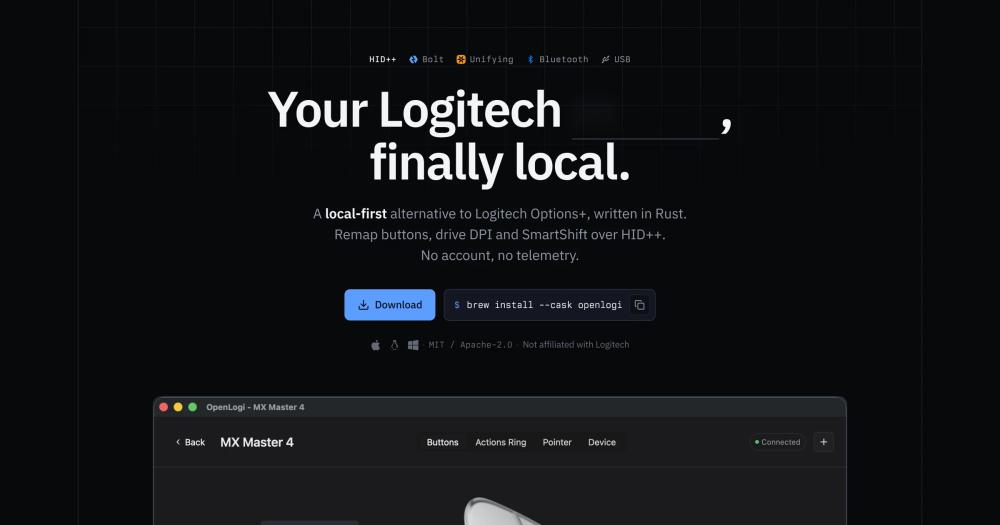
Install OpenLogi on macOS via Homebrew, or download signed packages for Linux and Windows from the GitHub releases page.
```bash
brew install --cask openlogi
```What it's built on#
- Languages
- Rust
FAQ#
Does OpenLogi work on Linux?
Yes. Linux is a first-class platform. Packages for Debian and Ubuntu (.deb), Fedora and RHEL (.rpm), and Arch (.pkg.tar.zst) ship for both amd64 and arm64. A NixOS module installs udev rules and starts the agent at login automatically. Logitech Options+ provides no Linux support, making OpenLogi the primary option for full HID++ control on the platform.
Can I use OpenLogi and Logitech Options+ at the same time?
No. Both apps claim exclusive HID++ access to the receiver and only one can own it at a time. Quit Options+ before launching OpenLogi, or one of them will lose device control. The same conflict applies to Solaar on Linux. You can switch between apps freely by closing one before opening the other.
Does OpenLogi require an internet connection or a Logitech account?
Neither. OpenLogi is fully local: no account is required, no data leaves your machine, and there are no cloud sync features. The built-in update check is opt-in and off by default. All bindings and profiles are stored as a plain TOML file on your machine.
Can I import my existing Logitech Options+ settings into OpenLogi?
Not yet. An importer is in progress but has not shipped. You will need to rebuild your bindings in OpenLogi's TOML config or through the GUI. The TOML format is human-readable and short, so most users can rebuild a typical set of bindings in a few minutes.
What connection types does OpenLogi support?
OpenLogi supports Logi Bolt, Unifying, and Lightspeed receivers, plus direct Bluetooth pairing and wired USB connections. No specific receiver is required. Bolt pairing ships in the GUI. Unifying and Lightspeed pairing are in progress; until that lands, pair once with Logitech's tool or Solaar and OpenLogi drives the device from then on.
Similar open-source tools#

FckSignups
Open-source tools that work instantly, no signup required

rakazo
AI teammates you own: your keys, your model, your machine.

Pstack Claude
Structured coding workflows for Claude Code, Codex, and Pi

Recall
Local project memory for Claude Code, generated entirely offline.

Obtainium
Android app updates direct from GitHub and F-Droid
Gstack
Turn Claude Code into a virtual engineering team with 23 skills