

Open-source alternatives guide
Open Source Discord Alternatives: 10 You Can Self-Host
By SurajReviewed Verified
I compared 10 open source Discord alternatives for communities leaving over age checks and web-search indexing. The best open source alternative to Discord is Stoat because it has the servers, channels and roles your members know from Discord, under the AGPL-3.0 licence, with a hosted instance at stoat.chat and a documented self-hosted path.
Fluxer is my pick when you want text, voice, video and screen share on your own server. Element covers E2EE and federation, and Mumble covers voice-only gaming groups.
From mid-December 2026, some messages from public channels in Discord's Discoverable Servers may appear in web search. Which replacement fits depends on what your community cannot give up.
TL;DR
- Stoat: servers, channels and roles, with a hosted instance at stoat.chat and over 1 million registered users.
- Fluxer: a self-hosted feature set with text chat, voice and screen sharing, installed with a single command.
- Haven: copies the messages, replies, reactions, pins and links to attachments of the channels you pick, and runs a 2-way Discord bridge.
Overview
What Discord is and what it costs
Discord does a lot at once: servers with text channels, voice and video rooms you join by clicking, file sharing, and apps across PC, phone, and console. Discord has over 200 million monthly active users and is free to download. In the US, Nitro costs $9.99 a month and Nitro Basic $2.99.
Discord is the right call when:
- The people who make your community are on Discord and won't leave. Moving without them costs more than staying costs you.
- Your bot and integration setup would take serious time to rebuild. Spacebar aims to stay backwards compatible with existing Discord bots, though some incompatibilities remain, and custom integrations built on Discord's specific API surface take time to rebuild.
- Your server is not Discoverable. The web-search indexing change only affects Discoverable Servers on Discord's own platform. Private servers and all DMs are always private and not included.
- The opt-out controls are enough for what you need. Server admins can opt channels out of web indexing in Server Settings, Web Presence. Individual users opt out in User Settings, Data and Privacy. For members in the EU, UK, Canada, Brazil, Australia, and South Korea, Channel Messages is off by default.
- The age-assurance flow won't disrupt your community. Discord says more than 90% of users will not be asked to confirm their age, and adults who are not placed in the adult group can confirm it in User Settings, Account Status.
Pain points
Why people leave Discord
The practical reasons teams compare Discord with open-source alternatives before they migrate.
Discord made 2 changes in 2026, and both of them affect how you run a community there.
The first is age assurance. Discord launched age assurance the week of 22 September 2026, saying more than 90% of users will not be asked to confirm their age, because its estimation model uses account-level signals including server types, general activity levels, and account history to place users in an adult or teen age group. It does not look at messages, calls, or other content.
Adults not automatically placed in the adult group can confirm through credit card, Apple App Store, Google Play Store, video selfie, ID scan, or AgeKey, depending on region and device. For communities built around age-restricted content, check whether your members will need to confirm their age before you rely on age-restricted channels.
The second is web-search indexing. Discord announced in October 2026 that starting November 16, 2026, all Discoverable Servers will have a Server Web Page visible on the open web. From mid-December 2026, messages from public channels in Discoverable Servers may appear in web search results without usernames or avatars.
Server admins can opt individual channels or all channels out in Server Settings, Web Presence. Individual users can opt out in User Settings, Data and Privacy. In the EU, UK, Canada, Brazil, Australia, and South Korea the member setting for Channel Messages is off by default. Everywhere else it is on unless members turn it off. Users in the teen age group are excluded completely.
Private servers, DMs, and group DMs are always private and not included in these changes.
If you want neither: age assurance adds a friction step for new adult members who are not automatically placed in the adult group, and web-search indexing means your public conversations in Discoverable Servers become findable without you choosing that. Server admins can opt channels out in Server Settings, Web Presence, and individual members can opt out in User Settings, Data and Privacy, but staying private takes active management.
At a glance
Quick comparison
| Name | License | Best For |
|---|---|---|
| Stoat | AGPL-3.0 | Purpose-built open source community chat with servers, channels and roles, hosted or self-hosted |
| Fluxer | AGPL-3.0 | Text, voice, video and screen share on your own server, installed with one command |
| Element | AGPL-3.0 | Federated chat with end-to-end encryption by default, built on the Matrix open standard |
| Spacebar | AGPL-3.0 | Discord bot and client compatibility layer for bots built for Discord's API |
| Sharkord | MIT | Standalone binary with 4K screen share for a small group, alpha software |
| Haven | AGPL-3.0 | Private server with Discord history import and a 2-way Discord bridge |
| DCTS | AGPL-3.0 | Decentralized chat that runs on a Raspberry Pi and federates between servers |
| Valour | AGPL-3.0 | Encrypted community planets with Discord template import |
| Mumble | BSD-3-Clause | Low-latency voice for gaming groups, with positional audio and an in-game overlay |
| Zulip | Apache-2.0 | Threaded community discussion for structured groups |
Voice and video
Voice and video rooms you join by clicking
Fluxer, Sharkord: voice, video, 4K screen share. Element: E2EE voice and video. Haven: P2P voice, screen share. DCTS: voice, screen share, camera. Valour: voice and video. Stoat: voice chat. Mumble: low-latency voice. Zulip: a call link
Apps
PC, phone, and console
Stoat, Element, Zulip: desktop, Android, iOS, web. Fluxer: desktop, Android (iOS beta paused). Haven: desktop, Android, iOS in TestFlight. DCTS: Windows, Linux, Android. Valour: desktop, no iOS app yet. Sharkord: no mobile yet. Mumble: third-party mobile
Price
Free to download. In the US, Nitro $9.99 a month, Nitro Basic $2.99
All 10 free to self-host. Hosted options: Fluxer Plutonium $4.99 a month, Valour Stargazer from $4.99 a month, Zulip Cloud Standard $6.67 per user a month billed annually. Stoat's hosted instance has no paid plan listed
Bots and history
Bots and integrations built on Discord's API
Haven: history import for the channels you pick, 2-way bridge. Valour: template import of channels, roles and permissions. Spacebar: aims to stay compatible with Discord bots. Element: Matrix Discord bridges
Editorial ranking
10 Best Open Source Discord Alternatives (Ranked)

Rank 1
Stoat
Best for Purpose-built open source community chat with servers, channels and roles, hosted or self-hosted
- 3.5K stars
- AGPL-3.0
- Active this week
- Last commit 2 days ago
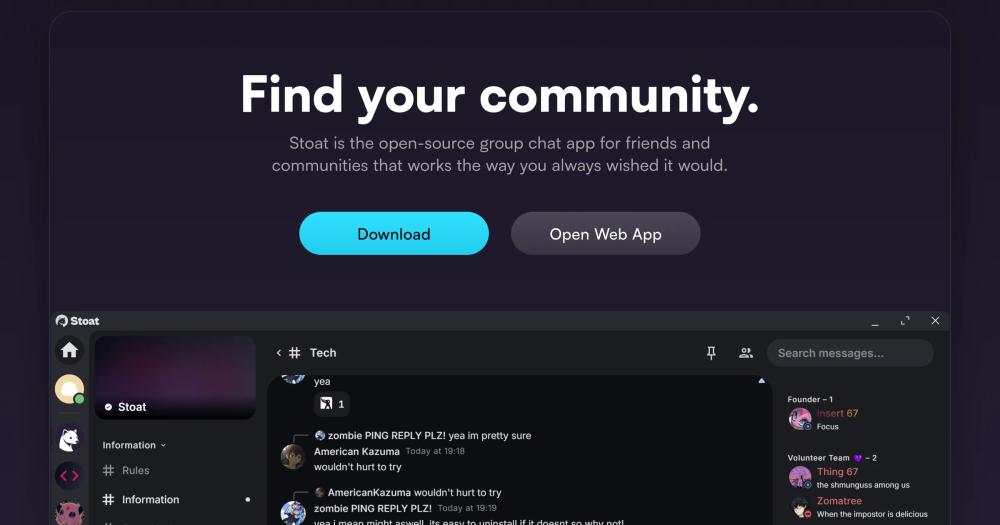
Stoat, formerly Revolt, has the servers, channels and roles your members know from Discord. It launched in 2021, runs under European data protection law, and the hosted instance has over 1 million registered users, so members are not arriving somewhere empty. AGPL-3.0, open source from day one, no ads and no data sold.
Read moreShow lessKey Features · Pros · Cons · License & Hosting · Best For
Key Features
- Servers, channels, voice chat, file sharing, and markdown, with role-based permissions and moderation tools, including moderation bots
- 20 MB file upload limit, custom emojis, server-specific profile pictures, and animated avatars, all without a subscription
- Group DMs up to 50 members
- Public API, the same one the official apps use
- Self-hosted option with Docker Compose, with a recommended minimum of 2 vCPUs and 2 GB of memory
Pros
- Open source from day one, no ads and no data sold: that is the baseline communities worried about Discord's new policies are looking for
- 100% open source under AGPL-3.0, with every line of code public and auditable
- The hosted instance at stoat.chat is ready to join, and the self-hosted path is documented
- Available on Windows, macOS, Linux, Android, iOS, and the web, so members join from whatever device they have
Cons
- Most official Stoat clients do not currently support self-hosted instances. The web client works well and can be used as a PWA, but members used to a native app will notice the difference.
- Stoat's backend is at v0.16.4, short of a 1.0 release.
- The 20 MB file upload limit is lower than Discord Nitro Basic's 50 MB.
License & Hosting
- License: AGPL-3.0, except for crates that specify their own LICENSE file. Free to use, modify, and self-host. If you deploy a modified version as a network service you must publish the source.
- Where it runs: Self-hosted on your own server, or use the hosted instance at stoat.chat.
- Setup: Docker and Docker Compose. Recommended minimum is 2 vCPUs and 2 GB of memory. The self-hosted repository provides Docker Compose configuration for the backend, web frontend, file server, and proxy.
- Costs: The self-hosted server is free. The hosted instance is free with no paid plan listed.
Best For
I'd start with Stoat when the community wants the closest Discord layout with the easiest move for members making the switch. It has servers, channels and roles, and it runs outside Discord. The hosted instance at stoat.chat is the simplest move for a community that does not want to run a server. Skip Stoat if your members rely on native mobile apps for a self-hosted instance. The web client is the practical route today, and that is worth knowing before you commit.

Rank 2
Fluxer
Best for Text, voice, video and screen share on your own server, installed with one command
- 10.9K stars
- AGPL-3.0
- Active this week
- Last commit today
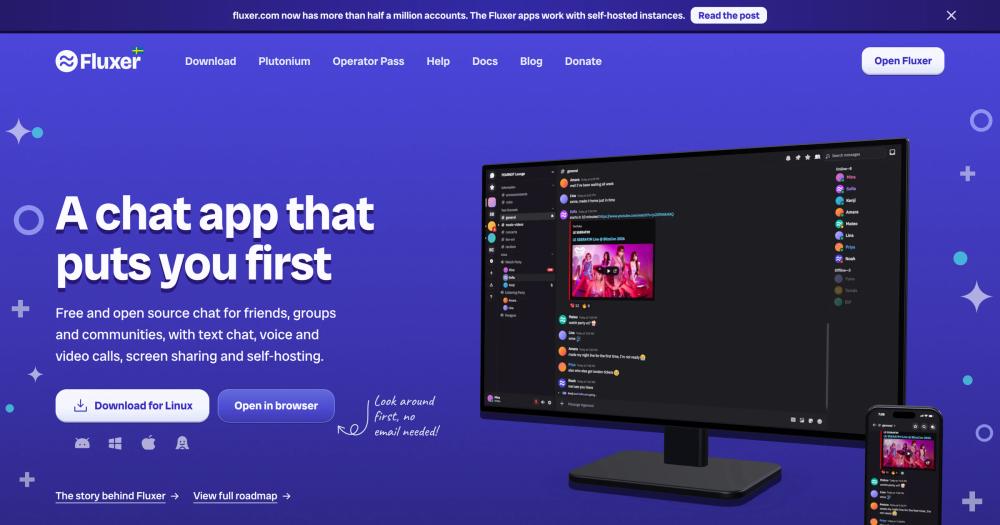
Fluxer lists text, voice, video and screen share and roles with granular permissions on infrastructure you control, and Fluxer runs its own voice servers in 16 regions.
Read moreShow lessKey Features · Pros · Cons · License & Hosting · Best For
Key Features
- Text chat, voice and video calls, screen sharing, and self-hosting, with 16 voice server regions and noise suppression and echo cancellation built in
- Screen sharing up to 4K at 60fps for Plutonium subscribers on the hosted service (free accounts get 720p at 30fps), and on a self-hosted instance the admin can grant every Plutonium perk
- 44 languages, custom CSS themes, passkeys, LaTeX math, markdown and code blocks
- Roles with granular permissions, timeouts, kicks, bans, and a moderation activity log
- 1-command install via rexctl on Linux, macOS, or Windows with Docker Desktop
- Push notifications from a self-hosted instance encrypted before they leave the server, with UnifiedPush support on Android
Pros
- 1 install command sets up HTTPS and prints the instance address.
- No paid tier on a self-hosted instance: every Plutonium perk is free, and uploads do not have to expire.
- Fluxer staff cannot ban you from your own instance, and the instance does not depend on a central sign-in system.
- Over half a million accounts on the hosted fluxer.com instance, and no outside investors, funded by subscribers and donors.
Cons
- iOS is listed as beta paused. A community where members use iPhones will need to use the browser version on iOS until the app resumes.
- The Operator Pass is $199 (rising to $249 after January 1, 2027), a one-time purchase that changes nothing in the software but supports the project. It is optional, and self-hosting is free without it.
- 4 GB of memory and 20 GB of disk required, more than Stoat (2 GB recommended), Synapse (1 GB), or Haven (about 100 MB) ask for.
License & Hosting
- License: AGPL-3.0-or-later. Free to use, modify, and self-host. Deploying a modified version as a network service requires publishing the source.
- Where it runs: Self-hosted on Linux, macOS, or Windows. Browser access with no install needed. Hosted at fluxer.com.
- Setup: curl install script downloads rexctl, checks its SHA-256 checksum, and starts it. Docker or Podman required on Linux (rexctl installs Docker if neither is present). Docker Desktop required on macOS and Windows. Also available via Docker Compose, Kubernetes Helm chart, or a custom reverse proxy.
- Costs: Self-hosting is free. Plutonium on the hosted service is $4.99 per month or $49.99 per year. Operator Pass is $199 one-time.
Best For
For most communities leaving over Discord's web-search indexing change, Fluxer is a straightforward self-hosted move: 1 install command, full voice and screen share. I'd pick it when your community needs text, voice, video and screen share on its own infrastructure. If most of your members are on iOS, check the iOS app status before you commit, and plan on the browser version in the meantime.

Rank 3
Element
Best for Federated chat with end-to-end encryption by default, built on the Matrix open standard
- 13.7K stars
- AGPL-3.0
- Active this week
- Last commit 2 days ago
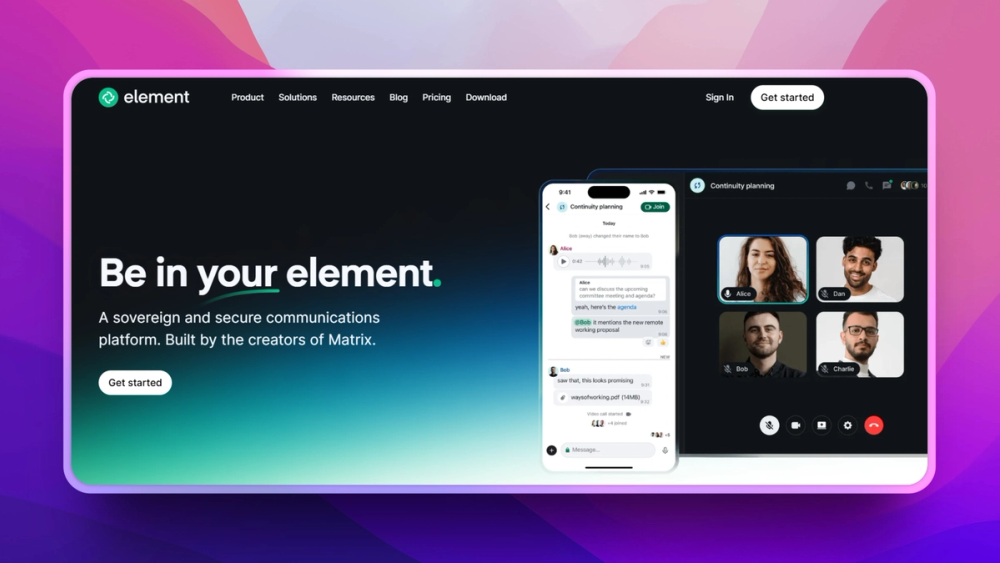
Federation and end-to-end encryption by default are what Element is built around. It runs on the Matrix open standard, so separate organisations can communicate across different frontends without locking into a single vendor. The layout is not Discord-like.
Read moreShow lessKey Features · Pros · Cons · License & Hosting · Best For
Key Features
- End-to-end encryption by default across the entire platform, with Rust-based E2EE in Element X
- Federation: secure communications between separate organisations with different frontends, and no vendor lock-in through the Matrix open standard
- E2EE voice and video for 1-to-1 and group calls via Element Call
- Threads, read receipts, location sharing, voice messages, polls, and reactions
- 4 Discord bridges available from the Matrix.org ecosystem, 2 recommended
Pros
- No personal phone numbers required, no single point of failure, and no global outages for a self-hosted setup
- Multi-licensed: AGPL-3.0, GPL-3.0, or a paid commercial licence, so a community can self-host free under AGPL
- Interoperable with any other Matrix-based system, with cross-signed device verification using QR code or emoji string
Cons
- Element's pricing page lists the free Community edition for non-professional deployments and evaluations, and its Community edition homeserver as not for use in production environments.
- The layout is not Discord-like, so check whether your members will accept that before you switch.
- The PyPI install of Synapse requires Python 3.11 or later. Almost every installation should use PostgreSQL rather than the default SQLite, plus at least 1 GB of free RAM to join large public rooms.
- Setting up matrix-appservice-discord requires Discord Admin access and Matrix Homeserver Admin access.
License & Hosting
- License: The element-web repository is multi-licensed: AGPL-3.0, GPL-3.0, or a paid Element Commercial License. The Community edition is free under AGPL and includes Element Call.
- Where it runs: Self-hosted Synapse homeserver on Ubuntu, Debian, Fedora, ArchLinux, Alpine, NixOS, FreeBSD, or OpenBSD, plus Docker.
- Setup: Python 3.11 or later, PostgreSQL (SQLite for testing only), at least 1 GB of free RAM for large public rooms. Install via Docker, Debian/Ubuntu packages, or PyPI.
- Costs: Community edition is free. Enterprise (Synapse Pro, enhanced security, support) is priced per seat per month. Sovereign (air-gapped) is priced per deployment.
Best For
E2EE and no single point of failure matter more than Discord-like layout here, and that is exactly the trade. Pick Element for communities handling sensitive communications or crossing organisational boundaries. For gaming groups or casual communities that want the Discord experience, skip it.

- 2.2K stars
- AGPL-3.0
- Active this week
- Last commit 6 days ago

Bot compatibility is the reason to pick Spacebar. It re-implements Discord's backend so that bots and clients built for Discord.com can connect to a self-hosted instance. The project says some incompatibilities remain. The full stack ships in one repository: HTTP API, WebSocket gateway, CDN, WebRTC, and database models together.
Read moreShow lessKey Features · Pros · Cons · License & Hosting · Best For
Key Features
- HTTP API server, WebSocket Gateway server, HTTP CDN server, WebRTC server, and utility and database models, all in one repository
- Built to stay backwards compatible with existing bots, applications, and clients built for Discord.com
- Any client designed for Discord.com should be able to connect to a Spacebar instance, though some incompatibilities still exist and not every client will connect
- Fermo recommended as a solid starting client for new instances
- A basic setup consists of 3 services: a REST API, a WebSocket gateway, and a CDN
Pros
- AGPL-3.0, so the full source is open and auditable
Cons
- Check how well Spacebar handles voice and your members' clients before you switch; some clients will not connect
- Running on Windows is not recommended. Platforms like Ngrok, Heroku, and Vercel are explicitly not supported
License & Hosting
- License: AGPL-3.0. Modified versions deployed as network services must publish source.
- Where it runs: Self-hosted. 3 services: API, gateway, and CDN.
- Setup: 3 services (API, gateway, CDN). The setup page says that in most cases they are not configured separately. Terminal access required.
- Costs: Free to self-host. No paid plan.
Best For
I'd start with Spacebar when the community's bots and integrations are built for Discord's API and must keep working without a rewrite. If you also need voice channels and mobile apps, check what Spacebar offers for both before you switch. Stoat and Fluxer list voice chat and apps.

- 1.6K stars
- MIT
- Active this week
- Last commit today
Sharkord is alpha software at v0.0.30 with no mobile app yet, so it suits a small group that can live with that tradeoff. One binary contains both server and client, with screen share up to 4K 60fps, voice and video over a mediasoup SFU, and no subscription.
Read moreShow lessKey Features · Pros · Cons · License & Hosting · Best For
Key Features
- Voice channels with video and screen sharing at up to 4K 60fps, no subscription required
- Text channels grouped into categories, with threads, replies, reactions, pins, and search
- Roles and permissions with per-channel overrides for individual roles and users
- Standalone server binary for Windows, macOS, and Linux, plus Docker, with a desktop app for Windows, macOS (Apple silicon and Intel), and Linux
- Plugin SDK that extends both server and client
- Single Sign-On through any OIDC provider, with an option to turn passwords off
Pros
- One download runs both server and client.
- MIT licence with no copyleft conditions
- 4K 60fps screen share with no subscription, matching what Fluxer reserves for Plutonium subscribers on the hosted service
- Invites with usage limits and automatic role assignment, file uploads with per-user storage quotas
Cons
- Alpha at v0.0.30: bugs, missing features, and breaking changes are expected. This is not a stable production platform for a large community.
- No mobile app yet. A mobile app is planned, but until it ships, members on phones will need to use the browser.
- The secret token created on first launch grants owner access and signs every session and file URL. Anyone who gets hold of it can take ownership and impersonate any account: keep it secure.
License & Hosting
- License: MIT. Modify, redistribute, and self-host freely with no copyleft conditions.
- Where it runs: Self-hosted on Windows, macOS, or Linux. Also via Docker.
- Setup: Download the standalone binary for your platform and run it. HTTPS is required for microphone, webcam, and screen sharing, because browsers block these on plain HTTP except on localhost. Port 40000 needs to be open on TCP and UDP for voice and video.
- Costs: Free. No subscription, no upsells.
Best For
A small group of friends that wants 4K screen share and voice on their own machine gets the most from Sharkord, as long as they can live with alpha-stage software. If you need a mobile app today or are running a large community, look at Stoat, which lists apps on Android, iOS and the web and has over 1 million registered users.

- 997 stars
- AGPL-3.0
- Active this week
- Last commit today
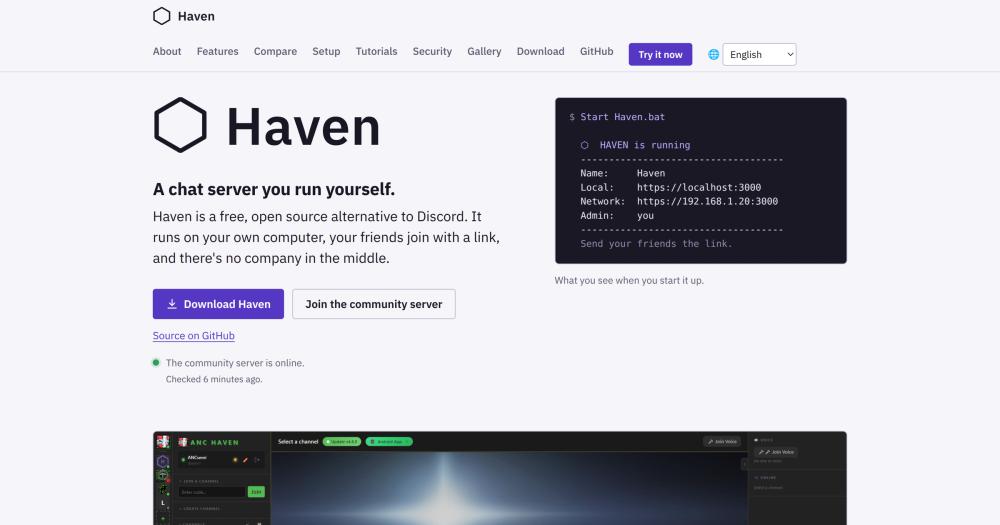
The history of the channels you pick comes with you. You create your own Discord bot, paste the bot's token into Haven, pick a server, and it copies across the messages, replies, reactions, pins and links to attachments of the channels you pick. Roles, permissions, bots and webhooks are not imported. The 2-way bridge handles the members who are not ready to leave yet.
Read moreShow lessKey Features · Pros · Cons · License & Hosting · Best For
Key Features
- Discord history import for the channels you pick
- Ferry, a 2-way Discord bridge that passes messages in both directions under each person's real name, so members who are not ready to leave can still talk to those who did
- Peer-to-peer voice chat by default so audio does not pass through the server, with an optional relay for larger groups
- Screen sharing with multiple people in a tiled grid, watch parties included
- End-to-end encrypted direct messages with private keys that never leave the browser
- Bots and webhooks with a REST API supporting messages, soundboard, slash commands, voice, and signed callbacks
Pros
- Runs on hardware you already own at about 100 MB of memory for a group of friends
- Starts with a double-click on Windows (installs Node.js if needed) or start.sh on Linux and macOS, plus a Docker image
- 26 built-in themes and several interface languages, one-click updates with an automatic pre-update backup
- iOS app in testing through TestFlight, Android on Google Play and via Obtainium
Cons
- Channel messages are not end-to-end encrypted. Whoever runs the server can read them, the same as a Discord admin can. Only direct messages are E2EE.
- Haven has been in development since February 2026, while Stoat started in 2021, making it the younger project.
- Most of the code was written with AI coding tools working from the creator's direction.
- Haven's guide warns about the bot: "Don't give the bot Administrator to get around this. Anyone who got hold of its token would then control your whole Discord server."
License & Hosting
- License: AGPL-3.0. Free to use, modify, and share. Deploying a modified version as a network service requires publishing the source.
- Where it runs: Self-hosted on Windows, Linux, or macOS. Docker image available. One-click deploy on Zeabur and RepoCloud. Built-in Cloudflare and LocalTunnel support so friends can connect without port forwarding.
- Setup: Windows: download the zip, unzip, double-click Start Haven.bat. Linux/macOS: chmod +x start.sh and run it. Node.js installed automatically if absent. Docker image available.
- Costs: Free with no paid tier.
Best For
When a small community needs to bring its Discord history intact and keep a bridge open for members who are not ready to move, Haven is where to start. Friends who stay on Discord can still talk to those who left through the 2-way bridge, and that is what makes a staged migration possible. Skip Haven if your community needs channel-level E2EE. Valour or Element covers that.

- 641 stars
- AGPL-3.0
- Active this week
- Last commit 4 days ago
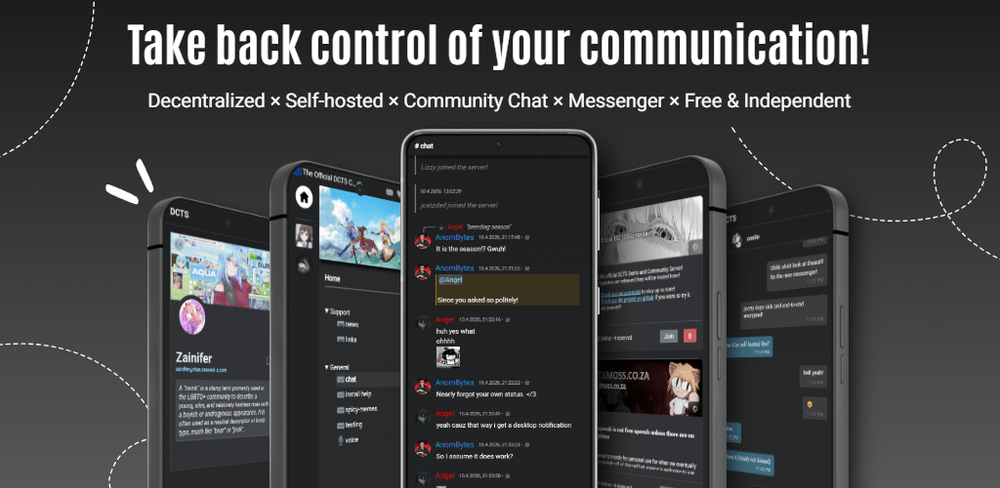
DCTS runs on a Raspberry Pi or very old hardware and works without an internet connection, including on local networks and LAN parties. Servers can optionally federate with each other, so no single operator controls the whole network.
Read moreShow lessKey Features · Pros · Cons · License & Hosting · Best For
Key Features
- Servers can federate to form a decentralized chat network no single operator can control
- VoIP voice calls with noise and echo canceling, screen sharing up to theoretical 4K at 60fps, and camera support
- Encrypted server DMs, signed chat messages, and a separate encrypted messenger
- Works without internet on local networks and LAN parties
- Plugin and theme system, member profiles, server profiles, and advanced anti-spam based on server activity
- Windows and Linux desktop client, Android app on Google Play
Pros
- Runs on a Raspberry Pi or very old hardware
- Will never be sold, investor-funded, or sponsor-shaped, and runs on donations only
- Advanced markdown editor, colorful code formatting, and advanced anti-spam based on server activity, including IP-based spam filtering
Cons
- MariaDB is required and MySQL is not compatible, though the default Docker image sets MariaDB up for you.
- Public internet access requires a domain with at least 2 subdomains. A localhost-only setup works without one, but a public community needs it.
- Running DCTS in Docker on a VPS requires SSE4.2 CPU instructions at minimum. Without them you hit compatibility errors, which is an odd requirement for a tool that leads with low-spec support.
License & Hosting
- License: AGPL-3.0. Modified versions deployed as network services must publish source.
- Where it runs: Self-hosted. Docker and Bun or Node.js required, with MariaDB set up by the default Docker image.
- Setup: Docker, Bun or Node.js, MariaDB (set up by the default Docker image; MySQL not compatible), a domain with at least 2 subdomains for public access, and SSE4.2 CPU instructions minimum.
- Costs: Free. Funded by donations only.
Best For
Federated, decentralized hosting on low-spec hardware is DCTS's specific job, and the case for it is sharpest when no single host controlling the network is an actual concern, not just a preference. Its listed clients are Windows, Linux and Android.

- 399 stars
- AGPL-3.0
- Active this week
- Last commit 2 days ago

Valour encrypts every chat message on the sender's device before it leaves, so the server holds text it cannot read. If you're migrating from Discord, paste a template link when you create a planet and the channels, categories, roles, and permissions copy across in one step.
Read moreShow lessKey Features · Pros · Cons · License & Hosting · Best For
Key Features
- Per-message E2EE for all direct chats, group chats, and planet channels by default
- Discord server template import: paste a template link when creating a planet to copy channels, categories, roles, and permissions
- Communities live on planets with channels, roles, permissions, voice and video, and optional threads, wikis, calendars, and villages
- Villages: a small 2D world where members walk around, talk with voice that fades with distance, and step into buildings that open channels
- Self-hosted via Docker Compose with automatic HTTPS, including PostgreSQL, Redis, Caddy, and filesystem media storage
- Federation: a hub owns accounts and the global planet registry, registered community nodes host planets on independent domains
Pros
- Sign-up requires only an email address or Google or Discord login and a birth date, no government ID, face scan, or phone number
- The AGPL client and server are both on GitHub, so anyone can read how Valour works and run their own instance
- Optional Stargazer subscriptions from $4.99 per month add larger uploads and profile extras, but the core platform is free with no ads
Cons
- Discord bots do not run on Valour. Bots there are built with Valour's .NET SDK, so each Discord bot your community runs is a new build.
- Uploaded files and images are not E2EE. Threads and wiki pages are public by design and can appear on the web.
- There is no iOS app yet. On iPhone and iPad, use app.valour.gg in the browser.
License & Hosting
- License: AGPL-3.0. Free to use, modify, and self-host. Network deployments of modified versions must publish source.
- Where it runs: Self-hosted on your own server via Docker Compose. Hosted at valour.gg.
- Setup: Docker Compose bundle includes Valour, PostgreSQL, Redis, Caddy, and filesystem media storage. Automatic HTTPS.
- Costs: Free to use. Optional Stargazer subscriptions at $4.99, $9.99, or $14.99 per month.
Best For
When per-message E2EE is a hard requirement, Valour is the tool, as long as the community is willing to rebuild its bots on Valour's .NET SDK. The Discord template import brings the channels, categories, roles, and permissions across, though messages and members do not follow. Skip it if your community runs Discord bots you cannot rebuild. Spacebar aims to stay backwards compatible with existing Discord bots, though some incompatibilities remain.

Rank 9
Mumble
Best for Low-latency voice for gaming groups, with positional audio and an in-game overlay
- 8.4K stars
- BSD-3-Clause
- Active this week
- Last commit 3 days ago
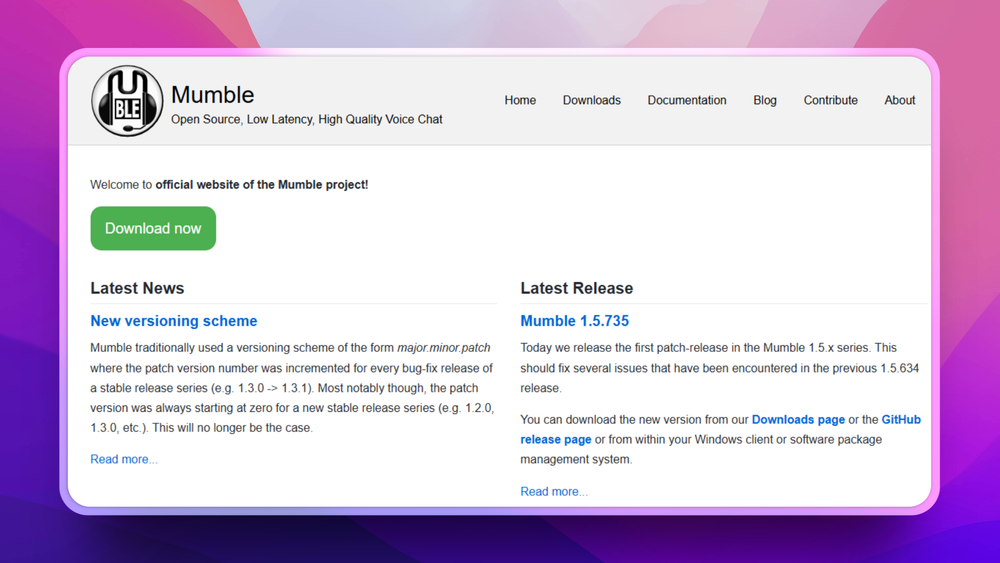
Mumble replaces Discord's voice channels, not its text community. Its own site calls it the first VoIP application to establish true low latency voice, over a decade ago. Every connection is always encrypted, and when the game ends, you close it.
Read moreShow lessKey Features · Pros · Cons · License & Hosting · Best For
Key Features
- Always-encrypted communication and public/private-key authentication by default
- Positional audio: hear players from their in-game location
- In-game overlay showing who is talking, FPS, and the current time
- Supports over 100 simultaneous voice participants, as used by Eve Online communities
- Extensive ACL-based user permission system for administrators
- Extendible through Ice protocols with authenticator support
Pros
- Mumble is a voice chat application. I would pair it with a text tool such as Stoat for channels and announcements.
- Self-hostable with an official Docker image, giving administrators control over data security and privacy
- BSD-3-Clause licence, permitting redistribution and use in source and binary forms with or without modification
- You can connect to a public server without running your own.
Cons
- Mobile clients are third-party (Mumla, MumbleWay, Comble), and the official iOS app was last updated in 2017 and is listed as unmaintained.
License & Hosting
- License: BSD-3-Clause. Redistribution and use in source and binary forms, with or without modification, permitted.
- Where it runs: Self-hosted. The server should work on anything Qt can be installed on. Official Docker image available.
- Setup: Docker image available via GitHub. Client runs on Windows, Linux, FreeBSD, OpenBSD, and macOS. Flatpak available via the Flatpak community.
- Costs: Free.
Best For
A gaming group that already has text elsewhere, in a forum or on Stoat, gets the most from Mumble. You open it when the game starts and close it when you are done. Skip it if your community needs persistent text channels, server structure, or screen sharing: Fluxer covers all 3, and Stoat covers text channels and servers.

- 26.2K stars
- Apache-2.0
- Active this week
- Last commit 2 days ago
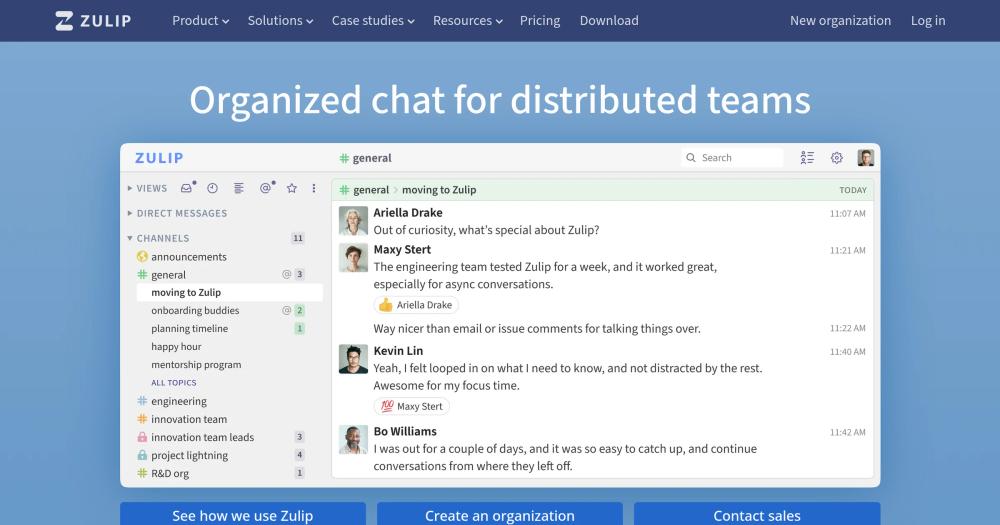
Zulip is team chat first, and it is here because its own Zulip for communities page lists volunteer organizations, hobby groups and alumni communities among the communities it is for. Zulip organises conversations by channel and then by topic inside each channel, so dozens of threads run at once without crowding each other out.
Read moreShow lessKey Features · Pros · Cons · License & Hosting · Best For
Key Features
- Channels and topics for parallel threaded conversations, with a recent conversations list showing what has moved since you last looked
- Web-public channels anyone can read without logging in, while posting requires a login
- Voice and video via a configured call link (Jitsi, Zoom, BigBlueButton) inserted into a message, not a persistent voice channel
- Apps for web, Windows, Mac, Linux, iOS, Android, and a terminal app
- 100% open source under Apache 2.0, no ads, and no data sold or fed to AI models
- Moderation toolkit: move conversations, split threads, ban users, delete messages, restrict permissions for new users
Pros
- Zulip sponsors over 1,500 organisations. Open-source projects, academic research and most small non-profits are eligible to apply for a free Standard plan.
- Unlimited search history on the Cloud Standard plan, with a free self-hosted plan also available
- Import from Slack, Microsoft Teams, Mattermost, or Rocket.Chat
Cons
- Voice is a call link in a message, not a persistent voice channel. A community where members drop in and out of a voice room will need to change how they gather.
- Self-hosting requires Ubuntu or Debian Linux, with a Docker image and a preconfigured DigitalOcean droplet also available. On a self-hosted server with more than 10 users, mobile push notifications need a paid plan, or the free Community plan if you qualify.
- Zulip is threaded discussion, not a place to hang out. Organised communities fit the shape, and gaming groups that live in a voice room do not.
License & Hosting
- License: Apache 2.0. Permissive licence: use, modify, and distribute freely, including commercially, with no copyleft conditions.
- Where it runs: Self-hosted on Ubuntu or Debian Linux. Docker image available. Preconfigured DigitalOcean droplet. Cloud hosted at zulip.com.
- Setup: Ubuntu or Debian Linux for self-hosted. Docker image. DigitalOcean droplet option.
- Costs: Cloud Free plan includes 10,000 messages of search history and up to 5 GB file storage. Cloud Standard is $6.67 per user per month billed annually or $8 billed monthly. Cloud Plus is $10 per user per month billed annually or $12 billed monthly. Many organizations are eligible for a free Standard plan.
Best For
When a community has grown past the point where one stream per channel keeps up with its conversations and wants threads that stay searchable and sorted by topic, Zulip fits that shape well. A structured open-source project, a research group, or a non-profit running discussions at scale are the right homes for it. For team chat comparisons that include Rocket.Chat and Mattermost, the open source Slack alternatives guide covers those directly. Skip Zulip for gaming groups and casual hangouts: voice is a link in a message, not a room you drop into.
Decision framework
How to choose
Use this section to narrow the Discord replacement by team size, hosting model, license, and migration difficulty.
Switch to something you self-host, and every one of those features becomes a question you answer all over again. 5 things to weigh:
Discord-like layout. Your members expect servers, channels, and roles. Tools built as Discord clones (Stoat, Fluxer, Sharkord, Haven) land here. Matrix-based tools such as Element use a different model, so check whether your members will accept that before you switch.
Voice and screen share quality. For gaming communities, this is the deciding factor. Mumble built its reputation on low-latency voice. Sharkord supports 4K 60fps screen share with no subscription. Fluxer supports 4K 60fps screen share for Plutonium subscribers on the hosted service, with free accounts capped at 720p at 30fps, though a self-hosting admin can grant every Plutonium perk. Element's voice and video are E2EE through Element Call, for 1-to-1 and group calls.
Mobile apps. A community that talks from phones needs Android and iOS. Fluxer's iOS app is listed as beta paused. Sharkord has no mobile app yet. Valour has no iOS app yet and Haven's iOS app is in testing through TestFlight.
Self-hosting difficulty. Fluxer installs with one command. Haven runs with a double-click on Windows. Element's Synapse homeserver needs Python 3.11 or later, and almost every installation should use PostgreSQL rather than the default SQLite, so some comfort with a Linux server helps.
Licence clarity. Most tools here are AGPL-3.0, which requires you to publish source if you deploy a modified version as a network service. Mumble uses BSD-3-Clause. Zulip uses Apache 2.0. Sharkord is MIT.
Start with what your community most needs to keep. That question cuts the list faster than any feature comparison.
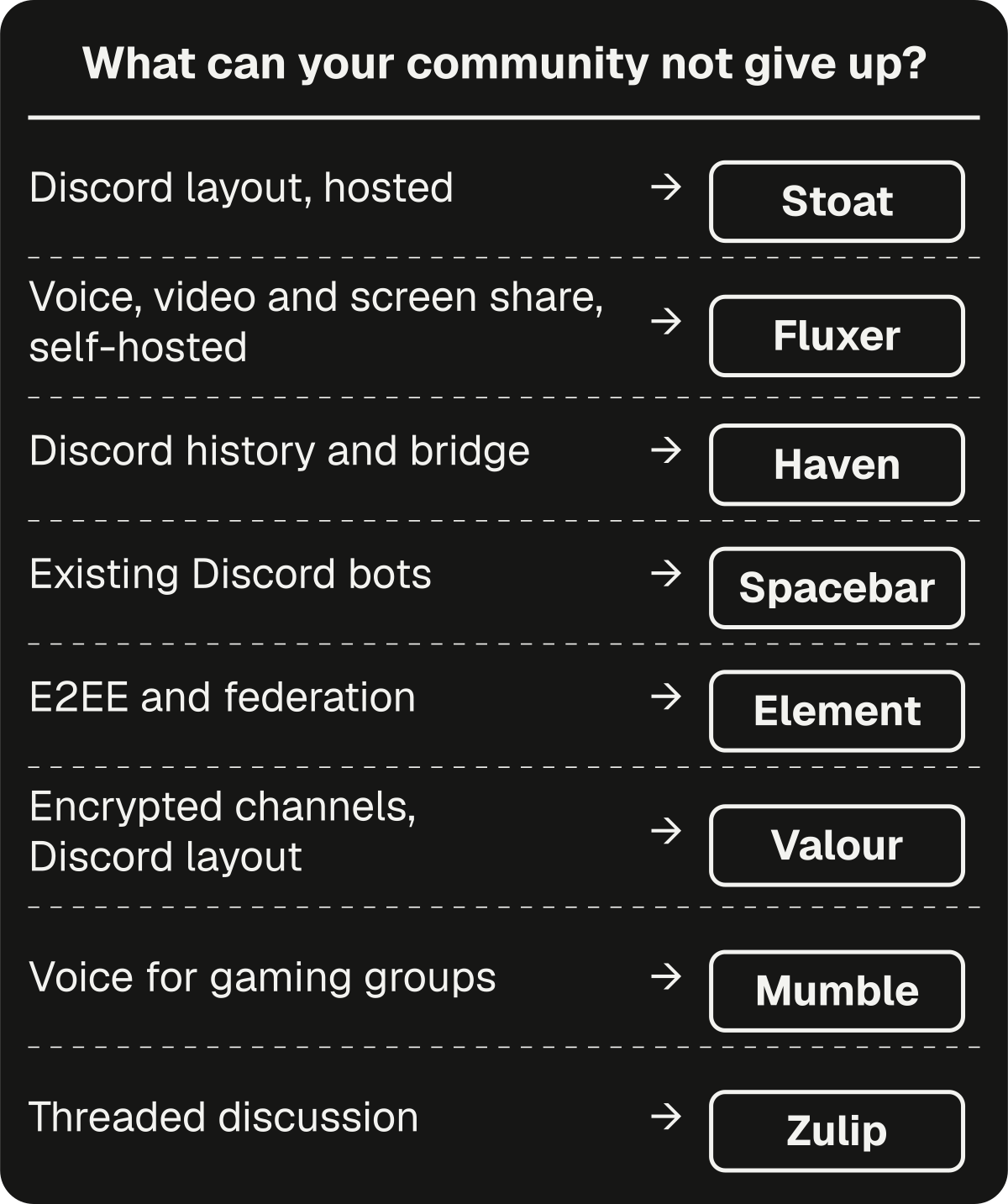
For most communities leaving over Discord's web-search indexing change, the deciding question is whether you're willing to run your own server. If you are, Fluxer's 1-command install and built-in voice and screen share get you up without much overhead. If you want a hosted instance with no server to manage, Stoat's hosted service at stoat.chat is the route. Discord's change applies only to servers on Discord.
Complete directory list
All alternatives to Discord

Alternative to Microsoft Teams
Self-hosted team chat with voice, video, and omnichannel support
- 46,386 GitHub stars
- Licence MIT
- #Chat

Alternative to Slack
Team messaging for security-sensitive teams with air-gap support
- 39,572 GitHub stars
- #Chat


Alternative to TeamSpeak
Self-hosted voice, video, and chat for groups who own their data
- 1,575 GitHub stars
- Licence MIT


Alternative to Discord
Self-hosted Discord-style chat with encrypted DMs and voice
- 641 GitHub stars
- Licence AGPL-3.0


Migration
Migration notes for leaving Discord
Move in 3 steps: export your history, run a bridge while members are still split, then sort the bots.
Export and history import. Haven does the most work here. Create your own Discord bot, paste its token into Haven, pick a server, and it copies across the messages, replies, reactions, pins and links to attachments of the channels you pick. Roles, permissions, bots and webhooks are not imported. Valour's Discord template import copies channels, categories, roles, and permissions, but skips messages and members entirely.
Bridge during the transition. A full migration rarely happens all at once. Some members move early, some stay on Discord for weeks. Haven's Ferry bridge passes messages both ways between a Haven channel and a Discord channel under each person's real name, so both groups stay in the conversation.
The Matrix.org ecosystem lists 4 Discord bridges, 2 recommended. Setting up matrix-appservice-discord requires Discord Admin and Matrix Homeserver Admin access.
Moving bots. Spacebar's server aims to stay backwards compatible with existing Discord bots, applications, and clients, so you should be able to connect any client built for Discord.com, though some incompatibilities still exist and not every client will connect. Haven's REST API supports sending messages, playing soundboard sounds, registering slash commands, joining voice, and receiving signed callbacks.
A staged move is safer than a full cut-over. Run one channel or voice group on the new platform for a week before moving the whole server. Keep Ferry or a Matrix bridge open until the last member has moved.
Self-Hosting Setup Requirements
| Tool | Min RAM | Key Dependencies | Install Route |
|---|---|---|---|
| Stoat | 2 GB (recommended) | Docker, Docker Compose | Docker Compose from self-hosted repository |
| Fluxer | 4 GB | Docker or Podman (Linux), Docker Desktop (macOS/Windows) | Single curl command via rexctl |
| Element (Synapse) | 1 GB (for large public rooms) | PostgreSQL | Debian/Ubuntu package, Docker, or PyPI |
| Spacebar | no figure on its docs | Windows hosts not recommended | 3 services (API, gateway, CDN), in most cases not configured separately |
| Sharkord | no figure on its docs | None (standalone binary) or Docker | Download binary and run, or Docker |
| Haven | about 100 MB (a group of friends) | Node.js (auto-installed on Windows) | Double-click bat (Windows) or start.sh |
| DCTS | no figure on its docs | Docker, Bun or Node.js, SSE4.2 CPU | Docker, which sets up MariaDB; domain required for public access |
| Valour | no figure on its docs | Docker Compose, PostgreSQL, Redis, Caddy | Docker Compose bundle |
| Mumble | no figure on its docs | Qt (server), platform client | Official Docker image or platform installer |
| Zulip | no figure on its docs | Ubuntu or Debian Linux | Install script, Docker, or DigitalOcean droplet |
FAQ
Discord alternatives FAQ
Does Discord read messages to determine your age group?
No. Discord's age determination system works from account-level signals: account age, whether a payment method is on file, server types, and general patterns of account activity. Your messages, conversations, and posted content are not part of that system.
Which alternatives let me keep my Discord bots?
Spacebar is the closest match if keeping your existing bots is the deciding factor. It aims to stay backwards compatible with bots, applications, and clients built for Discord's API, though some incompatibilities remain and not every client will connect. Haven supports bots through its own REST API, covering messages, soundboard, slash commands, voice, and signed callbacks. Discord bots do not run on Valour, where bots are built with its .NET SDK.
Can I import my Discord server history?
Haven can import your Discord server history: the messages, replies, reactions, pins and links to attachments of the channels you pick. Roles, permissions, bots and webhooks are not imported. Valour's template import copies channels, categories, roles, and permissions from a template link, but messages and members do not come across.
Which alternatives have no mobile app in their current release?
Sharkord has no mobile app in its current release, though one is planned. Fluxer's iOS app is listed as beta paused, and the browser version is the current option for iOS. The Android app for Fluxer is available on Google Play. Valour has no iOS app yet; on iPhone use app.valour.gg in the browser. Haven's iOS app is in testing through TestFlight. DCTS lists Windows, Linux and Android clients. Mumble's official iOS app was last updated in 2017 and is listed as unmaintained.
Is self-hosting free for all these tools?
Yes for all 10. Stoat's self-hosted server is free under its AGPL licence, and so is Fluxer's. Element's Community edition is free under AGPL. Haven has no paid tier and is free to self-host. DCTS is free to use, including commercially, per its own docs. Sharkord has no subscription. Mumble is free open source software. Zulip's self-hosted option is free, though a server with more than 10 users needs a paid plan, or the free Community plan if eligible, for mobile push notifications. Spacebar and Valour are both free to use and self-host. Running any of these on a VPS carries the VPS cost.
What licence do these tools use?
Stoat's backend is AGPL-3.0, except for crates that specify their own LICENSE file. Fluxer, Spacebar, Valour, Haven, and DCTS are all AGPL-3.0. The element-web repository is multi-licensed: AGPL-3.0, GPL-3.0, or a paid Element Commercial License. Sharkord uses MIT. Mumble uses BSD-3-Clause. Zulip is Apache 2.0.
Does the web search indexing change affect self-hosted servers?
No. Discord's web-search change applies only to Discoverable Servers on Discord's own platform, covering messages from public channels in those servers. A self-hosted Stoat, Fluxer, or Haven instance runs on your own server, so the change does not apply to it. If you keep a Haven Ferry bridge to Discord, check what the Discord side asks of your members. Private servers on Discord and all DMs are also excluded from the change.

By category
Open source tools in these categories


Communication & Collaboration
freeCodeCamp, iptv, Excalidraw156


IT Management
RustDesk, Immich, Stirling PDF190

Security & Monitoring
REA (Reverse Engineer Anything), RustDesk, Sherlock216


Web Development
Skills for Real Engineers, freeCodeCamp, superpowers91


APIs & Integration
n8n, Firecrawl, iptv86


Backend Development
dify, graphify, RustKeep reading
Related articles
The Best Open Source Developer Tools for Building a Self-Hosted Indie Stack
The typical indie dev SaaS stack costs $150-200/month. These 8 open source tools replace most of it on one VPS with full data ownership and no vendor lock-in.
Best Open Source CRM Software in 2026
Salesforce costs $175/user/month. These 7 self-hosted open source CRMs give you full pipeline control: your data, your servers, zero per-seat pricing.
Supabase vs Firebase: Which Backend Should You Choose?
Firebase is convenient but locks you into Google's ecosystem. Supabase gives you PostgreSQL, open source, and the freedom to self-host. Here's how they compare.


