Open Source Alternatives
  • Alternatives
  • Categories
    Categories by size1,061 projects
    • Developer Tools540
    • AI & Machine Learning468
    • Business & Productivity247
    • Web Development205
    • Security & Monitoring161
    • Communication & Collaboration143
    • IT Management140
    • Cloud & Hosting123
    • LLMOps & AI Tooling122
    • Data & Analytics114
    Browse all 21 categoriesProduct & Project Management, Design & Creative and 9 more
  • Blog
  • Advertise
SearchNotion, Slack, password manager.../
Submit
Open Source Alternatives
  • Alternatives
    • Developer Tools540
    • AI & Machine Learning468
    • Business & Productivity247
    • Web Development205
    • Security & Monitoring161
    • Communication & Collaboration143
    • Browse all 21 categories
  • Blog
  • Advertise
Submit your project

New open source projects by email

The projects we add and every new guide. Free, unsubscribe any time.

Open Source Alternatives LogoOpen Source Alternatives

Handpicked Open Source Alternatives to Paid Softwares

Product

  • Categories
  • Tag
  • Advertise

Resources

  • Blog
  • Collection
  • Submit

Company

  • Privacy Policy
  • Terms of Service
  • Refund Policy
  • Sitemap

Alternatives

  • Claude Code
  • Jira
  • Notion
  • Slack
  • Linear
  • Wispr Flow
  • All alternatives
© 2026 Open Source Alternatives. All rights reserved.
Open SourceAlternatives
Home/Categories/Security & Monitoring/Pi-hole
icon of Pi Hole

Pi-hole

Open source alternative to NextDNS, Control D, AdGuard DNS and OpenDNS

  • EUPL-1.2

Last verified Nov 4, 2026

Secure every device on your home network from ads and trackers with a self-hosted DNS sinkhole that requires no client software on any device.

Visit websiteGitHubDeploy on Hostinger
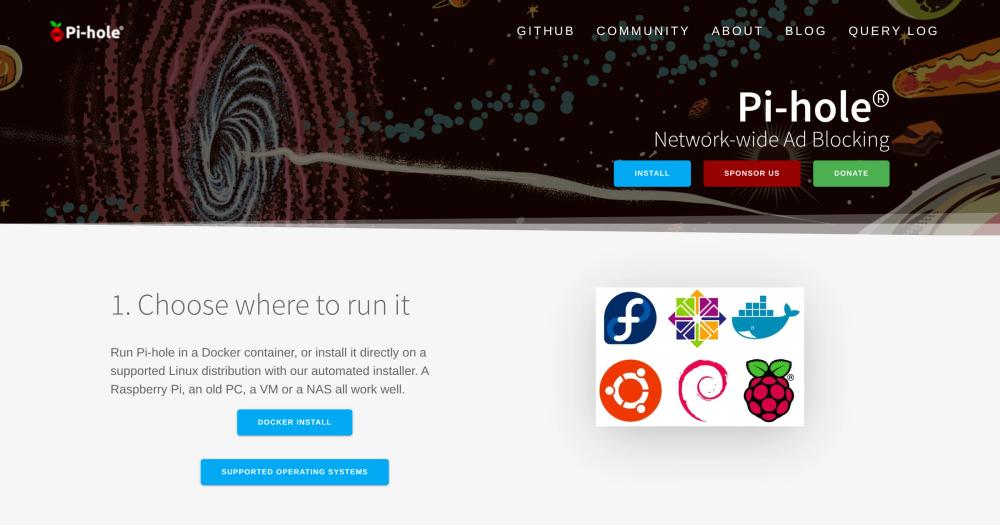
image of Pi Hole
TL;DR

Pi-hole is a DNS sinkhole that blocks ads and trackers for every device on your home network by intercepting DNS queries before they reach ad servers. It replaces paid DNS filtering services like NextDNS, Control D, and AdGuard DNS, running entirely on your own hardware with no subscription fees and no DNS query history leaving your network. Licensed under EUPL-1.2 and deployable on any supported Linux system, a Raspberry Pi, Docker container, or VM, it installs in under ten minutes. Best for home users and small offices wanting network-wide ad blocking without installing anything on individual devices.

Read the full breakdownHide the full breakdownWho it is for, how it works, trade-offs, the quick start and the FAQ
who it's for

Who Pi-hole is for#

Home network owners wanting device-agnostic ad blocking

Pi-hole protects every device on your home network, including smart TVs, game consoles, and IoT hardware, without installing anything on those devices. One setup covers the whole household automatically when your router DHCP points to Pi-hole.

Skip if:

Your only concern is browser ads on a PC or Mac. A browser extension blocks ads more precisely on those devices with no server to maintain.

Home lab operators adding DNS filtering to existing infrastructure

Pi-hole runs as a single Docker container on a home server, NAS, or existing VM and integrates with home-automation tools through its REST API. Its app-password authentication and group management fit naturally into an already-managed home network.

Skip if:

You have no existing server or Raspberry Pi and are not interested in running any self-hosted services. A cloud DNS service requires no hardware.

Parents wanting centralized content filtering across all household devices

Pi-hole's group management lets you apply stricter blocklists to specific devices or clients without touching each device individually. The query log shows exactly what domains each client requests, giving visibility into household network activity from one dashboard.

Skip if:

You need parental controls beyond DNS blocking, such as time limits, app restrictions, or SafeSearch enforcement. Pi-hole blocks domains but cannot restrict access to specific content on otherwise-allowed domains.

Privacy-focused users minimizing third-party DNS exposure

Pi-hole processes all DNS queries locally and logs them in a local database that never leaves your hardware. This eliminates the DNS-query visibility that cloud resolvers, ISP DNS servers, and commercial filtering services have over your browsing habits.

Skip if:

You need DNS protection on devices outside your home network. Pi-hole only covers devices connected to your LAN; devices on mobile data are unprotected without a separate VPN setup.

the problem

The problem it solves#

Browser-based ad blockers only protect the browser they run in. Ads and trackers in mobile apps, smart TV interfaces, game consoles, and IoT devices flow through unaffected because those devices either do not support extensions or run entirely different software stacks. A household with ten devices might have protection on two or three of them.

Configuring per-device DNS settings is the manual workaround, but it breaks whenever a device reconnects, gets replaced, or joins from a guest account. Network-wide filtering via DNS catches every request to known ad and tracker domains before the connection is made, covering every device without touching any of them individually.

how Pi-hole solves it

How it solves it#

Network-wide DNS blocking

Intercepts DNS queries for ad and tracker domains before devices can connect, working on every device on the network: phones, tablets, smart TVs, game consoles, and IoT hardware, with no software installed on any of them. Blocklists update automatically through Pi-hole's Gravity system.

Built-in web interface and query dashboard

A web-based dashboard shows total queries, blocked queries, the most-blocked and most-requested domains, per-client activity, query types, and long-term statistics over user-defined time ranges. The dashboard is included with Pi-hole and needs no separate web server.

Built-in DHCP server

Pi-hole can serve as your network's DHCP server, assigning IP addresses alongside DNS settings. This covers networks where the router does not support custom DNS, and optionally includes IPv6 support. It keeps DNS and address assignment in one place.

Group management for per-device rules

Assign clients to groups and give each group its own blocklists and allow rules. Stricter filtering for the kids' tablets, lighter settings for a work laptop, and no filtering for a server all run from the same Pi-hole interface without separate instances.

Full REST API with built-in documentation

Every action available through the web interface can be automated via Pi-hole's REST API. Interactive API documentation is served from each Pi-hole instance, and app passwords let scripts, home-automation tools, and third-party integrations connect securely.

Query log with long-term storage

Logs every domain queried on the network, the client that asked, and what Pi-hole did with the request. Queries are stored in a local database, and the query log supports filtering by time range, client, domain, and query status for ad-hoc network analysis.

strengths · trade-offs

Strengths and trade-offs#

Strengths

  • No subscription fees or recurring costsPi-hole runs on hardware you own. After the initial setup, there are no monthly or annual fees, no per-device licensing costs, and no usage caps. Commercial DNS filtering services charge subscription fees for continued use; Pi-hole has no such requirement.
  • DNS queries stay on your hardwareEvery DNS query your network makes is resolved or blocked by Pi-hole locally, never sent to a third-party server. Cloud DNS services like NextDNS and AdGuard DNS log queries on their infrastructure. Pi-hole's query log stays on your hardware and is under your control.
  • Blocks ads outside the browserDNS-level blocking reaches ads in mobile apps, smart TV interfaces, game consoles, and IoT devices that browser extensions cannot touch. Pi-hole's GitHub README states: 'content is blocked in non-browser locations, such as ad-laden mobile apps and smart TVs.'
  • 61,000+ star project with active maintenance since 2014Pi-hole was first released in 2014 and has accumulated over 61,000 GitHub stars. The volunteer team maintains an active Discourse forum, a subreddit, and an issue tracker. The issue tracker held 24 open issues at the time the research data was collected.

Trade-offs

  • -Requires always-on hardwarePi-hole must run continuously for your network to have DNS. If the device it runs on goes offline, DNS resolution fails for every device on the network unless you configure a fallback DNS server. This means dedicating a Raspberry Pi, VM, or NAS slot to Pi-hole permanently.
  • -Only protects devices on your LANPi-hole blocks DNS queries from devices connected to your home network. Phones and laptops on mobile data, public Wi-Fi, or other networks bypass Pi-hole entirely. Pairing Pi-hole with a VPN like WireGuard extends coverage to off-network devices, but adds setup complexity.
  • -Router access required for automatic full-network coverageTo protect every device automatically, you need to configure your router to point DHCP clients at Pi-hole for DNS. ISP-provided routers often do not allow custom DNS settings, in which case you must use Pi-hole's built-in DHCP server (requiring the router's DHCP to be disabled) or configure each device manually.
versus alternatives

Pi-hole vs alternatives#

Pi-hole vs NextDNS

Both tools offer DNS-level blocking with customizable blocklists, but they take different deployment approaches. Pi-hole runs on hardware you control; NextDNS is a subscription-based cloud service with no self-hosting option.

FeaturePi-holeNextDNS
LicenseEUPL-1.2Proprietary
Self-hostingYes, requiredNo (cloud-only)
DNS query storageLocal onlyNextDNS servers
Off-network coverageRequires VPNNative (no VPN needed)
Blocklist updatesManual or scheduledAutomatic
CostFree (hardware only)Free up to 300K queries/month, then paid

Pi-hole is the better choice when privacy and data ownership matter most. Every DNS query stays on your hardware and never reaches a third-party server. NextDNS is the better fit when you need protection on mobile data and public Wi-Fi without maintaining a VPN, or when you want zero hardware to manage.

Pi-hole vs AdGuard DNS

AdGuard DNS is the cloud-managed tier of AdGuard's products, offering DNS-based filtering through their servers. Like NextDNS, it requires no hardware but routes your queries through AdGuard's infrastructure.

FeaturePi-holeAdGuard DNS
Self-hostingYesNo
Data residencyYour hardwareAdGuard servers
LicenseEUPL-1.2Proprietary
Free tierUnlimited (self-hosted)Limited queries per day

Pi-hole wins on data ownership and no ongoing costs. AdGuard DNS is a reasonable choice for users who do not want to maintain self-hosted hardware, particularly on mobile devices where Pi-hole has no native off-network coverage.

install · quick start

Quick start#

bash
Install Pi-hole on any supported Linux distribution with the official automated installer.
```bash
curl -sSL https://install.pi-hole.net | bash
```
frequently asked

FAQ#

What hardware does Pi-hole require?

Pi-hole runs on any supported Linux distribution and needs minimal hardware. A Raspberry Pi 2 or later, an old PC or laptop, a VM, a NAS, or a Docker container all work. The official documentation lists specific prerequisites, but most Linux single-board computers with a few hundred megabytes of RAM are sufficient for a home network. The website specifically notes that a Raspberry Pi, an old PC, a VM, and a NAS all work well as hosts.

Does Pi-hole block ads on mobile data or when outside my home network?

No. Pi-hole only filters DNS queries from devices connected to your home network. A phone or laptop on mobile data, public Wi-Fi, or a different network bypasses Pi-hole entirely. The official website documents pairing Pi-hole with a VPN such as WireGuard as a way to extend protection to mobile devices, but that requires setting up and maintaining a VPN server in addition to Pi-hole.

Can Pi-hole run alongside my existing router's DHCP server?

Yes. The most common setup points your router's existing DHCP server at Pi-hole for DNS, with no changes to how IP addresses are assigned. Pi-hole's built-in DHCP server is optional and only needed when your router does not support custom DNS settings. If you use Pi-hole's DHCP server, you disable the router's DHCP first to avoid conflicts.

What does the EUPL-1.2 license mean for self-hosters?

EUPL-1.2 (European Union Public Licence 1.2) is a copyleft licence. For self-hosters the terms are straightforward: you may freely run, use, and deploy Pi-hole for any purpose, including commercial internal use, with no restrictions. The copyleft requirement applies to distribution: if you distribute Pi-hole or a modified version to others, you must provide the source code and license your distribution under EUPL-1.2 or a compatible licence listed in its appendix. Running Pi-hole on your own network for your household or organization requires nothing beyond the download.

How does Pi-hole update its blocklists?

Pi-hole downloads and merges blocklists through its Gravity system, which pulls from any URL-based list you configure, including community lists with millions of entries. You can subscribe to external blocklists and schedule automatic updates via the web interface or the pihole -g command. Pi-hole also supports allow and deny rules at the domain level, and regex patterns for more precise control over what is blocked or permitted.

also worth a look

Similar open-source tools#

Esp32 C3 Adblock

Alternative toNextDNS

Pi-hole-style DNS ad-blocker on a $2 ESP32-C3 board

  • 3,480 GitHub stars
  • MITLicence MIT

Beszel

Alternative toDatadog

Self-hosted server monitoring with Docker stats and disk health.

  • 26,836 GitHub stars
  • MITLicence MIT

NetBird

Alternative toTailscale

WireGuard overlay network with Zero Trust, SSO, and self-hosting

  • 30,622 GitHub stars

WGDashboard

Alternative toTailscale

WireGuard VPN dashboard with peer management, MFA, and Docker support.

  • 3,767 GitHub stars
  • Apache-2.0Licence Apache-2.0

Ntopng

Alternative toPRTG Network Monitor

Network traffic monitor with NetFlow, sFlow, eBPF, and SNMP support.

  • 8,322 GitHub stars
  • GPL-3.0Licence GPL-3.0

Authelia

Alternative toOkta

Self-hosted SSO and MFA gateway, Apache-2.0 licensed.

  • 29,478 GitHub stars
  • Apache-2.0Licence Apache-2.0
by category

Open source tools in these categories#

161

Security & Monitoring

REA (Reverse Engineer Anything), RustDesk, Uptime Kuma
140

IT Management

RustDesk, Immich, Stirling PDF
Hostinger

Self-host Pi-hole on a Hostinger VPS

Keep it running 24/7, even when your laptop is off. A Hostinger VPS gives it a server of its own.

  1. 01

    Choose a plan

    Starts from $6.49/mo

  2. 02

    Apply

    Extra 10% off yearly plans

  3. 03

    Install Pi-hole

    On a server that stays on

  4. 04

    Start building

    Focus on the app, not the server

Deploy on Hostinger

Sponsors

Inbox Zero

Alternative toSuperhuman

AI email assistant that drafts replies and clears your inbox

  • 12,889 GitHub stars
  • AGPL-3.0Licence AGPL-3.0
  • #Email

rakazo

Alternative toGrok Bot

AI teammates you own: your keys, your model, your machine.

  • 6,568 GitHub stars
  • Apache-2.0Licence Apache-2.0
  • #AI Agents

SnitchFeed

Live monitoring on LinkedIn, X, Reddit & more. Agentic social listening for startups.

Marketing & Growth

Advertise your product

New open source projects by email

The projects we add and every new guide. Free, unsubscribe any time.

Find open source alternatives to paid software

/
  • Claude Code to OpenCode
  • Jira to Windshift
  • Notion to AppFlowy
  • Slack to Mattermost
  • Linear to GitLab
  • Wispr Flow to Handy
  • Arc to Zen Browser
  • CapCut to Concat
  • Grok Bot to rakazo
  • Superhuman to Inbox Zero
  • Airtable to AITable
  • Muse to OpenClaw
  • Railway to Coolify
  • GitHub Copilot to Cline
  • Datadog to Netdata
  • Confluence to Wiki.js
  • Microsoft Teams to Rocket.Chat
  • Pinecone to Qdrant
  • Zapier to n8n
  • 1Password to KeePassXC
  • Devin AI to OpenHands
  • Firebase to Supabase
  • Contentful to Strapi
  • Adobe Premiere Pro to Shotcut
  • Claude Code to OpenCode
  • Jira to Windshift
  • Notion to AppFlowy
  • Slack to Mattermost
  • Linear to GitLab
  • Wispr Flow to Handy
  • Arc to Zen Browser
  • CapCut to Concat
  • Grok Bot to rakazo
  • Superhuman to Inbox Zero
  • Airtable to AITable
  • Muse to OpenClaw
  • Railway to Coolify
  • GitHub Copilot to Cline
  • Datadog to Netdata
  • Confluence to Wiki.js
  • Microsoft Teams to Rocket.Chat
  • Pinecone to Qdrant
  • Zapier to n8n
  • 1Password to KeePassXC
  • Devin AI to OpenHands
  • Firebase to Supabase
  • Contentful to Strapi
  • Adobe Premiere Pro to Shotcut