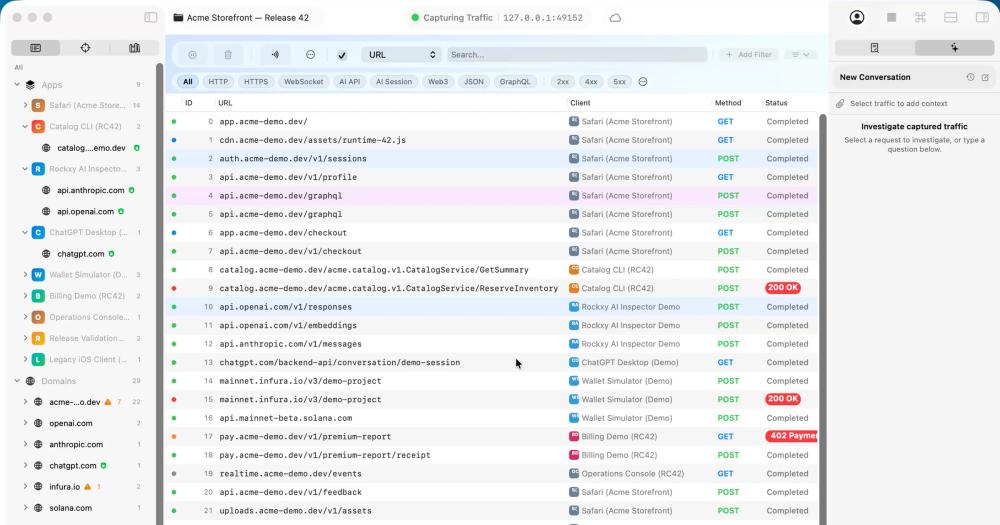
Rockxy vs Proxyman
Proxyman is the closest direct competitor: also a native macOS app built with SwiftUI, targeting the same macOS developer audience. The core difference is licensing. Proxyman is a commercial product; its full feature set, including map-local rules, scripting, and team sharing, requires a paid license. Rockxy's community edition is AGPL-3.0 and covers capture, HTTPS decryption, replay, breakpoints, and redaction at no cost.
The notable Rockxy differentiator in this comparison is the local MCP server. Proxyman has no equivalent feature for exposing captured traffic to AI coding assistants like Claude Desktop or Claude Code. Developers building AI-integrated products who want to inspect captured payloads from within their AI client will find Rockxy's read-only MCP tooling useful.
Proxyman has a longer release history and a more established paid support model. Teams that need a battle-tested commercial tool with dedicated support should evaluate Proxyman's paid tier before committing to Rockxy for critical production debugging.
Rockxy vs Charles Proxy
Charles Proxy is cross-platform and runs on Windows, Linux, and macOS. For teams with mixed operating systems, Charles remains the most established option in this category. On macOS, Charles's Java-based foundation means it does not integrate natively with Keychain, system proxy settings, or macOS UI conventions.
Rockxy's native Swift implementation produces a different interaction model: certificate trust integrates with Keychain directly, the app process filter works through macOS APIs, and the workspace follows macOS conventions throughout. For macOS-only teams, the UI difference is real and was specifically cited in community Reddit threads as a reason to evaluate Rockxy.
Charles has a one-time license option; Rockxy's community edition is free under AGPL-3.0.
Rockxy vs Fiddler Everywhere
Fiddler Everywhere is cross-platform, cloud-synced, and team-focused. It includes collaboration features, scripting, and cloud-based session sharing. If your team needs to share debugging sessions across Windows, Linux, and macOS machines with a cloud-backed workspace, Fiddler Everywhere's paid tier covers that workflow.
Rockxy's local-first architecture is the tradeoff: captured traffic stays on the developer's Mac, with no cloud relay and no team sync out of the box. Teams that need file-based session sharing (HAR exports, Rockxy session archives) can replicate the collaboration workflow manually. For security-sensitive contexts where traffic must stay on-device, Rockxy's local architecture is the advantage.