Open Source Alternatives
  • Alternatives
  • Categories
    Categories by size1,182 projects
    • Developer Tools610
    • AI & Machine Learning515
    • Business & Productivity282
    • Web Development214
    • Security & Monitoring178
    • Communication & Collaboration158
    • IT Management149
    • LLMOps & AI Tooling130
    • Cloud & Hosting129
    • Product & Project Management126
    Browse all 21 categoriesDesign & Creative, DevOps & CI/CD and 9 more
  • Blog
  • Advertise
SearchNotion, Slack, password manager.../
Submit
Open Source Alternatives
  • Alternatives
    • Developer Tools610
    • AI & Machine Learning515
    • Business & Productivity282
    • Web Development214
    • Security & Monitoring178
    • Communication & Collaboration158
    • Browse all 21 categories
  • Blog
  • Advertise
Submit your project

New open source projects by email

The projects we add and every new guide. Free, unsubscribe any time.

Open Source Alternatives LogoOpen Source Alternatives

Handpicked Open Source Alternatives to Paid Softwares

Add Open Source Alternatives as a preferred source on Google

Product

  • Categories
  • Tag
  • Advertise

Resources

  • Blog
  • Collection
  • Submit

Company

  • Privacy Policy
  • Terms of Service
  • Refund Policy
  • Sitemap

Alternatives

  • Claude Code
  • Jira
  • Notion
  • Slack
  • Linear
  • Wispr Flow
  • All alternatives
© 2026 Open Source Alternatives. All rights reserved.
Open SourceAlternatives
Home/Categories/Developer Tools/Serena
icon of Serena

Serena

  • 31.2K stars
  • GPL-3.0-or-later (with MIT-licensed SolidLSP component)
  • Active this month
  • Last commit 12 days ago

Last verified Nov 9, 2026

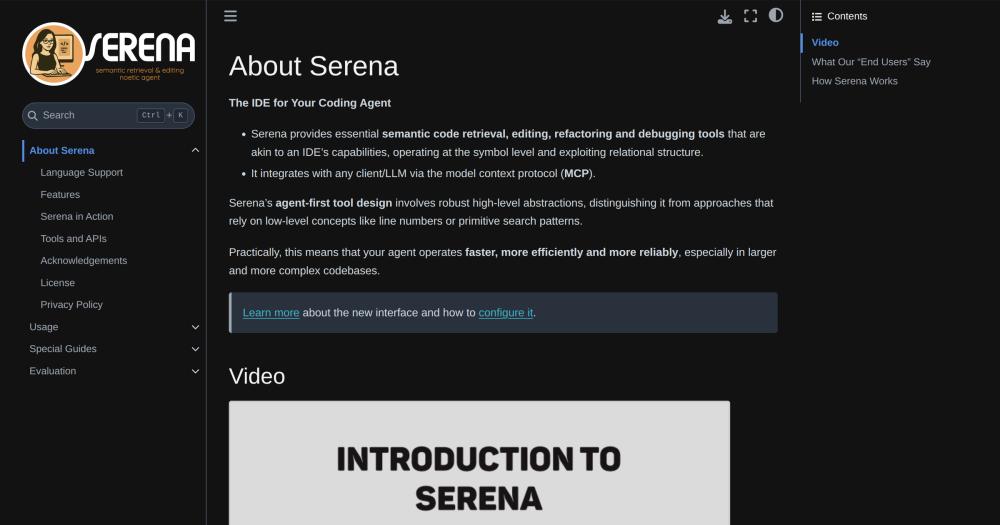
Run IDE-level semantic code tools in any AI coding agent via MCP, with symbol-aware retrieval, refactoring, and editing across 40+ languages.

Visit websiteGitHub31.2K stars
Image for Serena
TL;DR

Serena is an MCP server that gives AI coding agents IDE-level semantic tools: symbol lookup, cross-file reference navigation, rename, safe delete, and diagnostics. It connects to any MCP-compatible client, including Claude Code, Codex, and JetBrains IDEs, without replacing your existing LLM setup. Licensed under GPL-3.0-or-later, Serena installs in one uv command and runs locally with no cloud dependency. Best for developers working in large or complex codebases who need precise, symbol-aware code operations from their AI agent.

Read the full breakdownHide the full breakdownWho it is for, how it works, trade-offs, the quick start and the FAQ
who it's for

Who Serena is for#

Developers running Claude Code or Codex on large multi-file Python projects

Serena gives Claude Code and Codex precise symbol lookup and refactoring tools, replacing token-intensive text searches with single-call operations. Claude Code evaluations on a large Python codebase showed cross-file renames and reference lookups collapsing from 8 to 12 manual steps to one atomic call.

Skip if:

The codebase is small (under a few thousand lines) or the agent is doing mostly generative work, writing new files rather than navigating existing code. Serena's value increases with codebase complexity.

Backend developers maintaining large Java or Kotlin projects in JetBrains IDEs

The JetBrains plugin exposes the full IntelliJ code analysis engine to the agent, including type hierarchy navigation, project dependency search, and interactive debugging with breakpoints. Teams already paying for IntelliJ IDEA can trial the plugin at no initial cost.

Skip if:

You use Rider or CLion; the JetBrains plugin explicitly does not support those IDEs.

Teams building or maintaining multi-language monorepos

With 40+ language server integrations, Serena can provide symbol-level understanding across a monorepo spanning TypeScript, Go, Python, and other languages. Each language server works independently, so you can add language support incrementally.

Skip if:

All relevant code is in one language and your AI client already has adequate built-in code navigation for that language. Adding an MCP server layer adds setup cost without proportional gain in single-language projects.

the problem

The problem it solves#

AI coding agents operate on text. When an agent needs to rename a function, it searches for the string, hopes it catches every reference, and edits each one manually. In a small codebase this works. In a large one, it misses overloaded methods, skips references in generated files, and costs dozens of token-intensive round trips to verify the result.

The challenge deepens with refactoring. Moving a class, inlining a variable, or finding all implementations of an interface requires structural understanding that only a language server or IDE provides. Without it, agents fall back to grep-style searches that return false positives, skip non-obvious usages, and produce edits the developer must then manually verify and fix.

how Serena solves it

How it solves it#

Symbol-Level Code Retrieval

Serena exposes symbol lookup, file outline, reference finding, and declaration navigation as MCP tools. An agent can get all callers of a method as a precise list without scanning every file by text. Both the language server backend and the JetBrains plugin support these operations.

Cross-File Refactoring

Rename and symbol-level editing work via language servers; the JetBrains plugin adds move, inline, and propagate deletions. Unlike text-based search and replace, these operations understand scope, so a rename only touches actual usages of that symbol, not coincidental string matches in comments or strings.

Symbolic Editing Without Line Numbers

Replace a function body, insert code before or after a symbol, or safely delete a symbol with propagated cleanup, all by symbol name. This avoids the off-by-one and context-mismatch errors common to line-number-based editing that most AI agents rely on.

MCP Integration Across Clients

Serena connects to any MCP-compatible client: Claude Code, Codex CLI, OpenCode, Gemini-CLI, VSCode with Copilot, JetBrains IDEs, Claude Desktop, and others. The agent configures a launch command or HTTP URL; no changes to the LLM or client architecture are needed.

40+ Language Support via Language Servers

The default backend uses open-source language servers implementing the LSP protocol, covering Python, TypeScript, Go, Rust, Java, Kotlin, Ruby, PHP, C#, and over 35 other languages. Each language server is independently installed and free to use.

Memory System for Long-Lived Workflows

Serena includes a memory system that persists project context across agent sessions. Notes can be shared across users and projects, reducing warm-up cost on long-running tasks. It complements AGENTS.md-style files and can be disabled if you prefer a different setup.

strengths · trade-offs

Strengths and trade-offs#

Strengths

  • Works with Any MCP ClientSerena adds semantic capabilities to your existing AI client rather than replacing it. Claude Code, Codex, Cursor, JetBrains AI Assistant, and others all support MCP, so you do not need to switch tools or change your LLM workflow to gain symbol-level code operations.
  • 31,000+ Stars and Active CommunityThe repository has over 31,000 stars and 2,100+ forks as of late 2026, with an active Discord community. Language support across 40+ languages was built in large part by open-source contributors, an unusually wide footprint for an MCP server project.
  • No Cloud DependencySerena runs entirely locally. Code never leaves your machine during retrieval or refactoring operations. This matters for teams with IP restrictions or compliance requirements that prohibit sending code to third-party services.
  • GPL-3.0 Permits Commercial and Team UseYou can run Serena in a commercial setting, on internal infrastructure, without licensing fees. The GPL terms require releasing source of modified versions you distribute externally, but running it internally for your own team is unrestricted.

Trade-offs

  • -Language Server Setup Requires Per-Language InstallationWhile Serena supports 40+ languages, the language servers themselves are separate installs. Some require language-specific toolchains: a working JVM for Java, a Rust toolchain for rust-analyzer, and so on. The Serena documentation lists each dependency, but initial setup on a multi-language project takes more than one uv command.
  • -Advanced Refactoring Requires the Paid JetBrains PluginMove operations, inline refactoring, type hierarchy navigation, and interactive debugging are only available with the paid JetBrains plugin (free trial available). The free language server backend supports rename and symbolic editing, but the full refactoring surface needs a JetBrains IDE license and the plugin. Rider and CLion are explicitly not supported.
  • -Active Issue Backlog Across Language IntegrationsThe repository carries 84 open issues. As a tool that integrates with many different language servers and clients, edge cases in language-specific behavior and client compatibility generate a steady volume of reports. Users on less common language stacks may encounter rough edges not present in well-tested languages like Python or TypeScript.
versus alternatives

Serena vs alternatives#

Serena vs GitHub Copilot

GitHub Copilot provides AI-assisted coding via IDE extensions for VS Code, JetBrains, and other editors, including a Workspace feature for codebase-wide search and reference. Copilot is a hosted, subscription-based service at $10 to $19 per user per month.

FeatureSerenaGitHub Copilot
LicenseGPL-3.0-or-laterProprietary
Self-hostingYes, local MCP serverNo, cloud-hosted
Client compatibilityAny MCP-compatible clientCopilot extensions only
Symbol-level refactoringYes (rename via LSP, move via JetBrains plugin)Limited
Interactive debuggingYes (JetBrains plugin)No
Language support40+ via open-source LSP serversBroad, via extension
PricingFree (GPL); JetBrains plugin is paid$10 to $19 per user per month

Serena is the better fit when you need code operations that work across any MCP-compatible client, not just Copilot extensions, or when code must stay on your machine for compliance reasons. GitHub Copilot is still the better fit for teams who want AI completions and suggestions inline in the editor without configuring a local MCP server, or whose primary workflow is code generation rather than codebase navigation.

Serena vs Cursor

Cursor is an AI-first IDE forked from VS Code. Its codebase indexing embeds the repository and uses semantic search to give the AI agent context from anywhere in the codebase. Cursor is a commercial product with a free tier and paid plans from $20 per month.

FeatureSerenaCursor
LicenseGPL-3.0-or-laterProprietary
Self-hostingYesNo
Agent compatibilityAny MCP clientCursor's own agent
Symbol-level editingYes, as user-invokable MCP toolsBuilt into Cursor's agent, not separately exposed
IDE requiredNo, works in terminal clientsYes, the Cursor IDE
PricingFree (GPL); JetBrains plugin is paidFree tier; $20+ per month for higher usage

Serena is the better choice if you do not want to switch IDEs, already use terminal-based agents, or need a self-hosted setup where code stays local. Cursor is the better choice for developers who want an all-in-one AI IDE with semantic search built in and do not need local code operations.

install · quick start

Quick start#

bash
Serena is a Python package requiring Python 3.13. Install with pip or pipx and initialize the project configuration.

pipx install serena-agent
serena init
tech stack · detected from GitHub

What it's built on#

Languages
JavaScriptPython
Frameworks
AngularSvelteVue
frequently asked

FAQ#

Does Serena work with Claude Code?

Yes. Claude Code supports MCP and can launch Serena as a local MCP server via a configured launch command. The Serena documentation covers the specific setup steps for Claude Code. Serena's evaluation suite was tested in part on Claude Code on a large Python codebase, where symbol-level tools reduced multi-step rename operations to single atomic calls.

What is the difference between the language server backend and the JetBrains plugin?

The language server backend uses open-source LSP servers and covers retrieval, diagnostics, rename, and symbolic editing across 40+ languages at no cost beyond the language servers themselves. The JetBrains plugin (paid, free trial available) adds deeper features: move, inline, propagate deletions, type hierarchy, project dependency search, and interactive debugging with breakpoints. The plugin requires IntelliJ IDEA, PyCharm, Android Studio, WebStorm, PhpStorm, RubyMine, or GoLand; Rider and CLion are not supported.

Is Serena free to use commercially?

Yes. The Serena application is licensed under GPL-3.0-or-later, which permits self-hosting and commercial use at no cost. You can run it on your own infrastructure for your team or in a commercial product. If you distribute a modified version externally, you must release those modifications under the same GPL terms. Running it internally or using it commercially without distribution carries no licensing obligation. The JetBrains plugin is a separate paid product with its own pricing.

Can I install Serena without uv?

uv is the only documented prerequisite and the officially supported install path. The README explicitly asks users not to install Serena via MCP or plugin marketplaces because those may contain outdated versions with suboptimal configuration. If you prefer not to use uv, you would need to refer to the source for alternative install paths, which the project does not officially document.

What programming languages does Serena support?

Using the language server backend, Serena supports over 40 languages, including Python, TypeScript, JavaScript, Go, Rust, Java, Kotlin, C#, C/C++, Ruby, PHP, Swift, Scala, Haskell, Lua, and Elixir, among others. The JetBrains plugin supports all languages and frameworks that JetBrains IDEs support, except for Rider (C#) and CLion (C/C++). Some languages require additional toolchain installation beyond uv; the Serena documentation covers these per-language prerequisites.

also worth a look

Similar open-source tools#

Nuphos

Featured

Alternative toConductor

Agent workspace for teams running Claude Code or Codex

  • 372 GitHub stars
  • Apache-2.0Licence Apache-2.0

REA (Reverse Engineer Anything)

Featured

Alternative toRevEng.AI

AI-powered reverse engineering for binaries, apps, and assemblies.

  • 441,247 GitHub stars
  • MITLicence MIT

rakazo

Featured

Alternative toGrok Bot

AI teammates you own: your keys, your model, your machine.

  • 7,478 GitHub stars
  • Apache-2.0Licence Apache-2.0

Agent Reach

Featured

Alternative toFirecrawl

Give any AI agent internet access, free and local

  • 109,989 GitHub stars
  • MITLicence MIT

Hermes Agent

Featured

Alternative toGrok Bot

Self-hosted AI agent: persistent memory, multi-channel chat, model choice.

  • 261,524 GitHub stars
  • MITLicence MIT

Openinterpreter

Alternative toClaude Code

Coding agent for low-cost open models with Codex compatibility

  • 68,842 GitHub stars
  • Apache-2.0Licence Apache-2.0
by category

Open source tools in these categories#

610

Developer Tools

REA (Reverse Engineer Anything), Skills for Real Engineers, superpowers
515

AI & Machine Learning

freeCodeCamp, REA (Reverse Engineer Anything), OpenClaw

Sponsors

Inbox Zero

Alternative toSuperhuman

AI email assistant that drafts replies and clears your inbox

  • 12,942 GitHub stars
  • AGPL-3.0Licence AGPL-3.0
  • #Email

rakazo

Alternative toGrok Bot

AI teammates you own: your keys, your model, your machine.

  • 7,478 GitHub stars
  • Apache-2.0Licence Apache-2.0
  • #AI Agents

SnitchFeed

Live monitoring on LinkedIn, X, Reddit & more. Agentic social listening for startups.

Marketing & Growth

Advertise your product

New open source projects by email

The projects we add and every new guide. Free, unsubscribe any time.

Find open source alternatives to paid software

/
  • Claude Code to OpenCode
  • Jira to Windshift
  • Notion to AppFlowy
  • Slack to Mattermost
  • Linear to GitLab
  • Wispr Flow to Handy
  • Arc to Zen Browser
  • CapCut to Concat
  • Grok Bot to rakazo
  • Superhuman to Inbox Zero
  • Airtable to AITable
  • Muse to OpenClaw
  • Railway to Coolify
  • GitHub Copilot to Cline
  • Datadog to Netdata
  • Confluence to Wiki.js
  • Microsoft Teams to Rocket.Chat
  • 1Password to KeePassXC
  • Firebase to Supabase
  • Pinecone to Qdrant
  • Zapier to n8n
  • Devin AI to OpenHands
  • Asana to Leantime
  • Contentful to Strapi
  • Claude Code to OpenCode
  • Jira to Windshift
  • Notion to AppFlowy
  • Slack to Mattermost
  • Linear to GitLab
  • Wispr Flow to Handy
  • Arc to Zen Browser
  • CapCut to Concat
  • Grok Bot to rakazo
  • Superhuman to Inbox Zero
  • Airtable to AITable
  • Muse to OpenClaw
  • Railway to Coolify
  • GitHub Copilot to Cline
  • Datadog to Netdata
  • Confluence to Wiki.js
  • Microsoft Teams to Rocket.Chat
  • 1Password to KeePassXC
  • Firebase to Supabase
  • Pinecone to Qdrant
  • Zapier to n8n
  • Devin AI to OpenHands
  • Asana to Leantime
  • Contentful to Strapi