Open Source Alternatives
  • Alternatives
  • Categories
    Categories by size1,010 projects
    • Developer Tools517
    • AI & Machine Learning446
    • Business & Productivity232
    • Web Development203
    • Security & Monitoring150
    • Communication & Collaboration138
    • IT Management135
    • Cloud & Hosting119
    • LLMOps & AI Tooling116
    • Data & Analytics110
    Browse all 21 categoriesProduct & Project Management, Design & Creative and 9 more
  • Blog
  • Advertise
SearchNotion, Slack, password manager.../
Submit
Open Source Alternatives
  • Alternatives
    • Developer Tools517
    • AI & Machine Learning446
    • Business & Productivity232
    • Web Development203
    • Security & Monitoring150
    • Communication & Collaboration138
    • Browse all 21 categories
  • Blog
  • Advertise
Submit your project

New open source projects by email

The projects we add and every new guide. Free, unsubscribe any time.

Open Source Alternatives LogoOpen Source Alternatives

Handpicked Open Source Alternatives to Paid Softwares

Product

  • Categories
  • Tag
  • Advertise

Resources

  • Blog
  • Collection
  • Submit

Company

  • Privacy Policy
  • Terms of Service
  • Refund Policy
  • Sitemap

Alternatives

  • Claude Code
  • Jira
  • Notion
  • Slack
  • Linear
  • Wispr Flow
  • All alternatives
© 2026 Open Source Alternatives. All rights reserved.
Open SourceAlternatives
Home/Categories/Business & Productivity/TypeWords
icon of TypeWords

TypeWords

  • 10.7K stars
  • GPL-3.0
  • Active this month
  • Last commit 15 days ago

Last verified Nov 1, 2026

Learn English vocabulary through typing, with FSRS spaced repetition, 7 practice modes, and 50+ built-in word lists. GPL-3.0 licensed, self-hostable.

Visit websiteGitHub10.7K starsDeploy on Hostinger
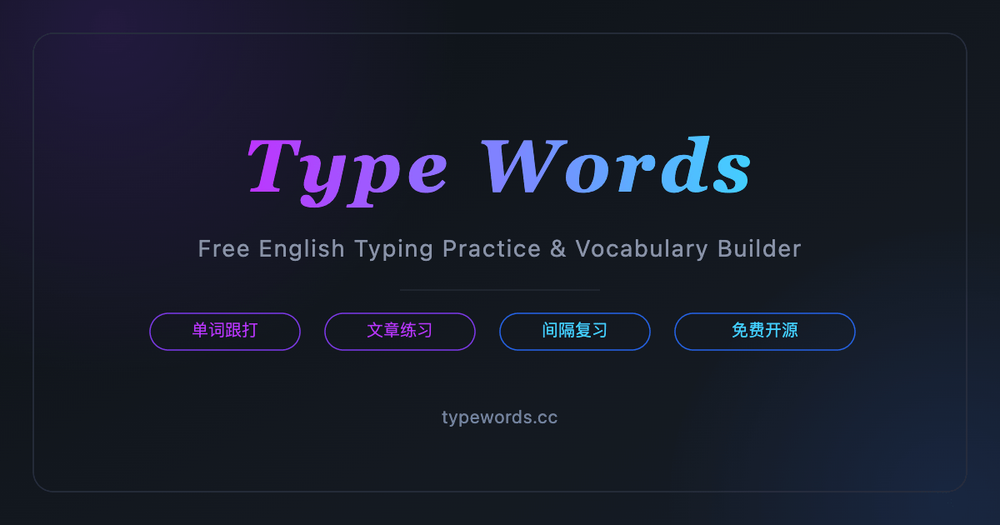
image of TypeWords
TL;DR

TypeWords is an open source vocabulary trainer that teaches English through typed spelling rather than passive recognition. It pairs typed input with the FSRS spaced repetition algorithm and ships with 50+ word lists covering GRE, IELTS, TOEFL, CET-4, CET-6, and SAT. GPL-3.0 licensed and self-hostable, with data stored locally in the browser and no account required. Best for test-prep learners who want to build spelling accuracy alongside recognition.

Read the full breakdownHide the full breakdownWho it is for, how it works, trade-offs, the quick start and the FAQ
who it's for

Who TypeWords is for#

Test-prep learners studying for GRE, IELTS, or CET exams

TypeWords ships the official word lists for GRE, IELTS, TOEFL, SAT, CET-4, and CET-6 with no deck-building required. The FSRS scheduler spaces high-frequency test vocabulary automatically, and the dictation mode builds the spelling accuracy that written exams require.

Skip if:

You primarily study on mobile or need a spaced repetition system that syncs across apps you already use. TypeWords is optimized for desktop keyboard sessions and its cross-device sync requires configuring your own Supabase instance.

Developers who study English vocabulary while coding

The VSCode extension lets you drill word lists inside your editor without switching applications. Keyboard shortcuts keep the workflow distraction-free: Tab to skip, backtick to mark mastered, Ctrl+R for random drilling. Vocabulary sessions accumulate in the background while you work.

Skip if:

You need the full FSRS scheduling and all seven practice modes inside the editor. The VSCode extension provides vocabulary drilling but the complete feature set is in the web app.

Privacy-conscious learners who want local study data

All progress is stored locally in IndexedDB by default. No account is required, and no data leaves the browser unless you configure Supabase sync. Users who want to avoid cloud-based platforms storing their learning history can run TypeWords fully offline on their own machine.

Skip if:

You need cross-device sync without manual configuration. TypeWords requires you to connect your own Supabase instance for sync; there is no built-in hosted sync service.

Educators building custom vocabulary curricula

The custom word list feature lets teachers create and share word sets outside the built-in library. The article practice module accepts any imported text with bilingual translation, so teachers can upload course readings and have students practice them in dictation mode.

Skip if:

You need class management features such as progress dashboards, assignment tracking, or per-student analytics. TypeWords has no educator-facing management interface; it is a single-user study tool.

the problem

The problem it solves#

Most vocabulary apps train passive recognition. You see a word, pick the right definition, and move on. That practice does not build the spelling muscle or active recall needed when writing in a second language or sitting a standardized test. You can recognize a word without being able to produce it.

Flashcard tools with spaced repetition scheduling address the when-to-review challenge, but most still rely on recognition-based input. Commercial platforms like Quizlet add subscription fees, serve ads on free tiers, and store your study history on their servers. Learners with serious test-prep goals end up paying for a service that still never requires them to type a single letter.

how TypeWords solves it

How it solves it#

FSRS Spaced Repetition Scheduling

Schedules reviews using the FSRS (Free Spaced Repetition Scheduler) algorithm, which adjusts timing based on how well you spelled each word. Words you consistently spell correctly appear less often; words you misspell cycle back immediately and then resurface at increasing intervals. The scheduler runs entirely client-side with no server required.

Seven Progressive Practice Modes

Moves from follow-along typing (copy the word as it appears) through dictation (type from audio only) to blind spelling from memory. Wrong words in any mode are automatically flagged and re-queued within the session before it ends. You can combine modes or follow the intended progression from easier to harder.

50+ Built-In Word Lists

Ships with curated lists for CET-4, CET-6, GMAT, GRE, IELTS, SAT, TOEFL, TEM-4, TEM-8, and Graduate English, among others. Each word entry includes phonetics, American and British pronunciation audio, example sentences, synonyms, and etymology. Custom word lists can be added through the words module without any external dependency.

Article Practice Mode

Lets you type through full texts sentence by sentence, with automatic pronunciation playback per line. Built-in content includes New Concept English and common classic novels. You can import any article with one-click translation and bilingual comparison, then practice it in follow-along or dictation mode.

Local-First Data with Optional Supabase Sync

All study progress, wrong-word history, and mastered words are stored in the browser's IndexedDB and localStorage by default, fully offline and private. No account is required to start. Cross-device sync is available by connecting your own Supabase instance in settings; no third-party server holds your data unless you configure one.

VSCode Extension

Available as a Visual Studio Code extension, letting you drill vocabulary inside your editor while coding. No window switching needed. The extension surfaces the same practice modes and word lists as the web version, so you can keep vocabulary sessions running in the background during a coding session.

strengths · trade-offs

Strengths and trade-offs#

Strengths

  • GPL-3.0 with no accounts, ads, or paywallsTypeWords is fully free at typewords.cc and under GPL-3.0 for self-hosting. Unlike Quizlet's free tier, which shows ads and restricts some study modes behind a subscription, TypeWords has no paywall, no advertising, and no per-seat fee. You can run it internally for a team or study group without any licensing cost.
  • Typed spelling builds active recallThe core mechanic requires you to spell each word letter by letter rather than click a correct option. The maker documents that this input method strengthens muscle memory alongside meaning retention. Misspelled words are flagged immediately and re-queued, creating tighter feedback loops than card-flip apps.
  • FSRS algorithm for efficient review schedulingThe FSRS (Free Spaced Repetition Scheduler) algorithm automatically calculates when each word should resurface based on your performance. Words you consistently nail appear rarely; words you struggle with recur more often. The scheduling is computed locally, with no server round-trip and no subscription required to access it.
  • Full keyboard workflow with customizable shortcutsThe interface is designed for full keyboard operation: Tab skips a word, Escape reveals the current word, Ctrl+R randomizes spelling practice, and the backtick key marks a word as mastered. Every shortcut is remappable in settings. Learners who want distraction-free sessions without touching a mouse can stay entirely in the keyboard flow.
  • 10,700+ GitHub stars with active developmentThe repository has over 10,700 stars and was last pushed in October 2026, with 100+ community contributors extending word libraries and adding localization. It has been featured on GitHub Trending, V2EX, and Gitee GVP. The 1,298 forks and 50 open issues reflect an active community.

Trade-offs

  • -Source build required for self-hostingThere is no Docker image or prebuilt binary. Self-hosting TypeWords means cloning the repository, installing Node.js and pnpm, and running the Nuxt build process. This is a barrier for learners who want their own instance without a local development environment. The hosted version at typewords.cc is the zero-configuration path.
  • -Poor mobile experience outside WeChatThe project's own website warns that the product is designed for keyboard input and that the mobile browser experience is poor. Mobile users are directed to a WeChat Mini Program instead. If your study workflow is phone-based or you need a non-WeChat mobile app, TypeWords is not the right fit.
  • -50 open issues at time of importThe repository had 50 open issues at the time of import, excluding pull requests. The project is actively developed and the issue count reflects a live community, but users with edge-case word lists or uncommon browser configurations should review open issues before committing to a self-hosted setup.
versus alternatives

TypeWords vs alternatives#

TypeWords vs Quizlet

Quizlet is the largest commercial flashcard platform, used across all academic subjects. TypeWords is an open source tool focused specifically on English vocabulary learning through typed input. The core overlap is spaced review of vocabulary; the core difference is input method.

FeatureTypeWordsQuizlet
LicenseGPL-3.0Proprietary
Self-hostingYesNo
Input methodTyped spellingRecognition / multiple choice
Spaced repetitionFSRS algorithm (free)Basic scheduling free; advanced paid
Built-in English word lists50+ (CET, GRE, IELTS, SAT, TOEFL)User-created; no curated library
OfflineYes (browser IndexedDB)Limited (paid plan)
PriceFree, no adsFree tier with ads; paid plans from $35.99/year
MobilePoor (WeChat Mini Program only)Full iOS and Android apps

TypeWords is the better choice when spelling accuracy matters. The typed input forces active recall rather than passive recognition, and the FSRS scheduler resurfaces misspelled words at the right interval without a subscription. For learners preparing for GRE, IELTS, or CET exams who need to write vocabulary correctly, TypeWords's built-in word lists and dictation modes remove the need to build your own flashcard decks.

Quizlet is the better fit when you need broad subject coverage beyond English vocabulary, full-featured mobile apps, or collaborative study sets for a class. TypeWords has no educator dashboard, no native mobile app, and no support for non-English study.

TypeWords vs Anki

Anki is a free, open source spaced repetition tool with a large community deck library. Unlike TypeWords, Anki uses a card-flip recognition model rather than typed input, and it covers any subject rather than English vocabulary specifically. TypeWords is faster to start for English test prep: built-in word lists for GRE, IELTS, and CET are ready immediately, with no deck downloads or formatting required.

Anki's mobile app costs $24.99 on iOS. TypeWords is entirely free across all platforms. For desk-based learners focused on English test vocabulary who want typed practice rather than card flipping, TypeWords requires less setup and no up-front cost.

install · quick start

Quick start#

bash
Self-hosting TypeWords requires Node.js and pnpm to build and run the local server.
```bash
git clone --depth 1 https://github.com/zyronon/TypeWords.git
cd TypeWords
pnpm install
pnpm run dev
```
tech stack · detected from GitHub

What it's built on#

Languages
JavaScriptTypeScript
Frameworks
NuxtVue
frequently asked

FAQ#

Is TypeWords free to use?

Yes. TypeWords is fully free at typewords.cc, requires no account, and has no paid tiers or ads. The GPL-3.0 license also permits self-hosting for personal or team use without licensing fees. There is no premium plan or paywall of any kind.

Can TypeWords work offline?

Yes. All study data is stored in the browser's IndexedDB and localStorage, so the web app functions offline after the initial page load. No internet connection is needed to practice word lists, run review sessions, or access your wrong-word history. Cross-device sync requires a Supabase connection but is entirely optional.

What word lists does TypeWords include?

TypeWords ships with over 50 built-in lists, including CET-4, CET-6, GRE, GMAT, IELTS, SAT, TOEFL, TEM-4, TEM-8, and Graduate English. Each word entry includes phonetics, American and British pronunciation audio, example sentences, synonyms, and etymology. You can also create custom word lists through the words module.

How does TypeWords differ from Anki or Quizlet?

The key difference is input method. Anki and Quizlet ask you to rate or click a recognition answer; TypeWords requires you to type each word. The typing input builds spelling recall alongside recognition. TypeWords also ships its own curated word lists for common English tests, so no deck-downloading is needed to start GRE or IELTS prep.

How do I self-host TypeWords?

Self-hosting requires Node.js and pnpm. Clone the repository with git clone --depth 1 https://github.com/zyronon/TypeWords.git, run pnpm install in the project directory, then pnpm run dev to start the local server at http://localhost:5567. For a production build, run pnpm run generate instead of pnpm run dev.

also worth a look

Similar open-source tools#

Markdown Preview Editor

Alternative toTypora

Browser-only Markdown editor with live preview and strict privacy.

  • 31 GitHub stars
  • MITLicence MIT

univer

Alternative toSpreadJS

Embed spreadsheets, docs, and slides in your own product

  • 22,774 GitHub stars
  • Apache-2.0Licence Apache-2.0

DeskcommCRM

Alternative toHubSpot Sales Hub

AI agents for WhatsApp sales, fully audited, no per-user pricing

  • 4,959 GitHub stars
  • MITLicence MIT

JellyBoxPlayer

Alternative toSymfonium

Native Jellyfin and Emby music player for every platform

  • 774 GitHub stars
  • AGPL-3.0Licence AGPL-3.0

stremio-web

Alternative toPlex

Open source web UI for media streaming, powered by community addons.

  • 14,935 GitHub stars
  • GPL-2.0Licence GPL-2.0

FckSignups

InCustomer Support

Open-source tools that work instantly, no signup required

  • 4,531 GitHub stars
  • GPL-3.0Licence GPL-3.0
by category

Open source tools in these categories#

232

Business & Productivity

OpenClaw, Excalidraw, RustDesk
203

Web Development

freeCodeCamp, superpowers, Skills for Real Engineers
Hostinger

Self-host TypeWords on a Hostinger VPS

Keep it running 24/7, even when your laptop is off. A Hostinger VPS gives it a server of its own.

  1. 01

    Choose a plan

    Starts from $6.49/mo

  2. 02

    Apply

    Extra 10% off yearly plans

  3. 03

    Install TypeWords

    On a server that stays on

  4. 04

    Start building

    Focus on the app, not the server

Deploy on Hostinger

Sponsors

Inbox Zero

Alternative toSuperhuman

AI email assistant that drafts replies and clears your inbox

  • 12,855 GitHub stars
  • AGPL-3.0Licence AGPL-3.0
  • #Email

rakazo

Alternative toGrok Bot

AI teammates you own: your keys, your model, your machine.

  • 6,242 GitHub stars
  • Apache-2.0Licence Apache-2.0
  • #AI Agents

SnitchFeed

Live monitoring on LinkedIn, X, Reddit & more. Agentic social listening for startups.

Marketing & Growth

Advertise your product

New open source projects by email

The projects we add and every new guide. Free, unsubscribe any time.

Find open source alternatives to paid software

/
  • Claude Code to OpenCode
  • Jira to Windshift
  • Notion to AppFlowy
  • Slack to Mattermost
  • Linear to GitLab
  • Wispr Flow to Handy
  • Arc to Zen Browser
  • CapCut to Concat
  • Grok Bot to rakazo
  • Superhuman to Inbox Zero
  • Airtable to AITable
  • Muse to OpenClaw
  • Railway to Coolify
  • GitHub Copilot to Cline
  • Datadog to Netdata
  • Microsoft Teams to Rocket.Chat
  • Confluence to Docmost
  • Pinecone to Qdrant
  • Zapier to n8n
  • Devin AI to OpenHands
  • Firebase to Supabase
  • 1Password to KeePassXC
  • Contentful to Strapi
  • Adobe Premiere Pro to Shotcut
  • Claude Code to OpenCode
  • Jira to Windshift
  • Notion to AppFlowy
  • Slack to Mattermost
  • Linear to GitLab
  • Wispr Flow to Handy
  • Arc to Zen Browser
  • CapCut to Concat
  • Grok Bot to rakazo
  • Superhuman to Inbox Zero
  • Airtable to AITable
  • Muse to OpenClaw
  • Railway to Coolify
  • GitHub Copilot to Cline
  • Datadog to Netdata
  • Microsoft Teams to Rocket.Chat
  • Confluence to Docmost
  • Pinecone to Qdrant
  • Zapier to n8n
  • Devin AI to OpenHands
  • Firebase to Supabase
  • 1Password to KeePassXC
  • Contentful to Strapi
  • Adobe Premiere Pro to Shotcut