

Who agency-agents is for#
Development teams scaling AI-assisted workflows
Engineering teams adopting AI coding tools across frontend, backend, DevOps, and infrastructure work can install division-specific agents to give every developer consistent, expert-level assistance. The agents reduce variance in code quality and ensure best practices are followed without requiring senior review on every change. Teams report faster onboarding for junior developers who get expert guidance embedded in their workflow.
Skip if:
Your team uses a single AI model tier below GPT-4 or Claude Opus. The agents are optimized for frontier models and may produce inconsistent results with smaller models.
Solo developers building full-stack products
Indie developers and solopreneurs working across the stack benefit from instant access to specialist expertise without hiring. Use the Frontend Developer agent for UI work, the Backend Architect for API design, the DevOps Automator for deployment pipelines, and the Security Penetration Tester for vulnerability checks. The agents replace the need to context-switch between expert mindsets manually.
Skip if:
You work in a single specialized domain and already have deep expertise. The value comes from cross-domain coverage.
Engineering managers improving code review consistency
Teams with inconsistent code review practices can use the Code Reviewer agent as a first-pass filter before human review. The agent checks for security issues, maintainability problems, and common bugs with a defined rubric. This reduces senior engineer review burden and ensures all PRs meet baseline quality standards before human eyes see them.
Skip if:
Your team needs highly custom review criteria tied to proprietary systems not covered by the agent's general rubric.
Security teams running threat modeling and audits
Security engineers can activate the Security Penetration Tester, Code Reviewer, or Section 508 Accessibility Specialist agents for focused audits. The agents think like attackers or compliance auditors, surfacing vulnerabilities and compliance gaps that general-purpose AI assistants miss. Use them for pre-release security checks or ongoing vulnerability scanning across repos.
Skip if:
You need agents trained on your organization's specific threat model. The agents use general security best practices.
The problem it solves#
AI coding assistants are powerful, but most developers treat them as generic chat interfaces. Without domain-specific context, you get surface-level answers that miss the nuance a specialized expert would catch. Writing effective agent personalities from scratch takes hours of iteration, testing across tasks, and deep understanding of both the domain and how to structure AI instructions. Most teams lack the time or expertise to craft production-ready agents for specialized workflows like security audits, database tuning, or incident response. The result is inconsistent AI assistance that varies wildly based on how well you prompt in the moment, and experts end up re-explaining context on every interaction instead of codifying it once and reusing it.
How it solves it#
200+ domain-specialized agent personalities
Each agent defines identity, expertise area, communication style, technical deliverables, and success metrics. Coverage spans engineering (frontend, backend, DevOps, AI, embedded, mobile), design (UI, UX, brand), security (penetration testing, code review, compliance), operations (SRE, incident response, database reliability), and content (technical writing, documentation). Every agent is production-ready with workflows tested across real projects.
Multi-tool integration with 15+ AI platforms
Agents work with Claude Code, Cursor, GitHub Copilot, Codex, Gemini CLI, OpenCode, Aider, Windsurf, and other AI coding tools. The install scripts auto-detect which tools you have and convert agents to the correct format for each platform. No manual configuration needed. The desktop app (macOS, Linux, Windows) provides a visual browser for the full roster and one-click installation.
Personality-driven communication patterns
Unlike generic prompt templates, each agent has a unique voice and approach. The Frontend Developer agent focuses on performance and pixel perfection. The Security Penetration Tester agent thinks like an attacker. The Incident Response Commander agent prioritizes triage and communication. These personality traits shape how the agent analyzes problems, asks questions, and presents solutions.
Deliverable-focused workflows with code examples
Every agent includes concrete deliverables, not vague guidance. The Backend Architect agent delivers API schemas and database designs. The DevOps Automator agent produces CI/CD pipeline configs. The Technical Writer agent creates documentation templates. Each agent file contains code examples showing what output to expect, reducing ambiguity and ensuring consistent results.
Division-based organization for team workflows
Agents are grouped into divisions (Engineering, Design, Security, Operations, Marketing, Content) matching how teams are structured. You can install entire divisions or individual agents based on your workflow. The installer supports selective installation to avoid overwhelming tools with limited agent slots. Teams can fork the repo and add custom agents to their private divisions.
MIT license with fork-friendly structure
The entire collection is MIT licensed, so you can fork it, modify agent personalities for your team's needs, add proprietary agents, and redistribute without restriction. Each agent is a standalone markdown file, making it simple to version control, review, and customize. The repository structure is designed for easy contribution and extension.
Strengths and trade-offs#
Strengths
- Battle-tested agent definitions from community iterationThe collection was born from a Reddit thread and refined over months of production use across hundreds of projects. Each agent incorporates feedback from real development workflows, with personality traits and deliverables tuned based on what actually works. Unlike AI prompt marketplaces with untested content, these agents reflect hands-on engineering experience.
- Saves prompt engineering time with ready-made expertiseWriting a production-quality agent personality from scratch takes 2-4 hours of iteration and testing. Agency Agents gives you 200+ specialists instantly. Teams report cutting onboarding time for AI-assisted workflows from weeks to hours because developers skip the prompt-learning curve and jump straight to domain tasks. The desktop app makes discovery and installation frictionless.
- Transparent and auditable agent behaviorEvery agent file is readable markdown, so you see exactly what instructions the AI receives. No black-box prompts or hidden system messages. Security-conscious teams can audit agent personalities before installation, modify risky instructions, and version control changes. This transparency is impossible with proprietary agent platforms where prompts are opaque.
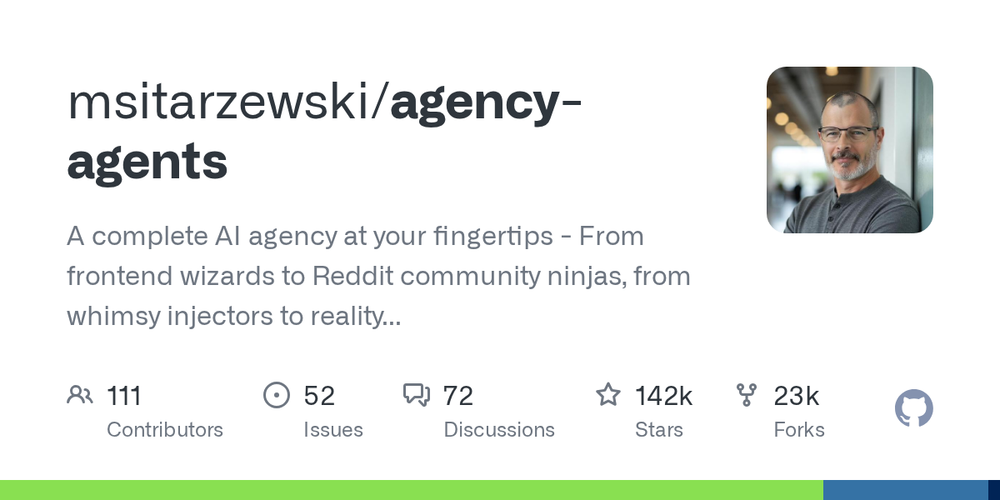
- Active community with 144,000+ GitHub starsThe repository has 144,000 stars and 23,000 forks, making it one of the most popular AI agent collections. The community contributes new agents regularly, reports bugs, and shares real-world usage patterns. GitHub Issues serve as a knowledge base for tuning agents to specific tools and workflows. This scale means edge cases get caught and fixed quickly.
Trade-offs
- -Agent effectiveness varies by underlying AI modelThe agents are prompt-based, so their quality depends on the AI model your tool uses. Claude Opus and GPT-4 handle complex agent personalities better than smaller models. Tools using less capable models may see inconsistent results, especially with agents requiring deep technical reasoning like the Solidity Engineer or Multi-Agent Systems Architect. The agents are optimized for frontier models, not budget-tier ones.
- -Large agent count can overwhelm tools with limitsInstalling all 200+ agents into tools with registration limits (e.g., OpenCode caps at 119 agents) causes silent failures where excess agents are ignored. The installer warns about this and supports selective installation by division or individual agent. Teams need to curate which agents they actually use rather than installing everything. Managing a large agent roster requires discipline to avoid clutter.
- -No built-in agent versioning or update notificationsThe repository evolves continuously, but there is no semantic versioning for individual agents. If you install agents manually via git clone, you will not get notified when an agent is updated with bug fixes or new capabilities. The desktop app auto-updates, but manual installers need to re-run scripts periodically. Teams forking the repo must merge upstream changes manually to benefit from improvements.
agency-agents vs alternatives#
Agency Agents vs Replit Agents
Replit Agents is a proprietary AI agent platform integrated into the Replit IDE, offering task-specific agents for coding, debugging, and deployment. Agency Agents is an open source collection of agent personalities that work across 15+ AI coding tools. The key difference is portability and transparency.
| Feature | Agency Agents | Replit Agents |
|---|---|---|
| License | MIT | Proprietary |
| Tool compatibility | 15+ tools (Claude Code, Cursor, etc.) | Replit IDE only |
| Agent count | 200+ | ~20 built-in |
| Customization | Full markdown editing | Limited to Replit's interface |
| Self-hosting | Yes (local files) | No (cloud-only) |
| Pricing | Free | Included with Replit subscription |
Agency Agents is the better choice when you need agent portability across tools, full control over agent behavior, or the ability to fork and extend the library for proprietary workflows. Replit Agents works well if you are already invested in the Replit ecosystem and want zero-setup AI assistance without managing agent files.
Agency Agents vs Generic AI Coding Assistants
Generic AI coding assistants (GitHub Copilot, Cursor without custom agents, Claude Code without agent activation) respond to freeform prompts but lack domain-specific context. Agency Agents wraps those same AI models with specialized personalities, deliverables, and workflows.
The difference shows in consistency and depth. A generic assistant answering "review this code" gives surface-level feedback. The Agency Agents Code Reviewer agent applies a structured rubric checking for security issues, maintainability, test coverage, and common bugs, then formats findings with severity tiers. The Frontend Developer agent knows to check Core Web Vitals, accessibility, and responsive design patterns without you specifying those requirements each time.
Use Agency Agents when you want predictable, expert-level output without re-explaining context. Stick with generic assistants for one-off exploratory tasks where you need flexibility over structure.
Agency Agents vs Paid Prompt Libraries
Paid prompt marketplaces like PromptBase or AI Agent Stores sell individual agent prompts for $5-$50 each. Agency Agents gives you 200+ agents under the MIT license for free. The quality comes from community iteration rather than individual sellers optimizing for sales copy.
Paid prompts are often black-box: you buy them, paste them into your tool, and hope they work. Agency Agents is transparent markdown, so you can audit what the AI receives, modify instructions, and version control changes. For teams with security or compliance requirements, this transparency is non-negotiable.
The paid prompt advantage is curation by individual experts selling their best work. Agency Agents relies on community contributions, so quality varies slightly between agents. The trade-off is cost and volume: you get far more coverage for free, at the expense of some agents being stronger than others.
Quick start#
Agency Agents installs via the desktop app or shell scripts.

```bash
# Clone the repository
git clone https://github.com/msitarzewski/agency-agents.git
cd agency-agents

# Install for Claude Code
./scripts/install.sh --tool claude-code

# Or install selective divisions to avoid overwhelming tools with limits
./scripts/install.sh --tool cursor --division engineering,security

# Manual copy if you only want specific agents
cp engineering/engineering-frontend-developer.md ~/.claude/agents/
```What it's built on#
- Languages
- Python
FAQ#
Is Agency Agents free to use?
Yes. The entire collection is MIT licensed and free to use, modify, and redistribute. The agents are markdown files in a public GitHub repository. There is no paid tier, no per-seat licensing, and no usage limits. The desktop app for installing agents is also free and open source. You only pay for the underlying AI service (Claude, GPT-4, etc.) your coding tool uses.
Which AI coding tools work with Agency Agents?
The agents work with Claude Code, Cursor, GitHub Copilot, Codex, Gemini CLI, OpenCode, Aider, Windsurf, Kimi Code, Osaurus, Hermes, Mistral Vibe, OpenClaw, and Antigravity. The install scripts auto-detect your tools and convert agents to the correct format. The desktop app supports the same tool list and handles installation with a click. If your tool supports custom agent prompts or system messages, you can manually adapt the markdown files.
Can I modify the agents for my team's needs?
Yes. The MIT license allows forking, modification, and redistribution. Each agent is a standalone markdown file, so you can edit personality traits, deliverables, or workflows to match your team's standards. Many teams fork the repository, add custom agents for proprietary systems, and maintain a private agent library. The structure is version-control-friendly, making it easy to review and merge changes.
How do I update agents after installation?
If you installed via the desktop app, it auto-updates agents as the repository evolves. For manual installations via git clone, run git pull in the repository directory and re-run the install script to update your tools with the latest agent definitions. If you forked the repo for custom modifications, you will need to merge upstream changes manually to get updates while preserving your customizations.
Do the agents work with smaller AI models like GPT-3.5?
The agents are optimized for frontier models (GPT-4, Claude Opus, Gemini Pro) and may produce inconsistent results with smaller models. Agents requiring deep reasoning, like the Solidity Engineer or Multi-Agent Systems Architect, perform poorly on budget-tier models. If your coding tool uses a smaller model, start with simpler agents like the Technical Writer or Minimal Change Engineer to test effectiveness before installing the full roster.
Similar open-source tools#

n8n
Self-hosted workflow automation with 400+ node connectors

Activepieces
Build AI-powered automations and agents without vendor lock-in

trueforge
Open-source agent harness for reliable, long-running LLM agents

GenericAgent
Autonomous agent that evolves skills over time

Node-RED
Low-code event-driven programming with a browser-based editor

Automatisch
Self-hosted Zapier alternative for workflow automation