

Who documenso is for#
Legal and Compliance Teams Handling Regulated Documents
Law firms, healthcare organizations, and financial services that need audit-compliant signatures with full control over cryptographic implementation. The 21 CFR Part 11 and ESIGN Act support, combined with self-hosted data residency, meets requirements that prohibit third-party signature services. Audit logs and tamper-evident PDFs are built in.
Skip if:
Your signing volume is low (under 50 documents per month) and compliance teams have already approved a SaaS provider like DocuSign. The operational overhead of self-hosting may not be worth it for occasional signing unless data residency is a hard requirement.
Development Teams Building Products with Embedded Signing
SaaS platforms, HR systems, or contract management tools that need signing workflows embedded directly in the application. The API and embeddable React/Vue components let you white-label the signing experience without redirecting users to a third-party platform. No per-signature API fees mean costs stay predictable as volume scales.
Skip if:
You need a signing backend with zero infrastructure management and are willing to pay per-signature fees. If your team lacks DevOps resources to run PostgreSQL and monitor uptime, the managed Documenso cloud tier or a SaaS alternative like HelloSign (Dropbox Sign) may fit better.
Startups and Businesses Hitting SaaS Pricing Limits
Teams currently on DocuSign, PandaDoc, or Adobe Sign that are hitting per-user or per-document pricing tiers. Self-hosting Documenso eliminates recurring subscription costs, and the AGPL license allows unlimited users and signatures. Template workflows and direct links replace paid-tier features like reusable templates and public signing pages.
Skip if:
Your team is non-technical and cannot manage a self-hosted PostgreSQL database, or your signing volume is sporadic (a few documents per quarter). The cost savings from self-hosting only materialize at higher volumes or when per-user fees add up across a large team.
The problem it solves#
Most document signing workflows depend on proprietary SaaS platforms like DocuSign, Adobe Sign, or PandaDoc. These services charge per user, per signature, or per API call, and they lock your signing workflows behind vendor infrastructure. For teams handling high volumes or sensitive contracts, this creates three problems: cost spirals as usage grows, compliance teams cannot audit the signing implementation, and data residency requirements conflict with third-party storage.
The deeper pain is control. When every signature passes through a vendor API, you depend on their uptime, their security posture, and their pricing changes. Teams that hit enterprise tiers often discover that advanced features like custom branding, API access, or bulk sending are gated behind higher pricing. Self-hosting is rarely an option, and even when offered, it comes with enterprise contracts that maintain per-seat billing.
How it solves it#
PAdES-Standard PDF Signatures
Signs PDFs with PAdES (PDF Advanced Electronic Signatures) compliance, meeting legal standards for electronic signatures under ESIGN Act, UETA, and 21 CFR Part 11. The signing backend uses @libpdf/core for cryptographic operations, ensuring audit-compliant signatures that hold up in regulated industries like healthcare, finance, and legal services.
Template Workflows with Direct Linking
Create reusable document templates with pre-defined recipient roles, field placements, and signing orders. Share templates via direct links for instant, on-demand signing without requiring recipients to create accounts. Supports multi-party workflows with CC roles, authentication options, and custom email notifications.
Full API for Programmatic Signing
The REST API exposes document creation, recipient management, template triggers, and webhook events for integrating signing workflows into existing applications. Automate bulk signing operations, embed signing flows into SaaS products, or build custom approval chains. Built on tRPC with TypeScript support for type-safe client integration.
Team Collaboration and Access Control
Organize users into teams with role-based permissions for managing shared documents, templates, and signing workflows. Private documents remain isolated, while team-level templates and workflows can be reused across the organization. Supports scaling from solo use to enterprise-level multi-team deployments.
Embedded Signing Experience
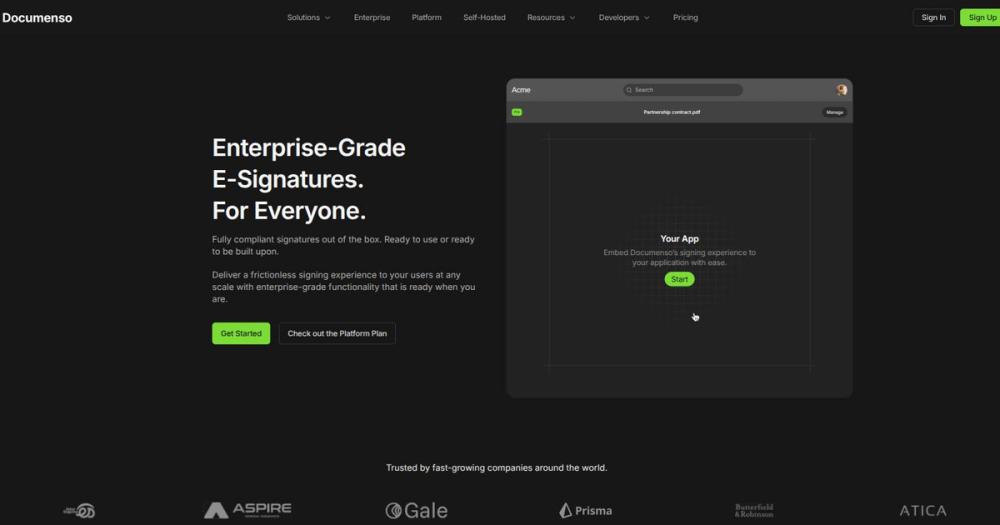
Embed Documenso's signing interface directly into React, Vue, or any web framework via iframe or component library. Recipients sign documents without leaving your application, maintaining brand consistency and user flow. The embeds support full signature workflows including multi-page documents, field validation, and real-time status updates.
Strengths and trade-offs#
Strengths
- AGPL-3.0 License with Full Self-HostingThe AGPL-3.0 license allows commercial use and modification with one requirement: if you modify and distribute the software as a service, you must release the source changes. For internal deployments, this is effectively MIT-level freedom. Self-hosting eliminates per-user and per-signature fees, and you control data residency for compliance requirements.
- Active Development and Modern StackOver 14,000 GitHub stars and daily commits as of August 2026. The stack (TypeScript, React Router v7, Hono, Prisma, PostgreSQL) is modern and well-supported, with detailed developer docs, DevContainer support, and one-click cloud deploys. The project is backed by a funded team that ships features weekly, not a stagnant community fork.
- Compliance-Ready Out of the BoxBuilt-in support for 21 CFR Part 11 (FDA electronic records), ESIGN Act, and UETA compliance standards. Audit trails, tamper-evident signatures, and timestamping are included by default. Legal and compliance teams can review the open source implementation to verify cryptographic practices, which is impossible with closed-source SaaS platforms.
- Integrations and ExtensibilityConnects to Zapier for no-code automation, offers embeddable signing components for React and Vue, and exposes webhooks for custom event handling. The tRPC API is fully typed and documented, making it straightforward to build signing workflows into existing applications without vendor lock-in to a proprietary API.
Trade-offs
- -AGPL License Requires Source Disclosure for SaaSThe AGPL-3.0 license requires that if you modify Documenso and offer it as a hosted service to others, you must release your source changes. For internal use, this is not an issue. For companies building a competing signing SaaS or embedding modified Documenso in a proprietary product, this is a blocker. Verify license compatibility before forking.
- -Self-Hosting Requires Infrastructure ManagementRunning Documenso in production means managing PostgreSQL, handling backups, configuring email delivery, and monitoring uptime. The Docker setup is straightforward, but operational responsibility falls on your team. If you lack in-house DevOps, the managed cloud option (documenso.com) is available, though it reintroduces per-user pricing.
- -External Pull Requests No Longer AcceptedAs of the latest README, Documenso stopped accepting external pull requests except from a small group of trusted contributors. Community involvement is limited to detailed issue reports. This reduces the risk of unmaintained community forks but also means you cannot contribute code fixes directly unless invited.
documenso vs alternatives#
Documenso vs DocuSign
Documenso and DocuSign both handle enterprise-grade document signing, but they serve different deployment and cost models. DocuSign is a mature SaaS platform with extensive integrations, mobile apps, and enterprise support. Documenso is an open source alternative with full self-hosting, API-first architecture, and no per-user fees.
| Feature | Documenso | DocuSign |
|---|---|---|
| License | AGPL-3.0 | Proprietary |
| Self-hosting | Yes | No |
| Per-user fees | None (self-hosted) | $25-$65/user/month |
| API access | Included | Paid tiers only |
| Compliance | 21 CFR Part 11, ESIGN, UETA | 21 CFR Part 11, ESIGN, UETA, SOC 2 |
| Mobile apps | Web-based | Native iOS/Android |
| Template workflows | Yes | Yes |
| Embedded signing | React/Vue components | iframe embeds |
Documenso is the stronger choice when you need self-hosted infrastructure for data residency, compliance auditing, or cost control at scale. Teams handling high signing volumes (hundreds or thousands of documents per month) eliminate recurring per-signature and per-user costs. The AGPL license allows unlimited users and commercial use, with the requirement that source modifications must be released if you offer the software as a service to others.
DocuSign remains the better fit for organizations that prioritize zero operational overhead, need native mobile apps, or require extensive third-party integrations (Salesforce, SAP, NetSuite) that Documenso does not yet support. DocuSign's enterprise tier includes dedicated account management, SLA guarantees, and priority support, which self-hosted Documenso deployments must handle internally.
Documenso vs Adobe Sign
Adobe Sign is another proprietary e-signature platform with deep Adobe Creative Cloud integration. Documenso offers similar core signing capabilities (workflows, templates, API) but with self-hosting and open source transparency.
| Feature | Documenso | Adobe Sign |
|---|---|---|
| License | AGPL-3.0 | Proprietary |
| Self-hosting | Yes | No |
| Pricing | Free (self-hosted) | $19.99-$49.99/user/month |
| Creative Cloud integration | No | Yes |
| API | REST, TypeScript SDK | REST |
| Template workflows | Yes | Yes |
Choose Documenso when you need signing infrastructure you own and can audit, or when per-user costs are prohibitive. Choose Adobe Sign if your team is already invested in Adobe Creative Cloud and needs signing workflows tightly integrated with Acrobat, Photoshop, and Illustrator.
Quick start#
Docker self-hosting is the fastest path to production. The official image runs on port 3002 by default.

```bash
docker run -p 3002:3002 documenso/documenso
```

For development with a full local stack (PostgreSQL, mail server), the quickstart script handles dependencies:

```bash
git clone https://github.com/documenso/documenso
cd documenso
cp .env.example .env
npm run dx   # Spins up postgres and inbucket in docker
npm run dev  # Starts the app on http://localhost:3000
```

One-click cloud deploys are available for Railway, Render, and Koyeb. Docker Compose and Kubernetes deployment guides are in the official docs at docs.documenso.com.What it's built on#
- Languages
- TypeScript
- Frameworks
- Next.jsReact
- Databases
- PostgreSQL
- Tooling
- esbuildRollup
FAQ#
Is Documenso free to use?
Yes. The self-hosted version is AGPL-3.0 licensed and free to run on your own infrastructure with no per-user or per-signature fees. You pay only for the server hosting costs (PostgreSQL, compute, storage). A managed cloud option is available at documenso.com with a free tier and paid plans for teams that prefer not to self-host.
Can I use Documenso commercially?
Yes. The AGPL-3.0 license allows commercial use, modification, and internal deployment without restriction. The license requires that if you modify the software and offer it as a hosted service to external users, you must release your source changes. For most internal business use, this is not a concern.
Does Documenso support compliance certifications like 21 CFR Part 11?
Yes. Documenso includes built-in support for 21 CFR Part 11 (FDA electronic records), ESIGN Act, and UETA compliance. The platform generates PAdES-standard signatures with audit trails, tamper-evident PDFs, and timestamping. Legal and compliance teams can review the open source implementation to verify cryptographic practices.
How does Documenso compare to DocuSign?
Documenso offers similar signing workflows, templates, and API automation but with full self-hosting and no per-user fees. DocuSign has a larger feature set (advanced analytics, Salesforce integrations, mobile apps) and a mature enterprise support organization. Documenso is the better fit for teams with technical capacity to self-host, compliance requirements that prohibit third-party data handling, or high signing volumes that make SaaS pricing unsustainable.
What infrastructure do I need to run Documenso?
Node.js v22 or above and a PostgreSQL database. The simplest deployment is a single Docker container or a one-click deploy to Railway, Render, or Koyeb. Production setups should configure email delivery (SMTP), database backups, and monitoring. Official Docker images are available on DockerHub and GitHub Container Registry. The developer quickstart spins up all dependencies with npm run dx.
Similar open-source tools#

LibreSign
Open source e-signature platform for PDF signing and forms

DocuSeal
Open source document signing and fillable PDF forms

FckSignups
Open-source tools that work instantly, no signup required

supervision
Python toolkit for computer vision detection, tracking, and annotation

fmt
Fast, type-safe C++ formatting that replaces printf and iostreams

dograh
Open source voice agent builder with telephony and BYOK AI support