Open Source Alternatives
  • Alternatives
  • Categories
    Categories by size1,263 projects
    • Developer Tools650
    • AI & Machine Learning535
    • Business & Productivity305
    • Web Development217
    • Security & Monitoring196
    • Communication & Collaboration168
    • IT Management160
    • Design & Creative138
    • DevOps & CI/CD135
    • LLMOps & AI Tooling135
    Browse all 21 categoriesCloud & Hosting, Product & Project Management and 9 more
  • Blog
  • Advertise
SearchNotion, Slack, password manager.../
Submit
Open Source Alternatives
  • Alternatives
    • Developer Tools650
    • AI & Machine Learning535
    • Business & Productivity305
    • Web Development217
    • Security & Monitoring196
    • Communication & Collaboration168
    • Browse all 21 categories
  • Blog
  • Advertise
Submit your project

New open source projects by email

The projects we add and every new guide. Free, unsubscribe any time.

Open Source Alternatives LogoOpen Source Alternatives

Handpicked Open Source Alternatives to Paid Softwares

Add Open Source Alternatives as a preferred source on Google

Product

  • Categories
  • Tag
  • Advertise

Resources

  • Blog
  • Collection
  • Submit

Company

  • Privacy Policy
  • Terms of Service
  • Refund Policy
  • Sitemap

Alternatives

  • Claude Code
  • Jira
  • Notion
  • Slack
  • Linear
  • Wispr Flow
  • All alternatives
© 2026 Open Source Alternatives. All rights reserved.
Open SourceAlternatives
Home/Categories/Business & Productivity/FluentFlyout
icon of FluentFlyout

FluentFlyout

  • 4.9K stars
  • GPL-3.0
  • Active this week
  • Last commit 4 days ago

Last verified Nov 15, 2026

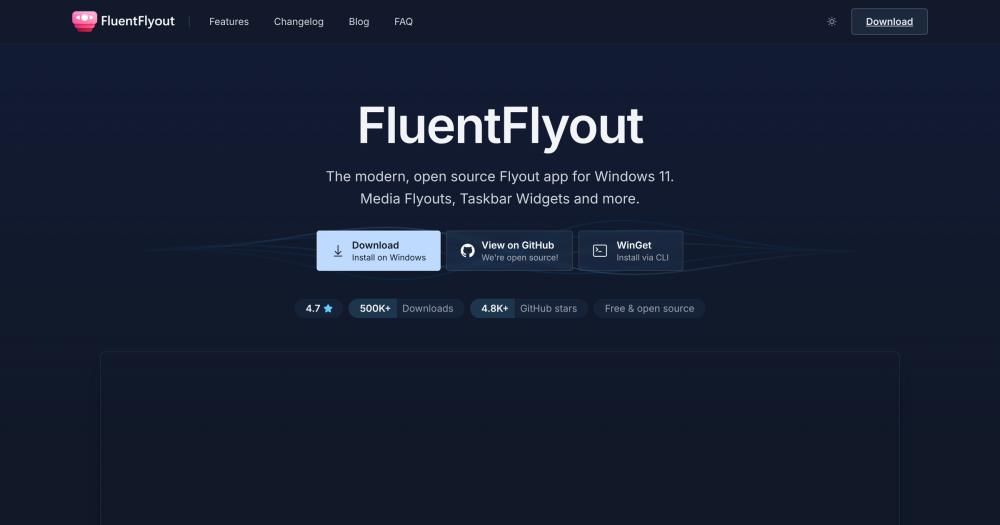
Manage Windows 11 media playback and volume with native Fluent Design flyouts, a taskbar widget, app filtering, and Mica blur themes.

Visit websiteGitHub4.9K stars
Image for FluentFlyout
TL;DR

FluentFlyout replaces Windows 11's built-in media flyouts with a full-featured system that includes album art controls, an Up Next preview, Caps/Num Lock status overlays, and a live taskbar widget. It hooks into the Windows System Media Transport Controls (SMTC) API, matches Mica blur and your system color theme, and disappears automatically in fullscreen or gaming contexts. The GitHub release is fully free under GPL-3.0; the Microsoft Store version adds automatic updates, with optional features at a one-time €2.99. Best for Windows 11 users who want polished media controls without installing a broader customization tool.

Read the full breakdownHide the full breakdownWho it is for, how it works, trade-offs, the quick start and the FAQ
who it's for

Who FluentFlyout is for#

Music-Driven Work Sessions

You keep Spotify or Apple Music running in the background during focused work. When a track ends or you want to skip, you need that info without switching away from your current window. The media flyout and Up Next preview handle both without taking focus from the active app.

Skip if:

You primarily use a web browser for music and do not want flyouts for browser-based playback, as Chromium browsers lack shuffle and repeat support through SMTC.

Windows 11 Flyout Customization Without a Full Shell Suite

You want your Windows 11 volume and media controls to look polished and native, but you do not want to install a large customization tool that modifies the shell. FluentFlyout is a system tray app that changes only the flyouts, with 50 to 200 MB RAM use and negligible CPU impact.

Skip if:

You are already using a full Windows customization tool that includes flyout overrides.

Migration from ModernFlyouts

ModernFlyouts stopped receiving active updates, and FluentFlyout covers the same feature set while adding the taskbar widget and ongoing translation support. The website explicitly addresses ModernFlyouts users with a migration note.

Skip if:

You need a specific ModernFlyouts feature that FluentFlyout has not yet added.

the problem

The problem it solves#

Windows 11 ships media controls that show a song title and play/pause button, nothing more. No album art, no seek slider, no next-track preview, no way to know what is queued. When you press a volume key, a bare slider appears at the screen edge and vanishes. Users who care about their media workflow either ignore this and memorize shortcuts, or switch to their media player every time they want to skip a track.

The gap is most noticeable when Spotify, a browser, or Apple Music runs in the background while you work. Switching to the media player window costs focus. The Windows taskbar has no media presence unless a media player explicitly adds one, which most desktop apps do not do. ModernFlyouts addressed some of this for a time, but its development has stalled, leaving Windows 11 users without a maintained option.

how FluentFlyout solves it

How it solves it#

Media Control Flyout with Album Art

Pops up when you hit a media key, showing cover art, song title, artist, and playback controls. Includes Repeat All, Repeat One, Shuffle, and a seek slider for media players that expose those controls through Windows SMTC. Works with Spotify, Windows Media Player, Chromium browsers, and others.

Taskbar Media Widget

A compact widget that lives directly in the Windows 11 taskbar, displaying current media info without opening any window. FluentFlyout pioneered native taskbar integration on Windows 11, and the feature has since been referenced by dozens of apps that followed its open source implementation.

Automatic Theme Matching

Reads your Windows system color theme and applies it automatically. Uses Windows Mica blur with both light and dark mode support, so the flyout blends with any wallpaper or accent color without manual configuration.

App Filtering for Media Sources

Whitelist or blacklist specific apps from appearing as media sources in the flyout. Useful when multiple players run simultaneously and you want the flyout to follow only the one you care about.

Up Next and Lock Keys Flyouts

Two additional flyouts complement the media controls: Up Next shows what song is queued when the current track ends, and Lock Keys displays Caps Lock, Num Lock, and Scroll Lock status when you press the corresponding key. Both can be enabled or disabled independently.

strengths · trade-offs

Strengths and trade-offs#

Strengths

  • Full Feature Set Free on GitHubThe GitHub release is fully featured and free, under GPL-3.0. Every flyout type, every customization option, and all media controls are available without payment. The Microsoft Store version adds automatic background updates; the €2.99 optional purchase unlocks a small set of store-exclusive features, but the GitHub build has nothing held back.
  • Native Fluent 2 Design IntegrationBuilt with Fluent 2 components and Windows Mica blur, the flyouts look as though they ship with the OS. Smooth animations, automatic color theme matching, and system tray presence follow Windows 11 design conventions rather than overlaying a custom UI on top of them.
  • Lightweight Background PresenceFluentFlyout sits in the system tray with 50 to 200 MB of RAM usage in normal scenarios and negligible CPU impact on modern hardware. It automatically hides in fullscreen and gaming contexts, so it stays out of the way when you do not need it.
  • Active Development and Broad Language SupportThe project has 4,900+ GitHub stars, 500,000+ downloads per README badges, and ongoing translations through Weblate covering dozens of languages. Windows Central described it as a must-have app for Windows 11, and regular commits continue through late 2026.

Trade-offs

  • -Windows-Only Desktop AppFluentFlyout is designed and marketed for Windows 11, using Windows-exclusive features including Mica blur and the System Media Transport Controls API. It does not run on macOS or Linux, and the official documentation targets Windows 11 specifically.
  • -332 Open IssuesThe GitHub repository carries 332 open issues as of November 2026. Some reflect feature requests or platform-specific edge cases rather than bugs, but the size of the queue means reported problems and pending requests are not fully addressed. Users should check the issue tracker for their specific media player or use case before committing.
  • -Microsoft Store Version Locks Some FeaturesThe Microsoft Store build locks a small set of features behind a one-time €2.99 purchase. The GitHub release has no such gate and is fully free, but requires manual updates and a certificate trust step during installation using the .msixbundle installer.
versus alternatives

FluentFlyout vs alternatives#

FluentFlyout vs Windows 11 Built-In Controls

Windows' native flyout (triggered by volume or media keys) shows a volume slider, song title, and play/pause. There is no seek slider, no album art in the flyout, no Shuffle or Repeat controls, no Up Next view, and no taskbar widget. It is part of the paid Windows OS and does not receive independent feature updates outside of Windows system releases.

FluentFlyout adds seek, Shuffle, Repeat, album art, Up Next, Lock Keys status, and a persistent taskbar widget, all within the Windows 11 visual language. For users who want these features without purchasing a third-party customization bundle, FluentFlyout covers them individually through flyouts that can be turned on or off.

FluentFlyout vs ModernFlyouts

ModernFlyouts was the previous community-maintained Windows flyout replacement and is the most common reference point for users searching this category. Its active development has stalled. FluentFlyout explicitly targets ModernFlyouts users in its website copy and extends the feature set with the taskbar widget, Taskbar Visualizer, and ongoing translation support through Weblate.

For users already on ModernFlyouts, the migration path is direct: FluentFlyout covers the same flyout types and adds taskbar integration. The main practical difference is active maintenance and a broader contributor community, reflected in 4,900+ GitHub stars and multilingual translations covering dozens of languages.


install · quick start

Quick start#

bash
Download the latest installer from GitHub Releases: https://github.com/unchihugo/FluentFlyout/releases/latest
tech stack · detected from GitHub

What it's built on#

Languages
C#
frequently asked

FAQ#

What media players does FluentFlyout support?

FluentFlyout works with any media player that exposes Windows System Media Transport Controls (SMTC). Full support includes Spotify and Windows Media Player. Chromium browsers and Apple Music lack shuffle and repeat support through SMTC. VLC may require plugins. Players that do not register with SMTC at all will not appear in the flyout.

Is FluentFlyout completely free?

The GitHub release is completely free and fully featured under GPL-3.0. The Microsoft Store version adds automatic background updates and includes a small set of optional features unlockable with a one-time €2.99 purchase, but nothing in the GitHub build is withheld. You can download the latest build from GitHub Releases and install it manually at no cost.

Does FluentFlyout interfere with games or fullscreen apps?

FluentFlyout automatically hides when you are in a fullscreen or in-game context, so it will not appear over games or fullscreen video. The app stays in the system tray and resumes showing flyouts when you return to the desktop.

What does GPL-3.0 mean for running FluentFlyout?

For personal and professional use on your own machine, GPL-3.0 places no restrictions on running FluentFlyout. The copyleft terms apply when you distribute a modified copy: if you fork the code and distribute it to others, you must release that modified source under the same GPL-3.0 license. Using it privately, including in a work environment, is unrestricted.

How does the taskbar widget work?

The taskbar widget is a compact media display that lives directly in the Windows 11 taskbar, showing the current track without opening any window. FluentFlyout pioneered this native taskbar integration on Windows 11. You can enable or disable the widget independently from the other flyout types in the app settings.

also worth a look

Similar open-source tools#

CleanYourTV

Featured

Alternative toATV Launcher Pro

Debloat any Android or Google TV over Wi-Fi and get an Apple TV-style home.

  • 57,122 GitHub stars
  • MIT LicenseLicence MIT License

OpenClaw

Featured

Alternative toMuse

Self-hosted AI assistant for WhatsApp, Telegram, and more

  • 394,399 GitHub stars
  • MITLicence MIT

Inbox Zero

Featured

Alternative toSuperhuman

AI email assistant that drafts replies and clears your inbox

  • 13,025 GitHub stars
  • AGPL-3.0Licence AGPL-3.0

rakazo

Featured

Alternative toGrok Bot

AI teammates you own: your keys, your model, your machine.

  • 8,291 GitHub stars
  • Apache-2.0Licence Apache-2.0

paperclip

Featured

Alternative toGrok Bot

Self-hosted AI agent management with org charts and budgets

  • 113,735 GitHub stars
  • MITLicence MIT

SoundSwitch

InBusiness & Productivity

Hotkey-based audio device switcher for Windows with per-app rules.

  • 3,533 GitHub stars
  • GPL-3.0Licence GPL-3.0
by category

Open source tools in these categories#

306

Business & Productivity

OpenClaw, Excalidraw, RustDesk

Sponsors

Inbox Zero

Alternative toSuperhuman

AI email assistant that drafts replies and clears your inbox

  • 13,025 GitHub stars
  • AGPL-3.0Licence AGPL-3.0
  • #Email

rakazo

Alternative toGrok Bot

AI teammates you own: your keys, your model, your machine.

  • 8,291 GitHub stars
  • Apache-2.0Licence Apache-2.0
  • #AI Agents

SnitchFeed

Live monitoring on LinkedIn, X, Reddit & more. Agentic social listening for startups.

Marketing & Growth

Advertise your product

New open source projects by email

The projects we add and every new guide. Free, unsubscribe any time.

Find open source alternatives to paid software

/
  • Claude Code to OpenCode
  • Jira to Windshift
  • Notion to AppFlowy
  • Slack to Mattermost
  • Linear to GitLab
  • Wispr Flow to Handy
  • Arc to Zen Browser
  • CapCut to Concat
  • Grok Bot to rakazo
  • Superhuman to Inbox Zero
  • Discord to Stoat
  • Airtable to AITable
  • Datadog to SigNoz
  • Muse to OpenClaw
  • Railway to Coolify
  • GitHub Copilot to Cline
  • Confluence to Wiki.js
  • Microsoft Teams to Rocket.Chat
  • 1Password to KeePassXC
  • Firebase to Supabase
  • Pinecone to Qdrant
  • Zapier to n8n
  • Devin AI to OpenHands
  • Asana to Leantime
  • Claude Code to OpenCode
  • Jira to Windshift
  • Notion to AppFlowy
  • Slack to Mattermost
  • Linear to GitLab
  • Wispr Flow to Handy
  • Arc to Zen Browser
  • CapCut to Concat
  • Grok Bot to rakazo
  • Superhuman to Inbox Zero
  • Discord to Stoat
  • Airtable to AITable
  • Datadog to SigNoz
  • Muse to OpenClaw
  • Railway to Coolify
  • GitHub Copilot to Cline
  • Confluence to Wiki.js
  • Microsoft Teams to Rocket.Chat
  • 1Password to KeePassXC
  • Firebase to Supabase
  • Pinecone to Qdrant
  • Zapier to n8n
  • Devin AI to OpenHands
  • Asana to Leantime