Open Source Alternatives
  • Alternatives
  • Categories
    Categories by size1,070 projects
    • Developer Tools541
    • AI & Machine Learning468
    • Business & Productivity250
    • Web Development205
    • Security & Monitoring164
    • Communication & Collaboration145
    • IT Management141
    • Cloud & Hosting125
    • LLMOps & AI Tooling122
    • Data & Analytics115
    Browse all 21 categoriesProduct & Project Management, Design & Creative and 9 more
  • Blog
  • Advertise
SearchNotion, Slack, password manager.../
Submit
Open Source Alternatives
  • Alternatives
    • Developer Tools541
    • AI & Machine Learning468
    • Business & Productivity250
    • Web Development205
    • Security & Monitoring164
    • Communication & Collaboration145
    • Browse all 21 categories
  • Blog
  • Advertise
Submit your project

New open source projects by email

The projects we add and every new guide. Free, unsubscribe any time.

Open Source Alternatives LogoOpen Source Alternatives

Handpicked Open Source Alternatives to Paid Softwares

Product

  • Categories
  • Tag
  • Advertise

Resources

  • Blog
  • Collection
  • Submit

Company

  • Privacy Policy
  • Terms of Service
  • Refund Policy
  • Sitemap

Alternatives

  • Claude Code
  • Jira
  • Notion
  • Slack
  • Linear
  • Wispr Flow
  • All alternatives
© 2026 Open Source Alternatives. All rights reserved.
Open SourceAlternatives
Home/Categories/DevOps & CI/CD/Jenkins
icon of Jenkins

Jenkins

Open source alternative to GitHub Actions, GitLab CI/CD, CircleCI, TeamCity, Buildkite, Azure Pipelines, Travis CI and Bamboo

  • 26.7K stars
  • MIT
  • Active this week
  • Last commit today

Last verified Nov 5, 2026

Automate building, testing, and deploying software with 2300+ plugins across any platform. MIT licensed and self-hosted.

Visit websiteGitHub26.7K starsDeploy on Hostinger
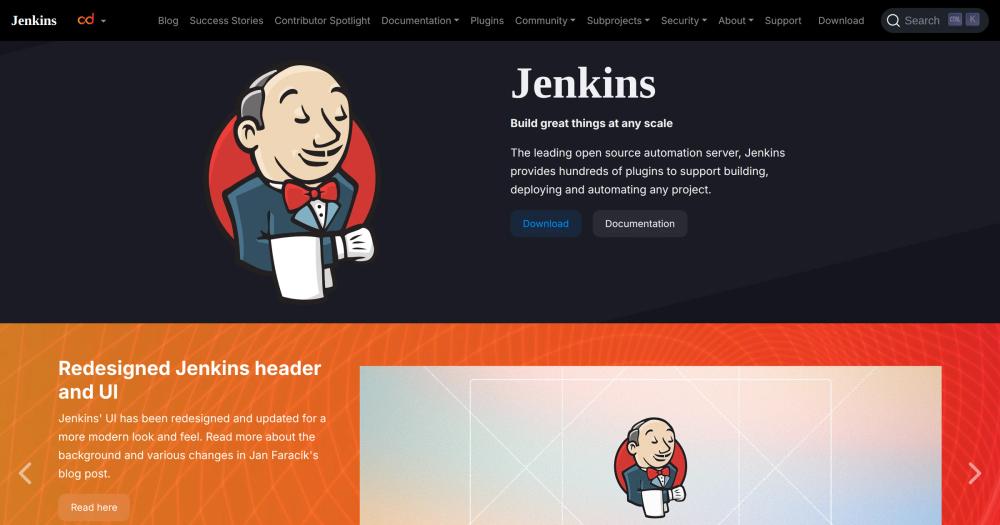
image of Jenkins
TL;DR

Jenkins is the leading open source CI/CD automation server, backed by over 15 years of active development and 2300+ community-contributed plugins. It replaces paid platforms like GitHub Actions, GitLab CI/CD, CircleCI, and TeamCity with a fully self-hosted setup that carries no per-minute build charges, no seat limits, and no requirement to route source code through vendor networks. MIT licensed, Jenkins is distributed as a Docker image, a WAR file, or native packages for Windows, Linux, and macOS, and runs on any infrastructure where Java is available. Best for engineering teams with on-premise requirements, complex multi-tool pipelines, or high build volumes where hosted CI costs grow quickly.

Read the full breakdownHide the full breakdownWho it is for, how it works, trade-offs, the quick start and the FAQ
who it's for

Who Jenkins is for#

DevOps teams running on-premise infrastructure

Teams operating in air-gapped data centers or private clouds can run a complete CI/CD system without routing code through external networks. Jenkins agents run on internal machines, pipeline definitions live in the same version-controlled repository as the application code, and no data leaves the network.

Skip if:

Your team runs entirely on a public cloud and has no data residency requirements. GitHub Actions, GitLab CI/CD, or CircleCI will get you a running pipeline faster with less infrastructure to manage.

Engineering teams with high build volume

Teams running hundreds of builds daily hit per-minute billing limits on hosted services quickly. Jenkins on a fixed-size build fleet turns a variable cost into a fixed one. The Kubernetes plugin scales agent capacity with cluster resources rather than vendor quotas.

Skip if:

Your build frequency is low or moderate and your team does not want to manage a build server. At low volume, the fixed operational cost of running Jenkins outweighs the per-minute savings.

Teams integrating a custom or legacy toolchain

The 2300+ plugin library covers niche version control systems, enterprise build tools, and legacy deployment targets that hosted services often do not support natively. Teams maintaining Subversion repositories, proprietary artifact stores, or custom deployment scripts can build a pipeline without webhook workarounds.

Skip if:

Your toolchain consists of widely-supported tools like GitHub, npm, Docker, and standard cloud providers. Hosted services support these natively and require less configuration than a Jenkins plugin chain.

Security teams auditing build pipelines

Jenkins lets security teams inspect every step of the build process: pipeline definitions are version-controlled Jenkinsfiles, plugin source code is available, and build artifacts never leave internal infrastructure. Audit logs, role-based access control, and credential management plugins give security teams the visibility they need in regulated environments.

Skip if:

Your compliance requirements do not mandate on-premise builds and your team does not have the capacity to maintain a Jenkins installation. Hosted services with SOC 2 compliance (GitHub Actions, GitLab CI/CD) may satisfy your audit requirements with less overhead.

the problem

The problem it solves#

Continuous integration at scale runs into predictable friction: builds triggered manually get skipped when the team is busy, test environments drift between developer machines and the CI server, and deployments break when the one person who knows the sequence is unavailable. Teams running on a hosted CI service add a second layer of constraints: per-minute billing that scales with build frequency, seat limits that prevent everyone from accessing pipeline logs, and a requirement to push source code and artifacts through a third-party network.

For organizations in regulated industries, air-gapped environments, or companies with large build volumes, those constraints drive costs and risk high enough to justify running their own automation server. Teams maintaining complex pipelines that cross many tools, from legacy version control to custom deployment targets, often find that hosted services support the common paths but leave their edge cases requiring workarounds.

how Jenkins solves it

How it solves it#

2300+ Community Plugins

Jenkins integrates with virtually every CI/CD tool through a library of over 2300 community-contributed plugins. Version control systems, build tools, testing frameworks, artifact repositories, cloud providers, and notification channels all have official or community plugin support. Teams connect new tools without changing their pipeline logic.

Pipelines as Code via Jenkinsfile

Declarative and scripted pipeline syntax, both Groovy-based, let teams define build stages in a Jenkinsfile checked into the repository. Pipelines run identically on any Jenkins server reading the same file, and changes to pipeline logic go through the same code review as application code.

Distributed Build Agents

Build agents run on separate machines from the Jenkins controller, distributing load across Linux, Windows, and macOS nodes. The Kubernetes plugin creates agent pods per pipeline run and removes them when the run finishes, so idle compute does not accumulate. Teams can target specific agents based on labels, keeping iOS builds on macOS and integration tests on a database-equipped node.

LTS and Weekly Release Lines

Jenkins ships two release lines: Weekly includes all new features and bug fixes on a frequent cadence, and LTS is an older line that receives periodic bug-fix backports. Teams running stable production pipelines choose LTS; teams that want new plugin compatibility and features sooner choose Weekly.

Web-Based Configuration

Jenkins is configured through a web interface that includes on-the-fly error checks and built-in help text. No CLI knowledge is required to set up a basic pipeline; the UI covers job creation, credential management, plugin installation, and agent configuration. Advanced users automate configuration through the Jenkins Configuration as Code plugin.

strengths · trade-offs

Strengths and trade-offs#

Strengths

  • No Per-Minute Build CostsSelf-hosting Jenkins on your own infrastructure means build costs are fixed at the server and agent cost, not variable by build minute. Teams with high build frequency, large test suites, or long compilation times pay the same regardless of pipeline volume. GitHub Actions and CircleCI charge per minute beyond their free tiers; Jenkins has no equivalent meter.
  • MIT License with Full Self-HostingMIT license means commercial use, modification, and distribution carry no restrictions. Source code is available, build artifacts stay on your servers, and no licensing agreement governs how you configure or extend the server. For organizations that require data to stay on their own infrastructure, the license and self-hosted architecture align.
  • 15+ Years of Production UseJenkins has been in continuous development since 2010 and is trusted by millions of users across thousands of companies, from startups to enterprises. The plugin ecosystem, documentation, and community answers to nearly every integration question have accumulated over that time. Teams adopting Jenkins inherit a large body of solved problems.
  • Kubernetes-Native Agent ProvisioningThe Kubernetes plugin provisions build agents as pods in an existing Kubernetes cluster, running containers tailored to each pipeline's requirements. Agents start on demand and terminate after the build, so there are no idle VMs to manage or long-running agent processes to maintain. This matches how container workloads scale in production.

Trade-offs

  • -Configuration OverheadJenkins requires more setup than hosted CI services. Connecting a repository, configuring credentials, managing plugins, and setting up agents all involve manual steps that GitHub Actions handles through a YAML file and an OAuth grant. Teams migrating from hosted CI typically spend one to several days setting up an equivalent Jenkins configuration.
  • -3410 Open IssuesThe Jenkins repository carries 3410 open issues as of November 2026. The core project and its plugin ecosystem are actively maintained, but the issue count reflects both the breadth of the ecosystem and the age of the project. Teams relying on specific plugins should check that plugin's own issue tracker before adopting it in production.
  • -Java Dependency on Every AgentEvery Jenkins agent requires Java, which adds a runtime dependency to every machine in the build fleet. Docker-based agents can include Java in the image, but bare-metal agents need Java installed and kept up to date. Jenkins requires Java 17 or Java 21; older agent machines may need a Java upgrade before they can join the fleet.
versus alternatives

Jenkins vs alternatives#

Jenkins vs GitHub Actions

Both tools automate build, test, and deploy pipelines triggered by repository events, but they diverge at the infrastructure level. Jenkins is self-hosted; GitHub Actions runs in GitHub's managed cloud.

FeatureJenkinsGitHub Actions
HostingSelf-managedGitHub cloud
LicenseMITProprietary
Build minutesUnlimited (own infrastructure)2000 free/month on GitHub Free; $0.008/minute after
Plugin ecosystem2300+ community pluginsOfficial marketplace
Pipelines as codeJenkinsfile (Groovy)YAML workflows

Jenkins is the better choice when builds must stay on internal infrastructure, when build volumes make per-minute pricing expensive, or when the toolchain includes systems the GitHub Actions marketplace does not support. GitHub Actions is the better choice when the codebase is on GitHub, the team wants zero infrastructure management, and build volumes fit within the included minutes.

Jenkins vs CircleCI

CircleCI and Jenkins both support complex multi-stage pipelines and parallelism. The difference is hosting: CircleCI is a managed cloud service with optional self-hosted runners on paid plans; Jenkins is fully self-hosted.

FeatureJenkinsCircleCI
HostingSelf-managedManaged cloud (runners on paid plans)
LicenseMITProprietary
PricingFixed server costFree tier + per-credit pricing
ConfigurationJenkinsfile (Groovy)YAML config.yml

Jenkins wins when teams need full data control or already manage their own build fleet. CircleCI wins when teams want managed infrastructure, faster onboarding, and CircleCI's built-in caching and test splitting without server maintenance.

Jenkins vs TeamCity

TeamCity from JetBrains is a commercial CI/CD server with an on-premise option, making it the most direct competitor: both run on your servers and handle complex pipelines.

FeatureJenkinsTeamCity
LicenseMITProprietary (free up to 100 build configurations)
Self-hostingRequiredRequired or JetBrains cloud
Plugin ecosystem2300+ community pluginsBundled + marketplace
ConfigurationJenkinsfile or UIKotlin DSL or UI
CostFreeFree up to 100 build configurations; paid above

For teams in the JetBrains ecosystem (IntelliJ, YouTrack), TeamCity integrates tightly with those tools. Jenkins wins on total cost for large teams (no per-configuration limits), plugin breadth, and community size. TeamCity has a polished UI and better out-of-the-box support for .NET pipelines. For most teams outside the JetBrains ecosystem, Jenkins is the lower-cost choice at scale.

install · quick start

Quick start#

bash
Self-hosting Jenkins runs on Docker with a persistent volume for configuration data.

```bash
docker run -d -p 8080:8080 -p 50000:50000 -v jenkins_home:/var/jenkins_home jenkins/jenkins:lts
```
tech stack · detected from GitHub

What it's built on#

Languages
JavaJavaScript
Tooling
Webpack
frequently asked

FAQ#

How does Jenkins compare to GitHub Actions?

Jenkins is self-hosted with no per-minute build costs and no limits on private repository usage; GitHub Actions runs in GitHub's managed cloud with per-minute billing beyond the free tier. Jenkins requires installing and maintaining a server and build agents, while GitHub Actions is zero-infrastructure on the user side. Teams with on-premise requirements, air-gapped networks, or high build volumes generally favor Jenkins; teams wanting the fastest path to a running pipeline on GitHub-hosted code favor Actions.

Is Jenkins free to use?

Yes. Jenkins is MIT licensed and free to run on your own infrastructure. There are no licensing fees, seat limits, or usage caps. You pay only for the servers and cloud resources running the Jenkins controller and its build agents.

What is a Jenkinsfile and do I need one?

A Jenkinsfile is a text file, checked into your repository, that defines a Jenkins pipeline in Groovy syntax. It is the recommended way to configure pipelines because the definition lives with the code, changes go through code review, and the pipeline runs identically on any Jenkins server. Freestyle jobs configured through the UI still work but offer less repeatability than a Jenkinsfile.

What is the difference between Jenkins LTS and Jenkins Weekly?

Jenkins Weekly receives all new features and bug fixes on a frequent release schedule. Jenkins LTS is an older release line that receives periodic bug-fix backports but not new features, making it more stable for production installations. The Jenkins project recommends LTS for teams that want to minimize upgrade disruption and Weekly for teams that want the latest plugin compatibility.

How much memory does Jenkins require?

Jenkins documentation recommends a minimum of 256 MB RAM for the controller, with 1 GB or more for typical installations. Memory requirements increase with the number of concurrent builds, the number of installed plugins, and build log retention. Production installations running dozens of concurrent builds typically allocate 4 GB or more to the controller.

also worth a look

Similar open-source tools#

dyrector.io

Alternative toOctopus Deploy

Open source container management and CD platform

  • 1,845 GitHub stars
  • Apache-2.0Licence Apache-2.0

Infisical

Alternative toHashiCorp Vault

Self-hosted secrets, certs, and privileged access in one platform.

  • 30,275 GitHub stars
  • MITLicence MIT

Code Server

Alternative toGitHub Codespaces

VS Code in the browser, self-hosted, with no per-seat pricing.

  • 79,767 GitHub stars
  • MITLicence MIT

Shannon

Alternative toXBOW

Autonomous AI pentester for web apps and APIs, AGPL-licensed

  • 50,850 GitHub stars
  • AGPL-3.0Licence AGPL-3.0

Muxin

Alternative toRoyal TSX

One app for all your machines, AI agent sessions, desktops, and MCP.

  • 383 GitHub stars
  • Apache-2.0Licence Apache-2.0

Self Host

Alternative toEasypanel

CLI tool for 93 self-hosted apps with an agent-ready install workflow.

  • 1,480 GitHub stars
  • Apache-2.0Licence Apache-2.0
by category

Open source tools in these categories#

110

DevOps & CI/CD

Nvm, Uptime Kuma, Netdata
542

Developer Tools

REA (Reverse Engineer Anything), Skills for Real Engineers, superpowers
Hostinger

Self-host Jenkins on a Hostinger VPS

Keep it running 24/7, even when your laptop is off. A Hostinger VPS gives it a server of its own.

  1. 01

    Choose a plan

    Starts from $6.49/mo

  2. 02

    Apply

    Extra 10% off yearly plans

  3. 03

    Install Jenkins

    On a server that stays on

  4. 04

    Start building

    Focus on the app, not the server

Deploy on Hostinger

Sponsors

Inbox Zero

Alternative toSuperhuman

AI email assistant that drafts replies and clears your inbox

  • 12,889 GitHub stars
  • AGPL-3.0Licence AGPL-3.0
  • #Email

rakazo

Alternative toGrok Bot

AI teammates you own: your keys, your model, your machine.

  • 6,568 GitHub stars
  • Apache-2.0Licence Apache-2.0
  • #AI Agents

SnitchFeed

Live monitoring on LinkedIn, X, Reddit & more. Agentic social listening for startups.

Marketing & Growth

Advertise your product

New open source projects by email

The projects we add and every new guide. Free, unsubscribe any time.

Find open source alternatives to paid software

/
  • Claude Code to OpenCode
  • Jira to Windshift
  • Notion to AppFlowy
  • Slack to Mattermost
  • Linear to GitLab
  • Wispr Flow to Handy
  • Arc to Zen Browser
  • CapCut to Concat
  • Grok Bot to rakazo
  • Superhuman to Inbox Zero
  • Airtable to AITable
  • Muse to OpenClaw
  • Railway to Coolify
  • GitHub Copilot to Cline
  • Datadog to Netdata
  • Confluence to Wiki.js
  • Microsoft Teams to Rocket.Chat
  • Pinecone to Qdrant
  • Zapier to n8n
  • 1Password to KeePassXC
  • Devin AI to OpenHands
  • Firebase to Supabase
  • Contentful to Strapi
  • Adobe Premiere Pro to Shotcut
  • Claude Code to OpenCode
  • Jira to Windshift
  • Notion to AppFlowy
  • Slack to Mattermost
  • Linear to GitLab
  • Wispr Flow to Handy
  • Arc to Zen Browser
  • CapCut to Concat
  • Grok Bot to rakazo
  • Superhuman to Inbox Zero
  • Airtable to AITable
  • Muse to OpenClaw
  • Railway to Coolify
  • GitHub Copilot to Cline
  • Datadog to Netdata
  • Confluence to Wiki.js
  • Microsoft Teams to Rocket.Chat
  • Pinecone to Qdrant
  • Zapier to n8n
  • 1Password to KeePassXC
  • Devin AI to OpenHands
  • Firebase to Supabase
  • Contentful to Strapi
  • Adobe Premiere Pro to Shotcut