Open Source Alternatives LogoOpen Source Alternatives
AlternativesBlogAdvertise
Open Source Alternatives LogoOpen Source Alternatives

Stay Updated

Subscribe to our newsletter for the latest news and updates about Alternatives

Open Source Alternatives LogoOpen Source Alternatives

Handpicked Open Source Alternatives to Paid Softwares

Product
  • Search
  • Categories
  • Tag
  • Sign In
Resources
  • Blog
  • Collection
  • Submit
  • Advertise your tool
Company
  • Privacy Policy
  • Terms of Service
  • Refund Policy
  • Sitemap
Copyright © 2026 All Rights Reserved.
Home/Categories/Product & Project Management/OpenBug
icon of OpenBug

OpenBug

Open source alternative to Jira Software, ClickUp and Asana

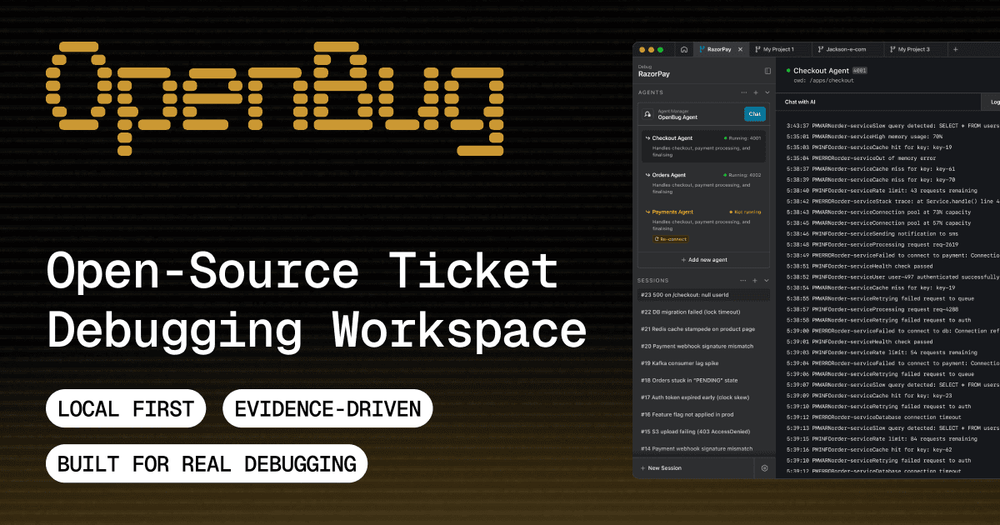
OpenBug is an open-source workspace for debugging tickets across services, enhancing team collaboration.

image of OpenBug
Contents
  1. 01What OpenBug does

Repository

Stars
22
Forks
5
License
MIT
Last commit
104 days ago
Last verified
May 13, 2026
Repo
openbug-ai/cli ↗

Additional details

22 starsTypeScriptMITUpdated this year
Visit websiteGitHub repo
02
Who OpenBug is for
  • 03The problem it solves
  • 04How it solves it
  • 05Strengths and trade-offs
  • 06Install and self-host
  • 07Tech stack
  • 08FAQ
  • 09Similar open-source tools
  • TL;DR

    OpenBug is an MIT-licensed CLI for debugging running applications with AI assistance. It captures logs, searches the codebase in natural language, and gives developers an interactive terminal assistant for root-cause investigation.MIT · TypeScript · 22 stars · Updated this year

    what it does

    What OpenBug does#

    OpenBug is a powerful, open-source, local-first workspace designed for debugging tickets across various services. It allows teams to correlate runtime evidence into a clear root-cause investigation, making it easier to identify and resolve issues efficiently.

    Key Features:

    • Local-First Architecture: Ensures that all data is stored locally, providing fast access and reducing dependency on external servers.
    • Correlate Evidence: Collect and analyze runtime evidence from multiple services to pinpoint the root cause of issues.
    • Collaborative Workspace: Designed for teams, allowing multiple users to work together seamlessly on debugging tasks.
    • User-Friendly Interface: Intuitive design that simplifies the debugging process, making it accessible for both technical and non-technical users.
    • Integration with Existing Tools: Easily integrates with popular development and project management tools to streamline workflows.

    Use Cases:

    • Software Development Teams: Ideal for teams looking to improve their debugging processes and reduce time spent on issue resolution.
    • Customer Support: Helps support teams quickly identify and resolve customer-reported issues by providing a clear view of the underlying problems.
    • Quality Assurance: QA teams can use OpenBug to track and manage bugs effectively, ensuring a smoother release process.
    who it's for

    Who OpenBug is for#

    Developers debugging local services

    OpenBug fits developers who need a faster way to connect logs, code, and AI reasoning while a service is running.

    Skip if

    You only need static code review without runtime logs.

    Support engineers reproducing bugs

    OpenBug can help support-facing engineers gather runtime evidence and ask targeted questions during reproduction.

    Skip if

    Your debugging workflow requires approved enterprise incident tooling.

    the problem

    The problem it solves#

    how OpenBug solves it

    How it solves it#

    Automatic log capture

    OpenBug captures runtime logs so the AI assistant can reason about current application behavior instead of relying on pasted snippets.

    Natural-language code search

    The README describes searching the codebase in natural language, which helps developers find relevant files during an investigation.

    Terminal debugging assistant

    OpenBug runs as a command-line workflow, with npm installation and a debug command used to start the assistant.

    strengths · trade-offs

    Strengths and trade-offs#

    Strengths

    • Keeps debugging in the terminalDevelopers can inspect logs, ask questions, and search code without moving the investigation into a separate hosted dashboard.
    • Focused on live application contextThe tool is built around running applications, which makes it more practical for debugging than a detached code-only assistant.

    Trade-offs

    • -Beta maturityThe README labels OpenBug as beta, so teams should expect rough edges and validate it on non-critical workflows before relying on it.
    install · self-host

    Install and self-host#

    bash
    ```bash
    npm install -g @openbug/cli
    ```
    tech stack · detected from GitHub

    What it's built on#

    Languages
    JavaScriptTypeScript
    Frameworks
    ExpressReact
    Databases
    SQLite
    frequently asked

    FAQ#

    What does OpenBug do?

    OpenBug is a command-line AI debugging tool that captures logs, searches code, and helps investigate running applications.

    How do you install OpenBug?

    The official README shows npm install -g @openbug/cli as the installation command.

    Is OpenBug stable?
    also worth a look

    Similar open-source tools#

    Tracim Teamwork

    Tracim Teamwork

    Self-hosted workspace for docs, discussions, and task management

    270Python
    Leantime

    Leantime

    Focus-first project management designed for neurodivergent teams

    9.8KPHPAGPL-3.0
    Kanri

    Kanri

    Local-first Kanban board that stores all data in a JSON file

    1.9KVueGPL-3.0
    Taiga

    Taiga

    Agile project management for Scrum, Kanban, and hybrid teams

    372CoffeeScriptAGPL-3.0
    Focalboard

    Focalboard

    Open source project management: Kanban, Scrum, and lists

    26.2KTypeScript
    Task Bert

    Task Bert

    AI assistant that turns text messages into actionable tasks

    4SwiftGPL-3.0
    Language
    TypeScript
    Open issues
    0
    Contributors
    2
    First release
    2026

    Categories

    Product & Project ManagementDeveloper ToolsCommunication & Collaboration

    Tags

    Project ManagementWorkflow AutomationError TrackingDeveloper ToolsTask ManagementMonitoring

    Debugging production-like issues usually means switching between terminal logs, code search, stack traces, and issue notes. The context is fragmented, so developers spend time gathering evidence before they can reason about the failure.

    AI can help, but only when it sees the running process and relevant code. A generic chat prompt without logs or repository context produces guesses rather than useful debugging steps.

    The README marks OpenBug as beta, so teams should test it carefully before using it for critical debugging workflows.