Open Source Alternatives
  • Alternatives
  • Categories
    Categories by size1,111 projects
    • Developer Tools559
    • AI & Machine Learning475
    • Business & Productivity273
    • Web Development208
    • Security & Monitoring171
    • Communication & Collaboration153
    • IT Management145
    • Cloud & Hosting127
    • LLMOps & AI Tooling123
    • Data & Analytics118
    Browse all 21 categoriesProduct & Project Management, DevOps & CI/CD and 9 more
  • Blog
  • Advertise
SearchNotion, Slack, password manager.../
Submit
Open Source Alternatives
  • Alternatives
    • Developer Tools559
    • AI & Machine Learning475
    • Business & Productivity273
    • Web Development208
    • Security & Monitoring171
    • Communication & Collaboration153
    • Browse all 21 categories
  • Blog
  • Advertise
Submit your project

New open source projects by email

The projects we add and every new guide. Free, unsubscribe any time.

Open Source Alternatives LogoOpen Source Alternatives

Handpicked Open Source Alternatives to Paid Softwares

Product

  • Categories
  • Tag
  • Advertise

Resources

  • Blog
  • Collection
  • Submit

Company

  • Privacy Policy
  • Terms of Service
  • Refund Policy
  • Sitemap

Alternatives

  • Claude Code
  • Jira
  • Notion
  • Slack
  • Linear
  • Wispr Flow
  • All alternatives
© 2026 Open Source Alternatives. All rights reserved.
Open SourceAlternatives
Home/Categories/Business & Productivity/PipeVoice
icon of PipeVoice

PipeVoice

Open source alternative to Wispr Flow, Superwhisper, Willow Voice and Dragon Professional

  • 39 stars
  • MIT
  • Active this week
  • Last commit 7 days ago

Last verified Nov 5, 2026

Run push-to-talk voice typing on Windows with no account or subscription, transcribing into any focused app via cloud, Whisper, or fully offline.

Visit websiteGitHub39 stars
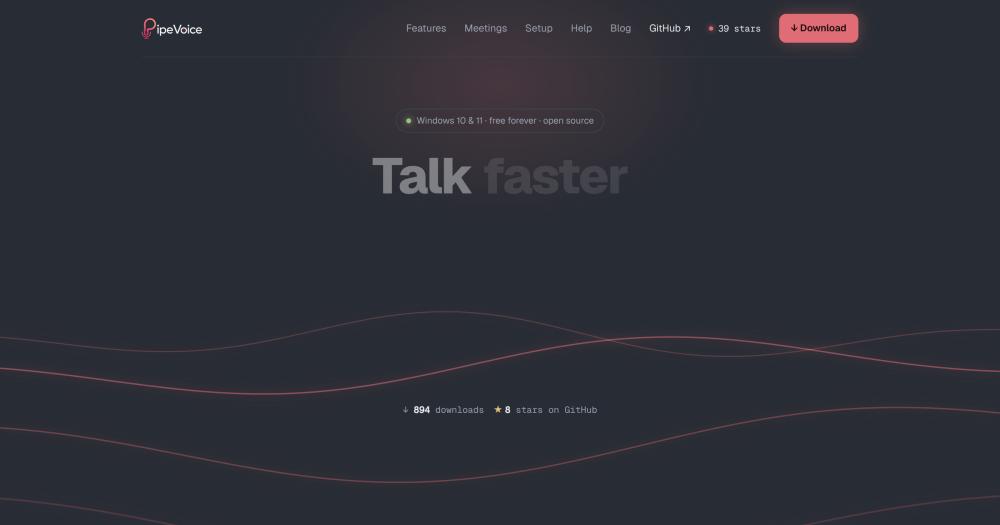
Image for PipeVoice
TL;DR

PipeVoice is a free, MIT-licensed push-to-talk voice typing tool for Windows that transcribes speech into any focused app. It replaces paid dictation subscriptions like Wispr Flow and Dragon Professional, with no account and no telemetry. Three transcription engines are switchable at runtime: Deepgram for live streaming, OpenAI Whisper for accuracy, or a local Whisper model for 100% offline operation. Best for developers dictating into AI coding agents and Windows users who want voice typing without a subscription.

Read the full breakdownHide the full breakdownWho it is for, how it works, trade-offs, the quick start and the FAQ
who it's for

Who PipeVoice is for#

Developers dictating prompts into AI coding agents

PipeVoice was built to voice-dictate into Claude Code, Cursor, and similar terminals. Set a per-app profile for the terminal (raw text plus auto-Enter) so spoken prompts land and submit without touching the keyboard. Flow mode cleans up prompt phrasing before it reaches the agent.

Skip if:

You need a cross-platform tool that works on macOS or Linux. PipeVoice is Windows-only.

Windows users replacing a paid voice typing subscription

Users paying for Wispr Flow or Dragon Professional on Windows can switch to PipeVoice and cover the same daily dictation use case with no recurring cost. Cloud transcription through Deepgram or OpenAI costs pennies a day at conversational volumes; local Whisper removes even that.

Skip if:

You need a macOS tool or a managed service with a support team and guaranteed uptime. PipeVoice is self-run with no commercial support.

Professionals recording and summarizing meetings

The meeting feature records both sides of a call as separate audio streams, transcribes them with speaker names you assign, and generates bullet points or action items with owners. Bookmarks let you flag key moments during the call by saying 'bookmark that'; the summary prioritizes flagged moments. Recordings stay on your machine unless you choose a cloud engine.

Skip if:

You need automatic speaker diarization across a large team or integration with a note-taking platform. PipeVoice's meeting feature is a local transcript and summary tool, not a team collaboration layer.

the problem

The problem it solves#

Voice typing on Windows has meant choosing between expensive subscriptions, bulky local installs, or apps that require a GPU and gigabyte-scale model downloads before anything works. Paid services like Wispr Flow charge monthly fees; Dragon Professional requires a large upfront license and a proprietary acoustic model that can struggle with non-standard accents.

The gap is sharpest for developers who want to dictate prompts into AI coding agents like Claude Code or Cursor. That workflow requires injecting keystrokes into a terminal, running without a mandatory account, and optionally operating fully offline. No major Windows dictation app covered that combination cleanly.

how PipeVoice solves it

How it solves it#

Three transcription engines, switchable at runtime

Choose Deepgram for live word-by-word streaming (fastest, cloud-based, ~$0.0043/min), OpenAI Whisper for high accuracy (~$0.006/min), or a local Whisper model on CPU for 100% offline operation. All three are selectable from the tray without restarting the app. If a cloud engine fails due to no internet, PipeVoice retries the utterance on local Whisper automatically.

Per-app profiles

Assign a different engine, cleanup setting, output mode, and auto-Enter behavior to each application. A terminal profile can receive raw text with an automatic Enter press; a chat app can receive polished, auto-sent text; a code editor can skip AI cleanup entirely. Profiles match by the focused window's application name.

Meeting recording with two-stream capture

Records your microphone and your computer's audio output as separate streams, so your voice and other speakers are always distinct without diarization guesswork. After recording, transcribe with Deepgram (remote speaker separation) or local Whisper (fully offline), name speakers by clicking their label, then generate bullet points, to-dos, or action items with named owners.

AI cleanup with free and offline options

After transcription, an optional cleanup step removes filler words and fixes punctuation using OpenAI, Google Gemini's free tier, OpenRouter free models, or offline Ollama. Speech notes let you describe your accent or stutter so the cleanup model handles your speech accurately. Cleanup runs per-app and can be disabled for terminals or editors where raw output is preferred.

MCP server for AI coding agents (opt-in)

Enable Agent MCP in the tray to expose two local tools to any MCP-compatible agent: `listen` lets the agent ask a question you answer by voice, and `transcribe` converts a local audio or video file to text with word-level timestamps, SRT, or VTT captions. No API key is required for either tool; both run on the local machine.

strengths · trade-offs

Strengths and trade-offs#

Strengths

  • No GPU required for local transcriptionThe local Whisper path runs on CPU and downloads a single ~150 MB model, far less than voice tools that require a CUDA-capable GPU and multiple gigabyte downloads before they work. Cloud engines need no download at all. This makes PipeVoice accessible on any Windows 10 or 11 machine, including low-spec laptops.
  • MIT license, no account, no subscriptionThe entire codebase is MIT-licensed. There is no account, no subscription, no trial wall, and no telemetry. API keys for cloud engines are stored in a local `.env` file and never uploaded. The offline path with local Whisper and Ollama has zero cloud involvement end-to-end.
  • Live streaming transcript with DeepgramWith Deepgram as the engine, words appear in the overlay pill as you speak, word-by-word, rather than after you stop talking. This gives immediate feedback on what was heard and makes dictating longer prompts into AI agents more reliable. OpenAI Whisper and local Whisper both transcribe after you release the hotkey (1 to 4 seconds on CPU).

Trade-offs

  • -Windows only, no macOS or Linux supportPipeVoice targets Windows 10 and 11. There is no macOS or Linux build. Users on those platforms should look at Superwhisper (macOS) or other Whisper-based dictation tools for their platform.
  • -Early-stage project with a small communityPipeVoice was created in June 2026 and has 39 GitHub stars and 2 open issues at the time of writing. It is a young project: the feature set is focused but the community is small, and long-term maintenance depends on a single maintainer. Users who need a commercially supported product should look at Wispr Flow or Dragon Professional.
versus alternatives

PipeVoice vs alternatives#

PipeVoice vs Wispr Flow

Wispr Flow and PipeVoice both transcribe voice into any focused window, but they serve different deployment models. Wispr Flow is a paid subscription SaaS available on macOS and Windows; PipeVoice is free, MIT-licensed, and Windows-only.

FeaturePipeVoiceWispr Flow
PriceFree (MIT)Paid subscription
PlatformWindows 10 and 11macOS and Windows
Account requiredNoYes
Offline modeYes (local Whisper)No
Engine choiceCloud or local, switchableCloud only
AI cleanupGemini free, OpenAI, OllamaBuilt-in

PipeVoice is the better choice for Windows users who want no subscription, an offline fallback, or the ability to switch transcription engines at runtime. Wispr Flow is worth considering when you need macOS support or a fully managed service with no configuration.

PipeVoice vs Superwhisper

Superwhisper is a macOS voice typing tool built around Whisper. The comparison is primarily a platform question: Superwhisper runs on macOS; PipeVoice runs on Windows. Both offer local Whisper transcription. PipeVoice adds Deepgram live streaming and an online AI cleanup layer. If you are on macOS, Superwhisper is the natural choice. For Windows, PipeVoice covers the same use case without a subscription.

PipeVoice vs Dragon Professional

Dragon Professional is a long-established proprietary dictation product for Windows with a large one-time license cost and an acoustic model optimized for professional transcription. PipeVoice covers everyday push-to-talk dictation and AI coding workflows for free, with no acoustic model to maintain. Dragon Professional is worth considering if you need enterprise-grade medical or legal transcription accuracy or deep Microsoft Office integration. For general dictation into terminals and chat apps, PipeVoice covers the use case at no cost.

PipeVoice vs Willow Voice

Willow Voice is a paid voice typing tool for Windows. PipeVoice covers the same push-to-talk-into-any-window use case with an MIT license, no subscription, and additional options for local transcription and AI coding workflows. Willow Voice may be worth considering if you prefer a commercial product with dedicated support. For users comfortable running an open source Windows app, PipeVoice offers the same core capability for free.

install · quick start

Quick start#

bash
Download the Windows installer from GitHub Releases: https://github.com/Powleads/PipeVoice/releases/latest
tech stack · detected from GitHub

What it's built on#

Languages
Python
frequently asked

FAQ#

Does PipeVoice work offline?

Yes. Choose the Local Whisper engine and optionally Ollama for AI cleanup, and nothing leaves your machine. No internet connection and no API key are required. The local Whisper model is ~150 MB and runs on CPU with no GPU needed.

What transcription engines does PipeVoice support?

Three engines are available and switchable at runtime: Deepgram (live streaming, ~$0.0043/min, requires a DEEPGRAM_API_KEY), OpenAI Whisper (accurate, ~$0.006/min, requires an OPENAI_API_KEY), and Local Whisper (free, offline, CPU-only, 1 to 4 seconds latency after release). If a cloud engine fails, PipeVoice retries the utterance on Local Whisper automatically.

Is PipeVoice free to use?

Yes. The app is MIT-licensed and free to download and run. If you use the Deepgram or OpenAI cloud engines you pay those providers directly with your own API key; costs are roughly pennies per day at typical dictation volumes. The local Whisper path has no recurring cost of any kind.

Can PipeVoice type into a terminal or AI coding agent?

Yes, that is the primary use case. PipeVoice injects keystrokes into the focused window, terminals included. Per-app profiles let the terminal receive raw text with an automatic Enter press while other windows receive cleaned, non-auto-sent text. The optional MCP server exposes a listen tool that lets MCP-compatible agents like Claude Code prompt you by voice.

Does PipeVoice require a GPU?

No. The cloud engines (Deepgram, OpenAI Whisper) need no local hardware beyond a microphone. Local Whisper runs on CPU out of the box and auto-uses CUDA if present, but CUDA is not required. The local model is ~150 MB, far smaller than GPU-dependent voice tools that require gigabyte-scale downloads.

Looking for more

Other ways to replace Wispr Flow, Superwhisper, Willow Voice and Dragon Professional#

Handy

#1 in the Wispr Flow guide

Cross-platform offline dictation on Windows, macOS, and Linux, with the largest community of the eight

37,556 GitHub stars

VoiceInk

#2 in the Wispr Flow guide

Apple Silicon Mac dictation with local AI enhancement and no subscription

7,023 GitHub stars

FluidVoice

#3 in the Wispr Flow guide

macOS 15+ dictation with live transcription preview and optional on-device AI cleanup

12,660 GitHub stars

OpenWhispr

#4 in the Wispr Flow guide

Cross-platform dictation with documented meeting transcription, live diarization, and optional cloud processing

10,727 GitHub stars
All 16 Wispr Flow alternatives8 open source Wispr Flow alternatives, ranked
by category

Open source tools in these categories#

274

Business & Productivity

OpenClaw, Excalidraw, RustDesk
476

AI & Machine Learning

freeCodeCamp, REA (Reverse Engineer Anything), OpenClaw
560

Developer Tools

REA (Reverse Engineer Anything), Skills for Real Engineers, superpowers

Sponsors

Inbox Zero

Alternative toSuperhuman

AI email assistant that drafts replies and clears your inbox

  • 12,889 GitHub stars
  • AGPL-3.0Licence AGPL-3.0
  • #Email

rakazo

Alternative toGrok Bot

AI teammates you own: your keys, your model, your machine.

  • 7,028 GitHub stars
  • Apache-2.0Licence Apache-2.0
  • #AI Agents

SnitchFeed

Live monitoring on LinkedIn, X, Reddit & more. Agentic social listening for startups.

Marketing & Growth

Advertise your product

New open source projects by email

The projects we add and every new guide. Free, unsubscribe any time.

Find open source alternatives to paid software

/
  • Claude Code to OpenCode
  • Jira to Windshift
  • Notion to AppFlowy
  • Slack to Mattermost
  • Linear to GitLab
  • Wispr Flow to Handy
  • Arc to Zen Browser
  • CapCut to Concat
  • Grok Bot to rakazo
  • Superhuman to Inbox Zero
  • Airtable to AITable
  • Muse to OpenClaw
  • Railway to Coolify
  • GitHub Copilot to Cline
  • Datadog to Netdata
  • Confluence to Wiki.js
  • Microsoft Teams to Rocket.Chat
  • Firebase to Supabase
  • Pinecone to Qdrant
  • Zapier to n8n
  • 1Password to KeePassXC
  • Devin AI to OpenHands
  • Asana to Leantime
  • Contentful to Strapi
  • Claude Code to OpenCode
  • Jira to Windshift
  • Notion to AppFlowy
  • Slack to Mattermost
  • Linear to GitLab
  • Wispr Flow to Handy
  • Arc to Zen Browser
  • CapCut to Concat
  • Grok Bot to rakazo
  • Superhuman to Inbox Zero
  • Airtable to AITable
  • Muse to OpenClaw
  • Railway to Coolify
  • GitHub Copilot to Cline
  • Datadog to Netdata
  • Confluence to Wiki.js
  • Microsoft Teams to Rocket.Chat
  • Firebase to Supabase
  • Pinecone to Qdrant
  • Zapier to n8n
  • 1Password to KeePassXC
  • Devin AI to OpenHands
  • Asana to Leantime
  • Contentful to Strapi