
Who stt is for#
Developers replacing the OpenAI Whisper API
stt exposes a /v1 endpoint that accepts the same request format as OpenAI's transcriptions API. Teams already calling Whisper in production can point their base_url at a local stt server to eliminate per-minute API costs for high-volume or offline workloads.
Skip if:
If your transcription volume is low and latency matters more than cost, the managed OpenAI API is simpler to operate. stt requires server management and CUDA setup for best performance on long audio.
Content teams generating subtitles for video archives
Upload video files to the browser UI and receive SRT subtitle files with timestamps. Supports 14 languages. No internet connection needed, making it practical for air-gapped environments or batch processing large video libraries offline.
Skip if:
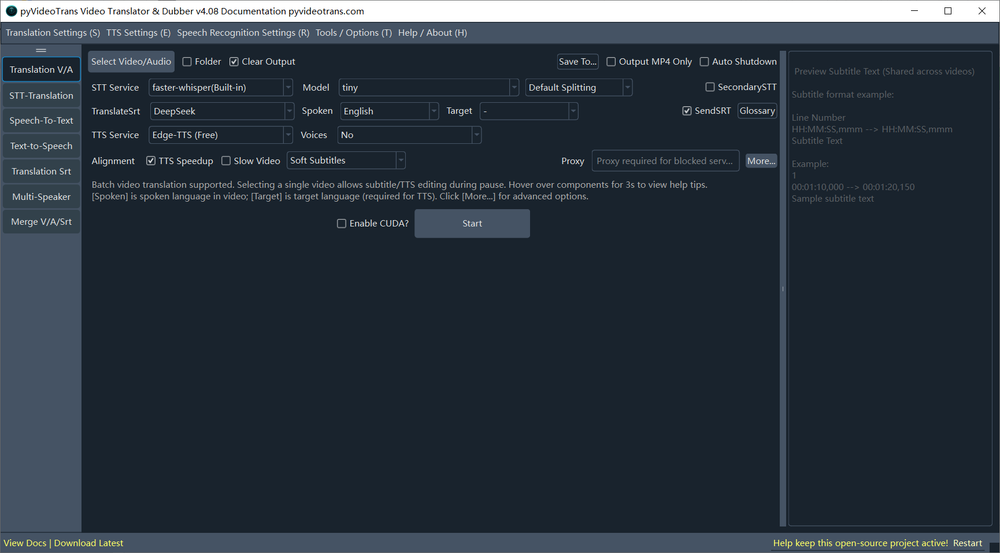
If you need live real-time captioning or integrated video translation and dubbing, stt handles transcription only. pyVideoTrans (a related project by the same author) adds translation and voice synthesis on top of this.
Researchers transcribing interviews or field recordings
Offline inference means sensitive interview recordings never leave the local machine. Choose SRT output for timestamped transcripts or JSON for downstream text processing. The small or medium model provides a balance of accuracy and speed on CPU-only hardware.
Skip if:
If you need speaker diarization (identifying who is speaking when), stt does not include that feature. Whisper-based models transcribe speech but do not assign speaker labels to individual turns.
The problem it solves#
Cloud-based transcription services charge per minute or per hour, and rates scale fast when you are processing dozens of video recordings, podcast episodes, or meeting archives. Beyond cost, uploading sensitive recordings to a third-party server creates privacy exposure: you have no control over how that audio is stored, analyzed, or retained.
The only path forward is running Whisper locally, but setting up the official OpenAI Whisper library with the right Python environment, CUDA drivers, and ffmpeg dependencies is a multi-step process with version conflicts at every turn. There is no built-in web UI, no API server, and no output formatter for SRT subtitles. stt packages all of that into one deployable app.
How it solves it#
Local browser-based UI
A local web server starts on port 9977 and opens automatically in your browser. Upload audio or video files by clicking the upload area or via drag-and-drop, select the source language and model size, and the transcript appears in the output box in the selected format. No command-line interaction required after launch.
Multiple output formats
Returns transcripts as SRT (with per-line timestamps), JSON, or plain text. SRT output is ready to upload directly to YouTube, Premiere Pro, or any video editor that accepts subtitle files. JSON output includes timestamp data suitable for downstream text processing pipelines.
OpenAI-compatible API endpoint
Exposes a /v1 endpoint that accepts the same request structure as OpenAI's speech transcription API. Point the base_url in your existing OpenAI client to http://127.0.0.1:9977/v1 and the rest of the integration stays unchanged. Supports text and SRT response formats.
Scalable model selection
Ships with the tiny model built in. Download base, small, medium, or large-v3 model packages from the Releases page and place the extracted folder in the models/ directory to switch. Larger models improve accuracy on accented speech and technical vocabulary; large-v3 requires an Nvidia GPU with 8GB or more VRAM.
CUDA acceleration for Nvidia GPUs
Defaults to CPU inference. Enable CUDA by editing set.ini to set devtype=cuda after installing CUDA Toolkit and cuDNN. GPU acceleration is significant on large-v3 inference and on video files over 20MB. Without CUDA configured, the large and large-v3 models will cause out-of-memory crashes.
14 supported languages via HTTP API
Supports Chinese, English, French, German, Japanese, Korean, Russian, Spanish, Thai, Italian, Portuguese, Vietnamese, Arabic, and Turkish. Language is selected per request in the browser UI or passed as the language parameter in an API call to http://127.0.0.1:9977/api.
Strengths and trade-offs#
Strengths
- Fully offline: no audio leaves your machineAll inference runs locally using downloaded model weights. No audio or video is sent to any external server. This matters for recordings that contain confidential meetings, legal proceedings, or personal data subject to privacy regulations. Air-gapped deployments are fully supported.
- Drop-in replacement for the OpenAI Whisper APIThe /v1 endpoint matches the OpenAI Whisper API format, so existing integrations need only a base_url change to switch. Unlike the OpenAI API (billed per audio minute), stt charges nothing beyond the server it runs on.
- Faster inference via faster-whisperBuilt on faster-whisper (Systran's CTranslate2-based reimplementation), which runs Whisper models faster and with lower memory usage than the original OpenAI implementation on comparable hardware.
- Pre-compiled Windows binary requires no PythonWindows users can download the pre-compiled release from the GitHub Releases page, extract it, and run start.exe with no Python or package management required. This removes the setup barrier for non-developers who need offline transcription.
Trade-offs
- -Large models require an Nvidia GPU and CUDA setupThe large and large-v3 models are only practical on machines with an Nvidia GPU and at least 8GB VRAM. Running them on CPU leads to out-of-memory crashes, especially on video files over 20MB. CUDA setup requires manual driver, toolkit, and cuDNN installation, with several failure modes and DLL dependency issues documented in the README.
- -Chinese output may produce Traditional instead of Simplified charactersThe README notes that Chinese speech recognition sometimes outputs Traditional Chinese characters rather than Simplified. This is a known behavior of the underlying faster-whisper model and is not configurable from within stt.
- -GPL-3.0 restricts proprietary commercial distributionGPL-3.0 requires that any software you distribute that incorporates stt must also be licensed under GPL-3.0 with source code made available. This is fine for internal use or open source projects, but rules out embedding stt in a proprietary commercial product you distribute.
stt vs alternatives#
stt vs Maestra
Maestra is a cloud-based AI transcription and subtitle tool that supports automatic speech recognition, subtitle generation, and dubbing across multiple languages. stt covers the transcription and SRT generation portion of that feature set, running offline on your own machine rather than sending files to a cloud service.
| Feature | stt | Maestra |
|---|---|---|
| License | GPL-3.0 | Proprietary |
| Self-hosting | Yes | No |
| Offline use | Yes | No |
| Transcription | Yes | Yes |
| SRT subtitle output | Yes | Yes |
| Video dubbing | No | Yes |
| Pricing | Free (self-hosted) | Paid subscription |
stt is the better choice when your recordings contain sensitive content that cannot leave your network, when you are processing high volumes of audio where per-minute cloud pricing compounds, or when you need an OpenAI-compatible local endpoint for an existing codebase. Maestra is the better choice when you need a full workflow including video dubbing, translation, and a polished cloud editor with team collaboration.
stt vs Rask AI
Rask AI focuses on video dubbing and translation: you upload a video, and Rask translates the script and replaces the original audio with synthesized speech in the target language. stt handles only the transcription step, not translation or voice synthesis.
| Feature | stt | Rask AI |
|---|---|---|
| License | GPL-3.0 | Proprietary |
| Self-hosting | Yes | No |
| Transcription | Yes | Yes (as part of dubbing) |
| Translation | No | Yes |
| Voice synthesis | No | Yes |
| Offline use | Yes | No |
| Pricing | Free (self-hosted) | Paid subscription |
If you need full video translation and dubbing, stt alone is not a replacement for Rask AI. The related project pyVideoTrans (jianchang512/pyvideotrans) pairs stt's speech recognition with translation and TTS synthesis to approximate that workflow. For pure transcription with no dubbing requirement, stt provides equivalent output to Rask AI's speech recognition step at no per-minute cost.
Quick start#
Source code deployment requires Python 3.9 to 3.11 and ffmpeg installed on the system.

```bash
git clone [email protected]:jianchang512/stt.git .
python -m venv venv
source ./venv/bin/activate
pip install -r requirements.txt
python start.py
```What it's built on#
- Languages
- Python
- Frameworks
- Flask
FAQ#
Is stt free to use?
Yes. stt is GPL-3.0 licensed open source software with no usage fees. You download and run it on your own hardware at no cost. The only expense is the server or machine it runs on, and the tiny or small model is usable on modest CPU-only hardware.
Can stt replace the OpenAI Whisper API?
Yes, for local or server-side use. stt exposes an OpenAI-compatible /v1 endpoint at http://127.0.0.1:9977/v1 that accepts the same request format as OpenAI's audio transcriptions API. Change the base_url in your OpenAI client to point at stt and the rest of the code stays the same. Supported response formats are text, SRT, and JSON.
What model size should I use for best accuracy?
large-v3 gives the highest accuracy but requires an Nvidia GPU with 8GB or more VRAM. For CPU-only machines, medium is the practical ceiling before memory issues arise. tiny is the built-in default and works well for quick drafts or testing. Download additional model packages from the GitHub Releases page and place the extracted folder inside the models/ directory.
Does stt support GPU acceleration?
Yes, for Nvidia GPUs with CUDA. Install CUDA Toolkit and cuDNN first, then edit set.ini to set devtype=cuda and restart the app. GPU acceleration substantially speeds up inference on larger models and longer files. Machines without an Nvidia GPU, or without properly configured CUDA, run on CPU automatically.
What languages does stt support?
stt supports 14 languages: Chinese, English, French, German, Japanese, Korean, Russian, Spanish, Thai, Italian, Portuguese, Vietnamese, Arabic, and Turkish. Select the language per request in the browser UI or pass it as the language parameter in the API call.
Similar open-source tools#

YouDub-webui
Self-hosted AI video dubbing: YouTube to Chinese, Bilibili to English

pyvideotrans
Open source video translation with AI dubbing and voice cloning
video-use
Edit videos by chatting with Claude Code, not clicking menus
MoneyPrinterTurbo
AI-powered short video generation from topic to publish

Omnara
Open-source agent deployment API. Self-host or use Omnara Cloud.

rakazo
AI teammates you own: your keys, your model, your machine.