Open Source Alternatives
  • Alternatives
  • Categories
    Categories by size1,217 projects
    • Developer Tools625
    • AI & Machine Learning524
    • Business & Productivity294
    • Web Development216
    • Security & Monitoring189
    • Communication & Collaboration165
    • IT Management155
    • LLMOps & AI Tooling132
    • Cloud & Hosting130
    • DevOps & CI/CD130
    Browse all 21 categoriesDesign & Creative, Product & Project Management and 9 more
  • Blog
  • Advertise
SearchNotion, Slack, password manager.../
Submit
Open Source Alternatives
  • Alternatives
    • Developer Tools625
    • AI & Machine Learning524
    • Business & Productivity294
    • Web Development216
    • Security & Monitoring189
    • Communication & Collaboration165
    • Browse all 21 categories
  • Blog
  • Advertise
Submit your project

New open source projects by email

The projects we add and every new guide. Free, unsubscribe any time.

Open Source Alternatives LogoOpen Source Alternatives

Handpicked Open Source Alternatives to Paid Softwares

Add Open Source Alternatives as a preferred source on Google

Product

  • Categories
  • Tag
  • Advertise

Resources

  • Blog
  • Collection
  • Submit

Company

  • Privacy Policy
  • Terms of Service
  • Refund Policy
  • Sitemap

Alternatives

  • Claude Code
  • Jira
  • Notion
  • Slack
  • Linear
  • Wispr Flow
  • All alternatives
© 2026 Open Source Alternatives. All rights reserved.
Open SourceAlternatives
Home/Categories/AI & Machine Learning/HA-MCP
icon of Ha Mcp

HA-MCP

Open source alternative to Josh.ai

  • 6.7K stars
  • MIT
  • Active this week
  • Last commit 1 day ago

Last verified Nov 11, 2026

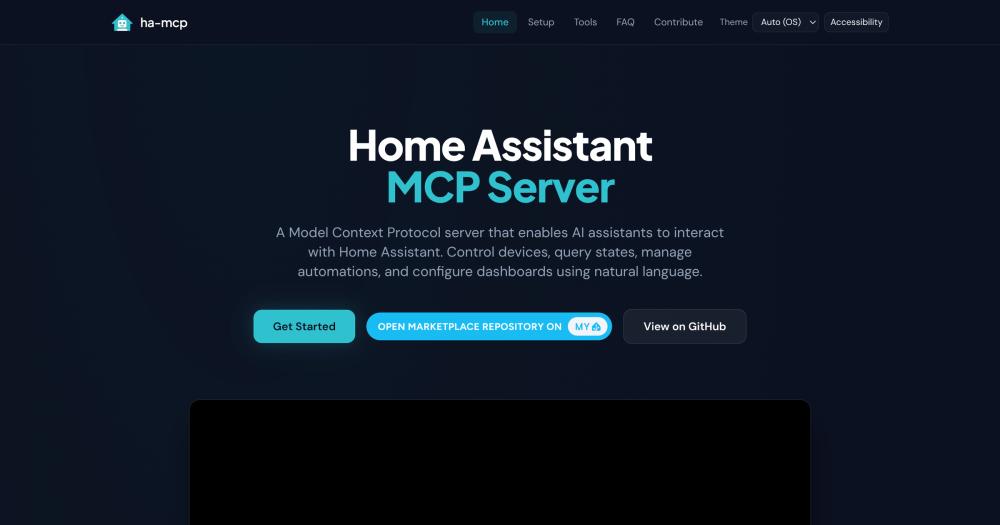
Connect Home Assistant to any AI assistant via the Model Context Protocol, managing devices, automations, dashboards, and scripts through natural language.

Visit websiteGitHub6.7K starsDeploy on Hostinger
Image for Ha Mcp
TL;DR

HA-MCP is an MIT-licensed MCP server that connects AI assistants including Claude, ChatGPT, Cursor, and Copilot to Home Assistant, enabling natural language creation and debugging of automations, dashboard edits, and device control. It replaces proprietary smart home AI platforms like Josh.ai with a free, self-hosted alternative that works with 15+ AI clients and ships 87 tools covering nearly every Home Assistant capability. Install it as a HACS custom component inside Home Assistant, or run it via Docker or uvx on a separate host. Best for Home Assistant users who want to work through conversation rather than writing YAML or navigating the HA UI.

Read the full breakdownHide the full breakdownWho it is for, how it works, trade-offs, the quick start and the FAQ
who it's for

Who HA-MCP is for#

Home Assistant Users Creating and Debugging Automations

Ha-mcp lets you describe automations in plain language and have an AI assistant create the YAML, trigger-action structure, and entity references. When an automation breaks, you can ask the AI to analyze the execution trace and suggest fixes, rather than reading logs manually.

Skip if:

You prefer writing YAML directly and have no interest in AI-assisted configuration. Ha-mcp adds an AI interaction layer on top of Home Assistant's native UI; it does not replace the UI or change how HA stores automations internally.

Smart Home Owners Managing Complex Dashboards

Ha-mcp includes tools to add and modify Lovelace dashboard cards through conversation. Users managing multiple rooms and dashboards can describe what they want without learning Lovelace config syntax, and the AI handles the underlying JSON structure.

Skip if:

Your Home Assistant setup is small and you are comfortable with the native dashboard editor. The AI interaction adds value mainly when editing configurations manually becomes tedious at scale.

Developers Evaluating MCP Server Implementations

Ha-mcp ships 87 tools across six categories, implements multiple transport options (streamable HTTP and stdio), handles remote access and authentication patterns, and uses FastMCP as its server framework. It is a production-grade reference implementation for anyone learning how to build MCP servers for real, complex domains.

Skip if:

You need a minimal tutorial-sized MCP example. Ha-mcp's surface reflects Home Assistant's breadth; its complexity is not representative of a simple MCP server.

the problem

The problem it solves#

Home Assistant covers hundreds of device integrations and supports complex automations, but daily operation requires knowing YAML syntax for automations, Lovelace config for dashboards, and entity naming for scripts. Creating a new automation means writing triggers and actions by hand or navigating nested menus. When an automation breaks, tracing the problem requires reading execution logs manually.

Users who want to control their smart home through natural language have few good options in this environment. The professional AI smart home systems on the market require paid hardware installs and lock home automation into a proprietary stack. Building automations in Home Assistant through conversation is not natively supported.

how HA-MCP solves it

How it solves it#

87 Tools Across Six Capability Categories

Ha-mcp ships 87 tools organized into Search (fuzzy entity search, deep config search, system overview), Control (any service call, bulk device operations, real-time state tracking), Manage (automations, scripts, helpers, dashboards, areas, zones, groups, calendars), Monitor (history, statistics, camera snapshots, automation traces), System (backup and restore, updates, apps, device registry), and Safety (Read Only Mode, per-tool enable and disable, tool security policies, auto edit backups).

HACS and Marketplace Integration

The recommended install runs ha-mcp as an in-process HACS custom component inside Home Assistant, working on every installation type: OS, Supervised, Container, and Core. On Home Assistant 2026.11+, it is available directly from the built-in Marketplace with no GitHub account or custom repository required. The HA-MCP sidebar panel handles server management, tool configuration, and backups.

Works with 15+ AI Clients

Ha-mcp works with Claude Desktop, Claude.ai, ChatGPT, Cursor, GitHub Copilot, Open WebUI, VSCode, Gemini CLI, and more than 15 other MCP-compatible clients. A Setup Wizard on the official docs site generates the exact connection config for each client, covering both local and remote setups.

Multiple Deployment Paths

Beyond the HACS integration, ha-mcp runs as a Home Assistant add-on (apps), a Docker container, or a uvx PyPI package for hosting outside Home Assistant. Remote access works through Nabu Casa, a reverse proxy, or OIDC authentication against an external identity provider. Each path exposes the same 87-tool surface through a secret URL.

Safety Controls and Edit Backups

Safety features include a Read Only Mode that prevents writes, per-tool enable and disable switches, and tool security policies requiring user approval for sensitive operations. Automatic edit backups capture the config-entry identity and entity mapping for template helpers and integration options before any change, with a restore path if needed.


strengths · trade-offs

Strengths and trade-offs#

Strengths

  • MIT Licensed with No SubscriptionHa-mcp is MIT licensed and free to self-host. Unlike proprietary smart home AI platforms that charge for hardware and professional installation, ha-mcp runs on existing Home Assistant infrastructure at no additional cost. No subscription, no vendor lock-in, and no data leaving your network when running in local-only mode.
  • In-Process Server Needs No Separate HostThe recommended HACS custom component runs the full server in-process inside Home Assistant, requiring no separate host, container, or port to manage. Because it runs inside HA, it has direct access to every integration and entity, and remote access is handled through the existing Home Assistant webhook infrastructure.
  • Broad AI Client CompatibilityHa-mcp works with any MCP-compatible client, covering Claude, ChatGPT, Cursor, Copilot, Open WebUI, VSCode, and more. This contrasts with proprietary smart home AI systems that integrate a single AI provider. Users can switch AI clients or run multiple clients against the same ha-mcp server.
  • Active Maintenance and Community AdoptionHa-mcp has 6,682 GitHub stars, 432 forks, and 8 open issues (pull requests excluded) as of November 11, 2026. Created in September 2025, the project has received consistent code updates through its first year, with the most recent push on November 11, 2026. A low open issue count on a repository with this level of adoption points to regular triaging.

Trade-offs

  • -stdio Transport Has Known Connection ProblemsThe README explicitly notes that the stdio transport has connection problems that streamable HTTP does not (issue #1713). It is recommended only for demo and testing use. For any production setup, the HACS integration, add-on, Docker, or uvx HTTP path is required; a stdio-only config will likely see intermittent hangs.
  • -HACS Integration Requires Home Assistant 2026.8.0 or NewerThe HACS custom component requires Home Assistant 2026.8.0 or newer. Users on older Home Assistant versions need the add-on (apps) path on OS and Supervised installs, or Docker and uvx on Container and Core installs, which adds extra setup steps.
  • -Remote Access Needs Nabu Casa or a Reverse ProxyUsing ha-mcp outside the local network requires either a Nabu Casa subscription, a reverse proxy already pointing at Home Assistant, or the community OpenAI Tunnel integration for ChatGPT specifically. Users running fully local setups with no cloud connection will not get remote access without additional networking configuration.
versus alternatives

HA-MCP vs alternatives#

Ha-mcp vs Josh.ai

Both tools enable natural language smart home control through AI, but they target different users and infrastructure models. Ha-mcp runs inside or alongside an existing Home Assistant installation and works with 15+ AI clients; Josh.ai is a premium proprietary platform for professional installs using dedicated hardware.

FeatureHa-mcpJosh.ai
LicenseMIT (open source)Proprietary
Self-hostingYesNo
PricingFreePremium, professional install required
AI clients15+ (Claude, ChatGPT, Cursor, etc.)ChatGPT integration
RequiresHome Assistant 2026.8+Professional hardware installation
Local-only modeYesNo (cloud-dependent)

Ha-mcp is the right choice for anyone who already runs Home Assistant and wants AI-driven automation without paying for a separate proprietary system. Because ha-mcp implements the Model Context Protocol and runs inside Home Assistant, it uses all of HA's existing device integrations without additional configuration. Users choose their own AI client rather than being tied to a single commercial provider.

Josh.ai is better suited for users who want a fully managed, professionally installed smart home AI experience with no Home Assistant setup required. If you prefer dedicated hardware managed by a professional installer, do not want to run Home Assistant yourself, or need a turnkey system for a commercial or high-end residential installation, Josh.ai is a coherent choice that ha-mcp does not replicate.

install · quick start

Quick start#

bash
Install the HA-MCP integration inside Home Assistant: from HACS on Home Assistant 2026.8 to 2026.10, or from Settings > Marketplace on 2026.11 and newer. To run the server on a separate host instead (Container or Core installs), pull the published Docker image and generate its configuration in the Setup Wizard at https://homeassistant-ai.github.io/ha-mcp/setup/.

```bash
docker pull ghcr.io/homeassistant-ai/ha-mcp
```

The PyPI package runs the same HTTP server without Docker:

```bash
uvx ha-mcp@latest
```
tech stack · detected from GitHub

What it's built on#

Languages
JavaScriptPython
Tooling
esbuild
frequently asked

FAQ#

Does ha-mcp require a paid subscription?

No. Ha-mcp is MIT licensed and free to self-host. No subscription is needed for the tool itself or the HACS integration. If you use Claude.ai or ChatGPT as your AI client, their standard plans (including free tiers) apply separately, but those are independent of ha-mcp.

What is the recommended way to install ha-mcp?

The recommended install is the HACS custom component, which runs the full server in-process inside Home Assistant and works on every installation type (OS, Supervised, Container, Core). On Home Assistant 2026.11+, it is available from the built-in Marketplace. Installation takes three steps: install from HACS or Marketplace, restart Home Assistant, then add the HA-MCP Server integration and copy the connect URL from the Configure screen.

Does ha-mcp support remote access from outside my home network?

Yes, via two paths in the HACS integration: a Home Assistant webhook URL accessible through Nabu Casa or any reverse proxy already pointed at HA, and direct network access on the local LAN. For ChatGPT users who cannot expose a public URL, the community OpenAI Tunnel integration handles outbound-only tunnel connections. The add-on path uses the Webhook Proxy app for remote access.

Which AI clients does ha-mcp support?

Ha-mcp works with Claude Desktop, Claude.ai, ChatGPT, Cursor, GitHub Copilot, Open WebUI, VSCode, Gemini CLI, and more than 15 other MCP-compatible clients. A Setup Wizard on the official docs site generates the exact connection configuration for each client, covering both local and remote setups.

Can I use ha-mcp without exposing Home Assistant to the internet?

Yes. By default, the HACS integration starts with both remote access and local network access disabled. Enable only the local network access option to keep ha-mcp reachable on your LAN while preventing external access. No data leaves your network in local-only mode.

also worth a look

Similar open-source tools#

Hermes Agent

Featured

Alternative toGrok Bot

Self-hosted AI agent: persistent memory, multi-channel chat, model choice.

  • 262,494 GitHub stars
  • MITLicence MIT

Elephant Goldfish Model

Alternative toAmazon Kiro

Draft specs with context, review with fresh zero-context agents.

  • 16,479 GitHub stars
  • Apache-2.0Licence Apache-2.0

Claude Quickstarts

InAI & Machine Learning

MIT-licensed quickstarts for Claude agents, bots, and browser tasks.

  • 20,022 GitHub stars
  • MITLicence MIT

Billion Context

Alternative toCompresr

Compression proxy for AI coding agents, enabling 5x token savings.

  • 6,414 GitHub stars
  • CustomLicence MIT with attribution requirement

Hive

Alternative toConductor

AI coding agent orchestrator for isolated parallel worktrees

  • 476 GitHub stars
  • MITLicence MIT

Alethe

Alternative toConductor

Multi-agent coding workspace with real PTYs and MCP management

  • 1,180 GitHub stars
  • AGPL-3.0Licence AGPL-3.0
by category

Open source tools in these categories#

525

AI & Machine Learning

freeCodeCamp, REA (Reverse Engineer Anything), OpenClaw
626

Developer Tools

REA (Reverse Engineer Anything), Skills for Real Engineers, superpowers
133

LLMOps & AI Tooling

Hermes Agent, OpenCode, MarkItDown
Hostinger

Self-host HA-MCP on a Hostinger VPS

Keep it running 24/7, even when your laptop is off. A Hostinger VPS gives it a server of its own.

  1. 01

    Choose a plan

    Starts from $6.49/mo

  2. 02

    Apply

    Extra 10% off yearly plans

  3. 03

    Install HA-MCP

    On a server that stays on

  4. 04

    Start building

    Focus on the app, not the server

Deploy on Hostinger

Sponsors

Inbox Zero

Alternative toSuperhuman

AI email assistant that drafts replies and clears your inbox

  • 12,987 GitHub stars
  • AGPL-3.0Licence AGPL-3.0
  • #Email

rakazo

Alternative toGrok Bot

AI teammates you own: your keys, your model, your machine.

  • 7,869 GitHub stars
  • Apache-2.0Licence Apache-2.0
  • #AI Agents

SnitchFeed

Live monitoring on LinkedIn, X, Reddit & more. Agentic social listening for startups.

Marketing & Growth

Advertise your product

New open source projects by email

The projects we add and every new guide. Free, unsubscribe any time.

Find open source alternatives to paid software

/
  • Claude Code to OpenCode
  • Jira to Windshift
  • Notion to AppFlowy
  • Slack to Mattermost
  • Linear to GitLab
  • Wispr Flow to Handy
  • Arc to Zen Browser
  • CapCut to Concat
  • Grok Bot to rakazo
  • Superhuman to Inbox Zero
  • Airtable to AITable
  • Muse to OpenClaw
  • Railway to Coolify
  • GitHub Copilot to Cline
  • Datadog to Netdata
  • Confluence to Wiki.js
  • Discord to Fluxer
  • Microsoft Teams to Rocket.Chat
  • 1Password to KeePassXC
  • Firebase to Supabase
  • Pinecone to Qdrant
  • Zapier to n8n
  • Devin AI to OpenHands
  • Asana to Leantime
  • Claude Code to OpenCode
  • Jira to Windshift
  • Notion to AppFlowy
  • Slack to Mattermost
  • Linear to GitLab
  • Wispr Flow to Handy
  • Arc to Zen Browser
  • CapCut to Concat
  • Grok Bot to rakazo
  • Superhuman to Inbox Zero
  • Airtable to AITable
  • Muse to OpenClaw
  • Railway to Coolify
  • GitHub Copilot to Cline
  • Datadog to Netdata
  • Confluence to Wiki.js
  • Discord to Fluxer
  • Microsoft Teams to Rocket.Chat
  • 1Password to KeePassXC
  • Firebase to Supabase
  • Pinecone to Qdrant
  • Zapier to n8n
  • Devin AI to OpenHands
  • Asana to Leantime