Open Source Alternatives
  • Alternatives
  • Categories
    Categories by size1,173 projects
    • Developer Tools603
    • AI & Machine Learning510
    • Business & Productivity281
    • Web Development213
    • Security & Monitoring175
    • Communication & Collaboration158
    • IT Management149
    • LLMOps & AI Tooling130
    • Cloud & Hosting129
    • Product & Project Management125
    Browse all 21 categoriesDesign & Creative, DevOps & CI/CD and 9 more
  • Blog
  • Advertise
SearchNotion, Slack, password manager.../
Submit
Open Source Alternatives
  • Alternatives
    • Developer Tools603
    • AI & Machine Learning510
    • Business & Productivity281
    • Web Development213
    • Security & Monitoring175
    • Communication & Collaboration158
    • Browse all 21 categories
  • Blog
  • Advertise
Submit your project

New open source projects by email

The projects we add and every new guide. Free, unsubscribe any time.

Open Source Alternatives LogoOpen Source Alternatives

Handpicked Open Source Alternatives to Paid Softwares

Add Open Source Alternatives as a preferred source on Google

Product

  • Categories
  • Tag
  • Advertise

Resources

  • Blog
  • Collection
  • Submit

Company

  • Privacy Policy
  • Terms of Service
  • Refund Policy
  • Sitemap

Alternatives

  • Claude Code
  • Jira
  • Notion
  • Slack
  • Linear
  • Wispr Flow
  • All alternatives
© 2026 Open Source Alternatives. All rights reserved.
Open SourceAlternatives
Home/Categories/IT Management/Localthings
icon of Localthings

Localthings

Open source alternative to Samsung SmartThings

  • 1.1K stars
  • MIT
  • Active this week
  • Last commit 1 day ago

Last verified Nov 8, 2026

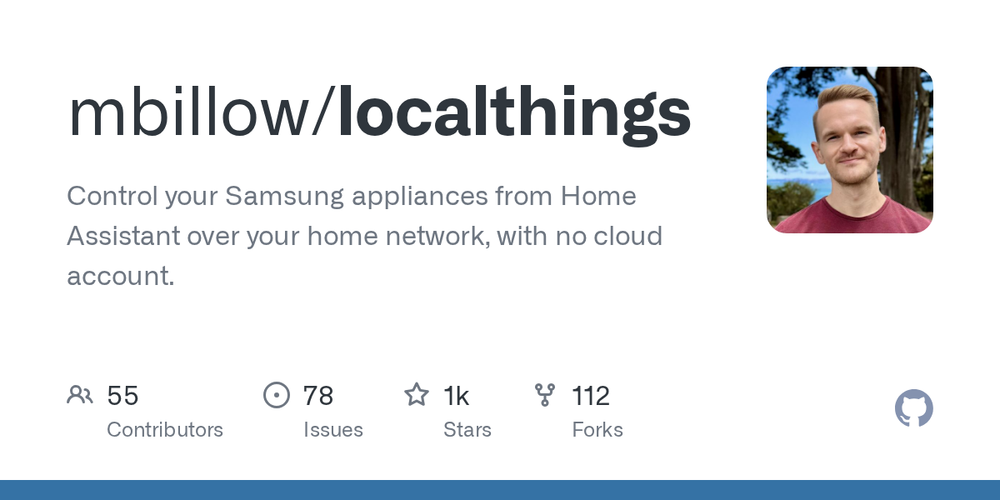
Connect Samsung appliances to Home Assistant over your local network, with no Samsung account or cloud dependency.

Visit websiteGitHub1.1K starsDeploy on Hostinger
image of Localthings
TL;DR

Localthings is a Home Assistant custom integration that controls Samsung appliances over your local network using CoAP/DTLS and the OCF standard, without requiring a Samsung account. It replaces the cloud-dependent SmartThings integration for Home Assistant users who want automations that survive internet outages. MIT licensed, it installs through HACS and suits Home Assistant users who want local-first control of their Samsung appliances.

Read the full breakdownHide the full breakdownWho it is for, how it works, trade-offs, the quick start and the FAQ
who it's for

Who Localthings is for#

Home Assistant users running Samsung appliance automations

LocalThings gives you washer and dryer cycle completion triggers, refrigerator door state, oven status, and air conditioner control as reliable Home Assistant entities. Because control goes over the local network, automations work during internet outages and do not depend on Samsung's API availability.

Skip if:

You need Samsung's mobile app as the primary interface alongside Home Assistant, or you share automations with family members who use the SmartThings app as their main control surface.

Privacy-focused smart home users

After initial setup, LocalThings adds no telemetry to Samsung's servers beyond what the appliance sends on its own. If keeping your usage patterns off Samsung's servers matters, LocalThings is the only Home Assistant path that achieves it without replacing Samsung hardware.

Skip if:

Your threat model does not include appliance usage data, and you prefer the simplicity of the official SmartThings integration.

Contributors adding support for new Samsung appliance models

When LocalThings does not recognize an appliance, it generates a diagnostics download that redacts personal data and contains the OCF resource tree. That file is typically enough for maintainers to add a new appliance type. The test suite validates changes against more than 90 real captures, making contributions safe and reproducible.

Skip if:

You need the appliance working before you can contribute. Check the issue tracker first to see whether someone has already submitted a diagnostics file for your model.

the problem

The problem it solves#

The standard path for Samsung appliance control in Home Assistant is the SmartThings integration, which routes every command through Samsung's cloud relay. When Samsung's API has an outage, your automations stop working. When Samsung changes its API, the integration breaks until someone updates it. There is no way to run Samsung appliance automations offline.

Privacy is a secondary concern. Every command you send to your washer or dryer passes through Samsung's servers, which means Samsung can observe appliance usage patterns, run cycles, and energy consumption. For Home Assistant users who have invested in Samsung appliances, there has historically been no local path. The hardware supports local communication over OCF and CoAP, but no official integration exposes it.

how Localthings solves it

How it solves it#

Local CoAP/DTLS control

LocalThings connects to each Samsung appliance directly on your home network over CoAP (RFC 7252) with an encrypted DTLS session and an X.509 client certificate. After the first setup, no command passes through Samsung's servers. Appliances that support CoAP Observe send status changes as they happen; the rest are polled every 30 seconds.

Broad appliance type support

LocalThings supports washers, dryers, dishwashers, refrigerators, air conditioners, ovens, ranges, microwaves, dehumidifiers, air purifiers, robot vacuums, soundbars, and more. What you can control depends on what each appliance reports; typical entities include power, program selection, start, pause, stop, temperatures, time remaining, door state, energy use, and filter status.

HACS installation, no custom repository

LocalThings is listed in HACS's default integration list. Install it from the HACS Integrations panel with a search and a click, then restart Home Assistant. No custom repository URL is needed. For the manual path, copy the custom_components/localthings/ folder into your Home Assistant config directory.

DHCP tracking for IP address changes

For appliances that report their Wi-Fi MAC address (about half of Samsung's range), Home Assistant's DHCP discovery detects when the IP changes and updates the integration automatically. For others, reconfigure with the new address. Entities, history, and automations are preserved on reconfigure; deleting and re-adding the appliance would lose all three.

Declarative appliance maps with real-device tests

Each appliance type is defined as a table mapping OCF resources to Home Assistant entities. The test suite validates these tables against more than 90 diagnostics captures from real appliances, so a new model usually requires only a table entry and no protocol code. This makes adding support for an unrecognized appliance a tractable contribution.

Appliance data stays on your home network

LocalThings sends nothing to Samsung after the first setup. The first connection reads one public device identifier from Samsung's servers; every subsequent appliance added reuses it offline. The appliance retains its own Samsung connection, but LocalThings does not add to it.

strengths · trade-offs

Strengths and trade-offs#

Strengths

  • Works offline after first setupOnce set up, LocalThings contacts no external service. All appliance commands and status reads go directly over your local network. Automations run during internet outages without change. The first setup contacts Samsung's servers once to read a public device identifier, and that is the only external contact.
  • No Samsung account requiredNo Samsung account or login is needed after setup. The integration reads one public identifier once during first setup, then reuses it offline. Unlike the SmartThings cloud path, there is no login to manage, no API key to rotate, and no dependency on Samsung's authentication service staying up.
  • Push updates for supported appliancesAppliances that implement CoAP Observe send state changes to LocalThings as they happen, rather than waiting for a poll. A washer finishing its cycle or a refrigerator opening its door triggers an immediate update in Home Assistant. Appliances without push support are polled every 30 seconds.
  • Safe diagnostics for community contributionsWhen an appliance is not fully recognized, LocalThings generates a diagnostics download that strips the account email, tokens, device IDs, MAC addresses, serial numbers, Wi-Fi credentials, and device history. You can file a support issue with the file attached without exposing personal data. This is typically all maintainers need to add support for a new appliance model.

Trade-offs

  • -Some appliances need a pre-shared keyA subset of Samsung appliances refuse the automatic X.509 certificate that LocalThings generates. For those, you need a pre-shared key that LocalThings cannot obtain for you. The credential acquisition documentation explains where one comes from, and issue #435 tracks progress toward an automated path. Setup tells you if your appliance is in this category.
  • -Appliances must stay registered in SmartThingsIf you remove an appliance from the Samsung SmartThings app, it resets its network settings the next time it reaches Samsung's servers, dropping off Wi-Fi until set up in the app again. This happens even when you block the appliance's internet access most of the time. Keep appliances in the SmartThings app to prevent this.
  • -78 open issues as of November 2026The project has 78 open issues. Many reflect requests for additional appliance models or capability gaps rather than bugs, since appliance support is added from diagnostics downloads and new hardware varies widely. Active development continues with the last commit in November 2026.
  • -Some energy sensors pause without Samsung connectivityOn specific board variants (for example, the DA_WM_TP2_20_COMMON board used in the WW80T654ALX and DV80T6220LX), the energy total stops incrementing when the appliance cannot reach SmartThings, and resumes when it reconnects. If your energy sensor stays at one value during cycles, the appliance needs periodic Samsung server access to record energy correctly.
versus alternatives

Localthings vs alternatives#

LocalThings vs Samsung SmartThings

LocalThings and Samsung SmartThings both give you control of Samsung appliances from Home Assistant, but through different paths. SmartThings relays commands through Samsung's cloud; LocalThings speaks directly to appliances on your home network over CoAP and OCF.

FeatureLocalThingsSamsung SmartThings
LicenseMITProprietary
Account requiredNoYes
Internet required after setupNoYes
Update speedPush (instant) or 30s pollCloud relay
Self-hostingYes, as a HACS componentNo, cloud only
Appliance support scopeSamsung via CoAP/OCFSamsung plus third-party SmartThings devices

LocalThings is the better choice when local reliability matters. Automations run during internet outages, every command stays on your home network, and there is no Samsung account to manage. For Home Assistant users who have had SmartThings cloud outages break their washing machine automations, LocalThings addresses that directly.

Samsung SmartThings is worth considering when you need integration with non-Samsung SmartThings-compatible devices, want Samsung's mobile app as the primary interface alongside Home Assistant, or need features like shared routines and family access that the broader SmartThings ecosystem provides. SmartThings also covers some older Samsung device generations and models that LocalThings may not yet support.

install · quick start

Quick start#

bash
Install LocalThings through HACS (search for LocalThings in the Integrations panel) or download the latest release for manual installation: https://github.com/mbillow/localthings/releases/latest
tech stack · detected from GitHub

What it's built on#

Languages
Python
frequently asked

FAQ#

Does LocalThings require a Samsung account?

No. For your first appliance, LocalThings contacts Samsung's servers once to read a public device identifier, with no login. Every appliance you add after that reuses the same identifier with no internet access needed.

Which Samsung appliances does LocalThings support?

Most Samsung appliances from about 2022 onward are supported, plus some older washers, air conditioners, and wall ovens. Supported types include washers, dryers, dishwashers, refrigerators, air conditioners, ovens, ranges, microwaves, dehumidifiers, air purifiers, robot vacuums, and soundbars. If your appliance is not recognized, LocalThings generates a diagnostics download with personal data removed that maintainers use to add support.

How do I install LocalThings in Home Assistant?

Install through HACS: open the HACS Integrations panel, search for LocalThings, and select Download. LocalThings is in HACS's default list, so no custom repository URL is needed. Restart Home Assistant, then go to Settings > Devices & Services > Add Integration > LocalThings and enter the appliance's IP address.

Should I keep my appliances registered in the SmartThings app?

Yes. If you remove an appliance from the SmartThings app, it resets its network settings the next time it reaches Samsung's servers, dropping off Wi-Fi. LocalThings does not change the appliance's Samsung registration; it adds a local control path alongside it. Keep appliances in SmartThings to prevent them from losing their network settings.

What happens when an appliance's IP address changes?

For appliances that report their Wi-Fi MAC address (about half of Samsung's range), Home Assistant's DHCP discovery detects the change and updates the entry automatically. For others, go to Settings > Devices & Services, find the LocalThings entry, and select Reconfigure. Enter the new IP address. LocalThings checks that the appliance is the right one and preserves all entities, history, and automations.

also worth a look

Similar open-source tools#

Home Assistant

Alternative toSamsung SmartThings

Open source home automation with local control priority

  • 92,053 GitHub stars
  • Apache-2.0Licence Apache-2.0

Spotifast

Featured

Alternative toSpotify Premium

Spotify, native and fast, for Linux, macOS, and Windows.

  • 9,822 GitHub stars
  • MITLicence MIT

Windshift

Featured

Alternative toJira

Self-hosted work management for teams leaving Jira

  • 404 GitHub stars
  • AGPL-3.0Licence AGPL-3.0

Buzz

Featured

Alternative toSlack

Self-hosted team chat where people and AI agents work together

  • 36,787 GitHub stars
  • Apache-2.0Licence Apache-2.0

Nvke

Alternative toNVIDIA Run:ai

Kubernetes management plane for NVIDIA AI factory operators.

  • 560 GitHub stars
  • Apache-2.0Licence Apache-2.0

Stats

Alternative toiStat Menus

Free macOS menu bar system monitor, MIT-licensed.

  • 43,201 GitHub stars
  • MITLicence MIT
by category

Open source tools in these categories#

149

IT Management

RustDesk, Immich, Stirling PDF
Hostinger

Self-host Localthings on a Hostinger VPS

Keep it running 24/7, even when your laptop is off. A Hostinger VPS gives it a server of its own.

  1. 01

    Choose a plan

    Starts from $6.49/mo

  2. 02

    Apply

    Extra 10% off yearly plans

  3. 03

    Install Localthings

    On a server that stays on

  4. 04

    Start building

    Focus on the app, not the server

Deploy on Hostinger

Sponsors

Inbox Zero

Alternative toSuperhuman

AI email assistant that drafts replies and clears your inbox

  • 12,915 GitHub stars
  • AGPL-3.0Licence AGPL-3.0
  • #Email

rakazo

Alternative toGrok Bot

AI teammates you own: your keys, your model, your machine.

  • 7,028 GitHub stars
  • Apache-2.0Licence Apache-2.0
  • #AI Agents

SnitchFeed

Live monitoring on LinkedIn, X, Reddit & more. Agentic social listening for startups.

Marketing & Growth

Advertise your product

New open source projects by email

The projects we add and every new guide. Free, unsubscribe any time.

Find open source alternatives to paid software

/
  • Claude Code to OpenCode
  • Jira to Windshift
  • Notion to AppFlowy
  • Slack to Mattermost
  • Linear to GitLab
  • Wispr Flow to Handy
  • Arc to Zen Browser
  • CapCut to Concat
  • Grok Bot to rakazo
  • Superhuman to Inbox Zero
  • Airtable to AITable
  • Muse to OpenClaw
  • Railway to Coolify
  • GitHub Copilot to Cline
  • Datadog to Netdata
  • Confluence to Wiki.js
  • Microsoft Teams to Rocket.Chat
  • Firebase to Supabase
  • Pinecone to Qdrant
  • Zapier to n8n
  • 1Password to KeePassXC
  • Devin AI to OpenHands
  • Asana to Leantime
  • Contentful to Strapi
  • Claude Code to OpenCode
  • Jira to Windshift
  • Notion to AppFlowy
  • Slack to Mattermost
  • Linear to GitLab
  • Wispr Flow to Handy
  • Arc to Zen Browser
  • CapCut to Concat
  • Grok Bot to rakazo
  • Superhuman to Inbox Zero
  • Airtable to AITable
  • Muse to OpenClaw
  • Railway to Coolify
  • GitHub Copilot to Cline
  • Datadog to Netdata
  • Confluence to Wiki.js
  • Microsoft Teams to Rocket.Chat
  • Firebase to Supabase
  • Pinecone to Qdrant
  • Zapier to n8n
  • 1Password to KeePassXC
  • Devin AI to OpenHands
  • Asana to Leantime
  • Contentful to Strapi