

Who OpenCut is for#
Creators avoiding CapCut's proprietary cloud
Edit short-form video in the browser without routing footage through third-party servers. The classic editor covers basic cuts, trims, and exports in any modern browser with no account required.
Skip if:
If you need CapCut's template library, AI-powered effects, or advanced text animation, the classic version does not yet match that feature depth. The rewrite aims to close the gap, but has no published timeline.
Developers building video tooling on an open foundation
The planned Editor API, plugin-first architecture, and MCP server make OpenCut a programmable base for custom video workflows. Monitor rewrite progress at new.opencut.app for API availability.
Skip if:
The Editor API and headless mode are not yet released. If you need production-ready video APIs today, OpenCut's rewrite timeline does not fit an immediate build.
Teams evaluating open source video infrastructure
OpenCut is the most-watched open source CapCut alternative on GitHub. Tracking it gives teams an early read on when self-hosted browser video editing reaches the feature maturity needed for production use.
Skip if:
If you need to ship a working video editing workflow today, the classic version's limited feature set is unlikely to meet production requirements for complex projects.
The problem it solves#
Video editing for social content has become dependent on a handful of proprietary platforms. CapCut, Adobe Express, and Canva control access to editing tools behind paywalls and cloud dependency: your footage is processed on their servers, your projects live in their formats, and a pricing change or account suspension can cut off access overnight.
The deeper problem is portability. Cloud-first editors give the vendor leverage over workflows that feel personal and creative but are operationally tied to a third-party service with no self-hosting path and no way to export your editing environment.
How it solves it#
Browser-based editing with no installation
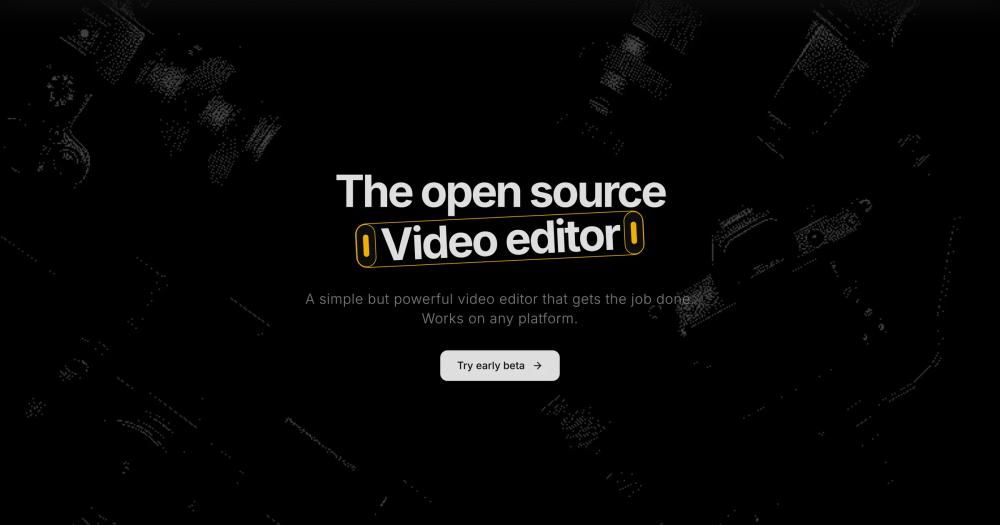
The classic version at opencut.app runs entirely in your browser. No app download, no account required to start editing. Works on any platform that can run a modern browser.
Plugin-first architecture
The ground-up rewrite is designed around first-class third-party plugin support, made possible by a plugin-first core. Developers can extend the editor with custom tools rather than waiting for built-in features. (Coming in the rewrite.)
Editor API for programmatic control
The rewrite exposes an Editor API, enabling developers to build tools on top of OpenCut, automate editing tasks, or integrate video editing into custom workflows. (Coming in the rewrite.)
Headless mode for batch rendering
The upcoming architecture includes a headless mode: run OpenCut without a browser UI to automate and batch-render video projects at scale. Targets server-side rendering pipelines and automation workflows. (Coming in the rewrite.)
MCP server for AI agent control
The rewrite includes a built-in MCP server, allowing AI agents to interact with and drive the editor programmatically. Designed for developers building AI-assisted video production pipelines. (Coming in the rewrite.)
Cross-platform from one Rust codebase
The new Rust core targets browser, desktop, and mobile from a single shared codebase. The classic version already runs in any browser; native desktop and mobile apps are planned as part of the rewrite.
Strengths and trade-offs#
Strengths
- MIT license with no usage restrictionsThe entire codebase is MIT licensed. You can fork it, run it on your own infrastructure, modify it, and build commercial products on top of it without licensing fees or legal restriction. CapCut and Adobe Express offer no equivalent path.
- 83,000+ GitHub stars in under 14 monthsOpenCut reached 83,000+ stars since its June 2025 launch, making it one of the fastest-growing open source video tools on GitHub. The traction reflects genuine creator and developer interest in a self-hosted CapCut alternative.
- Footage never leaves your environmentThe browser editor processes video locally. No footage is sent to a third-party server for editing. Upcoming self-hosted versions keep everything on your own infrastructure, which matters for enterprise users and regulated environments.
- Developer-extensible by designThe rewrite's plugin API and Editor API position OpenCut as a foundation for custom video tooling, not just a standalone consumer product. A scripting tab in the editor is also planned, letting power users automate tasks directly.
Trade-offs
- -Classic version has a limited feature setThe live editor at opencut.app is a basic browser video editor. It does not offer the advanced effects, AI tools, or template library that CapCut and Adobe Express provide. For production-grade video editing today, the feature gap is real.
- -Main codebase is a complete rewrite in progressThe active GitHub repo (OpenCut-app/OpenCut) is being rebuilt from scratch with a new Rust core. The classic version is in a separate repo (opencut-app/opencut-classic). No public release timeline for the rewrite has been published.
- -Outside contributions not currently acceptedThe team is not set up to accept outside contributions while the new architecture is being designed. For a project with 83,000+ stars, this concentrates development on the core team and slows community-driven progress during the rewrite.
OpenCut vs alternatives#
OpenCut vs CapCut
CapCut is the primary paid alternative OpenCut targets directly: the repo description calls it "the open-source CapCut alternative." Both are video editors aimed at short-form and social content, but they differ on data ownership, deployment model, and source access.
| Feature | OpenCut | CapCut |
|---|---|---|
| License | MIT | Proprietary |
| Self-hosting | Yes (classic + rewrite in progress) | No |
| Pricing | Free | Free tier + paid plans |
| Data storage | Local browser / your infrastructure | ByteDance servers |
| Source access | Open source | Closed source |
OpenCut is the stronger choice when data sovereignty matters: footage edited in CapCut is processed through ByteDance-owned infrastructure, which is a hard constraint for enterprise users and regulated environments. CapCut is the better pick for creators who need its full template library, AI effects, and polished mobile app today. OpenCut's rewrite aims to close that feature gap, but no timeline has been published.
OpenCut vs Adobe Express
Adobe Express is a browser-based creative tool with video editing capabilities, positioned at marketers and non-technical creators. OpenCut competes in the browser-editing space but from a different model: open source and self-hosted versus Adobe's subscription cloud.
| Feature | OpenCut | Adobe Express |
|---|---|---|
| License | MIT | Proprietary |
| Self-hosting | Yes | No |
| Pricing | Free | Free tier + paid subscription |
| Ecosystem integration | Standalone | Adobe Creative Cloud |
| AI tools | Planned (rewrite) | Yes (Adobe Firefly) |
Adobe Express is the better choice for teams already in the Adobe ecosystem: tight Creative Cloud asset integration is a real productivity advantage when your team works across Photoshop and Illustrator. OpenCut is the pick when you want a self-hosted, MIT-licensed video editor with no subscription and no vendor lock-in, and the current feature set covers your editing needs.
Quick start#
Set up a local OpenCut dev server by cloning the repo and installing the proto toolchain manager.
```bash
git clone https://github.com/OpenCut-app/OpenCut
bash <(curl -fsSL https://moonrepo.dev/install/proto.sh)
proto use
moon run web:dev
```What it's built on#
- Languages
- RustTypeScript
- Frameworks
- React
FAQ#
Is OpenCut free to use?
Yes. OpenCut is MIT licensed and free to use, run, and modify. The web app at opencut.app requires no account and runs in any modern browser. The source code is freely available on GitHub with no usage restrictions.
Is OpenCut a direct replacement for CapCut?
Not yet at full feature parity. The classic version covers basic browser-based editing but does not match CapCut's template library, AI tools, or mobile app experience. A ground-up rewrite with a plugin system and Editor API is underway and aims to close that gap over time.
Can I self-host OpenCut?
The current web app can be run locally from the open source repo using the proto toolchain manager. The upcoming rewrite, built on a Rust core, is designed to support web, desktop, and mobile deployments from a single codebase, making self-hosting a first-class use case.
What is the status of the OpenCut rewrite?
The main repo (OpenCut-app/OpenCut) is an active rewrite from the ground up. The classic version, which runs at opencut.app today, lives in a separate repo (opencut-app/opencut-classic). The rewrite targets an Editor API, plugin architecture, headless mode, MCP server, and cross-platform support. No public release timeline has been published.
Does OpenCut process my video on its servers?
The browser-based classic version processes video locally in your browser. No footage is sent to OpenCut servers during editing. For the self-hosted versions planned in the rewrite, all processing will run on your own infrastructure.
Similar open-source tools#

Concat
Watermark-free CapCut alternative for desktop video editing
Concat
Free, open-source video editor with local AI captions.

Shotcut
Open source video editor for native timeline workflows on desktop

OpenShot
Free open source video editor for Linux, Mac, and Windows

Kdenlive
Free non-linear video editor for Linux, Mac, and Windows

VvvebJs
Open source drag-and-drop page builder for Bootstrap 5 sites