Open Source Alternatives
  • Alternatives
  • Categories
    Categories by size1,302 projects
    • Developer Tools673
    • AI & Machine Learning549
    • Business & Productivity311
    • Web Development219
    • Security & Monitoring198
    • Communication & Collaboration168
    • IT Management165
    • Design & Creative145
    • LLMOps & AI Tooling142
    • DevOps & CI/CD141
    Browse all 21 categoriesCloud & Hosting, Product & Project Management and 9 more
  • Blog
  • Advertise
SearchNotion, Slack, password manager.../
Submit
Open Source Alternatives
  • Alternatives
    • Developer Tools673
    • AI & Machine Learning549
    • Business & Productivity311
    • Web Development219
    • Security & Monitoring198
    • Communication & Collaboration168
    • Browse all 21 categories
  • Blog
  • Advertise
Submit your project

New open source projects by email

The projects we add and every new guide. Free, unsubscribe any time.

Open Source Alternatives LogoOpen Source Alternatives

Handpicked Open Source Alternatives to Paid Softwares

Add Open Source Alternatives as a preferred source on Google

Product

  • Categories
  • Tag
  • Advertise

Resources

  • Blog
  • Collection
  • Submit

Company

  • Privacy Policy
  • Terms of Service
  • Refund Policy
  • Sitemap

Alternatives

  • Claude Code
  • Jira
  • Notion
  • Slack
  • Linear
  • Wispr Flow
  • All alternatives
© 2026 Open Source Alternatives. All rights reserved.
Open SourceAlternatives
Home/Categories/Design & Creative/OptiScaler
icon of OptiScaler

OptiScaler

  • 12.8K stars
  • GPL-3.0
  • Active this week
  • Last commit today

Last verified Nov 18, 2026

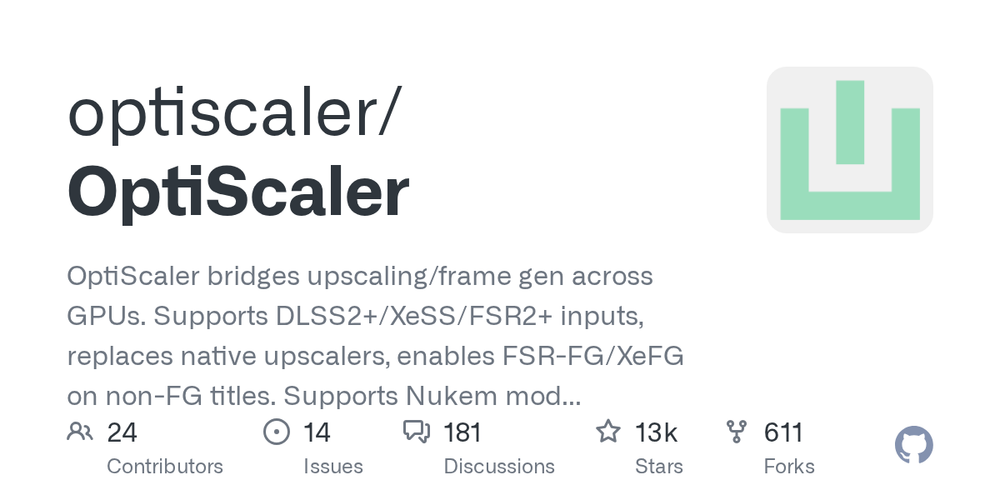
Run any GPU upscaling backend in DLSS/FSR/XeSS-enabled games, letting AMD, Intel, and Nvidia owners swap algorithms and enable frame gen.

Visit websiteGitHub12.8K stars
image of OptiScaler
TL;DR

OptiScaler is a Windows DLL that intercepts upscaling and frame generation calls in games and routes them to any supported backend, freeing players from hardware-locked upscalers. DLSS requires Nvidia RTX hardware and FSR4 targets RDNA3/RDNA4 GPUs; OptiScaler routes across those boundaries without patching game files. GPL-3.0 licensed and free, installed directly into a game's directory. Best for AMD and Intel GPU owners playing DLSS-only games, and for any player who wants upscaler control or frame gen beyond what a game exposes.

Read the full breakdownHide the full breakdownWho it is for, how it works, trade-offs, the quick start and the FAQ
who it's for

Who OptiScaler is for#

AMD and Intel GPU owners playing DLSS-only games

Many releases ship DLSS as their sole high-quality upscaler, locking temporal upscaling to Nvidia hardware. OptiScaler intercepts the DLSS hook and routes calls to FSR 3.1, XeSS, or FSR4, giving non-Nvidia GPU owners access to upscaling the game would otherwise block.

Skip if:

Skip if the game is online and uses anti-cheat software. OptiScaler's graphics API hooks are incompatible with anti-cheat systems and can trigger bans.

PC gamers enabling frame generation without an RTX 40-series GPU

DLSS Frame Generation requires Nvidia RTX 40-series hardware. For games with DLSS-FG, OptiScaler bundles Nukem's dlssg-to-fsr3 to translate those calls to FSR3 frame generation. OptiFG can inject experimental frame gen into DX12 games that have no native FG at all.

Skip if:

Skip if the game is online with anti-cheat, or if you need frame gen in DX11 or Vulkan titles; OptiFG only supports DX12.

Nvidia GPU owners fine-tuning upscaling quality

DLSS is not always the best choice for every game or resolution. OptiScaler lets Nvidia owners swap DLSS for FSR 3.1 where FSR yields sharper results, or apply RCAS sharpening, output scaling, and DLSS preset overrides that the game's own settings do not expose.

Skip if:

Skip if you are satisfied with the game's native DLSS settings and have no need for backend switching or manual tuning.

the problem

The problem it solves#

Most PC games ship with one or two upscalers, and those upscalers are tied to specific GPU vendors. DLSS runs only on Nvidia RTX hardware. FSR4 at its highest-quality ML-accelerated mode targets RDNA3 and RDNA4 GPUs. XeSS performs best on Intel Arc hardware using XMX matrix units. When a game ships DLSS as its sole option, players on AMD or Intel hardware either use the game's lower-quality fallback or turn upscaling off.

Frame generation hits the same wall. DLSS Frame Generation requires Nvidia RTX 40-series hardware, and many titles that use it offer no alternative FG path. Players who want fluid frame gen on AMD or Intel hardware have few options through the game's own settings.

how OptiScaler solves it

How it solves it#

Cross-Backend Upscaler Routing

Intercepts the game's DLSS, FSR2, FSR3, or XeSS calls and routes them to any supported output backend without touching game files. Supported outputs include DLSS, XeSS, FSR 2.x, FSR 3.x, and FSR4 (officially RDNA3 and RDNA4 GPUs). Works on DirectX 11, DirectX 12, and Vulkan.

OptiFG: Experimental Frame Generation

OptiFG, added in v0.7, enables experimental frame generation in DX12 games that do not natively support it. It supports FSR3-FG, XeFG, and FSR4-FG. Games with broken or missing native FG can use OptiFG as a fallback. A HUDfix system addresses ghosting artifacts on FSR3-FG.

In-Game Overlay and INI Configuration

Press Insert to open the OptiScaler overlay inside any supported game. From it, users can switch backends, tune RCAS sharpening and MAS, adjust output scaling, override DLSS presets, and change DRS ratio in real time. Settings can also be pre-configured via an INI file before launch.

Fakenvapi and Latency Backend Integration

Bundles Fakenvapi, which hooks Nvidia Reflex and can inject AMD's Anti-Lag 2 (RDNA1+ GPUs), LatencyFlex (LFX), or Intel XeLL as the latency-reduction backend in Reflex-enabled games on non-Nvidia hardware. Bundled since v0.9.

Nukem dlssg-to-fsr3 and ASI Plugin Support

Bundles Nukem's dlssg-to-fsr3 mod, which translates DLSS-FG calls to FSR3 frame generation in games with native DLSS-FG. Also supports ASI plugin loading from a configurable folder, disabled by default, for extending functionality with community plugins.

strengths · trade-offs

Strengths and trade-offs#

Strengths

  • Vendor-Independent Upscaling on Any Supported GPUBreaks the hardware lock on vendor-specific upscalers. AMD and Intel GPU owners can run FSR4 or XeSS in games that only ship DLSS, and Nvidia owners can replace DLSS with FSR for specific quality or compatibility reasons. The same game supports any algorithm the user picks through the overlay.
  • GPL-3.0 License, Free to DownloadLicensed under GPL-3.0 and distributed at no cost from GitHub Releases. The project warns that any monetary requirement for a download is a scam; there is no official paid tier. Users can inspect and modify the source code under the GPL's terms.
  • Active Project with Low Open Issue Count12,751 stars and 611 forks on GitHub, with the last push on 2026-11-17 and only 14 open issues. The project has an official Discord server and a community-maintained wiki covering per-game compatibility quirks and workarounds.

Trade-offs

  • -Incompatible with anti-cheat softwareOptiScaler must not be used in online games with anti-cheat software. The DLL hooks graphics APIs at a level that anti-cheat systems detect, and use can result in permanent account bans. The project's README explicitly warns against this. It is intended for single-player games only.
  • -OptiFG frame generation is experimentalOptiFG, the feature for adding frame generation to games without native FG, is marked experimental and supports DX12 only. Results vary by game; FSR3-FG requires HUDfix to prevent ghosting artifacts, adding setup complexity. Consult the wiki compatibility list before using it on a specific title.
  • -FSR4 officially limited to RDNA3 and RDNA4 GPUsFSR4 at its ML-accelerated quality level officially supports RDNA3 and RDNA4 discrete GPUs. Using FSR4 on hardware outside that range may work via DX12 interop but is not officially supported. Unreal Engine games have additional restrictions on which input-output combinations function correctly.
versus alternatives

OptiScaler vs alternatives#

OptiScaler vs DLSS

DLSS is a proprietary Nvidia technology that requires an RTX GPU to function. Games that ship DLSS as their only upscaler lock high-quality temporal upscaling to Nvidia hardware owners. OptiScaler intercepts the DLSS API and reroutes calls to any supported backend, making the game's DLSS hook available to FSR 3.1, XeSS, or FSR4 regardless of GPU vendor.

FeatureOptiScalerNative DLSS
LicenseGPL-3.0Proprietary
GPU requirementAny supported GPUNvidia RTX only
Algorithm selectionDLSS, FSR2, FSR3, FSR4, XeSSDLSS only
In-game customizationYes (overlay and INI)Limited (game settings)
Anti-cheat compatibleNoYes

OptiScaler is the right choice for AMD and Intel GPU owners who want temporal upscaling in DLSS-only games, and for any player who wants backend control or tuning beyond what a game's settings expose. Native DLSS remains the right choice for online games with anti-cheat software; OptiScaler cannot be used in those contexts without risk of account bans.

OptiScaler vs XeSS

XeSS runs in a hardware-accelerated mode on Intel Arc GPUs using XMX matrix units, with a lower-quality DP4a path on other hardware. OptiScaler can route a DLSS-only or FSR-only game to XeSS as the output backend, but the XeSS quality ceiling on non-Arc hardware does not change compared to running XeSS natively.

For Intel Arc GPU owners playing games that already support XeSS natively, OptiScaler is not needed for XeSS access. It becomes useful when a game ships only DLSS or only FSR and the user wants to run XeSS instead, or when AMD RDNA3/RDNA4 owners want FSR4 in a game that only exposes XeSS as its upscaler.

install · quick start

Quick start#

bash
Download the stable release zip from GitHub Releases and follow the per-game installation steps in the official wiki: https://github.com/optiscaler/OptiScaler/releases/latest
tech stack · detected from GitHub

What it's built on#

Languages
CC++
frequently asked

FAQ#

Does OptiScaler work with any game?

No. OptiScaler requires the game to already support DLSS2+, FSR2+, or XeSS; it intercepts those existing API hooks and cannot add upscaling to a game that has none. Unreal Engine games have additional restrictions: only the UE XeSS-to-OptiScaler XeSS or FSR4 path is confirmed to work. Check the wiki compatibility list before installing for a specific title.

Is OptiScaler safe to use in online multiplayer games?

No. OptiScaler hooks graphics APIs at a level that anti-cheat systems detect. Using it in online games with anti-cheat software can result in permanent account bans. The project's README explicitly warns against this. It is intended for single-player games only.

How do I install OptiScaler?

Download the stable release zip from GitHub Releases and follow the per-game installation steps in the official wiki. Installation places DLL files in the game's directory; there is no installer wizard. Nightly builds are available for the latest features, but stable is recommended for most users. The project has no official website; only GitHub, the Discord server, and the creator's NexusMods page are legitimate sources.

Does FSR4 work on my AMD GPU through OptiScaler?

FSR4 at its ML-accelerated quality level officially supports RDNA3 and RDNA4 discrete GPUs. If your GPU is outside that range, FSR4 may still function via DX12 interop, but results are not officially supported by AMD's implementation. A community-maintained FSR4 Compatibility List in the wiki tracks tested games and GPU-specific notes.

Can OptiScaler add frame generation to any DX12 game?

Partial support only. For DX12 games without any native FG, the experimental OptiFG feature can inject frame generation; results vary by game, and FSR3-FG requires HUDfix to avoid HUD ghosting. For games with DLSS Frame Generation, OptiScaler bundles Nukem's dlssg-to-fsr3 to translate those calls to FSR3 FG. DX11 and Vulkan games are not supported by OptiFG. Check the wiki before testing on a specific title.

also worth a look

Similar open-source tools#

God's Eye View

Featured

Alternative toFFlightradar24

Real-time global intelligence on a 3D globe

  • 65,370 GitHub stars
  • CustomLicence MIT with third-party data restrictions

Avm

InDesign & Creative

Reference encoder/decoder for AV2, the successor to AV1

  • 264 GitHub stars
  • BSD-3-Clause-ClearLicence BSD-3-Clause-Clear

ExcalidrawZ

InDesign & Creative

Native Excalidraw app for Mac, iPad, and iPhone with iCloud sync.

  • 1,951 GitHub stars
  • MITLicence MIT

Ffmpeg Skill

Alternative toRendi

FFmpeg skill for coding agents: 42 tools, MCP server, local-first

  • 6,799 GitHub stars
  • MITLicence MIT

Orpheon

Alternative toSpotify

Android client for Spotify with extension-based offline downloads

  • 2,232 GitHub stars
  • GPL-3.0Licence GPL-3.0

Melo

Alternative toSpotify

Android music player for Spotify, YouTube Music, and local audio.

  • 140 GitHub stars
  • GPL-3.0Licence GPL-3.0
by category

Open source tools in these categories#

145

Design & Creative

ComfyUI, Excalidraw, Godot Engine

Sponsors

Inbox Zero

Alternative toSuperhuman

AI email assistant that drafts replies and clears your inbox

  • 13,058 GitHub stars
  • AGPL-3.0Licence AGPL-3.0
  • #Email

rakazo

Alternative toGrok Bot

AI teammates you own: your keys, your model, your machine.

  • 8,913 GitHub stars
  • Apache-2.0Licence Apache-2.0
  • #AI Agents

SnitchFeed

Live monitoring on LinkedIn, X, Reddit & more. Agentic social listening for startups.

Marketing & Growth

Advertise your product

New open source projects by email

The projects we add and every new guide. Free, unsubscribe any time.

Find open source alternatives to paid software

/
  • Claude Code to OpenCode
  • Jira to Windshift
  • Notion to AppFlowy
  • Slack to Mattermost
  • Linear to GitLab
  • Wispr Flow to Handy
  • Arc to Zen Browser
  • CapCut to Concat
  • Grok Bot to rakazo
  • Superhuman to Inbox Zero
  • Discord to Stoat
  • Airtable to AITable
  • Datadog to SigNoz
  • Muse to OpenClaw
  • Railway to Coolify
  • GitHub Copilot to Cline
  • Confluence to Wiki.js
  • Microsoft Teams to Rocket.Chat
  • 1Password to KeePassXC
  • Firebase to Supabase
  • Pinecone to Qdrant
  • Zapier to n8n
  • Devin AI to OpenHands
  • Asana to Leantime
  • Claude Code to OpenCode
  • Jira to Windshift
  • Notion to AppFlowy
  • Slack to Mattermost
  • Linear to GitLab
  • Wispr Flow to Handy
  • Arc to Zen Browser
  • CapCut to Concat
  • Grok Bot to rakazo
  • Superhuman to Inbox Zero
  • Discord to Stoat
  • Airtable to AITable
  • Datadog to SigNoz
  • Muse to OpenClaw
  • Railway to Coolify
  • GitHub Copilot to Cline
  • Confluence to Wiki.js
  • Microsoft Teams to Rocket.Chat
  • 1Password to KeePassXC
  • Firebase to Supabase
  • Pinecone to Qdrant
  • Zapier to n8n
  • Devin AI to OpenHands
  • Asana to Leantime