Open Source Alternatives
  • Alternatives
  • Categories
    Categories by size980 projects
    • Developer Tools505
    • AI & Machine Learning432
    • Business & Productivity220
    • Web Development202
    • Security & Monitoring148
    • IT Management133
    • Communication & Collaboration132
    • Cloud & Hosting116
    • LLMOps & AI Tooling111
    • Data & Analytics108
    Browse all 21 categoriesProduct & Project Management, Design & Creative and 9 more
  • Blog
  • Advertise
SearchNotion, Slack, password manager.../
Submit
Open Source Alternatives
  • Alternatives
    • Developer Tools505
    • AI & Machine Learning432
    • Business & Productivity220
    • Web Development202
    • Security & Monitoring148
    • IT Management133
    • Browse all 21 categories
  • Blog
  • Advertise
Submit your project

New open source projects by email

The projects we add and every new guide. Free, unsubscribe any time.

Open Source Alternatives LogoOpen Source Alternatives

Handpicked Open Source Alternatives to Paid Softwares

Product

  • Categories
  • Tag
  • Advertise

Resources

  • Blog
  • Collection
  • Submit

Company

  • Privacy Policy
  • Terms of Service
  • Refund Policy
  • Sitemap

Alternatives

  • Claude Code
  • Jira
  • Notion
  • Slack
  • Linear
  • Wispr Flow
  • All alternatives
© 2026 Open Source Alternatives. All rights reserved.
Open SourceAlternatives
Home/Categories/Communication & Collaboration/Sharkord
icon of Sharkord

Sharkord

Open source alternative to TeamSpeak and Discord

  • 1.6K stars
  • MIT
  • Active this week
  • Last commit today

Last verified Oct 31, 2026

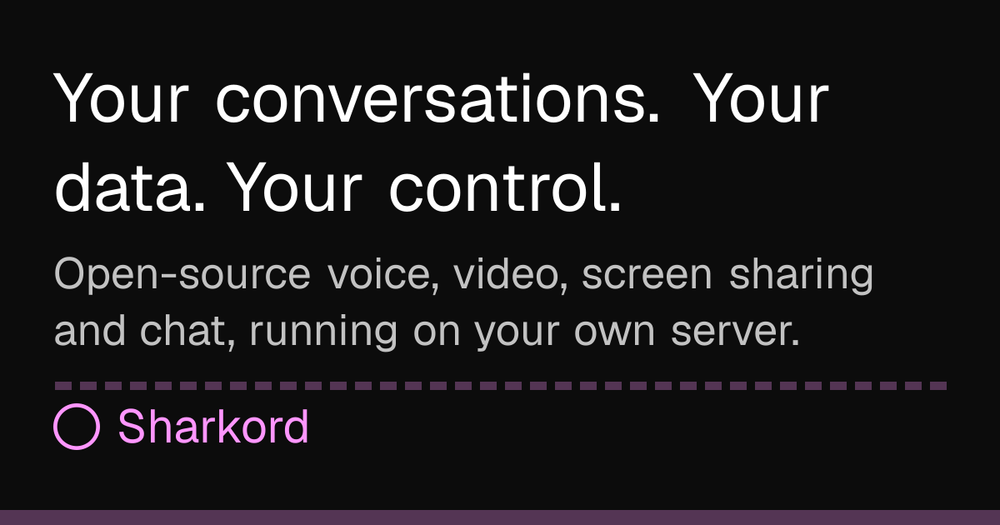
Host voice, video, and text chat on your own server. One binary, MIT-licensed Discord alternative for small groups who want full data control.

Visit websiteGitHub1.6K starsDeploy on Hostinger
image of Sharkord
TL;DR

Sharkord is a self-hosted voice, video, and text chat server built as an MIT-licensed alternative to Discord and TeamSpeak. It ships as a single binary with no external dependencies, runs in Docker, and needs no account with the project. Best for small groups and gaming communities that want Discord-style channels, roles, and screen sharing on their own infrastructure.

Read the full breakdownHide the full breakdownWho it is for, how it works, trade-offs, the quick start and the FAQ
who it's for

Who Sharkord is for#

Gaming groups moving off Discord

Sharkord replicates Discord's core layout on your own server with no Nitro requirement and no data collection. Voice rooms, text channels, roles, and screen sharing are all present. The browser client means friends can join without installing anything beyond opening a link.

Skip if:

Your group relies on Discord bots with no Sharkord equivalent, or on Discord's social discovery features. Migrating will lose those integrations until the community plugin ecosystem catches up.

Privacy-conscious friend circles and family groups

Every message, call, and shared file stays on the machine you own. No company reads, analyzes, or monetizes it. For groups that discuss sensitive topics or simply want their conversations off third-party infrastructure, self-hosting removes the platform intermediary with no feature trade-off.

Skip if:

No one in the group is comfortable setting up and maintaining a server. The self-hosting requirement is a real barrier; a cloud hosting provider can remove it, but the data then lives on that provider's infrastructure instead.

Small teams on voice-heavy internal workflows

Voice rooms with screen sharing at up to 4K 60fps cost nothing extra and require no third-party conferencing tool. Persistent text channels replace ad hoc group chats. Roles and per-channel permissions handle access control without a complex admin interface.

Skip if:

Your team needs deep integrations with project management tools, calendar systems, or CI/CD pipelines. Sharkord's plugin ecosystem is early-stage; it is a communication layer, not a workflow hub.

the problem

The problem it solves#

Voice and text chat platforms like Discord keep your conversations on servers you do not own. Your messages, call recordings, and shared files live in their infrastructure, subject to their policies, their algorithmic feed, and their monetization decisions. Discord gates higher-quality video and larger file uploads behind a Nitro subscription, so groups that want the full feature set pay a recurring fee to a platform that also profits from their data.

TeamSpeak requires client software installation before anyone can join and charges for servers beyond a small member count. Neither platform gives a group the option to run their own server and keep their own data without technical workarounds or ongoing licensing fees.

how Sharkord solves it

How it solves it#

Voice, video, and screen sharing via built-in SFU

Built on Mediasoup, Sharkord runs its own selective forwarding unit so voice and video do not route through any third-party relay. Screen sharing includes audio and supports up to 4K 60fps with no quality tier behind a paywall. Everyone in the room gets the full picture regardless of membership level.

Text channels with threads, reactions, and search

Channels are organized into categories and support threads, replies, reactions, pins, mentions, and full-text search. Direct messages between members work the same way. Custom emoji and GIFs can be uploaded per server and used anywhere in reactions or messages.

Roles and per-channel permission overrides

Roles carry individual switches for talking, posting, sharing screens, and changing settings. Per-channel overrides let you restrict or grant access for individual roles or members without creating separate servers. A role that can talk everywhere can be silenced in one specific channel without changing its broader permissions.

Plugin system with a TypeScript SDK

Server and client plugins extend Sharkord through a documented SDK. Community-built plugins include a music bot, soundboard, and Live TV feature. Building a plugin requires a TypeScript file with a few exported functions. Plugins install from a built-in browser in the server settings with no files to copy manually.

Single-binary distribution, no database required

The server ships as a self-contained binary for Windows, macOS (Intel and Apple Silicon), and Linux (x64 and ARM64, including Raspberry Pi). No separate database, runtime, or service to configure. Download, run, and share the address it prints.

Invites with usage limits and automatic role assignment

Invite links can be configured with a maximum use count and an expiry, and can automatically assign a role to everyone who joins through them. This lets you set up a limited-use invite or a separate entry point for different member groups without manual role assignment after each join.

strengths · trade-offs

Strengths and trade-offs#

Strengths

  • No premium tier and no paywalled featuresEvery feature ships in the single MIT-licensed binary with no subscription required. Discord gates higher-quality video and larger upload limits behind Nitro; Sharkord removes those limits entirely. Screen sharing at up to 4K 60fps is available to every member on every server with no account upgrade.
  • One binary with no external dependenciesThe server bundles both server and client into a single file with no database setup, no separate process to manage, and no account to create with the Sharkord project. Docker is also supported for teams that prefer container deployment. Either way, setup takes about one minute according to the project's own documentation.
  • Browser-compatible joining with no client install requiredAny member can join from a browser by following a link. No app to install, no account to create on the Sharkord platform. The desktop app for Windows, macOS, and Linux is available for a better experience but is optional. This is a direct advantage over TeamSpeak, which requires its proprietary client before a new member can connect.
  • MIT license with no commercial restrictionsMIT imposes no restrictions on commercial use, modifications, or redistribution. You can run Sharkord inside a paid service, fork and modify it, or embed it in a commercial product without royalties or source-disclosure requirements.

Trade-offs

  • -Alpha software: breaking changes expectedThe README marks Sharkord as alpha. Features may break between releases, APIs may change without notice, and the project carries 53 open issues. Groups that need a stable, low-maintenance setup should review the release history and issue tracker before committing to it for daily use.
  • -No mobile app yetThe desktop app and browser client cover Windows, macOS, and Linux. A mobile app is listed as planned but not yet available. Groups where members expect to join frequently from a phone will hit this gap until the mobile app ships.
  • -Designed for small groups, not large communitiesSharkord's own documentation frames it as a tool for friends, family, and gaming groups, not large public communities. Running it as a high-traffic public server with hundreds of concurrent members is outside its stated design scope and may not perform as expected without additional infrastructure tuning.
versus alternatives

Sharkord vs alternatives#

Sharkord vs Discord

Discord and Sharkord both offer voice rooms, text channels, and screen sharing for group communication. The fundamental difference is where the infrastructure lives: Discord is a proprietary, cloud-hosted platform; Sharkord is MIT licensed and runs on hardware you control.

FeatureSharkordDiscord
LicenseMITProprietary
Self-hostingYesNo
Video and screen sharingYes, up to 4K 60fpsYes; quality gated by Nitro
Premium tierNoneNitro ($9.99-$19.99/month)
Ads and trackingNoneYes
Mobile appPlannedYes
Source codePublicClosed

Sharkord is the better choice when data privacy is a requirement, when your group wants to avoid subscription costs for higher video quality, or when you need a server running under your own domain. You can also inspect and modify the source code, which Discord does not permit.

Discord is still the better choice when you need its mobile app (Sharkord's is planned, not yet shipped), when your community relies on third-party Discord bots with no Sharkord equivalent, or when members expect to find your group through Discord's social discovery.

Sharkord vs TeamSpeak

TeamSpeak is a voice-first platform favored in gaming communities for low latency and reliable voice quality. Sharkord adds text channels, video, screen sharing, and a browser-compatible join flow that TeamSpeak lacks.

FeatureSharkordTeamSpeak 3
LicenseMITProprietary
Self-hostingYesYes (paid for larger servers)
Video and screen sharingYesNo
Browser joinYesNo (requires client install)
Text channelsYesBasic chat only
Source codePublicClosed

Sharkord is the better choice for groups that want video and screen sharing alongside voice, or for situations where sharing a link should be all a new member needs to join. The browser client removes the friction of asking someone to install TeamSpeak before they can connect.

TeamSpeak remains a reasonable choice for groups that have invested in existing TeamSpeak server infrastructure, value its established track record, and have no need for video or screen sharing.

install · quick start

Quick start#

bash
Deploy the Sharkord server with Docker, mapping ports for the web interface and WebRTC traffic.
```bash
docker run \
  -p 4991:4991/tcp \
  -p 40000:40000/tcp \
  -p 40000:40000/udp \
  -v ./data:/home/bun/.config/sharkord \
  --name sharkord \
  sharkord/sharkord:latest
```
tech stack · detected from GitHub

What it's built on#

Languages
JavaScriptTypeScript
Frameworks
ElectronReact
Runtimes
Bun
frequently asked

FAQ#

Is Sharkord free to use?

Yes. Sharkord is MIT licensed and costs nothing to self-host. There is no premium tier, no subscription, and no per-member fee. The only cost is the server or computer you run it on. The desktop app for joining is also free.

How hard is it to set up a Sharkord server?

The server ships as a single binary with no database to configure and no external account to create. Download the file for your platform, run it, and open the address it prints. Docker is also supported. The project estimates a first-run setup time of about one minute. A secret owner token is printed to the console on first launch; store it securely, as it grants full administrative access.

Does Sharkord work from a browser?

Yes. Any member can join from a browser with no app to install. The desktop app for Windows, macOS, and Linux is available and provides a better experience, but it is optional. A mobile app is planned but not yet available.

What license does Sharkord use?

MIT. You can run it on your own infrastructure, modify it, use it commercially, and redistribute it without restriction. There are no usage fees and no source-disclosure requirements.

Can I add bots or extend Sharkord's functionality?

Yes. Sharkord ships a TypeScript plugin SDK that runs on both the server and client. Community plugins include a music bot, soundboard, and Live TV feature. You can install plugins from a built-in browser in the server settings or build your own with a small TypeScript file. The README includes a complete working plugin example.

also worth a look

Similar open-source tools#

Mumble

Alternative toTeamSpeak

Free open source low-latency voice chat for gaming teams

  • 8,374 GitHub stars
  • BSD-2-ClauseLicence BSD-2-Clause

dcts-shipping

Alternative toDiscord

Self-hosted Discord-style chat with encrypted DMs and voice

  • 640 GitHub stars
  • AGPL-3.0Licence AGPL-3.0

Valour

Alternative toDiscord

Open source Discord alternative with flexible community tools

  • 400 GitHub stars
  • AGPL-3.0Licence AGPL-3.0

SpacebarChat

Alternative toDiscord

Free open source Discord reimplementation with full API parity

  • 2,210 GitHub stars
  • AGPL-3.0Licence AGPL-3.0

Revolt

Alternative toDiscord

Self-hosted open source Discord alternative with servers

  • 3,425 GitHub stars
  • AGPL-3.0Licence AGPL-3.0

Jami

Alternative toWWhatsApp

Free P2P encrypted messaging, calls, and file sharing

  • 169 GitHub stars
  • GPL-3.0Licence GPL-3.0
by category

Open source tools in these categories#

132

Communication & Collaboration

freeCodeCamp, iptv, Excalidraw
Hostinger

Self-host Sharkord on a Hostinger VPS

Keep it running 24/7, even when your laptop is off. A Hostinger VPS gives it a server of its own.

  1. 01

    Choose a plan

    Starts from $6.49/mo

  2. 02

    Apply

    Extra 10% off yearly plans

  3. 03

    Install Sharkord

    On a server that stays on

  4. 04

    Start building

    Focus on the app, not the server

Deploy on Hostinger

Sponsors

Inbox Zero

Alternative toSuperhuman

AI email assistant that drafts replies and clears your inbox

  • 12,855 GitHub stars
  • AGPL-3.0Licence AGPL-3.0
  • #Email

Omnara

Alternative toCClaude Managed Agents

Open-source agent deployment API. Self-host or use Omnara Cloud.

  • 3,325 GitHub stars
  • Apache-2.0Licence Apache-2.0
  • #AI Agents

rakazo

Alternative toGrok Bot

AI teammates you own: your keys, your model, your machine.

  • 6,242 GitHub stars
  • Apache-2.0Licence Apache-2.0
  • #AI Agents
Advertise your product

New open source projects by email

The projects we add and every new guide. Free, unsubscribe any time.

Find open source alternatives to paid software

/
  • Claude Code to OpenCode
  • Jira to Windshift
  • Notion to AppFlowy
  • Slack to Mattermost
  • Linear to GitLab
  • Wispr Flow to Handy
  • Arc to Zen Browser
  • CapCut to Concat
  • Grok Bot to rakazo
  • Superhuman to Inbox Zero
  • Airtable to AITable
  • Muse to OpenClaw
  • Railway to Coolify
  • GitHub Copilot to Cline
  • Datadog to Netdata
  • Microsoft Teams to Rocket.Chat
  • Confluence to Docmost
  • Pinecone to Qdrant
  • Zapier to n8n
  • Devin AI to OpenHands
  • Firebase to Supabase
  • 1Password to KeePassXC
  • Contentful to Strapi
  • Adobe Premiere Pro to Shotcut
  • Claude Code to OpenCode
  • Jira to Windshift
  • Notion to AppFlowy
  • Slack to Mattermost
  • Linear to GitLab
  • Wispr Flow to Handy
  • Arc to Zen Browser
  • CapCut to Concat
  • Grok Bot to rakazo
  • Superhuman to Inbox Zero
  • Airtable to AITable
  • Muse to OpenClaw
  • Railway to Coolify
  • GitHub Copilot to Cline
  • Datadog to Netdata
  • Microsoft Teams to Rocket.Chat
  • Confluence to Docmost
  • Pinecone to Qdrant
  • Zapier to n8n
  • Devin AI to OpenHands
  • Firebase to Supabase
  • 1Password to KeePassXC
  • Contentful to Strapi
  • Adobe Premiere Pro to Shotcut