Open Source Alternatives
  • Alternatives
  • Categories
    Categories by size1,263 projects
    • Developer Tools650
    • AI & Machine Learning535
    • Business & Productivity305
    • Web Development217
    • Security & Monitoring196
    • Communication & Collaboration168
    • IT Management160
    • Design & Creative138
    • DevOps & CI/CD135
    • LLMOps & AI Tooling135
    Browse all 21 categoriesCloud & Hosting, Product & Project Management and 9 more
  • Blog
  • Advertise
SearchNotion, Slack, password manager.../
Submit
Open Source Alternatives
  • Alternatives
    • Developer Tools650
    • AI & Machine Learning535
    • Business & Productivity305
    • Web Development217
    • Security & Monitoring196
    • Communication & Collaboration168
    • Browse all 21 categories
  • Blog
  • Advertise
Submit your project

New open source projects by email

The projects we add and every new guide. Free, unsubscribe any time.

Open Source Alternatives LogoOpen Source Alternatives

Handpicked Open Source Alternatives to Paid Softwares

Add Open Source Alternatives as a preferred source on Google

Product

  • Categories
  • Tag
  • Advertise

Resources

  • Blog
  • Collection
  • Submit

Company

  • Privacy Policy
  • Terms of Service
  • Refund Policy
  • Sitemap

Alternatives

  • Claude Code
  • Jira
  • Notion
  • Slack
  • Linear
  • Wispr Flow
  • All alternatives
© 2026 Open Source Alternatives. All rights reserved.
Open SourceAlternatives
Home/Categories/Design & Creative/Synfig
icon of Synfig

Synfig

Open source alternative to Toon Boom Harmony, Adobe Animate, Moho Pro and Cartoon Animator

  • 2.4K stars
  • GPL-3.0
  • Active this week
  • Last commit 7 days ago

Last verified Nov 15, 2026

Create 2D animations using vector tweening and bone rigging, without frame-by-frame drawing, as a free GPL-licensed desktop app.

Visit websiteGitHub2.4K stars
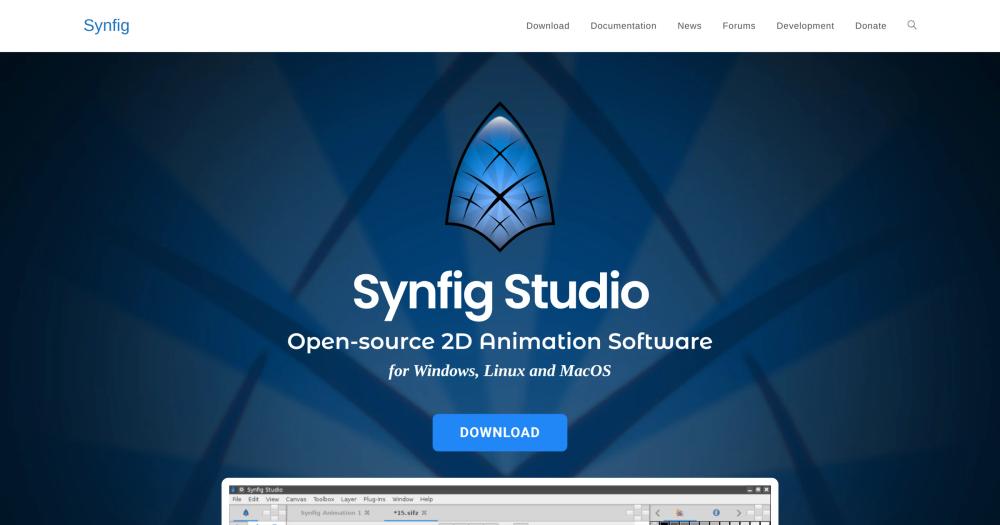
Image for Synfig
TL;DR

Synfig is a free, GPL-3.0-licensed 2D animation desktop app that eliminates frame-by-frame drawing through vector tweening. It replaces paid tools like Adobe Animate and Toon Boom Harmony for animators and small studios who want film-quality 2D animation without subscription fees. Available for Windows, Linux, and macOS, it runs entirely on your own hardware with no cloud dependency. Best for indie animators, educators, and small studios producing cutout or vector-based animation on a tight budget.

Read the full breakdownHide the full breakdownWho it is for, how it works, trade-offs, the quick start and the FAQ
who it's for

Who Synfig is for#

Indie animators producing short films on a budget

Synfig's vector tweening and bone rigging remove the two main barriers for solo animators: the inbetween workload and the license fee. Producing a short in Synfig costs nothing beyond hardware and time, with binary installers available for Windows, Linux, and macOS.

Skip if:

Skip if your production requires team collaboration features, cloud-based review workflows, or tight integration with Adobe's ecosystem. Those needs are better served by Adobe Animate or Toon Boom Harmony.

Educators teaching 2D animation principles

Synfig is free to install on classroom hardware or student machines with no license management. The stable release channel is predictable enough for a semester curriculum, and the documentation covers the fundamentals of rigging and tweening.

Skip if:

Skip if your curriculum requires a tool that matches professional studio workflows. Students moving into animation studios will likely need to learn Toon Boom Harmony separately.

Open source studios and publicly funded animation projects

GPL-3.0 licensing fits projects where all tools need to be open source, such as university research productions or publicly funded animated content. The Morevna Project has used Synfig for professional-grade animated short films.

Skip if:

Skip if you need a tool with professional support contracts or guaranteed service levels. Synfig has no commercial support tier.

the problem

The problem it solves#

Professional 2D animation software has historically cost hundreds to thousands of dollars per seat per year. Adobe Animate and Toon Boom Harmony dominate the market, but their licensing puts them out of reach for independent animators, students, and small studios. The standard workflow in those tools also demands drawing every frame by hand or hiring a larger team to handle the inbetween work, adding both time and cost.

Bone rigging and vector tweening exist in paid tools but rarely in affordable alternatives at the same quality. Animators who cannot pay the subscription often fall back to frame-by-frame workflows in cheaper editors, spending hours on inbetweens that could be generated automatically.

how Synfig solves it

How it solves it#

Vector tweening

Synfig automatically calculates inbetween frames from vector keyframes, so you set the start and end positions and the software fills the motion. This eliminates the manual inbetween work that slows down frame-by-frame animation production and lets a small team produce fluid movement without additional artists.

50+ layer types for compositing

Synfig provides over 50 layer types: geometric shapes, gradients, filters, distortions, transformations, and fractals. Each layer can be combined and stacked, covering most animation compositing needs without additional plugins. Layer types include both creative and technical options suited to both character and motion graphics work.

Bone system for cutout animation

The built-in bone system lets you animate cutout characters from bitmap images or vector artwork. A Skeleton Distortion layer applies bone-based deformation to bitmap artwork, allowing complex character movement without redrawing. This is the standard approach for animating scanned or raster character parts alongside vector elements.

Parameter linking via mathematical expressions

Layer parameters across the composition can be linked directly or through mathematical expressions. This powers advanced character rigs and dynamic structures where multiple elements need to move in sync or respond to a single control. The system allows building reusable puppets with centralized controls.

Cross-platform desktop app with two release channels

Synfig runs on Windows, Linux, and macOS, with binary installers available for all three platforms. Two builds ship: a stable release for production use and a development build for testing new features and fixes before they reach the stable channel.

strengths · trade-offs

Strengths and trade-offs#

Strengths

  • GPL-3.0 license with no per-seat costSynfig is free to download, run, and modify under the GPL-3.0 license. There is no subscription, no per-seat fee, and no licensing cost for commercial production. Unlike Toon Boom Harmony's professional tiers or Adobe Animate's Creative Cloud subscription, Synfig costs nothing to run on your own hardware.
  • No frame-by-frame inbetween work requiredThe vector tweening system generates smooth motion between keyframes automatically. This is the core design constraint that makes small-team animation practical: a solo animator can produce fluid movement that would otherwise require additional inbetween artists.
  • Actively maintained with recent stable releasesThe repository received its most recent push on November 8, 2026, and the project shipped stable releases in 2026: version 1.5.5 in March 2026 and version 1.5.4 in January 2026. It participates in Google Summer of Code, bringing in new contributors annually.

Trade-offs

  • -564 open issues in the trackerAs of November 2026, Synfig has 564 open issues (pull requests excluded). For an open source desktop app of this complexity, that count is not unusual, but it means users encounter bugs at a higher rate than in funded commercial tools. High-priority production work benefits from staying on the stable release channel and checking the issue tracker before starting a new project.
  • -Desktop-only, no cloud or collaboration layerSynfig is a native desktop application with no web interface and no built-in collaboration features. Teams working remotely cannot share projects through a hosted service; file sharing and version control require external tooling. This is a meaningful gap versus cloud-native workflows.
  • -Steeper onboarding than guided commercial toolsThe parameter-linking and expression system that powers advanced rigs is not guided by in-app tutorials. New users will need the official video course or community resources to get past the basics. Cartoon Animator and Moho Pro both ship with more polished onboarding experiences.
versus alternatives

Synfig vs alternatives#

Synfig vs Adobe Animate

Both tools target 2D animation production, but their cost and deployment models differ sharply. Adobe Animate is a Creative Cloud application requiring a subscription; Synfig is free under GPL-3.0 and runs on your own hardware with no ongoing cost.

FeatureSynfigAdobe Animate
LicenseGPL-3.0Proprietary
CostFreeSubscription (Creative Cloud)
Self-hostingDesktop, no cloud dependencyCloud-dependent updates
TweeningVector parameter tweeningFrame and tween layers
PlatformsWindows, Linux, macOSWindows, macOS

Synfig is the better choice when cost or license freedom is the constraint, or when Linux support is required. Adobe Animate is the better fit when you need direct integration with Adobe's publishing pipeline, Flash-compatible output, or access to Creative Cloud asset libraries.

Synfig vs Toon Boom Harmony

Toon Boom Harmony is the industry standard for professional studios producing broadcast and feature-quality animation. Its bone rigging, deformation tools, and camera system are more capable than Synfig's at the high end. Harmony's professional tier carries per-seat licensing well above what indie animators can absorb.

FeatureSynfigToon Boom Harmony
LicenseGPL-3.0Proprietary
CostFreePaid per seat
Bone systemBuilt-inAdvanced deformation system
Self-hostingDesktop, offlineDesktop, offline

Synfig is the right choice for independent and student animators who need the same conceptual workflow (keyframes, bones, tweening) at no cost. Toon Boom Harmony is the better choice for professional studios delivering broadcast content where advanced deformation tools and production pipeline integration justify the license cost.

Synfig vs Moho Pro

Moho Pro (formerly Anime Studio) focuses on bone rigging and vector drawing with a one-time perpetual license, placing it between Synfig's zero-cost open source model and Harmony's subscription. The core rigging workflow in Moho Pro is similar in concept to Synfig's bone system, but Moho Pro ships with more polished onboarding and a larger built-in asset library.

Synfig is the better choice when budget is the deciding factor or when open source licensing is required by the project. Moho Pro is worth considering when you need a more guided setup experience and can absorb the one-time license cost.

install · quick start

Quick start#

bash
Download Synfig Studio for Windows, Linux, or macOS from GitHub Releases: https://github.com/synfig/synfig/releases/latest
tech stack · detected from GitHub

What it's built on#

Languages
CC++JavaScriptPython
frequently asked

FAQ#

Is Synfig free for commercial animation projects?

Yes. Synfig is licensed under GPL-3.0, which permits commercial use. You can produce animation for clients, sell finished work, or use it in a commercial studio without paying a license fee. The GPL requires you to share source code if you distribute modified versions of Synfig itself, but it places no restrictions on the content you create with it.

What operating systems does Synfig support?

Synfig provides binary installers for Windows, Linux, and macOS. The website offers two builds: a stable version for everyday production use and a development version with the latest features and fixes. Installation instructions are available at synfig.readthedocs.io.

How does Synfig's tweening differ from Adobe Animate's?

Synfig's tweening operates on vector parameters rather than individual frames. You set a keyframe for a shape's position, rotation, or color, and Synfig interpolates the inbetween states automatically. Adobe Animate supports both frame-by-frame and tween-based workflows, but its tween system is tied to a proprietary file format and requires a Creative Cloud subscription.

Can Synfig animate bitmap images, not just vector artwork?

Yes. The bone system works with both vector artwork and bitmap images. The Skeleton Distortion layer applies bone-driven deformation to bitmap artwork, so you can rig scanned drawings or raster character parts alongside vector elements in the same composition.

What is the difference between the stable and development builds?

The stable build is a tested release intended for production use. The development build includes the latest features and bug fixes that have not yet been validated for a stable release. The website recommends the stable build for most projects and the development build for users who want to test new functionality or contribute to the project.

also worth a look

Similar open-source tools#

Pencil2D Animation

Alternative toAdobe Animate

Free open source 2D hand-drawn animation tool

  • 1,891 GitHub stars
  • GPL-2.0Licence GPL-2.0

Opentoonz

Alternative toToon Boom Harmony

2D animation software from Studio Ghibli's Toonz, free to use

  • 8,236 GitHub stars
  • BSD 3-ClauseLicence BSD 3-Clause

God's Eye View

Featured

Alternative toFFlightradar24

Real-time global intelligence on a 3D globe

  • 64,750 GitHub stars
  • CustomLicence MIT with third-party data restrictions

Phosphor Cam

InDesign & Creative

Real-time retro camera with five render engines and no data upload.

  • 137 GitHub stars
  • MITLicence MIT

Openscreen

Alternative toScreen Studio

Free cross-platform screen recorder for polished product demos

  • 7,291 GitHub stars
  • MITLicence MIT

Oh My Ppt

Alternative toGamma

AI presentation builder, local-first, 90+ styles, PPTX export.

  • 2,527 GitHub stars
  • Apache-2.0Licence Apache-2.0
by category

Open source tools in these categories#

139

Design & Creative

ComfyUI, Excalidraw, Godot Engine

Sponsors

Inbox Zero

Alternative toSuperhuman

AI email assistant that drafts replies and clears your inbox

  • 13,025 GitHub stars
  • AGPL-3.0Licence AGPL-3.0
  • #Email

rakazo

Alternative toGrok Bot

AI teammates you own: your keys, your model, your machine.

  • 8,291 GitHub stars
  • Apache-2.0Licence Apache-2.0
  • #AI Agents

SnitchFeed

Live monitoring on LinkedIn, X, Reddit & more. Agentic social listening for startups.

Marketing & Growth

Advertise your product

New open source projects by email

The projects we add and every new guide. Free, unsubscribe any time.

Find open source alternatives to paid software

/
  • Claude Code to OpenCode
  • Jira to Windshift
  • Notion to AppFlowy
  • Slack to Mattermost
  • Linear to GitLab
  • Wispr Flow to Handy
  • Arc to Zen Browser
  • CapCut to Concat
  • Grok Bot to rakazo
  • Superhuman to Inbox Zero
  • Discord to Stoat
  • Airtable to AITable
  • Datadog to SigNoz
  • Muse to OpenClaw
  • Railway to Coolify
  • GitHub Copilot to Cline
  • Confluence to Wiki.js
  • Microsoft Teams to Rocket.Chat
  • 1Password to KeePassXC
  • Firebase to Supabase
  • Pinecone to Qdrant
  • Zapier to n8n
  • Devin AI to OpenHands
  • Asana to Leantime
  • Claude Code to OpenCode
  • Jira to Windshift
  • Notion to AppFlowy
  • Slack to Mattermost
  • Linear to GitLab
  • Wispr Flow to Handy
  • Arc to Zen Browser
  • CapCut to Concat
  • Grok Bot to rakazo
  • Superhuman to Inbox Zero
  • Discord to Stoat
  • Airtable to AITable
  • Datadog to SigNoz
  • Muse to OpenClaw
  • Railway to Coolify
  • GitHub Copilot to Cline
  • Confluence to Wiki.js
  • Microsoft Teams to Rocket.Chat
  • 1Password to KeePassXC
  • Firebase to Supabase
  • Pinecone to Qdrant
  • Zapier to n8n
  • Devin AI to OpenHands
  • Asana to Leantime