Open Source Alternatives
  • Alternatives
  • Categories
    Categories by size1,136 projects
    • Developer Tools580
    • AI & Machine Learning495
    • Business & Productivity275
    • Web Development209
    • Security & Monitoring173
    • Communication & Collaboration154
    • IT Management146
    • Cloud & Hosting128
    • LLMOps & AI Tooling128
    • Product & Project Management121
    Browse all 21 categoriesDevOps & CI/CD, Data & Analytics and 9 more
  • Blog
  • Advertise
SearchNotion, Slack, password manager.../
Submit
Open Source Alternatives
  • Alternatives
    • Developer Tools580
    • AI & Machine Learning495
    • Business & Productivity275
    • Web Development209
    • Security & Monitoring173
    • Communication & Collaboration154
    • Browse all 21 categories
  • Blog
  • Advertise
Submit your project

New open source projects by email

The projects we add and every new guide. Free, unsubscribe any time.

Open Source Alternatives LogoOpen Source Alternatives

Handpicked Open Source Alternatives to Paid Softwares

Product

  • Categories
  • Tag
  • Advertise

Resources

  • Blog
  • Collection
  • Submit

Company

  • Privacy Policy
  • Terms of Service
  • Refund Policy
  • Sitemap

Alternatives

  • Claude Code
  • Jira
  • Notion
  • Slack
  • Linear
  • Wispr Flow
  • All alternatives
© 2026 Open Source Alternatives. All rights reserved.
Open SourceAlternatives
Home/Categories/Developer Tools/Cate
icon of Cate

Cate

Open source alternative to Conductor

  • 2.2K stars
  • MIT
  • Active this week
  • Last commit today

Last verified Nov 5, 2026

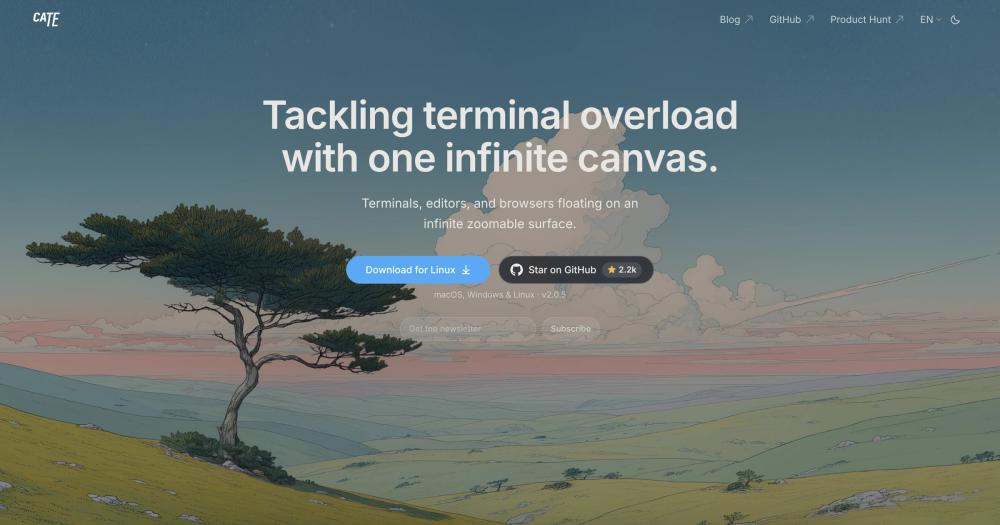
Orchestrate parallel AI coding agents on an infinite canvas, each in its own git worktree, with live status and cross-device workspace sync.

Visit websiteGitHub2.2K stars
image of Cate
TL;DR

Cate is an MIT-licensed IDE that maps parallel AI coding agent sessions onto an infinite zoomable canvas, each session running in its own git worktree and terminal. It is an open source replacement for paid orchestration tools, designed for developers who run Claude Code, Codex, or similar CLIs in parallel. Download signed installers for macOS, Windows, or Linux, or install on macOS with Homebrew; opening any folder creates a workspace with no configuration needed.

Read the full breakdownHide the full breakdownWho it is for, how it works, trade-offs, the quick start and the FAQ
who it's for

Who Cate is for#

Developers running multiple agent tasks on a single codebase

Open five worktrees, start one agent per worktree, and monitor all of them from one canvas. Cate shows each agent's state and notifies you the moment any session needs input, so you spend less time watching terminals and more time reviewing results.

Skip if:

If you run only one agent at a time and do not need to monitor parallel sessions, a plain terminal or existing IDE is simpler and sufficient.

Teams pairing on an AI-assisted coding session

Invite a collaborator to your workspace and both of you see the same live terminals, editor buffers, and agent conversations. Changes either person makes are visible immediately, and presence indicators show who is connected.

Skip if:

If your team works asynchronously on separate branches and never needs to observe each other's sessions in real time, a shared git repository and separate editors are a lighter setup.

Developers working across multiple devices

Start agents on your laptop, then follow their progress from your phone using the iOS app. Send prompts or approve permission requests from the iOS app without opening your laptop.

Skip if:

If you work only at one machine and do not use a phone or secondary computer for coding tasks, the multi-device capability adds no value.

Teams whose agent orchestration tool is shutting down

Teams that relied on a paid orchestration layer for parallel agent work need a replacement before that service closes. Cate covers the same core use case: multiple agents, branch isolation, shared workspace state, and agent status at a glance.

Skip if:

If you are not currently using an agent orchestration tool and have no plans to run agents in parallel, Cate's orchestration capabilities are more than you need.

the problem

The problem it solves#

Running multiple AI coding agents in parallel means managing several terminal sessions that look identical, with no easy way to tell which one is waiting for your input, which finished its task, or which branch belongs to which job. Teams end up tabbing through windows, losing context, and approving agent prompts long after the agent has stalled.

The git coordination problem sits on top of that. Each agent should work on its own branch to avoid conflicts, but setting up multiple worktrees for five simultaneous tasks means several manual steps before any agent starts. Most developers skip the isolation entirely and let agents work on the same branch, then sort out the conflicts afterward.

how Cate solves it

How it solves it#

Agent-aware terminals

Supported agent CLIs report turn start, turn end, and permission prompts, so each panel on the canvas shows whether its agent is running, waiting for input, or finished. When an agent needs a decision, Cate sends a notification rather than silently blocking, so you catch the pause without watching each session.

One-click git worktrees

Type a task description and Cate creates the git worktree and branch, starting from a local branch, a remote branch, or an open pull request. Each worktree gets its own colored territory on the canvas, keeping five parallel tasks visually distinct instead of a pile of overlapping editor tabs.

Infinite canvas panel layout

Terminals, Monaco editors, browsers, PDF and image viewers, and nested canvases float freely or dock into tabs and splits. Panels detach into their own windows. Layout persists per project, so reopening a workspace restores the arrangement you left.

Shared live workspaces and cross-device access

Pair another device using a QR code or pairing code and both devices see the same live workspace, including files, terminals, agent conversations, and canvas layout. The iOS app lets you follow agent conversations, send prompts with file or photo attachments, and use panels from your phone. Connections work over a local network or through Cate Connect from anywhere, with end-to-end encryption.

Agent prompt queues

Send prompts with file or photo attachments from the app or the command-line interface. The runtime holds each panel's queue, so connected clients share the same view of pending and failed prompts. This keeps collaborators and paired devices in sync when multiple people send instructions to the same agent.

Token usage and cost tracking

An overview in the sidebar tracks workspace token usage and API-equivalent cost broken down by time period, agent, and model. Claude Code and Codex subscription limits are visible from the same view, so you can see how much of your subscription quota each parallel task is consuming.

strengths · trade-offs

Strengths and trade-offs#

Strengths

  • MIT license with no restrictions on commercial useThe MIT license lets you run Cate on any machine, fork it, modify it, and use it for commercial projects without restriction. No subscription, no seat count, no usage cap.
  • Agent sessions survive restartsReopen a project and each terminal comes back with its full scrollback, its agent reattached and resumed. Agents do not need to be manually relaunched or given the same context again after a restart or a machine reboot.
  • Works with any agent CLICate reports status for Claude Code and Codex out of the box, and any other agent CLI runs in its terminals without special support. The `cate` CLI that agents can call adds the ability to drive a browser panel, read another terminal, open files, and manage panels from inside a running agent session.
  • Local and remote workspaces follow the same pathOpen a folder on your laptop, an SSH host, or a WSL distro, and the terminals, git operations, search, and agents all run on the machine holding that folder. No special cloud account is needed; the remote runtime installs automatically when you open a folder on an SSH host.

Trade-offs

  • -Remote clients cannot start a stopped workspaceA paired device can reconnect to a running workspace, but cannot start one that was stopped. If you close Cate and choose to stop the runtime, there is no way to wake it remotely. You need to leave the workspace available from Workspace Settings, or be at the machine to restart it.
  • -Clients and runtimes must run the same Cate versionCate updates older workspace runtimes automatically when idle, but if a runtime is newer than the app you are connecting from, you must update your app before connecting. This means a version mismatch can block remote access until both sides match.
versus alternatives

Cate vs alternatives#

Cate vs Conductor

Both tools address the same problem: running multiple AI coding agents in parallel with branch isolation and shared workspace state. Conductor was a paid, hosted service in this category; Cate is the MIT-licensed, self-hosted open source alternative.

Conductor stops working on 2026-11-20. Teams relying on it for orchestration need a replacement.

FeatureCateConductor
LicenseMITProprietary
HostingSelf-hosted desktop appHosted service
Agent supportAny agent CLIProprietary
PricingFreePaid
Active developmentYesEnding 2026-11-20

Cate covers the full orchestration use case Conductor served: parallel agent sessions, one git worktree per branch, status visibility across sessions, and workspace sharing with other devices. Because Cate runs the actual agent CLIs in its own terminals rather than wrapping them in a proprietary interface, users keep access to every flag and configuration option those CLIs expose. The canvas layout, worktree management, and prompt queue system replace the coordination layer Conductor provided.

install · quick start

Quick start#

bash
Install on macOS with Homebrew; signed installers for Windows and Linux are available on GitHub Releases.

```sh
brew install --cask cate
```
tech stack · detected from GitHub

What it's built on#

Languages
JavaScriptSwiftTypeScript
Frameworks
ElectronReact
frequently asked

FAQ#

Does Cate work on Windows and Linux, or only macOS?

Cate ships signed installers for all three platforms: DMG and ZIP for macOS (arm64 and x64), an NSIS installer and ZIP for Windows (x64), and AppImage, DEB, and tar.gz for Linux (x64). The macOS Homebrew cask is also available. All platforms receive the same feature set.

Which AI coding agents does Cate support?

Cate's agent-aware status (running, waiting, finished, permission prompt notifications) is built for Claude Code and Codex. Any other agent CLI also runs in Cate's terminals; it will work correctly, though Cate may not display its detailed turn status unless that agent CLI reports compatible events. The cate CLI that agents can call in their sessions works with any agent.

Can I access my Cate workspace from another device or computer?

Yes. Open Share in a workspace and pair another device with a QR code or pairing code. Devices connect over the same local network or through Cate Connect from anywhere, with end-to-end encryption. The iOS app gives you access to panels, terminals, agent conversations, and prompt queues from your phone.

Is Cate free, or is there a paid tier?

Cate is MIT-licensed open source software. There is no paid tier or subscription. Cate Connect, the relay for remote access from outside a local network, is part of the same project; the README documents no separate pricing for it.

Does closing Cate stop my running agents?

It depends on the workspace availability setting. In Workspace Settings under Availability, you can choose whether the workspace runtime keeps running after you close Cate, stops once running work finishes, or stops with Cate. Choosing to always stay available means agents continue running on the machine even when the app is closed.

Looking for more

Other ways to replace Conductor#

paperclip

Featuredfor Conductor

Self-hosted AI agent management with org charts and budgets

111,113 GitHub starsVisit

Orca

#1 in the Conductor guide

Drop-in Conductor replacement with 27 or more agents on macOS, Windows, and Linux under MIT

115,397 GitHub stars

T3 Code

#2 in the Conductor guide

MIT-licensed control plane for 6 or more agents with mobile and web clients and a large community

46,806 GitHub stars

Paseo

#3 in the Conductor guide

Daemon-based architecture for agents running on a VM or Docker host with full mobile parity

23,074 GitHub stars
All 49 Conductor alternatives12 open source Conductor alternatives, ranked
by category

Open source tools in these categories#

581

Developer Tools

REA (Reverse Engineer Anything), Skills for Real Engineers, superpowers

Sponsors

Inbox Zero

Alternative toSuperhuman

AI email assistant that drafts replies and clears your inbox

  • 12,915 GitHub stars
  • AGPL-3.0Licence AGPL-3.0
  • #Email

rakazo

Alternative toGrok Bot

AI teammates you own: your keys, your model, your machine.

  • 7,028 GitHub stars
  • Apache-2.0Licence Apache-2.0
  • #AI Agents

SnitchFeed

Live monitoring on LinkedIn, X, Reddit & more. Agentic social listening for startups.

Marketing & Growth

Advertise your product

New open source projects by email

The projects we add and every new guide. Free, unsubscribe any time.

Find open source alternatives to paid software

/
  • Claude Code to OpenCode
  • Jira to Windshift
  • Notion to AppFlowy
  • Slack to Mattermost
  • Linear to GitLab
  • Wispr Flow to Handy
  • Arc to Zen Browser
  • CapCut to Concat
  • Grok Bot to rakazo
  • Superhuman to Inbox Zero
  • Airtable to AITable
  • Muse to OpenClaw
  • Railway to Coolify
  • GitHub Copilot to Cline
  • Datadog to Netdata
  • Confluence to Wiki.js
  • Microsoft Teams to Rocket.Chat
  • Firebase to Supabase
  • Pinecone to Qdrant
  • Zapier to n8n
  • 1Password to KeePassXC
  • Devin AI to OpenHands
  • Asana to Leantime
  • Contentful to Strapi
  • Claude Code to OpenCode
  • Jira to Windshift
  • Notion to AppFlowy
  • Slack to Mattermost
  • Linear to GitLab
  • Wispr Flow to Handy
  • Arc to Zen Browser
  • CapCut to Concat
  • Grok Bot to rakazo
  • Superhuman to Inbox Zero
  • Airtable to AITable
  • Muse to OpenClaw
  • Railway to Coolify
  • GitHub Copilot to Cline
  • Datadog to Netdata
  • Confluence to Wiki.js
  • Microsoft Teams to Rocket.Chat
  • Firebase to Supabase
  • Pinecone to Qdrant
  • Zapier to n8n
  • 1Password to KeePassXC
  • Devin AI to OpenHands
  • Asana to Leantime
  • Contentful to Strapi