Open Source Alternatives
  • Alternatives
  • Categories
    Categories by size1,230 projects
    • Developer Tools633
    • AI & Machine Learning528
    • Business & Productivity296
    • Web Development217
    • Security & Monitoring190
    • Communication & Collaboration166
    • IT Management157
    • LLMOps & AI Tooling133
    • DevOps & CI/CD132
    • Cloud & Hosting131
    Browse all 21 categoriesDesign & Creative, Product & Project Management and 9 more
  • Blog
  • Advertise
SearchNotion, Slack, password manager.../
Submit
Open Source Alternatives
  • Alternatives
    • Developer Tools633
    • AI & Machine Learning528
    • Business & Productivity296
    • Web Development217
    • Security & Monitoring190
    • Communication & Collaboration166
    • Browse all 21 categories
  • Blog
  • Advertise
Submit your project

New open source projects by email

The projects we add and every new guide. Free, unsubscribe any time.

Open Source Alternatives LogoOpen Source Alternatives

Handpicked Open Source Alternatives to Paid Softwares

Add Open Source Alternatives as a preferred source on Google

Product

  • Categories
  • Tag
  • Advertise

Resources

  • Blog
  • Collection
  • Submit

Company

  • Privacy Policy
  • Terms of Service
  • Refund Policy
  • Sitemap

Alternatives

  • Claude Code
  • Jira
  • Notion
  • Slack
  • Linear
  • Wispr Flow
  • All alternatives
© 2026 Open Source Alternatives. All rights reserved.
Open SourceAlternatives
Home/Categories/Developer Tools/Look
icon of Look

Look

Open source alternative to Raycast AI, Alfred and LaunchBar

  • 1.3K stars
  • GPL-3.0
  • Active this week
  • Last commit today

Last verified Nov 13, 2026

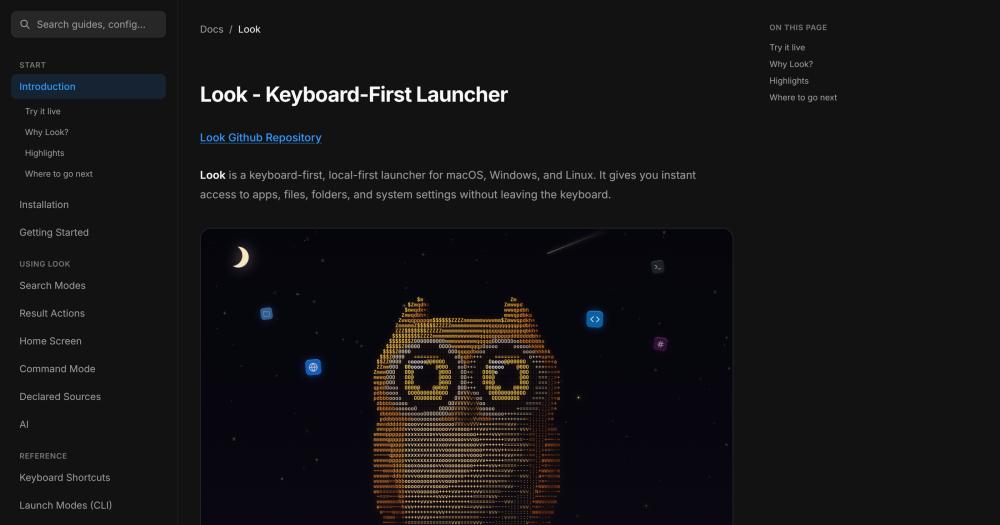
Search apps, files, and system settings from a keyboard-first launcher for macOS, Windows, and Linux, with no telemetry and no paid tier.

Visit websiteGitHub1.3K stars
image of Look
TL;DR

Look is a free, GPL-3.0 launcher for macOS, Windows, and Linux built on a Rust core with no browser engine and no telemetry. It delivers sub-millisecond local search across apps, files, folders, and clipboard history, with no account required and no paid tier. Query prefixes (a" for apps, f" for files, c" for clipboard, r" for regex) narrow the search scope in a keystroke. Built-in command mode covers pomodoro, daily to-do with streaks, speed test, port-based process kill, and system info. Themes include 8 presets; shortcuts are rebindable. An extension catalog (lookbook) lets users add custom sources from Git repos, SSH hosts, Docker containers, and more.

Read the full breakdownHide the full breakdownWho it is for, how it works, trade-offs, the quick start and the FAQ
who it's for

Who Look is for#

Developers working across macOS and Linux

For engineers who maintain macOS and Linux desktops, Look provides one consistent launcher interface and config file format on both platforms. A single ~/.look/config in a dotfiles repo covers macOS, Arch, Ubuntu, NixOS, and other Linux distributions without separate configurations.

Skip if:

User works exclusively on a single platform where their existing launcher already meets all their needs.

Privacy-conscious users avoiding cloud launchers

For users who do not want their search history, clipboard contents, or calendar activity reaching remote servers, Look indexes everything locally and uses network only for explicit actions like translation or web search. There is no telemetry, no background sync, and no account.

Skip if:

User is comfortable with cloud sync and needs cross-device clipboard or search history.

macOS developers replacing a Raycast Pro subscription

For macOS developers currently paying for Raycast Pro, Look provides clipboard history, an inline calculator, command mode, and an extension catalog at no cost. The lookbook catalog covers common developer workflows like Git repos, SSH hosts, and Docker containers.

Skip if:

User relies on Raycast features Look does not cover, such as window management or text snippet expansion.

the problem

The problem it solves#

Developers and power users on macOS reach for Raycast or Spotlight by default, but Raycast's most useful features sit behind a $8-10 per month subscription, and Spotlight has no extension story. On Linux, options like rofi and ulauncher exist but are Linux-only and have limited cross-platform consistency. Alfred offers deep macOS customization but only for Mac, requiring a £34 Powerpack purchase for clipboard history and workflow automation. Users who split time between macOS and Linux desktops end up with two completely different launcher setups, each requiring its own config and muscle memory. Even on a single platform, most launchers require cloud accounts for sync, clipboard history, or AI features, which means private activity and file data leave the machine. The result is scattered tooling with recurring costs and unnecessary privacy trade-offs.

how Look solves it

How it solves it#

Scoped query prefixes

Query prefixes narrow the search scope to a specific category. Type a" to search only installed apps, f" for files, d" for folders, r" for regex, rc" for recent items, c" for clipboard history, and t" for quick translation. Each prefix is a single character and can be browsed with a bare " to see all options.

Inline calculator

Type a mathematical expression directly in the launcher and Look pins a Calculator row above the results. Enter copies the value. Supported: 2^10 (powers), 4! (factorial), 200*15% (percentage), sqrt(2) (functions). There is no mode switch; the calculator activates when Look recognizes an expression.

Command mode

Press Cmd+/ on macOS or Ctrl+/ on Windows and Linux to open command mode. Built-in commands include a pomodoro timer, daily to-do list with streaks, speed test, port-based process kill, shell shortcuts, and system information display. All commands run locally with no network access.

Local clipboard history

Press c" to browse recently copied text; ci" shows copied images in a separate list. Enter copies a clip back to clipboard; Cmd+I pastes it directly into the app you came from. Delete removes an entry from history. On macOS, clipboard history clears on restart; on Windows and Linux it persists to disk.

lookbook extension catalog

Open Settings → Extend and choose Browse lookbook to see a catalog of ready-made sources for Git repos, SSH hosts, Docker containers, tmux sessions, and more. Each card shows whether it works on your machine and what it needs before installing. Custom sources can also be declared in TOML at ~/.look/config.

Minimal-permission design

On macOS, Look requires no Accessibility permission, no Full Disk Access, and no Screen Recording. Network access is used only for explicit actions: translation (t"), dictionary lookup (tw"), and optional web answers that can be disabled with ai_enabled=false in the config file.

strengths · trade-offs

Strengths and trade-offs#

Strengths

  • Cross-platform on macOS, Linux, and WindowsmacOS 15.0+, Linux (x86_64), and Windows x64 share one Rust engine. The macOS build uses a native SwiftUI shell; Windows and Linux use a GPU-drawn gpui shell with no browser engine in the process. Keyboard shortcuts, config files, and themes carry across platforms.
  • Free, GPL-3.0, no paid tierLook has no paid tier, no account requirement, and no freemium gating. The GPL-3.0 license means anyone can read the source code, file issues, contribute fixes, or fork the project. Clipboard history, command mode, extensions, and all other features are free from the first install.
  • Sub-millisecond local searchThe README documents typical search completing in under 1 ms on a 2000-item index, using bounded query-time scoring. All indexing runs on the user's machine. No search query or file path leaves the device; network is used only for explicit actions like translation or web search.
  • Rebindable shortcuts and portable configEvery in-app keyboard shortcut is rebindable in Settings → Shortcuts, and the launcher hotkey is set via launcher_hotkey in ~/.look/config. Config lives in a plain text file that travels with dotfiles, so a new machine or a reinstall restores the full setup without cloud sync.

Trade-offs

  • -Requires macOS 15.0 or laterThe macOS installer requires macOS 15.0 (Sequoia) or later. Users running macOS 14 (Sonoma) or older cannot install Look. The documentation does not mention a minimum version exception or a workaround for older releases.
  • -Linux builds are x86_64 onlyPre-built packages are published for x86_64 Linux only. ARM Linux (Raspberry Pi, Apple Silicon Linux via Asahi) is not supported by the released builds. Users who need ARM must build from source; the README links to BUILDING.md for the full build steps.
  • -AI conversation is macOS-only and in betaThe > prefix for AI conversation (calendar actions, file recall, text operations on a local model) is available on macOS only and is in beta. Windows and Linux users do not have access to this feature, and no release date for other platforms is documented in the README.
  • -34 open issues as a newer projectLook launched in April 2026 and had 34 open GitHub issues as of November 2026. This is consistent with active early development, but users may encounter rough edges in platform-specific behavior or edge cases that are still being addressed.
versus alternatives

Look vs alternatives#

Look vs Raycast AI

Raycast is macOS-only (and in beta on Windows). Look runs on macOS 15.0+, Linux (x86_64), and Windows x64. Raycast's AI, clipboard sync beyond 3 months, and other Pro features require a subscription at $8-10 per month. Look is free with no paid tier: clipboard history, command mode, the lookbook extension catalog, and an inline calculator are all included at no cost.

Both launchers support extension ecosystems. Raycast's extension store is larger and more established. Look's lookbook is newer but growing, and Look also supports custom TOML-declared sources for Git repos, SSH hosts, Docker containers, and similar developer workflows.

Raycast includes window management and text snippet expansion. Look does not have those features, so users who rely on Raycast for window snapping or snippet shortcuts will need to stay with Raycast or add separate tools for those functions.

Raycast is closed source. Look is GPL-3.0: the code is auditable and community-driven.

Look vs Alfred

Alfred is macOS-only. Look runs on macOS, Linux, and Windows. Alfred's clipboard manager and workflow automation require the Powerpack at £34 (one-time purchase). Look includes clipboard history for text and images at no cost.

Alfred's Workflow editor is a visual tool for building macOS automations. Look has no workflow editor. Teams that have built Alfred Workflows will need other tools for that kind of automation.

Alfred has been available since 2011 and has a large library of community workflows. Look launched in April 2026; its extension catalog is growing but smaller.

Look vs LaunchBar

LaunchBar is macOS-only. Look runs on macOS, Linux, and Windows. LaunchBar uses a one-time purchase model; Look is free and open source under GPL-3.0.

LaunchBar's instant-send feature for chaining actions is a distinctive capability with no direct equivalent in Look. Command mode covers some similar ground (pomodoro, process management, system info) but is not a full replacement for action chaining.

LaunchBar has years of deep macOS integration. Look is newer (created April 2026, last commit November 12, 2026) and is adding features actively.

install · quick start

Quick start#

bash
Install Look with Homebrew on macOS, or use the platform install script for Linux and Windows.

```bash
brew install --cask look
```
tech stack · detected from GitHub

What it's built on#

Languages
RustSwift
frequently asked

FAQ#

Does Look require an account or subscription?

No. Look is free with no paid tier, no account, and no cloud sync. Installation is local; all indexes and clipboard history stay on the machine. There is no freemium gating: every feature is available from the first install.

Which platforms and operating system versions does Look support?

macOS 15.0 and later, Linux (x86_64, with pre-built packages for Arch Linux via the AUR, Ubuntu and Debian via a curl script, any distribution via AppImage, and NixOS via flake), and Windows x64 (installer script or Scoop). ARM Linux builds are not published; Windows on ARM runs the x64 build under emulation. macOS requires 15.0 or later; older macOS releases are not supported.

Can I extend Look with custom sources?

Yes. Declare custom sources in TOML at ~/.look/config, or install ready-made sources from lookbook in Settings → Extend. Each lookbook card lists what it needs before installing. For apps that want to push their own rows, the connector contract is documented at docs/integrating.md in the repository.

What license does Look use, and what does it allow?

GPL-3.0. You can run, modify, and distribute Look freely. If you distribute a modified version as software, the GPL-3.0 license requires that you release the modified source under the same terms. Running it yourself, including for internal business or team use, does not require releasing source changes.

Does Look include an AI assistant or command mode?

Look includes a command mode (Cmd+/ on macOS, Ctrl+/ on Windows and Linux) with built-in commands for pomodoro timer, daily to-do with streaks, speed test, port-based process kill, and system info. An AI conversation mode (the > prefix, for calendar actions, file recall, and text operations) is available on macOS only, in beta, and runs on a local model; it is not available on Windows or Linux.

also worth a look

Similar open-source tools#

Superhound

Alternative toRaycast AI

Typo-tolerant Mac launcher with clipboard history, free, AGPL-3.0.

  • 5 GitHub stars
  • AGPL-3.0Licence AGPL-3.0

tinycast

Alternative toRaycast AI

One hotkey, everything you reach for all day.

  • 9,344 GitHub stars
  • AGPL-3.0Licence AGPL-3.0

Maccy

Alternative toPaste

Keyboard-driven clipboard history for macOS, MIT licensed and free

  • 22,286 GitHub stars
  • MITLicence MIT

openhuman

Alternative toMuse

Personal AI agent with local memory and 100+ integrations

  • 42,641 GitHub stars
  • GPL-3.0Licence GPL-3.0

CleanYourTV

Featured

Alternative toATV Launcher Pro

Debloat any Android or Google TV over Wi-Fi and get an Apple TV-style home.

  • 55,564 GitHub stars
  • MIT LicenseLicence MIT License

rakazo

Featured

Alternative toGrok Bot

AI teammates you own: your keys, your model, your machine.

  • 7,869 GitHub stars
  • Apache-2.0Licence Apache-2.0
by category

Open source tools in these categories#

633

Developer Tools

REA (Reverse Engineer Anything), Skills for Real Engineers, superpowers
296

Business & Productivity

OpenClaw, Excalidraw, RustDesk

Sponsors

Inbox Zero

Alternative toSuperhuman

AI email assistant that drafts replies and clears your inbox

  • 12,987 GitHub stars
  • AGPL-3.0Licence AGPL-3.0
  • #Email

rakazo

Alternative toGrok Bot

AI teammates you own: your keys, your model, your machine.

  • 7,869 GitHub stars
  • Apache-2.0Licence Apache-2.0
  • #AI Agents

SnitchFeed

Live monitoring on LinkedIn, X, Reddit & more. Agentic social listening for startups.

Marketing & Growth

Advertise your product

New open source projects by email

The projects we add and every new guide. Free, unsubscribe any time.

Find open source alternatives to paid software

/
  • Claude Code to OpenCode
  • Jira to Windshift
  • Notion to AppFlowy
  • Slack to Mattermost
  • Linear to GitLab
  • Wispr Flow to Handy
  • Arc to Zen Browser
  • CapCut to Concat
  • Grok Bot to rakazo
  • Superhuman to Inbox Zero
  • Discord to Stoat
  • Airtable to AITable
  • Muse to OpenClaw
  • Railway to Coolify
  • GitHub Copilot to Cline
  • Datadog to Netdata
  • Confluence to Wiki.js
  • Microsoft Teams to Rocket.Chat
  • 1Password to KeePassXC
  • Firebase to Supabase
  • Pinecone to Qdrant
  • Zapier to n8n
  • Devin AI to OpenHands
  • Asana to Leantime
  • Claude Code to OpenCode
  • Jira to Windshift
  • Notion to AppFlowy
  • Slack to Mattermost
  • Linear to GitLab
  • Wispr Flow to Handy
  • Arc to Zen Browser
  • CapCut to Concat
  • Grok Bot to rakazo
  • Superhuman to Inbox Zero
  • Discord to Stoat
  • Airtable to AITable
  • Muse to OpenClaw
  • Railway to Coolify
  • GitHub Copilot to Cline
  • Datadog to Netdata
  • Confluence to Wiki.js
  • Microsoft Teams to Rocket.Chat
  • 1Password to KeePassXC
  • Firebase to Supabase
  • Pinecone to Qdrant
  • Zapier to n8n
  • Devin AI to OpenHands
  • Asana to Leantime