Open Source Alternatives
  • Alternatives
  • Categories
    Categories by size1,127 projects
    • Developer Tools571
    • AI & Machine Learning487
    • Business & Productivity275
    • Web Development209
    • Security & Monitoring173
    • Communication & Collaboration154
    • IT Management146
    • Cloud & Hosting128
    • LLMOps & AI Tooling126
    • DevOps & CI/CD119
    Browse all 21 categoriesProduct & Project Management, Data & Analytics and 9 more
  • Blog
  • Advertise
SearchNotion, Slack, password manager.../
Submit
Open Source Alternatives
  • Alternatives
    • Developer Tools571
    • AI & Machine Learning487
    • Business & Productivity275
    • Web Development209
    • Security & Monitoring173
    • Communication & Collaboration154
    • Browse all 21 categories
  • Blog
  • Advertise
Submit your project

New open source projects by email

The projects we add and every new guide. Free, unsubscribe any time.

Open Source Alternatives LogoOpen Source Alternatives

Handpicked Open Source Alternatives to Paid Softwares

Product

  • Categories
  • Tag
  • Advertise

Resources

  • Blog
  • Collection
  • Submit

Company

  • Privacy Policy
  • Terms of Service
  • Refund Policy
  • Sitemap

Alternatives

  • Claude Code
  • Jira
  • Notion
  • Slack
  • Linear
  • Wispr Flow
  • All alternatives
© 2026 Open Source Alternatives. All rights reserved.
Open SourceAlternatives
Home/Categories/AI & Machine Learning/Maestro
icon of Maestro Agents

Maestro

Open source alternative to Conductor

  • 3.5K stars
  • AGPL-3.0
  • Active this week
  • Last commit today

Last verified Nov 5, 2026

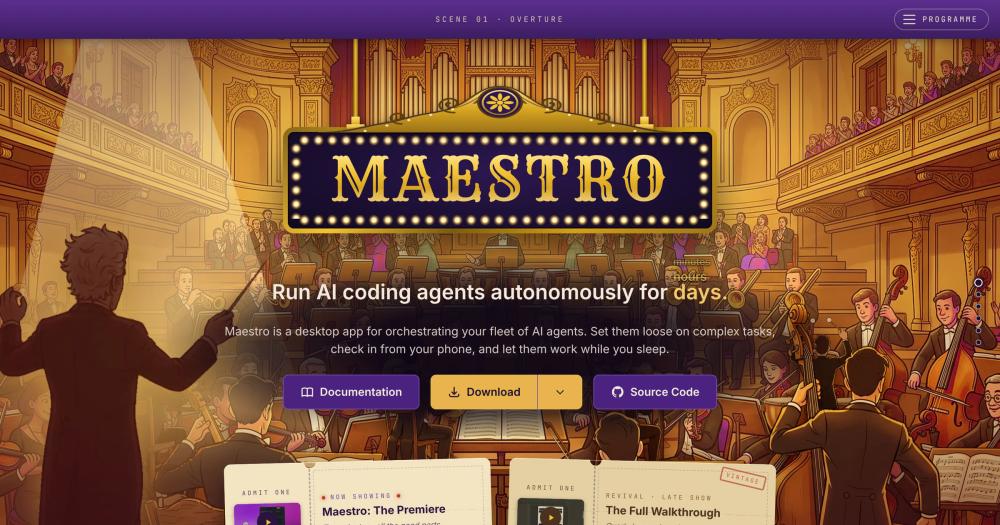
Orchestrate multiple AI coding agents in parallel from a cross-platform desktop app, with Auto Run, playbooks, git worktrees, and mobile remote control.

Visit websiteGitHub3.5K stars
image of Maestro Agents
TL;DR

Maestro is a cross-platform desktop app for orchestrating multiple AI coding agents in parallel. It supports Claude Code, OpenAI Codex, OpenCode, Factory Droid, and other agents, running them in isolated workspaces with Auto Run for unattended tasks, git worktree support for parallel branch work, and a full headless CLI for pipeline use. AGPL-3.0 licensed and self-hosted, it installs from a binary with no server required. Best for developers juggling multiple AI coding sessions who need a keyboard-first control plane with event-driven automation.

Read the full breakdownHide the full breakdownWho it is for, how it works, trade-offs, the quick start and the FAQ
who it's for

Who Maestro is for#

Solo developers running parallel AI coding sessions

Maestro gives you a single window to manage all your AI agents, switch between conversations instantly, and queue messages while an agent is busy. Auto Run handles tasks you can define in a spec, so you launch it, let it run overnight, and review the results in the morning.

Skip if:

If you run a single AI session at a time and have no plans to parallelise, the overhead of a fleet manager is not worth it over a single terminal tab.

Teams using git worktrees for parallel feature branches

Worktree sub-agents each operate in an isolated branch directory, so three agents can be working on three separate features without interference. Each agent can open a pull request from inside Maestro when its branch is ready. Maestro Cue can trigger an agent when another agent's branch lands a commit.

Skip if:

If your team uses a shared remote environment rather than local git worktrees, the worktree integration adds no benefit without local repo access.

Engineers building CI/CD pipelines with AI agents

maestro-cli runs playbooks from cron jobs or CI/CD pipelines with JSONL output for scripting. SSH Remote Execution lets you point Maestro at build machines or GPU boxes. Maestro Cue fires agents on GitHub activity, turning agent invocations into first-class pipeline steps.

Skip if:

If you need agents to run purely server-side without any desktop dependency, Maestro's local architecture is a constraint. SSH Remote Execution may cover the case but requires Maestro running on a client machine.

Developers running overnight or multi-hour autonomous tasks

Auto Run's Goal-Driven mode pursues a free-text objective through multiple tasks without a predefined checklist. Agent Resilience handles provider errors and quota resets automatically, so a 429 or 529 from your provider does not abort the session. The leaderboard shows community members logging sessions of 24 hours or more.

Skip if:

If your tasks are well-defined, short, and synchronous, the overhead of Auto Run setup is not worth it over a single interactive session.

the problem

The problem it solves#

Running multiple AI coding sessions in parallel is friction-heavy without tooling designed for it. Each agent lives in its own terminal tab with its own context, history, and state. Switching between them breaks flow, messages pile up while you are in another tab, and there is no way to see the overall status of your fleet at a glance.

The coordination problem compounds when tasks span branches or repositories. Git worktrees let you run parallel work on isolated branches, but nothing ties your agents to those branches or lets you launch a sub-agent per branch from one interface. Teams running three to five parallel AI sessions routinely lose track of which agent did what, which session has stalled waiting for input, and what each one's current task is.

how Maestro solves it

How it solves it#

Auto Run and Playbooks

Runs agents autonomously on markdown checklists (Spec-Driven) or free-text objectives (Goal-Driven). Each task gets its own AI session for clean context, so long multi-step work does not bleed conversation history. Auto Run sessions can run for hours unattended; the README documents a single session of nearly 24 hours. Playbooks make workflows repeatable and runnable from cron jobs or CI/CD pipelines via maestro-cli.

Multi-Agent Parallel Execution

Runs Claude Code, OpenAI Codex, OpenCode, Factory Droid, Copilot-CLI, Qwen3 Coder, and Oh My Pi simultaneously with no defined limit. Each agent has an isolated workspace, conversation history, task memory, and context. Maestro is a pass-through to your provider configuration: MCP tools, permissions, and authentication carry over without reconfiguration.

Git Worktree Support

Creates worktree sub-agents from the git branch menu, each in an isolated directory. Agents can run Auto Run sessions on their own branches independently while you work interactively in the main repository. Pull requests can be opened from within the app, and the diff viewer shows branch changes alongside active conversations.

Mobile Remote Control

A built-in web server exposes a control UI accessible by QR code. Works on the local network or over a Cloudflare tunnel for remote access. You can monitor agent progress, review output, and send messages to your fleet from a phone without being at the machine.

Event-Driven Agent Automation (Maestro Cue)

Triggers agent prompts on file changes, timers, GitHub activity, or another agent finishing its task. Chains those triggers into self-running pipelines. Off by default and enabled in Settings. Covers the gap between manually launching agents and fully automated CI: a file lands, an agent picks it up.

Full CLI and SSH Remote Execution

maestro-cli lists agents and groups, runs playbooks headlessly, and outputs JSONL for scripting. SSH Remote Execution lets you orchestrate agents on remote hosts, build machines, or GPU boxes without opening a second desktop session.

strengths · trade-offs

Strengths and trade-offs#

Strengths

  • Works with any supported AI coding agent you already haveMaestro does not replace your AI provider setup. It connects to Claude Code, OpenAI Codex, OpenCode, and others through the existing CLIs on your machine, so your MCP tools, permissions, and authentication configurations carry over. Switching agents or providers does not require reconfiguring your orchestration layer.
  • AGPL-3.0 license with local-first architectureThe app installs from a binary and runs entirely on your local machine with no server, cloud dependency, or subscription. AGPL-3.0 permits self-hosted use for internal and commercial team work without licensing fees; the restriction applies only if you offer a modified version as a managed service to external users, in which case you must publish the source changes.
  • Agent Resilience for unattended sessionsWhen a provider returns a 529 Overloaded error or quota exhaustion, Maestro resends the prompt automatically, backing off by the error's indicated reset time. Auto Run batches resume themselves, and agents can fail over to a backup endpoint. A single live status card replaces the wall of error dialogs, so overnight sessions finish without intervention.
  • Keyboard-first design with ~100 customizable shortcutsCmd+K opens a quick-action palette; nearly 100 bindings are customizable; and mastery tracking records which shortcuts you have used. The interface is designed around rapid agent switching and focus management for minimal mouse use, with a command palette for every action.

Trade-offs

  • -AGPL-3.0 restricts managed service redistributionAGPL-3.0 is permissive for self-hosted internal use, including commercial and team work, but requires publishing source code if you offer a modified version as a hosted service to others. Teams building their own orchestration products on top of Maestro need to comply or negotiate a commercial license. Personal and internal team use is unrestricted.
  • -Active development with 53 open GitHub issuesThe project has 53 open GitHub issues as of November 2026. It is under active development with commits through November 2026, so some rough edges and unreported bugs are expected. Release candidate builds with newer features are available but beta-labelled features are not on by default.
  • -No headless server modeMaestro runs on a local desktop. SSH Remote Execution covers many remote-agent use cases, but the app still needs to be running on a client machine to orchestrate them. There is no container-native headless server mode for fully automated cloud deployments without a desktop session.
versus alternatives

Maestro vs alternatives#

Maestro vs Conductor

Maestro and Conductor serve the same core use case: a dedicated interface for running multiple AI coding agents in parallel, with session management and monitoring above the raw CLI. Conductor is a proprietary commercial tool; Maestro is an AGPL-3.0 open source alternative you install locally.

Conductor is shutting down on November 20, 2026. It is not a viable option for new setups.

FeatureMaestroConductor
LicenseAGPL-3.0Proprietary
DeploymentLocal desktop binaryCommercial service
Supported agentsClaude Code, Codex, OpenCode, and moreClaude Code
Auto Run and playbooksYesYes
Git worktree supportYesYes
Mobile remote controlYesNo
Event-driven automationYes (Maestro Cue)No
SSH remote executionYesNo
Headless CLIYes (maestro-cli)No
CostFree (AI provider costs apply)Paid subscription

Maestro covers Conductor's headline features and extends them: multi-provider support across seven agents (Conductor supported Claude Code only), mobile remote control, event-driven automation through Maestro Cue, SSH remote execution for remote hosts, and a full headless CLI for scripting and CI/CD pipelines. For anyone evaluating tools for a new setup, Maestro is the right choice.

The AGPL-3.0 license covers personal and commercial team use without restriction. If you plan to offer a modified version as a managed service to external users, AGPL-3.0 requires publishing the source changes.

install · quick start

Quick start#

bash
Download the latest release for your platform from GitHub Releases: https://github.com/RunMaestro/Maestro/releases/latest
tech stack · detected from GitHub

What it's built on#

Languages
JavaScriptTypeScript
Frameworks
ElectronReact
Tooling
esbuild
frequently asked

FAQ#

Does Maestro work with any AI coding agent?

Maestro currently supports Claude Code, OpenAI Codex, OpenCode, Factory Droid, Copilot-CLI (beta), Qwen3 Coder (beta), and Oh My Pi (beta). It is a pass-through to the agent's existing CLI, so you need each agent installed and authenticated before Maestro can connect to it. The README notes plans for Gemini CLI support based on community demand.

Is Maestro free to use?

Yes. Maestro is AGPL-3.0 licensed and free to download and use. You still pay for the AI providers you connect to (Claude Code, OpenAI Codex, etc.) at their own rates. Maestro itself adds no subscription or per-agent fee. The only restriction under AGPL-3.0 is that if you distribute a modified version as a hosted service to others, you must publish the source changes.

How do I install Maestro?

Download the latest release for your platform from the GitHub Releases page at https://github.com/RunMaestro/Maestro/releases. Official releases cover macOS, Windows, and Linux. Building from source is documented in the README for contributors; the binary is the recommended install for end users.

What is the difference between Auto Run and playbooks?

Auto Run executes a task spec through your agents: Spec-Driven mode processes a markdown checklist one item at a time, each in a fresh AI session; Goal-Driven mode pursues a free-text objective autonomously. A playbook is a saved, named Auto Run configuration you can run repeatedly, trigger from maestro-cli, or schedule in a cron job. The two features work together: you create playbooks for recurring workflows and Auto Run executes them.

Can Maestro run agents on a remote server?

Yes, through SSH Remote Execution. You point Maestro at a remote host over SSH and it orchestrates agents on that machine, letting you use build servers, GPU boxes, or any specialized environment without leaving your local fleet view. Agents still need to be installed and authenticated on the remote host.

Looking for more

Other ways to replace Conductor#

paperclip

Featuredfor Conductor

Self-hosted AI agent management with org charts and budgets

111,113 GitHub starsVisit

Orca

#1 in the Conductor guide

Drop-in Conductor replacement with 27 or more agents on macOS, Windows, and Linux under MIT

115,397 GitHub stars

T3 Code

#2 in the Conductor guide

MIT-licensed control plane for 6 or more agents with mobile and web clients and a large community

46,806 GitHub stars

Paseo

#3 in the Conductor guide

Daemon-based architecture for agents running on a VM or Docker host with full mobile parity

23,074 GitHub stars
All 39 Conductor alternatives12 open source Conductor alternatives, ranked
by category

Open source tools in these categories#

487

AI & Machine Learning

freeCodeCamp, REA (Reverse Engineer Anything), OpenClaw
571

Developer Tools

REA (Reverse Engineer Anything), Skills for Real Engineers, superpowers
119

DevOps & CI/CD

Nvm, Uptime Kuma, Netdata
126

LLMOps & AI Tooling

Hermes Agent, OpenCode, MarkItDown

Sponsors

Inbox Zero

Alternative toSuperhuman

AI email assistant that drafts replies and clears your inbox

  • 12,915 GitHub stars
  • AGPL-3.0Licence AGPL-3.0
  • #Email

rakazo

Alternative toGrok Bot

AI teammates you own: your keys, your model, your machine.

  • 7,028 GitHub stars
  • Apache-2.0Licence Apache-2.0
  • #AI Agents

SnitchFeed

Live monitoring on LinkedIn, X, Reddit & more. Agentic social listening for startups.

Marketing & Growth

Advertise your product

New open source projects by email

The projects we add and every new guide. Free, unsubscribe any time.

Find open source alternatives to paid software

/
  • Claude Code to OpenCode
  • Jira to Windshift
  • Notion to AppFlowy
  • Slack to Mattermost
  • Linear to GitLab
  • Wispr Flow to Handy
  • Arc to Zen Browser
  • CapCut to Concat
  • Grok Bot to rakazo
  • Superhuman to Inbox Zero
  • Airtable to AITable
  • Muse to OpenClaw
  • Railway to Coolify
  • GitHub Copilot to Cline
  • Datadog to Netdata
  • Confluence to Wiki.js
  • Microsoft Teams to Rocket.Chat
  • Firebase to Supabase
  • Pinecone to Qdrant
  • Zapier to n8n
  • 1Password to KeePassXC
  • Devin AI to OpenHands
  • Asana to Leantime
  • Contentful to Strapi
  • Claude Code to OpenCode
  • Jira to Windshift
  • Notion to AppFlowy
  • Slack to Mattermost
  • Linear to GitLab
  • Wispr Flow to Handy
  • Arc to Zen Browser
  • CapCut to Concat
  • Grok Bot to rakazo
  • Superhuman to Inbox Zero
  • Airtable to AITable
  • Muse to OpenClaw
  • Railway to Coolify
  • GitHub Copilot to Cline
  • Datadog to Netdata
  • Confluence to Wiki.js
  • Microsoft Teams to Rocket.Chat
  • Firebase to Supabase
  • Pinecone to Qdrant
  • Zapier to n8n
  • 1Password to KeePassXC
  • Devin AI to OpenHands
  • Asana to Leantime
  • Contentful to Strapi