Open Source Alternatives
  • Alternatives
  • Categories
    Categories by size1,107 projects
    • Developer Tools557
    • AI & Machine Learning472
    • Business & Productivity270
    • Web Development208
    • Security & Monitoring171
    • Communication & Collaboration153
    • IT Management145
    • Cloud & Hosting127
    • LLMOps & AI Tooling123
    • Data & Analytics118
    Browse all 21 categoriesProduct & Project Management, DevOps & CI/CD and 9 more
  • Blog
  • Advertise
SearchNotion, Slack, password manager.../
Submit
Open Source Alternatives
  • Alternatives
    • Developer Tools557
    • AI & Machine Learning472
    • Business & Productivity270
    • Web Development208
    • Security & Monitoring171
    • Communication & Collaboration153
    • Browse all 21 categories
  • Blog
  • Advertise
Submit your project

New open source projects by email

The projects we add and every new guide. Free, unsubscribe any time.

Open Source Alternatives LogoOpen Source Alternatives

Handpicked Open Source Alternatives to Paid Softwares

Product

  • Categories
  • Tag
  • Advertise

Resources

  • Blog
  • Collection
  • Submit

Company

  • Privacy Policy
  • Terms of Service
  • Refund Policy
  • Sitemap

Alternatives

  • Claude Code
  • Jira
  • Notion
  • Slack
  • Linear
  • Wispr Flow
  • All alternatives
© 2026 Open Source Alternatives. All rights reserved.
Open SourceAlternatives
Home/Categories/Design & Creative/PixelLoupe
icon of PixelLoupe

PixelLoupe

Open source alternative to Adobe Lightroom Classic, Capture One, ON1 Photo RAW, DxO PhotoLab and Luminar Neo

  • 3 stars
  • MIT
  • Active this week
  • Last commit 1 day ago

Last verified Nov 5, 2026

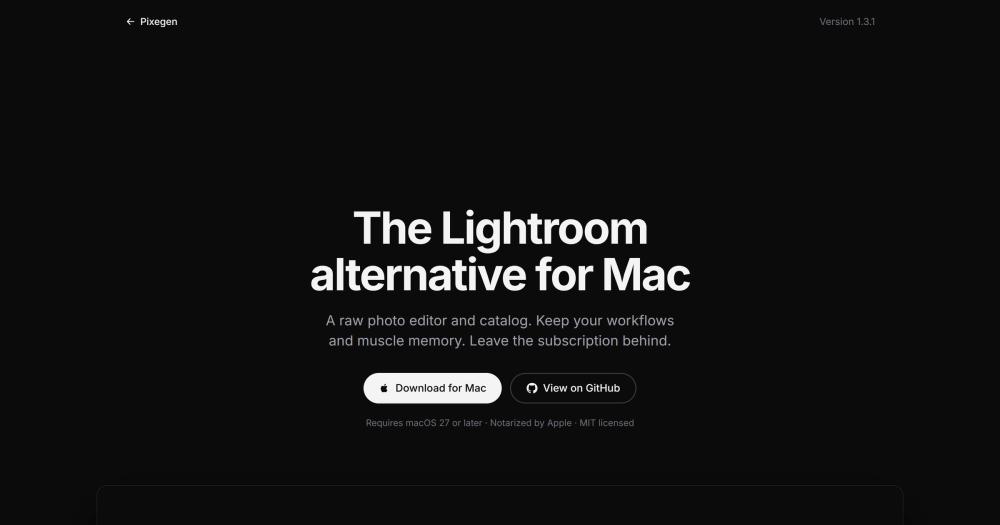
Edit raw photos and manage catalogs on macOS with a Lightroom Classic workflow, non-destructive adjustments, and free MIT license.

Visit websiteGitHub3 stars
image of PixelLoupe
TL;DR

PixelLoupe is a native macOS raw photo editor and catalog modeled on Lightroom Classic, MIT licensed and free to download. It replaces Adobe Lightroom Classic and Capture One for Mac photographers who want to leave a subscription or perpetual-license cost behind, keeping the same keyboard shortcuts and develop workflow. Lightroom Classic 13+ catalogs import with their folders, collections, keywords, and develop history. The repository has 3 GitHub stars and was created on 2026-10-18; it is early-stage software best matched to individual photographers on macOS 27.

Read the full breakdownHide the full breakdownWho it is for, how it works, trade-offs, the quick start and the FAQ
who it's for

Who PixelLoupe is for#

Lightroom Classic subscribers migrating off a subscription

If your Lightroom Classic workflow lives in ratings, collections, develop presets, and keyboard shortcuts, the catalog import path and matched shortcuts lower the migration friction. Import your Lightroom Classic 13+ catalog, check the per-photo import report, and continue editing in PixelLoupe.

Skip if:

If you rely on Lightroom's cloud sync, Lightroom mobile, Adobe Sensei AI search, or ecosystem plugins, those are absent in PixelLoupe today. Evaluate those gaps before migrating a production workflow.

macOS photographers wanting a one-time install over a subscription

PixelLoupe costs nothing: download the notarized DMG, install it, and edit indefinitely without a subscription check or account. The MIT license means you own the app outright and can modify the source.

Skip if:

If you need Windows, Linux, or macOS 26 or earlier support, PixelLoupe does not run on those platforms.

Swift developers studying a native macOS photo app

The PixelLoupe repository is a complete AppKit application in Swift 6 with main-actor isolation, a Core Data catalog package, a CIRAWFilter-based develop pipeline, a Metal-rendered photo grid, a full Lightroom Classic catalog parser, and documented contribution guidelines in CONTRIBUTING.md and SKILLS.md.

Skip if:

Requires macOS 27 and Xcode 27.2. If your development environment is on an older macOS release, the build will not run.

the problem

The problem it solves#

Adobe Lightroom moved to a Creative Cloud subscription in 2017, and Apple discontinued Aperture in 2014. Mac photographers who want a native raw editor with a local catalog now face a narrow set of paid options: Lightroom Classic at $9.99/month, Capture One at $24/month or $299/year, or cross-platform tools without the native Mac rendering they are used to.

The migration friction is real: existing Lightroom Classic catalogs carry years of star ratings, collections, keywords, and develop adjustments stored in a proprietary format. Moving to any other tool historically meant leaving that history behind or translating it by hand.

how PixelLoupe solves it

How it solves it#

Lightroom Classic catalog import

File > Import Lightroom Catalog converts a Lightroom Classic 13+ catalog into a new PixelLoupe catalog in read-only mode, leaving Lightroom's original files untouched. White balance, tone, curves, HSL, color grading, black and white, detail, crops, gradients, and develop history carry over. A per-photo report lists anything that did not import.

Assisted culling

Click Analyze and PixelLoupe sorts a shoot into selects and rejects. It evaluates subject focus, eye focus, eye openness, exposure problems, misfires, and stray shots of documents. Set the sharpness threshold, review verdicts photo by photo, then apply the flags or auto-stack the keepers.

Non-destructive develop workflow

Adjustments are stored per photo as JSON and never modify the original file. The pipeline covers tone curves (point and parametric), HSL, color grading, masking (brush, subject, background, linear, radial), portrait and rim lighting, noise reduction, lens corrections, sharpening, and spot removal. Masks are stored as shapes and stay on the subject when the crop changes.

Photo Merge: HDR and panorama

Select bracketed exposures and merge them into a High Dynamic Range photo with auto-align for handheld shots. Select overlapping frames and merge a panorama. Both operations run inside PixelLoupe without leaving the app to a third-party merging tool.

Web gallery export

Build a shareable web gallery from selected photos: set a headline, description, contact email, page layout, photo size, and borders. Click Generate and the gallery writes to a local folder ready to share or host. Output is HTML with a stylesheet, generated entirely on your Mac.

Sparkle in-app updates

PixelLoupe uses Sparkle for automatic updates. At the second launch it asks whether to check daily and whether to install updates automatically. Each update window shows the GitHub release notes before anything installs. Only stable releases are offered; drafts and prereleases are never served.

strengths · trade-offs

Strengths and trade-offs#

Strengths

  • MIT license: no subscription, no fees, modifiablePixelLoupe is MIT licensed and free to download, run, and modify. There are no licensing fees, no Creative Cloud account, and no per-seat costs. You can read the Swift source, change what does not fit your workflow, and ship a modified version commercially with no restrictions.
  • Lightroom Classic muscle memory carries overKeyboard shortcuts mirror Lightroom Classic: G/D for Library/Develop, P/U/X for flagged/unflagged/rejected, 0-5 for ratings, cmd-shift-E to export. Lightroom presets load directly, so existing looks carry over. The catalog import path brings folders, collections, keywords, stacks, and develop settings from a Lightroom Classic 13+ catalog.
  • Apple-native rendering on Core Image and MetalThe develop pipeline runs through Apple's CIRAWFilter and renders on a Metal-backed MTKView, using the raw processing built into macOS. The photo grid uses a layer-backed NSCollectionView composited through Core Animation and Metal. No third-party rendering engine is required.
  • Notarized installer with signed Sparkle updatesReleases are signed with a Developer ID certificate, notarized by Apple, and stapled, so the DMG opens without Gatekeeper warnings. Sparkle updates are signed with an EdDSA key; each update is verified against the app's public key before install. The build is reproducible: the same Xcode version produces the same bytes.

Trade-offs

  • -Very early stage: 3 GitHub stars, created October 2026The repository was created on 2026-10-18 and had 3 stars and 3 open issues as of November 2026. This is a young one-person project. Missing features, rough edges, and gaps between the Lightroom Classic parity list and the current release are expected at this stage. It is not suited to production studio workflows.
  • -macOS only, requires macOS 27 or laterPixelLoupe is an AppKit app built for macOS 27 and later. There is no Windows, Linux, or iPad version. Users on macOS 26 or earlier cannot run it. Building from source additionally requires Xcode 27.2 with the Metal Toolchain.
  • -No cloud sync, mobile app, or plugin ecosystemPixelLoupe has no cloud sync, no Lightroom mobile companion, no AI-powered search, and no plugin API. Photographers who rely on Lightroom's cross-device sync, Adobe Sensei, or the Lightroom plugin ecosystem will find those absent today.
versus alternatives

PixelLoupe vs alternatives#

PixelLoupe vs Adobe Lightroom Classic

Both tools edit raw photos in a local catalog with non-destructive adjustments. The core decision is cost and data ownership vs ecosystem depth.

FeaturePixelLoupeAdobe Lightroom Classic
LicenseMIT, freeProprietary, $9.99/month
Cloud syncNoYes (CC ecosystem)
Lightroom catalog importYes (LC 13+)Native
AI search and taggingNoYes (Adobe Sensei)
Mobile companionNoYes (Lightroom mobile)
PluginsNoYes, extensive

PixelLoupe is the better choice when cost and data ownership are the primary factors: no subscription, no Adobe account, and no files leaving the Mac. For photographers coming from Lightroom Classic, the catalog import, matched keyboard shortcuts, and develop workflow lower the switching friction compared to other alternatives.

Lightroom Classic is still the stronger fit when you need cloud sync across devices, Lightroom mobile, Adobe Sensei AI search and tagging, an established plugin ecosystem, or a workflow bridging Lightroom and Photoshop. PixelLoupe had 3 GitHub stars in November 2026 and is at an early stage; production studio workflows are better served by Lightroom Classic for now.

PixelLoupe vs Capture One

Capture One is a perpetual-license raw editor with professional tethering support and per-camera color profiles aimed at commercial photographers.

FeaturePixelLoupeCapture One
LicenseMIT, freeProprietary, $24/month or $299/year
Tethered shootingNoYes
Camera-specific profilesApple raw pipelineDedicated per-camera profiles
MaskingBrush, subject, linear, radialMature layers system
PluginsNoYes

PixelLoupe costs nothing versus Capture One's subscription or perpetual fee, and the MIT license allows modification. For photographers with Lightroom Classic history, PixelLoupe's catalog import and keyboard shortcuts make the transition more direct than Capture One's.

Capture One is worth choosing when you need tethered shooting, per-camera color science, a more mature masking and layers system, or a tool with a proven production track record. PixelLoupe was created in October 2026 and has 3 GitHub stars; Capture One has years of professional use behind it.

install · quick start

Quick start#

bash
Download the notarized macOS installer from GitHub Releases: https://github.com/twlatl/PixelLoupe/releases/latest
tech stack · detected from GitHub

What it's built on#

Languages
CPythonSwift
frequently asked

FAQ#

What macOS version does PixelLoupe require?

PixelLoupe requires macOS 27 or later. The app will not launch on earlier versions of macOS. Check System Settings > General > Software Update to confirm your version before downloading.

Can I import my existing Lightroom Classic catalog?

Yes. File > Import Lightroom Catalog converts a Lightroom Classic 13 or later catalog into a new PixelLoupe catalog. Lightroom's files are only read; nothing is moved or changed. White balance, basic sliders, tone curves, HSL, color grading, black and white settings, crops, gradients, and develop history carry over. A per-photo report lists anything that did not import.

Is the PixelLoupe download safe to open on macOS?

Yes. Each release is signed with a Developer ID Application certificate and notarized by Apple via App Store Connect, so the DMG opens without Gatekeeper warnings. Sparkle updates are signed with an EdDSA key; each update is verified against the app's embedded public key before install.

Can I build PixelLoupe from source?

Yes, but it requires macOS 27 and Xcode 27.2 with the Metal Toolchain (Xcode offers to install it, or run xcodebuild -downloadComponent MetalToolchain). Open PixelLoupe.xcodeproj and run the PixelLoupe scheme. The libjxl library for JPEG XL smart previews is checked in pre-built, so no additional dependencies are needed beyond Xcode.

What export formats does PixelLoupe support?

PixelLoupe exports to JPEG, HEIC, TIFF, PNG, and PSD in sRGB, Display P3, Adobe RGB, or ProPhoto RGB color spaces. The export dialog includes output sharpening, file naming templates and presets, and a Watermark Editor for text or graphic watermarks that render consistently at any export size.

also worth a look

Similar open-source tools#

RawTherapee

Alternative toAdobe Lightroom

Non-destructive RAW editor with advanced color tools and no cost

  • 4,263 GitHub stars
  • GPL-3.0Licence GPL-3.0

darktable

Alternative toAdobe Lightroom

Non-destructive RAW photo editor and darkroom workflow

  • 13,394 GitHub stars
  • GPL-3.0Licence GPL-3.0

God's Eye View

Featured

Alternative toFFlightradar24

Real-time global intelligence on a 3D globe

  • 62,094 GitHub stars
  • CustomLicence MIT with third-party data restrictions

Opensource UI

Alternative toTailwind UI

200+ copy-paste React and Next.js components, MIT licensed, no package

  • 818 GitHub stars
  • MITLicence MIT

ScreenToGif

Alternative toSnagit

Screen, webcam, and sketchboard recorder with frame-level GIF editor

  • 27,887 GitHub stars
  • MS-PLLicence MS-PL

Stayput

InBusiness & Productivity

136 file tools for images, PDFs and video, no uploads or accounts.

  • MITLicence MIT
by category

Open source tools in these categories#

113

Design & Creative

ComfyUI, Excalidraw, Godot Engine

Sponsors

Inbox Zero

Alternative toSuperhuman

AI email assistant that drafts replies and clears your inbox

  • 12,889 GitHub stars
  • AGPL-3.0Licence AGPL-3.0
  • #Email

rakazo

Alternative toGrok Bot

AI teammates you own: your keys, your model, your machine.

  • 7,028 GitHub stars
  • Apache-2.0Licence Apache-2.0
  • #AI Agents

SnitchFeed

Live monitoring on LinkedIn, X, Reddit & more. Agentic social listening for startups.

Marketing & Growth

Advertise your product

New open source projects by email

The projects we add and every new guide. Free, unsubscribe any time.

Find open source alternatives to paid software

/
  • Claude Code to OpenCode
  • Jira to Windshift
  • Notion to AppFlowy
  • Slack to Mattermost
  • Linear to GitLab
  • Wispr Flow to Handy
  • Arc to Zen Browser
  • CapCut to Concat
  • Grok Bot to rakazo
  • Superhuman to Inbox Zero
  • Airtable to AITable
  • Muse to OpenClaw
  • Railway to Coolify
  • GitHub Copilot to Cline
  • Datadog to Netdata
  • Confluence to Wiki.js
  • Microsoft Teams to Rocket.Chat
  • Firebase to Supabase
  • Pinecone to Qdrant
  • Zapier to n8n
  • 1Password to KeePassXC
  • Devin AI to OpenHands
  • Asana to Leantime
  • Contentful to Strapi
  • Claude Code to OpenCode
  • Jira to Windshift
  • Notion to AppFlowy
  • Slack to Mattermost
  • Linear to GitLab
  • Wispr Flow to Handy
  • Arc to Zen Browser
  • CapCut to Concat
  • Grok Bot to rakazo
  • Superhuman to Inbox Zero
  • Airtable to AITable
  • Muse to OpenClaw
  • Railway to Coolify
  • GitHub Copilot to Cline
  • Datadog to Netdata
  • Confluence to Wiki.js
  • Microsoft Teams to Rocket.Chat
  • Firebase to Supabase
  • Pinecone to Qdrant
  • Zapier to n8n
  • 1Password to KeePassXC
  • Devin AI to OpenHands
  • Asana to Leantime
  • Contentful to Strapi