DriverStoreExplorer vs Driver Booster
Both work with Windows drivers, but they address different problems. Driver Booster scans for outdated drivers and downloads replacements from IObit's driver database; DriverStoreExplorer inspects and cleans up the packages Windows has already staged in its driver store. They rarely serve the same workflow.
| Feature | DriverStoreExplorer | Driver Booster |
|---|
| License | GPL-2.0 (free) | Freemium / paid subscription |
| Driver download | No | Yes, from IObit database |
| Driver store cleanup | Yes, batch removal with auto-selection | Limited |
| Offline image support | Yes | No |
| Internet required | No | Yes, for driver database |
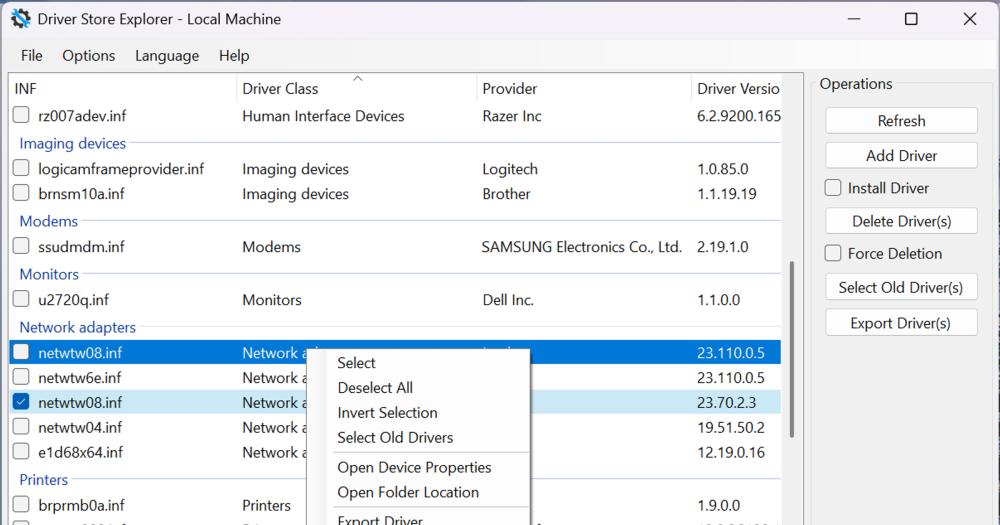
DriverStoreExplorer is the better choice for administrators who need to audit and prune the driver store, as it shows exactly which packages are staged, their sizes and versions, and lets you remove them selectively with or without backup. Driver Booster is aimed at consumer users who want automatic driver updates from an external vendor database; it is not designed for the administrative-level store inspection that DriverStoreExplorer provides.
DriverStoreExplorer vs Driver Easy
Driver Easy is a paid driver updater with a scan-and-install workflow oriented toward home users who want one-click driver updates. Like Driver Booster, its core value is finding and installing driver updates from an external database, not managing what the driver store already holds.
| Feature | DriverStoreExplorer | Driver Easy |
|---|
| License | GPL-2.0 (free) | Paid subscription for auto-install |
| Driver cleanup | Yes, batch operations | No dedicated cleanup |
| Offline image support | Yes | No |
| Requires internet | No | Yes, for driver database |
DriverStoreExplorer is the better choice when you want to inspect and clean the existing driver store without touching external databases. Driver Easy fits when a consumer user wants automatic driver updates on a personal machine and does not need administrative-level store management.