

Who Sprigo is for#
Privacy-focused learners who don't want cloud tracking
Sprigo keeps all progress, conversation data, and speaking measurements on your machine. No account is required, no data goes to the app developer, and you can inspect or export your SQLite database directly. Speech recognition runs offline via whisper.cpp.
Skip if:
You need sync across multiple devices without setting up Tailscale, or you want seamless mobile access. Sprigo's phone companion requires Tailscale and keeps data on the desktop computer.
Technically comfortable learners building English from A1 to C2
English has the most complete course coverage (A1 through C2), and the Tauri app installs with one Homebrew command or a curl script. If you already run Ollama for other projects, Sprigo can reuse it.
Skip if:
You are targeting intermediate or advanced study in Spanish, French, German, or Turkish. These languages stop at A1 in the current release.
Learners who want conversation practice with automated feedback
The live lesson feature runs a video-call style session with an animated tutor, live captions, and a speaking coach that measures response time, pauses, and how often you switch to your native language. The practice hub and roleplay scenes add variety beyond structured lessons.
Skip if:
You want to practice with a human partner or in a social classroom setting. Sprigo is a solo learning tool with no human tutors and no real-time multiplayer.
Learners who have hit Duolingo's subscription wall
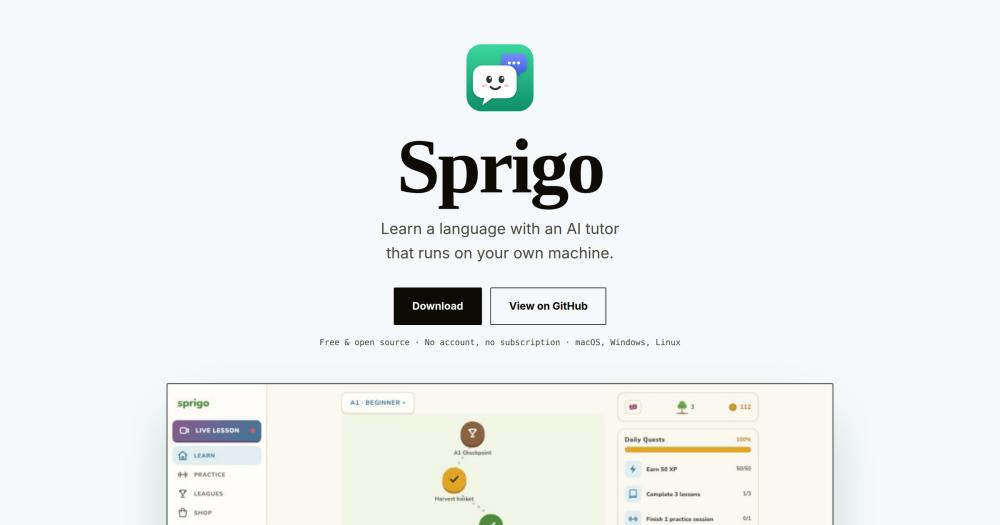
Sprigo's garden and gamification (XP, coins, daily quests, a shop, a local league) are structurally similar to Duolingo's streak mechanics, without a subscription gate. The A1 to C2 English course path offers more granular structure than Duolingo's level system.
Skip if:
You need a polished production app with a large user community or proven long-term retention data. Sprigo is early-stage software with no established user base yet.
The problem it solves#
Language learning apps like Duolingo and Babbel store your progress on their servers and require an active subscription for full access. When a subscription lapses, full practice is interrupted. Beyond cost, privacy is a real concern for learners who don't want a company tracking vocabulary gaps, session patterns, and conversation topics.
The deeper issue is control over content. Cloud-based apps serve exercises from a fixed library that cannot adapt to what you specifically find hard. For learners who want to practice specific grammar points or conversational scenarios that matter to them, the only option is paying for a human tutor.
How it solves it#
Structured Course Paths
English A1 through C2 with 50+ steps per level, plus Spanish, French, German, and Turkish at A1. Each unit includes a guidebook in your own language, a harvest basket at the end of the unit, and a checkpoint at the end of each level. A unit or level test lets you skip ahead.
AI-Generated Adaptive Lessons
Translate, fill-in-the-blank, match, listen, word bank, and error-correction exercises generated by a local AI model at runtime. Lessons feed your recent mistakes back into the generation prompt, so harder items recur. A Mastery version turns a finished lesson gold when you complete it.
Live Video-Call Style Lessons
Six animated tutors hold real-time conversations with live captions. You can cut in while the tutor is speaking, and the practice panel lets you do exercises together while the tutor follows along. The speaking coach measures response time, pauses, answer length, and how often you switch to your native language.
On-Device Speech Recognition
Speech recognition runs via whisper.cpp bundled inside the app, with a 57 MB model that requires no external service. Deepgram is available as an optional cloud alternative. Text-to-speech uses Piper (fast, local) or Kokoro (most natural, English only), both downloaded on first use.
Private by Default
Progress stays in a local SQLite database with daily backups. API keys go into the OS keychain (macOS Keychain, Windows Credential Manager, or Secret Service). No audio is recorded; speaking stats are computed from timing and transcripts only. Multiple profiles can share one computer with optional PIN protection.
Flexible AI Provider Support
Works with Ollama (recommended, can pull qwen3:8b at about 5.2 GB on first run), LM Studio, or cloud APIs (OpenAI, Anthropic, Gemini) configured in Settings. Models under 8B parameters run but produce noticeably weaker lessons; Sprigo warns you when you pick one.
Strengths and trade-offs#
Strengths
- Free to use with all data staying on your machineSprigo requires no account and no subscription. Progress is stored in SQLite locally, and the only network calls go to whichever AI provider you choose. Cloud API keys are optional; Ollama runs entirely offline on a local model.
- MIT license with courses as plain YAML filesThe app is MIT licensed. Courses are plain YAML files in the courses/ directory, validated with Zod. Adding a new language or extending an existing course beyond A1 requires no code changes, only YAML edits.
- Offline speech recognition bundled in the appWhisper.cpp runs inside the app with a bundled 57 MB model, so speech recognition works without an internet connection or an API key. Deepgram is an optional cloud alternative for users who prefer higher accuracy.
Trade-offs
- -Requires a capable machine for best lesson qualityOllama with qwen3:8b needs about 5.2 GB of storage and enough RAM to run an 8B-parameter model (typically 8 GB or more). Sprigo warns when you pick a model below 8B parameters because lesson quality degrades noticeably. Users without a capable local machine must use a cloud AI provider with their own API key.
- -Brand new with no established communityCreated in late September 2026 with zero GitHub stars and zero forks at the time of listing. There is no track record of long-term maintenance, no community forums, and no third-party reviews verifying learning outcomes. Early adopters should expect rough edges and limited troubleshooting resources.
- -Non-English courses stop at A1Spanish, French, German, and Turkish courses cover only A1 level at launch. English runs to C2. Learners targeting intermediate or advanced study in languages other than English will hit the end of the structured content quickly.
Sprigo vs alternatives#
Sprigo vs Duolingo
Both tools offer structured language courses with gamification, daily streaks, and speaking practice. Duolingo is a cloud-hosted commercial platform requiring an account and subscription for full features; Sprigo runs on your own machine with no account and no fees.
| Feature | Sprigo | Duolingo |
|---|---|---|
| License | MIT | Proprietary |
| Price | Free | Free tier / paid subscription |
| Data storage | Local SQLite | Duolingo servers |
| Speech recognition | whisper.cpp (offline) | Cloud |
| Content | AI-generated at runtime | Fixed curriculum library |
Sprigo wins on privacy and cost for English learners. All data stays on your machine, no account is needed, and there is no paywall. The English course structure is more granular (50+ steps per level, checkpoint tests, and mastery mode). Duolingo is the stronger choice for non-English courses, for learners who want a proven curriculum with years of pedagogical refinement, and for users who prefer a mobile-first experience without local model setup.
Sprigo vs Babbel
Babbel targets adult learners who want conversation practice and practical vocabulary through a subscription service. Sprigo overlaps on live conversation but differs in how content is produced and where data lives.
| Feature | Sprigo | Babbel |
|---|---|---|
| License | MIT | Proprietary |
| Price | Free | Subscription |
| Data storage | Local SQLite | Babbel servers |
| Live conversation | AI tutor (local model) | Human teacher (Babbel Live, paid add-on) |
| Languages | English A1 to C2, 4 others at A1 | Multiple languages |
For learners willing to use an AI conversation partner, Sprigo provides structured feedback at no cost. Babbel is the stronger choice if you need courses for languages beyond the five Sprigo covers, want a human live teacher, or prefer a fully supported product with customer service.
Quick start#
Install Sprigo on macOS with Homebrew or on macOS and Linux via the install script.
```bash
brew install --cask ozerozdas/tap/sprigo
curl -fsSL https://raw.githubusercontent.com/ozerozdas/sprigo/master/install.sh | sh
```What it's built on#
- Languages
- RustTypeScript
- Frameworks
- React
FAQ#
Does Sprigo work offline without an internet connection?
Yes, when using a local model. If you use Ollama or LM Studio, all lesson generation, speech recognition (whisper.cpp), and text-to-speech (Piper or Kokoro) run on your machine with no internet required. The Deepgram speech option and cloud AI providers (OpenAI, Anthropic, Gemini) do require a connection and API keys.
What hardware do I need to run Sprigo?
Sprigo recommends a local model of at least 8B parameters. Ollama with qwen3:8b requires about 5.2 GB of storage and enough RAM to run the model (typically 8 GB or more). Smaller models run but produce noticeably weaker lessons. Using a cloud provider (OpenAI, Anthropic, or Gemini) removes the local hardware requirement if you supply an API key.
Which languages can I learn with Sprigo?
English has a complete structured course from A1 to C2 with 50+ steps per level. Spanish, French, German, and Turkish are available at A1. The app interface itself is available in English, Turkish, German, French, and Spanish.
Can Sprigo replace Duolingo?
For English learners, Sprigo covers structured lessons, gamification, speaking practice, and daily streaks, similar to Duolingo. The differences are that Sprigo is MIT licensed, runs on your machine rather than a cloud service, and uses a local AI model to generate exercises rather than serving a fixed content library. The non-English courses are currently limited to A1, and Sprigo is far newer with a smaller feature set outside English.
Can I use Sprigo on my phone?
Sprigo includes a phone companion mode. Enable it in Settings and scan a QR code to open the app in your phone's browser over Tailscale. Your data, speech recognition, and the AI model stay on the desktop computer. A native mobile app is not available.
Similar open-source tools#

rakazo
AI teammates you own: your keys, your model, your machine.

paperclip
Self-hosted AI agent management with org charts and budgets

Kev
Train and run Jev-like decision models on your own infrastructure

Laya
Multilingual decision engine for typed answers without text generation

openrig
Coordinate Claude Code and Codex as one persistent agent team.
starnet
Local-first AI agent runtime with a visual pixel-art crew station