Open Source Alternatives
  • Alternatives
  • Categories
    Categories by size1,283 projects
    • Developer Tools660
    • AI & Machine Learning543
    • Business & Productivity307
    • Web Development219
    • Security & Monitoring198
    • Communication & Collaboration168
    • IT Management164
    • Design & Creative142
    • LLMOps & AI Tooling140
    • DevOps & CI/CD137
    Browse all 21 categoriesCloud & Hosting, Product & Project Management and 9 more
  • Blog
  • Advertise
SearchNotion, Slack, password manager.../
Submit
Open Source Alternatives
  • Alternatives
    • Developer Tools660
    • AI & Machine Learning543
    • Business & Productivity307
    • Web Development219
    • Security & Monitoring198
    • Communication & Collaboration168
    • Browse all 21 categories
  • Blog
  • Advertise
Submit your project

New open source projects by email

The projects we add and every new guide. Free, unsubscribe any time.

Open Source Alternatives LogoOpen Source Alternatives

Handpicked Open Source Alternatives to Paid Softwares

Add Open Source Alternatives as a preferred source on Google

Product

  • Categories
  • Tag
  • Advertise

Resources

  • Blog
  • Collection
  • Submit

Company

  • Privacy Policy
  • Terms of Service
  • Refund Policy
  • Sitemap

Alternatives

  • Claude Code
  • Jira
  • Notion
  • Slack
  • Linear
  • Wispr Flow
  • All alternatives
© 2026 Open Source Alternatives. All rights reserved.
Open SourceAlternatives
Home/Categories/IT Management/Mist
icon of Mist

Mist

  • 5.4K stars
  • MIT
  • Active this month
  • Last commit 21 days ago

Last verified Nov 17, 2026

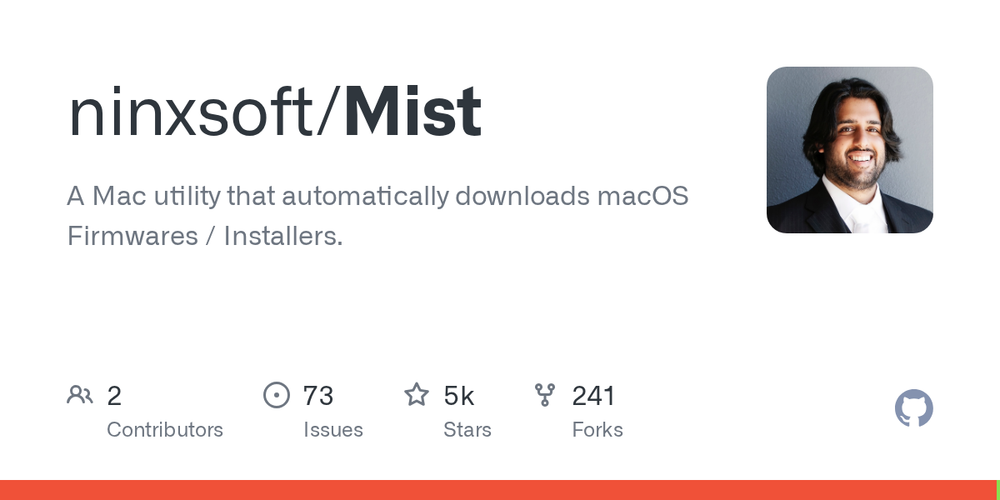
Generate macOS installer packages, disk images, .ipsw firmware files, and bootable ISOs from Apple's update catalog with checksum validation.

Visit websiteGitHub5.4K stars
image of Mist
TL;DR

Mist is a free, MIT-licensed Mac GUI app that downloads macOS firmwares and installers directly from Apple's update catalog, generating .ipsw, .app, .dmg, .iso, and .pkg outputs with automatic checksum validation. It replaces manual catalog scripting and fills the artifact preparation step that paid MDM platforms like Jamf Pro leave to administrators. Best for Mac admins building deployment pipelines, IT teams maintaining multi-version installer libraries, and developers creating macOS virtual machine environments.

Read the full breakdownHide the full breakdownWho it is for, how it works, trade-offs, the quick start and the FAQ
who it's for

Who Mist is for#

Mac admins preparing deployment artifacts

Mist downloads a macOS version from Apple's catalog and exports a .pkg installer or a .dmg ready for use in imaging or MDM package management. The local download cache means multiple output formats from the same macOS version need only one Apple CDN pull, saving time on repeated builds.

Skip if:

Your MDM platform already handles macOS installer distribution and your workflow does not require locally stored installer artifacts in specific formats.

Developers building macOS VM test environments

Generates bootable .iso files for Parallels Desktop, UTM, VMware Fusion, and VirtualBox from any macOS version available in Apple's catalog. Covers Big Sur through the current release, so a multi-version test matrix requires a few targeted downloads rather than navigating Apple's support pages.

Skip if:

Your CI runner provisions macOS VMs through a hosted service such as GitHub Actions macOS runners, where the OS environment is managed for you.

IT teams maintaining multi-version installer libraries

Keeps a local library of .ipsw and .pkg files spanning multiple hardware generations, including Apple Silicon firmware and Intel universal installers. Beta catalog support covers machines enrolled in Apple seed programs without requiring a developer account on each individual machine.

Skip if:

You distribute macOS upgrades entirely through Apple Software Update or MDM-pushed updates and have no need for locally stored installer artifact files.

the problem

The problem it solves#

Getting a clean, format-specific macOS installer is harder than it should be. Apple's App Store and softwareupdate command provide the current release only as a .app bundle, with no built-in path to generate a .pkg for scripted deployment, an .iso for virtual machines, or an .ipsw for Apple Silicon device restore. Getting a specific older macOS version requires finding the right catalog URL and manually assembling the output format.

The challenge grows for IT teams maintaining installers across multiple macOS versions and hardware generations. Paid MDM platforms handle deployment at scale but charge per enrolled device and do not expose the raw installer artifacts that imaging scripts, Packer builds, and VM templates require.

how Mist solves it

How it solves it#

Multi-format output from one download

Downloads from Apple's Software Update servers once and generates any combination of .app Application Bundle, .dmg Disk Image, bootable .iso for Parallels Desktop/UTM/VMware Fusion/VirtualBox, and .pkg Installer Package. The base download is cached locally so generating a second format costs no additional bandwidth from Apple's servers.

IPSW firmware for Apple Silicon

Downloads IPSW firmware restore files for Apple Silicon Macs directly from Apple's servers, with SHA-1 checksum validation after each download to confirm file integrity before the file is used for a restore or deployment operation.

Seed and beta catalog support

Connects to Apple's Customer Seed, Developer Seed, and Public Beta catalogs alongside the standard release catalog, listing and downloading pre-release macOS versions for teams enrolled in the AppleSeed, Apple Developer, or Apple Beta Software programs.

Optional codesigning for packages and images

Codesigns generated .dmg Disk Images and .pkg Installer Packages so they pass Gatekeeper checks on managed Macs during deployment, removing the need for extra security overrides at install time.

Catalog export in four formats

Exports the full list of available macOS versions, including build numbers, release dates, and file sizes, as CSV, JSON, Property List, or YAML, for use in scripts, inventory documentation, or CI configuration files.

strengths · trade-offs

Strengths and trade-offs#

Strengths

  • MIT license with no account or subscription requiredFree to run with no Apple ID required for standard releases and no MDM subscription. Mist pulls from Apple's public Software Update servers, so there is no per-use cost, no rate limit from a third-party API, and no dependency on a managed service to retrieve official Apple installers.
  • Checksum validation on every downloadIPSW files are verified with SHA-1 checksums; Intel-era installers are checked against Chunklist checksums. A corrupted or tampered file is caught at download time before it reaches a device, reducing the risk of a failed restore or a compromised installer in a deployment pipeline.
  • Homebrew cask for managed installsInstall and update Mist with `brew install --cask mist`, fitting it into the same Homebrew-managed toolchain that Mac admins use for other utilities and enabling reinstall via scripted workstation setup without manual downloads.

Trade-offs

  • -macOS onlyMist runs on macOS Monterey 12.0 or later and generates macOS-specific artifacts only. Teams managing Windows or Linux alongside a Mac fleet need separate tools for those platforms, as Mist has no cross-platform capability.
  • -Full Disk Access required for some output typesDepending on the output format selected, macOS requires Mist to have Full Disk Access granted in System Settings. In managed environments where security policies restrict Full Disk Access grants, this is an additional configuration step that must be authorized by an administrator before Mist can generate certain output formats.
  • -73 open issuesThe project has 73 open issues. Teams relying on Mist for production deployment pipelines should track the GitHub repository for regressions in their target output format before updating to new releases.
versus alternatives

Mist vs alternatives#

Mist vs Jamf Pro

Jamf Pro is the leading paid platform for Apple device management, covering enrollment, policy enforcement, software distribution, and macOS installer management under a single per-device subscription. Mist handles one specific piece of that scope: getting macOS installer artifacts onto an admin's machine in the right format.

FeatureMistJamf Pro
LicenseMIT (free)Proprietary, per-device subscription
InstallationHomebrew cask or GitHub downloadCloud-hosted MDM server
Output formats.ipsw, .app, .dmg, .iso, .pkgManaged install via MDM policy
Device enrollmentNot applicableYes, full MDM enrollment
Policy and complianceNot applicableYes, full policy engine

Mist is the right choice when the goal is artifact preparation: generating specific macOS installer formats for imaging scripts, VM templates, or as inputs to other tools, without a per-device subscription. Teams running Packer builds, VM test suites, or on-premises imaging workflows get the installer files they need without enrollment or license costs.

Jamf Pro remains the better fit for organizations that need centralized macOS deployment, compliance reporting, remote wipe, app distribution, and policy enforcement across a managed fleet. Mist does not replace those capabilities; it only addresses the installer acquisition step that Jamf customers often still perform manually.

Mist vs Apple's Built-In Tools

Apple provides softwareupdate and, for Apple Silicon, Configurator 2 as built-in paths to macOS installers. Both require manual steps and produce only specific output formats: softwareupdate downloads a .app bundle to /Applications; Configurator 2 exports .ipsw files for connected devices. Neither generates .iso files for virtual machines or signed .pkg packages for scripted deployment without additional command-line work.

Mist consolidates these paths into one app, adds multi-format generation, checksum validation, and seed catalog access, covering use cases the built-in tools cannot handle.

install · quick start

Quick start#

bash
Install Mist via Homebrew or download the signed macOS app from GitHub Releases.
```bash
brew install --cask mist
```
tech stack · detected from GitHub

What it's built on#

Languages
Swift
frequently asked

FAQ#

Does Mist require an Apple ID or developer account?

Not for standard macOS releases. Mist queries Apple's public Software Update catalog and downloads from Apple's servers without authentication. Accessing beta or seed catalogs (Customer Seed, Developer Seed, Public Beta) does require membership in the corresponding Apple program, but all Generally Available macOS releases work without an account.

What macOS versions can Mist download?

Mist lists all versions available in the selected Software Update catalog: standard, Customer Seed, Developer Seed, or Public Beta. It can also filter results to show only versions compatible with the Mac it is running on. The .pkg and .iso output paths for the Intel/Universal installer require macOS Big Sur or later as the source version.

What is mist-cli and how does it relate to Mist?

mist-cli is the companion command-line tool that covers the same catalog queries and download operations as the GUI app. It is suited for CI pipelines, headless Mac servers, and scripted admin workflows that do not have a display. The two are separate tools from the same developer and share the same underlying catalog logic.

What output formats does Mist generate?

For Apple Silicon: .ipsw firmware restore files. For Intel and Universal builds (macOS Big Sur and later): .app Application Bundle, .dmg Disk Image, .iso bootable disk image (for Parallels Desktop, UTM, VMware Fusion, VirtualBox), and .pkg Installer Package. Mist optionally codesigns .dmg and .pkg outputs so they pass Gatekeeper on managed Macs.

Why does Mist need Full Disk Access?

Some output operations require reading from protected system directories to assemble the installer correctly. Grant Mist Full Disk Access in System Settings > Privacy and Security > Full Disk Access. The README links to Apple's guide on enabling this permission at support.apple.com/guide/mac-help/mh15217.

also worth a look

Similar open-source tools#

DriverStoreExplorer

InIT Management

Windows driver store manager for IT admins and power users

  • 12,148 GitHub stars
  • GPL-2.0Licence GPL-2.0

Bazzite

Alternative toWindows 11

Gaming Linux OS with atomic updates and Steam pre-installed.

  • 9,364 GitHub stars
  • Apache-2.0Licence Apache-2.0

mRemoteNG

Alternative toDevolutions Remote Desktop Manager

Tabbed multi-protocol remote connections manager for Windows

  • 11,224 GitHub stars
  • GPL-2.0Licence GPL-2.0

OpenNavo

Alternative toCork

Homebrew GUI for Mac with ClamAV scanning and system monitoring.

  • 94 GitHub stars
  • GPL-3.0Licence GPL-3.0

Termix

Alternative toTermius

Self-hosted, plugin-based server manager with SSH and remote desktop.

  • 15,978 GitHub stars
  • Apache-2.0Licence Apache-2.0

Muxin

Alternative toRoyal TSX

One app for all your machines, AI agent sessions, desktops, and MCP.

  • 464 GitHub stars
  • Apache-2.0Licence Apache-2.0
by category

Open source tools in these categories#

164

IT Management

RustDesk, Immich, Stirling PDF
660

Developer Tools

REA (Reverse Engineer Anything), Skills for Real Engineers, superpowers

Sponsors

Inbox Zero

Alternative toSuperhuman

AI email assistant that drafts replies and clears your inbox

  • 13,025 GitHub stars
  • AGPL-3.0Licence AGPL-3.0
  • #Email

rakazo

Alternative toGrok Bot

AI teammates you own: your keys, your model, your machine.

  • 8,291 GitHub stars
  • Apache-2.0Licence Apache-2.0
  • #AI Agents

SnitchFeed

Live monitoring on LinkedIn, X, Reddit & more. Agentic social listening for startups.

Marketing & Growth

Advertise your product

New open source projects by email

The projects we add and every new guide. Free, unsubscribe any time.

Find open source alternatives to paid software

/
  • Claude Code to OpenCode
  • Jira to Windshift
  • Notion to AppFlowy
  • Slack to Mattermost
  • Linear to GitLab
  • Wispr Flow to Handy
  • Arc to Zen Browser
  • CapCut to Concat
  • Grok Bot to rakazo
  • Superhuman to Inbox Zero
  • Discord to Stoat
  • Airtable to AITable
  • Datadog to SigNoz
  • Muse to OpenClaw
  • Railway to Coolify
  • GitHub Copilot to Cline
  • Confluence to Wiki.js
  • Microsoft Teams to Rocket.Chat
  • 1Password to KeePassXC
  • Firebase to Supabase
  • Pinecone to Qdrant
  • Zapier to n8n
  • Devin AI to OpenHands
  • Asana to Leantime
  • Claude Code to OpenCode
  • Jira to Windshift
  • Notion to AppFlowy
  • Slack to Mattermost
  • Linear to GitLab
  • Wispr Flow to Handy
  • Arc to Zen Browser
  • CapCut to Concat
  • Grok Bot to rakazo
  • Superhuman to Inbox Zero
  • Discord to Stoat
  • Airtable to AITable
  • Datadog to SigNoz
  • Muse to OpenClaw
  • Railway to Coolify
  • GitHub Copilot to Cline
  • Confluence to Wiki.js
  • Microsoft Teams to Rocket.Chat
  • 1Password to KeePassXC
  • Firebase to Supabase
  • Pinecone to Qdrant
  • Zapier to n8n
  • Devin AI to OpenHands
  • Asana to Leantime